How to Use the Final Grade Calculator

Converting ‘What do I need?’ into a calculable formula

The final exam may be weighted very differently to the previous assignments. Using this free tool, we can calculate based on our current average of 82% in the course, final weighting of 40% and various overall goals. The results were observed.

The first goal was to achieve an overall grade of 88%. This can be seen to require a 97% in the final exam. Increasing the goal to 92% results in a score greater than 100% being required with a warning. If we reduce the goal to 45%, then we can see that no score is required as it is already secured. This demonstrates the three different scenarios.

Before applying the result to your course, you should check the syllabus. This calculator is based on a model of your current average plus one weighted final. It will not automatically apply all rules to your course, such as a minimum exam score, dropped marks, a curve, attendance requirements, or extra credit. The calculation may be accurate but the model may not apply to your course.

Entering your current grade

The current grade should reflect the work you have completed for the non-final part of your course. The portal may show a rolling average of all marked work or include unmarked work as 0% depending on how it is set up. This may not be interchangeable. If you are unsure what is included in your average, clarify this.

The final weighting is the percentage of the overall grade the final contributes. This is not the number of questions or points on the front. In this example, it means that 40% of the overall grade will be the final exam. The remaining 60% will be your current average. The desired grade is the overall percentage you wish to achieve.

As this example is hypothetical, no real student data or institutional policies were used. This is to demonstrate the formula and how it works within the interface. As this is not recommending a specific grade to aim for, there is no implication that you should pass or fail based on this. The relevant threshold will be based on your course.

Step 1: Entering an achievable goal

Navigate to the Final Grade Calculator page. Enter your current grade (82), final exam weighting (40) and desired overall grade (88). This will update in real time. In this example, it can be seen that a 97% is required.

[Note: Image 1 - Current average of 82%, final weighting of 40% and desired grade of 88% results in a required grade of 97%]
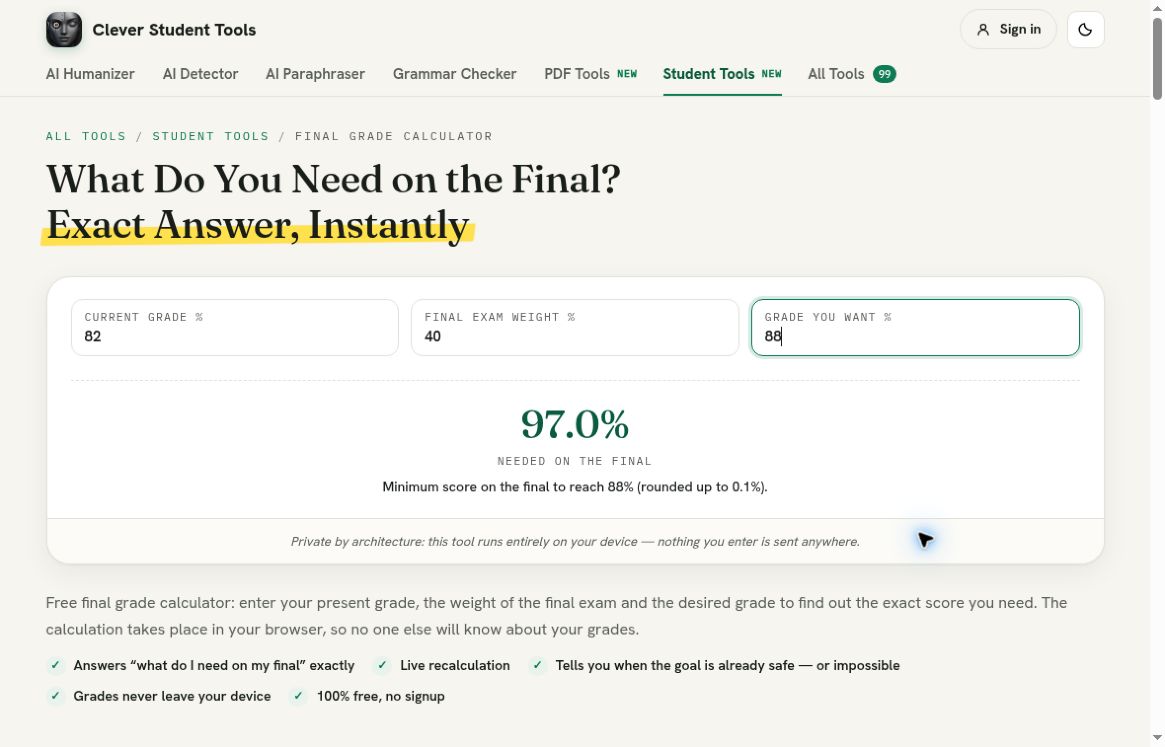
This can be easily calculated manually. The portion of the course you have completed will contribute 82 x 60% = 49.2 points towards your overall grade. To achieve an overall grade of 88%, you will need to gain 38.8 points from your final. This can be calculated by dividing 38.8 by 40% = 97. A 97% in your final will give you 49.2 + 38.8 = 88% overall.

This is a useful check to ensure you understand how your exam score contributes to your overall grade. The 97% is the percentage you received in the final. The 38.8 is the number of points this contributed to your overall grade at a 40% weighting. It can be easy to confuse these two numbers and think the calculation is much more complicated.

The interface explains that the required grade will be rounded up to the nearest 1/10%. In this example, the result was a whole number. If your course rounds differently, you should check what the relevant rule is.
Testing out the extremes

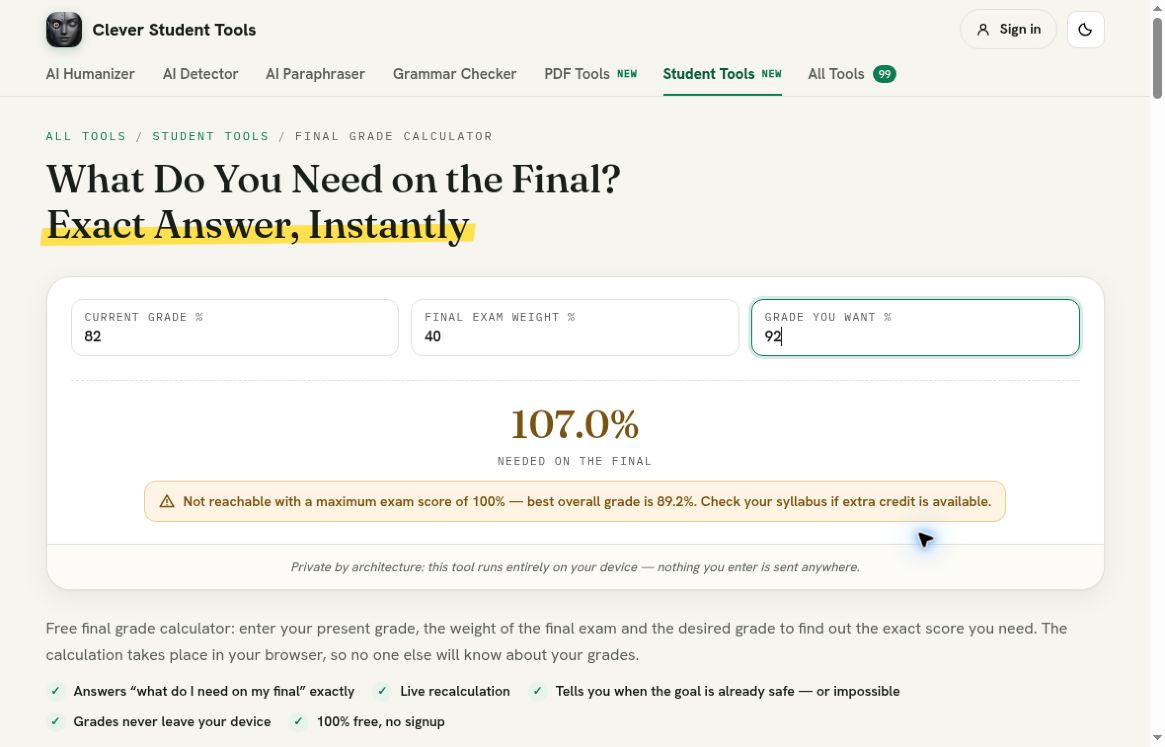
Keeping the current average and final weighting the same, increase the desired grade to 92%. It can be seen that you would need to receive 107% in the final exam. However, it also explains that this is not achievable if the maximum score you can receive is 100%. This means the best overall grade you could achieve is 89.2%.

In screenshot two you can see that the required final exam score to achieve the desired overall course grade is 107%. The maximum achievable grade is also highlighted with it being 89.2% due to the final exam having a maximum score of 100%. These are two different numbers. This warning tells you that the desired grade cannot be achieved with these assumptions. This will not affect any attendance or exam requirements in the course syllabus.

This can be calculated manually. As the portion of the course you have completed contributes 49.2 points, you would need 42.8 points from your final. This can be calculated by dividing 42.8 by 40% = 107. As the maximum you can receive is 100%, the maximum contribution you can receive from your final is 40 points. This means your overall grade will be 49.2 + 40 = 89.2. This is not a judgement on your ability but just an explanation of how the weighting works.

If your course has any extra credit, curve or other adjustments, check the course rules. Just because a course has extra credit doesn’t mean you can get over 100%, and just because you can’t get over 100% in every grading policy. The warning specifically states that this is based on the final having a maximum score of 100%. If there is a different policy, then you would need a different model or more information.

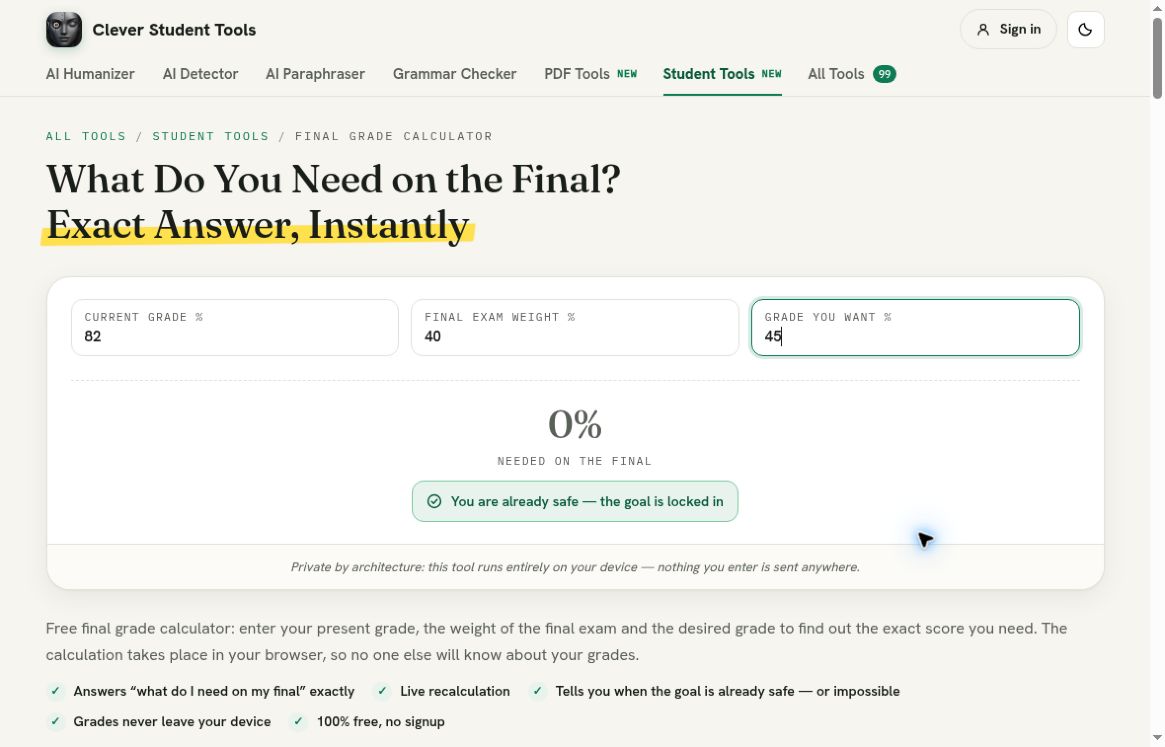
Finally, reduce the desired grade to 45%. Keeping the current average and final weighting the same, it can be seen that no score is required. This is because the portion of the course you have completed contributes 49.2 points. This is already above our hypothetical goal.

[Note: Image 3 - Reducing the desired grade results in a required grade of 0%]

This should not be taken as an excuse to not sit the exam. Some courses may require you to sit the final, achieve a minimum score or complete certain parts. The calculator will not know this. The correct interpretation is that in this simple two part calculation, even with 0% contribution from the final, your overall will be greater than your chosen goal.

Useful comparisons

When experimenting with different scenarios, only change one value at a time. In this example, only the desired grade was changed. This makes it easy to explain the differences in the required exam scores. If you change more than one variable, it can be difficult to see how the result has changed. If you are comparing multiple scenarios, take note of the values entered.

You can also work out what grade you would need by multiplying the current average by the non-final portion, multiplying the exam score by the final portion and adding them together. This should give you your desired grade (based on rounding). This is a useful way to double check if the required grade seems surprising.

If your course uses raw scores rather than weighted percentages, you should first work out how they translate to the real calculation. You may be able to work out a percentage for a component by dividing the points you have received by the total points available. However, you need to ensure the weighting is correct. A final with 200 raw points does not automatically mean it is worth 20% or 40% of your course. This will be based on the syllabus or grading scheme.

This example did not test invalid inputs, all rounding scenarios, multiple remaining assessments or any institutional policies. It also did not audit the claims made about how the data is handled on the page. It was verified that the calculation works in real time for 3 hypothetical goals. The high and low grade messages were also verified. All 3 results matched the manual calculations.

Before making a real decision, ensure you know what your current average covers, the weighting of your final, the threshold for your goal and any additional requirements. If something doesn’t match your gradebook, look into the assumptions. Don’t just change the inputs to make the number look good. The calculator is most useful when you can explain why each number is there.

Checking your assumptions

If the required grade seems high, first check your current average and weighting. A low weighting means that your final won’t have as much impact on your overall grade. This means that if you want a large improvement in your overall grade, you may need an unusually high score in your exam. This is not necessarily an error with the inputs but is showing the impact of the weighting.

If the required grade seems low, check if your current grade includes your final as 0% or if it doesn’t include any other incomplete work. If you enter a partially completed average as if it includes all non-final components, this can skew the model. The correct input may not always be the most obvious number in your gradebook.

A useful tip is to note the date, where your current average came from and any assumptions about the remaining work when saving any scenarios. This will help when you come back to the calculation after marking another assignment. If you don’t have this information, an old screenshot can look like an official source. Remember that this is a calculation based on the inputs.

This free final grade calculator can help you understand the relationship between your current performance, weighting and goal. However, ensure you use the result to understand the calculation and refer to your course for the official rules.