Identical strings
There may be invisible characters within text. This can cause confusion when copying labels or search terms. As we know what characters will be present in our example, this walkthrough will use the free tool. This will ensure we know exactly how many characters will be picked up by the scanner, and what the clean up process will do with them.
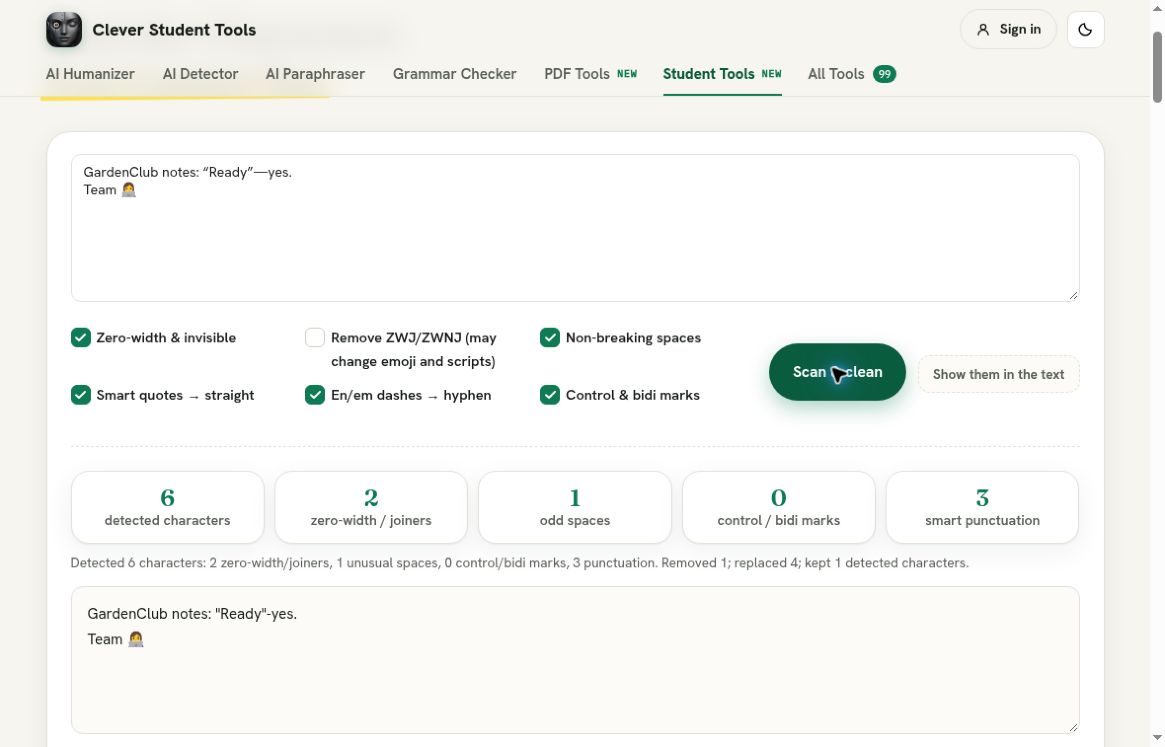
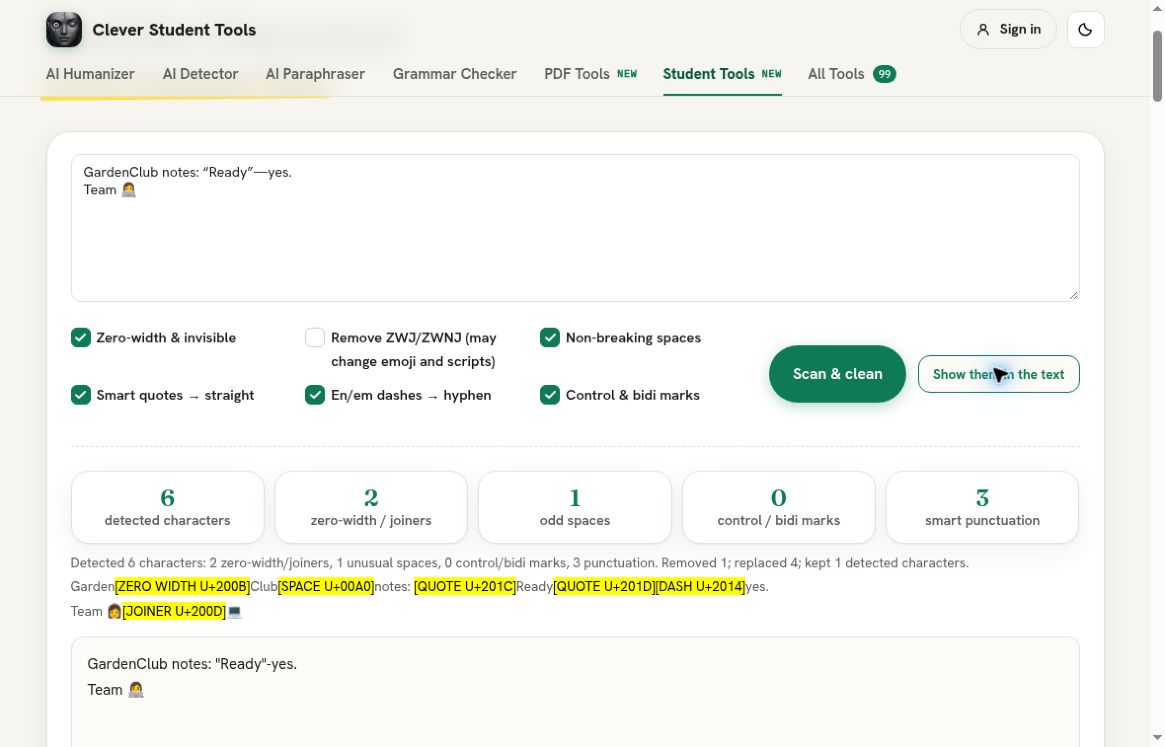
The example we will use includes many different characters; a zero width space, within a compound label. A non-breaking space, curly quotes, em dash, line break and emoji with a joiner. The exact text used can be seen in the screenshots below. However, the preview gives us better insight into the characters.
We had a successful result. 6 relevant characters were found. 1 was removed, 4 were replaced, and 1 was kept. This was the joiner within the emoji sequence. The default option is to leave the joiners alone. We were able to see exactly what the output would be.
Start with knowing what you want to clean up
Before adding any text in, consider what issue you want to fix. You may be wanting to find an invisible delimiter, strange space or punctuation. Not all non ASCII characters will be unwanted. Many are intentionally added within text. Changing the incorrect category can impact how the text is viewed.
Always save a copy of the original text. This is especially important if there are multiple scripts or complex emojis. There may be a real function to the invisible character. The tool allows you to select options individually. This means you can ensure you are only doing what you want. Within our example we didn’t enable the joiner.
Open up the Invisible Character Remover page. You will see the text area to scan. By default we will have the zero width, non breaking space, smart quote, dash and control characters. We will not have the joiner selected. A warning states that this may affect the emojis and scripts.
Screenshot 1
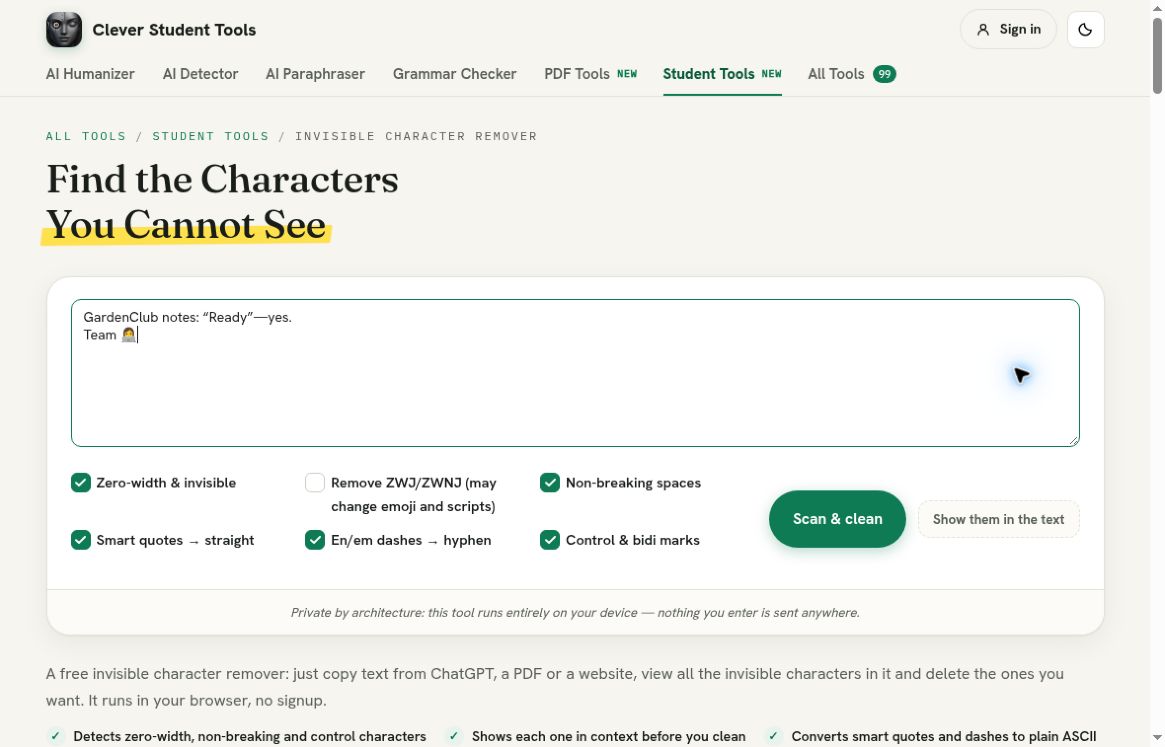
Add in the example text. Ensure you can see the options available. Whilst we can’t see all the invisible characters from the screenshot, the preview will show us. The preview gives us more detail.