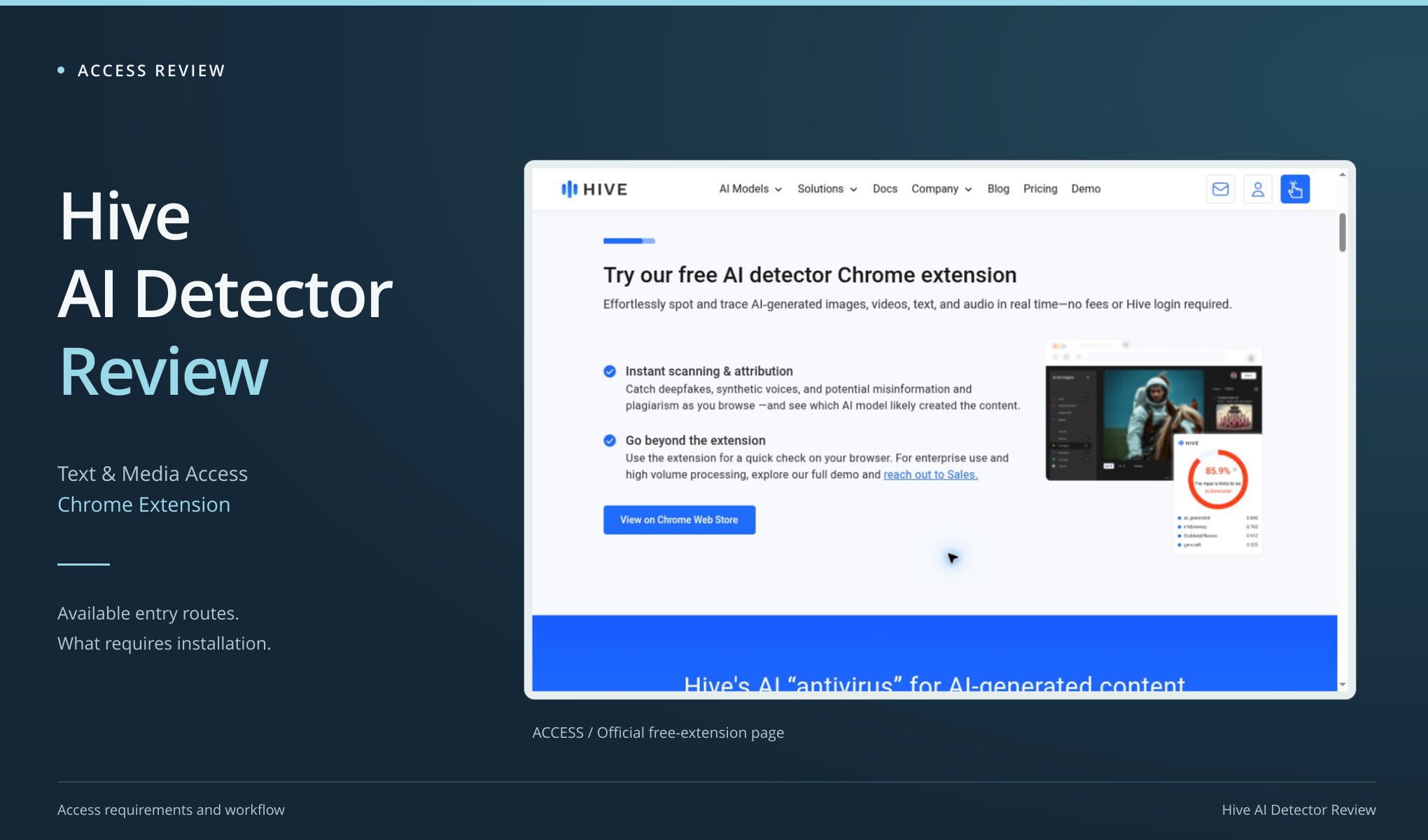
Have an essay ready to paste into Hive AI Detector? Finding the right page takes a little looking around. The current public demo focuses on images, video, and audio, but Hive still documents text routes: a free Chrome extension that includes text and a text-detection API. We didn’t install the extension or set up API credentials, so no prose sample received a Hive result. This review maps those routes to the jobs they’re meant to do.
Choose the route by the material:
- Images, video or audio: inspect the public demo.
- Text checked while browsing: investigate the advertised free Chrome extension.
- Text inside an application: evaluate the documented API under the relevant account conditions.
Only the public pages were inspected here; extension and API outputs remain untested.
Route one: the demo on the product page
The official AI-generated and deepfake detection page checked on 3 October 2026 presented a public media demo. Its input choices covered images, video, and audio. A preloaded vendor example was already visible. That example is useful for understanding the page layout, but its displayed result is not a measurement from this project’s corpus.
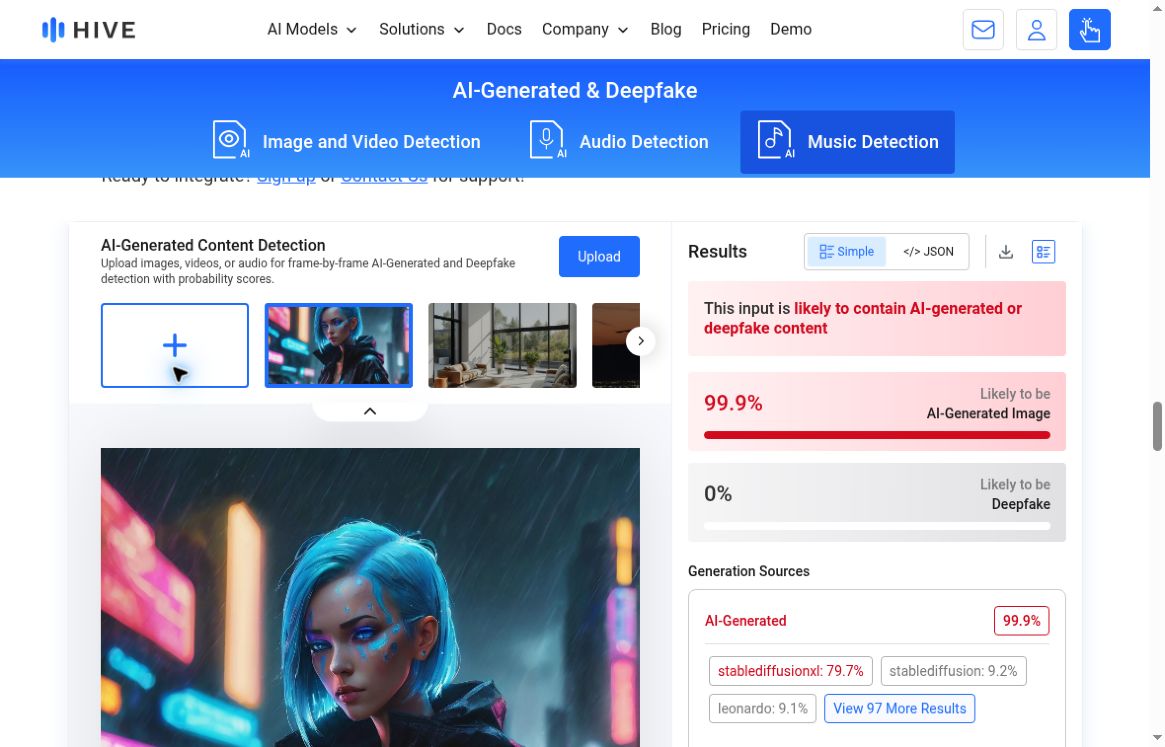
Actual Hive public demo with media input modes and a preloaded vendor example. The example and its score were supplied by Hive; this review did not submit that sample.
That particular demo had no guest text-entry scan. If you’ve arrived with an essay on your clipboard, it’s an extra step before you can do what you came for. It would be too quick to conclude that Hive has no text detector, though. The extension and API give text users other routes to investigate.
The media focus may suit you better if you’re dealing with images, synthetic voices, or video. A prose-only checker can’t cover those jobs. We didn’t test Hive’s media models here, and their marketing claims don’t tell us how text detection performs. When a product covers several media types, each claim needs to stay attached to the type it describes.
Route two: the advertised free extension
The same official page promotes a Chrome extension for checking several content types, explicitly including text. It describes that route as free and says a Hive login is not required. Those details matter: the absence of a guest essay box in the demo is not evidence that every free text route has disappeared.

Official Hive page advertising the free Chrome extension, including text support and no Hive-login requirement. The extension was not installed during this review.
Installation was outside this test’s scope. As a result, the review has no extension result, no verified text allowance, and no measured account or quota behavior after installation. It also did not inspect the extension’s live permission prompt. A reader should not mistake that missing inspection for either a security warning or a security endorsement.
An extension may be handy if you check content throughout the day while browsing. For a one-off check, installing software may feel like too much setup. That’s the comparison we can make here: the effort involved and whether the format fits your task. We haven’t found grounds to say that Hive charges for every text check.
Before adopting an extension at work, the reader should verify that the specific extension is permitted and understand its requested access. The version and configuration used would also belong in any later test record. These are normal questions for an installed tool, especially when the material being checked contains information that should not leave a particular environment.
Route three: a text API for an integrated workflow
Hive’s official API documentation includes AI-generated text detection. It describes a confidence score on a zero-to-one scale and both aggregate and segmented text classifications, with segments of 2,048 characters. Those are documented response concepts, not values returned by a request made for this article.
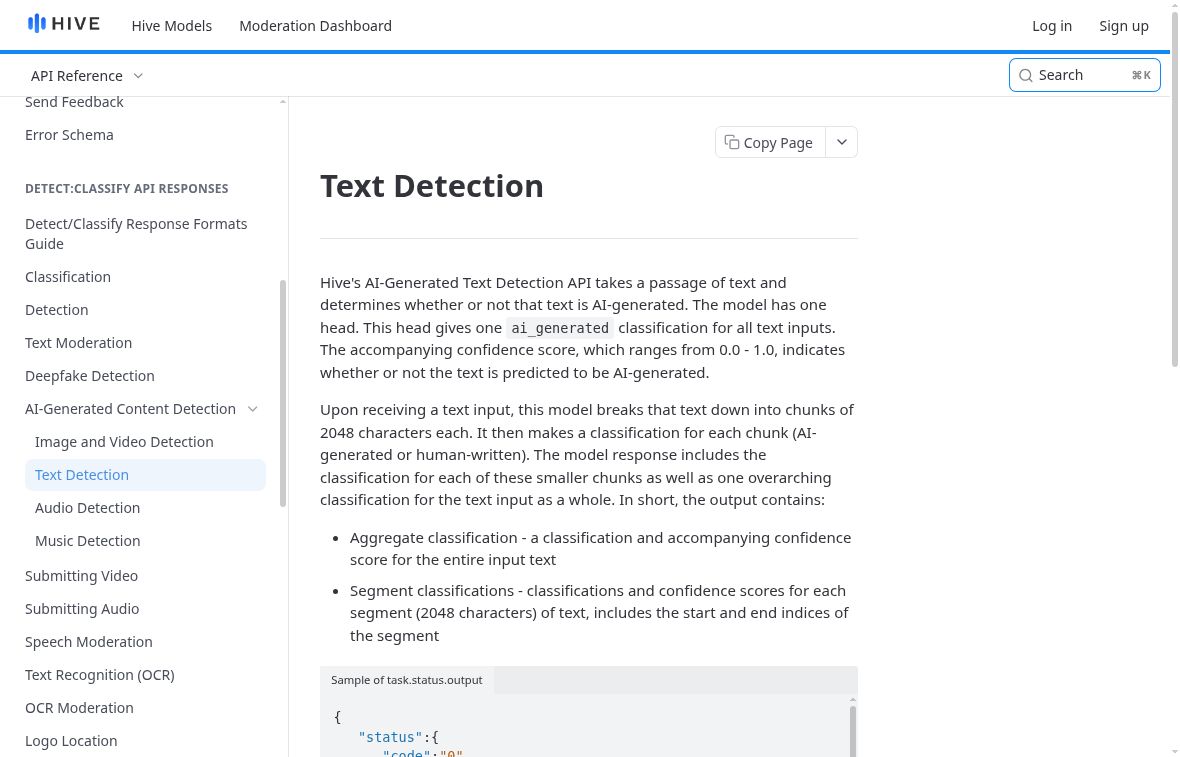
Actual Hive text API documentation. It confirms a text route exists; no API request or authenticated response was produced for the review.
A developer building checks into an application may prefer an API. A writer checking a paragraph has a less direct path that way. It takes authorized account credentials and integration work, and we did neither here. We didn’t create, enter, or request a key just to add a benchmark to this access review.
For a real integration evaluation, the important questions would include the precise response schema, error handling, limits, and how the consuming application explains uncertainty to its users. A returned confidence value needs a defined interpretation before another system takes action on it. Those questions go beyond opening a public demo, and this review leaves them for a properly authorized implementation test.
Check costs for the route you plan to use. The free-extension statement doesn’t tell us the price of API processing, and the API’s business use doesn’t cancel out the advertised free extension. We didn’t obtain a usage quote or production bill. Putting all Hive access under one price label would leave both writers and developers with the wrong picture.
What the lack of a text result means
No Hive classifier was run against the project’s known AI or human passages. There is no matched score, no false-positive observation, and no latency measurement for text. The screenshots document where the user can go, with clear labels on the vendor example and the official API description. They are not substitutes for the missing functional test.
A later comparison should choose the intended route before selecting inputs. Extension results should be identified as extension results; API responses should identify the relevant service and settings. The same fixed texts can then be retained alongside the visible output. That would allow a reader to distinguish an interface problem from a classification problem instead of attributing every missing result to the underlying model.
An image-demo result can’t tell you how an essay would score. A text score also can’t establish whether a video is authentic. It’s an easy distinction to lose when search results call every part of a broad product family an “AI detector,” so check which kind of material each result actually covers.
The narrower Clever AI Detector and Clever AI Humanizer alternative
For occasional permitted prose checking, Clever AI Detector provided the simpler observed path in this project: a public page that completed six text checks without extension or API setup. That is a convenience finding about the task at hand. It is not evidence that Clever AI Detector replaces Hive’s media models or production integration routes.
When rewriting is wanted, Clever AI Humanizer offers a separate draft-editing step. Its full A01 run expanded a 328-word library essay to a selected 374-word version. Clever AI Detector displayed 5% AI probability with Human 95% for that output. The rewritten text still lost the six-month trial duration and changed the reason for a paper survey. A low detector display did not establish faithful editing.
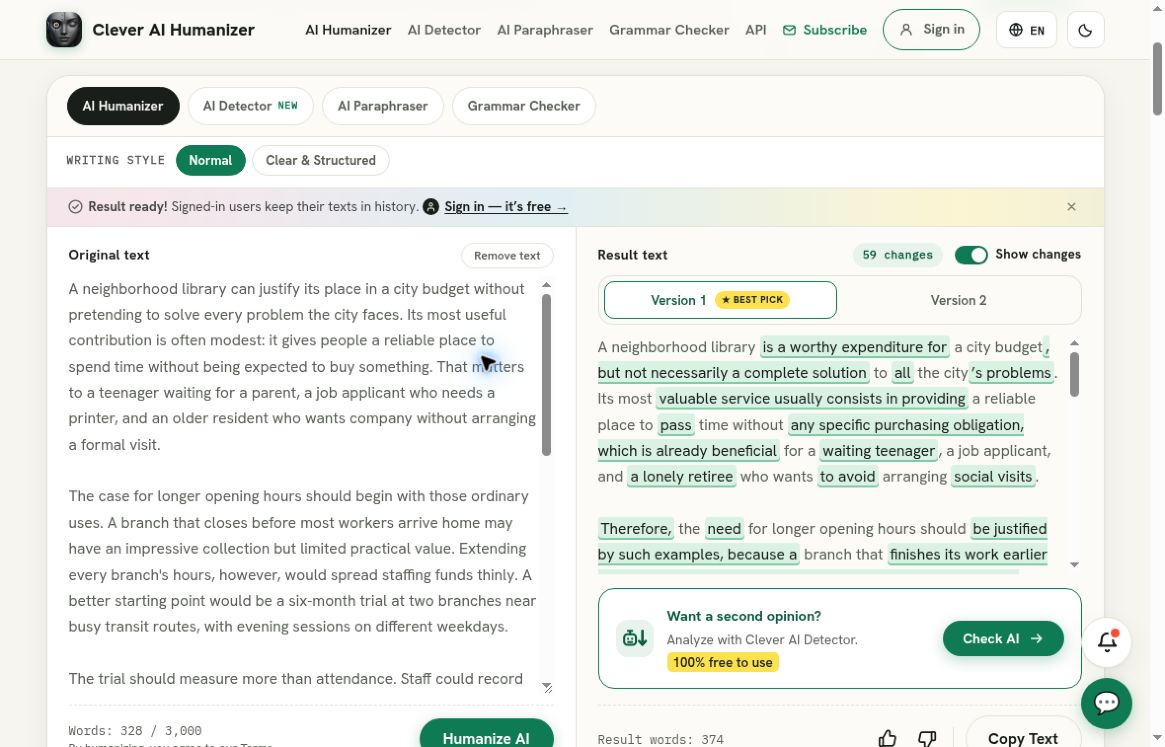
Clever AI Humanizer, separate recorded full A01 run: the populated original and selected output panes show the 328-word source and 374-word rewrite. This separate recorded baseline is not a Hive result and does not evaluate media detection or API integration.
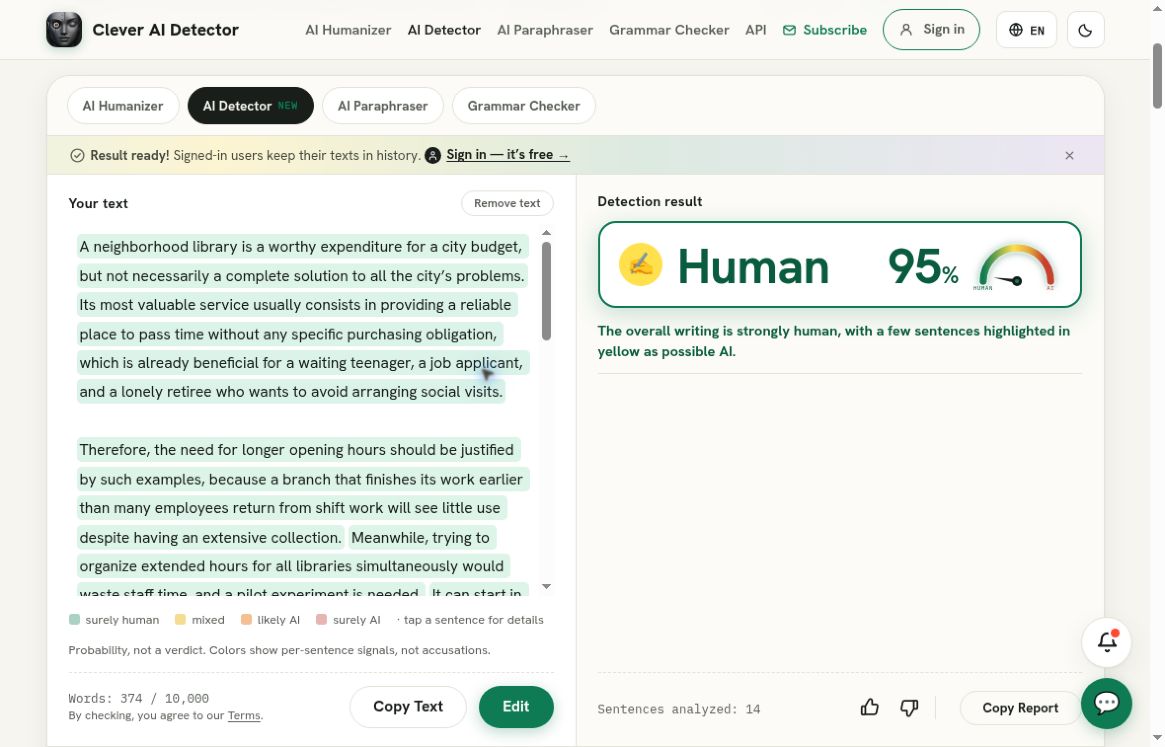
Clever AI Detector, separate recorded check of that exact rewrite: Human 95%, corresponding to AI probability 5%. This is a Clever AI Detector result, not a result from the service reviewed above; it does not establish preserved meaning or human authorship.
Clever AI Humanizer’s shorter HZ01 attempts produced no usable output after the recorded normal recoveries. That belongs in the recommendation too. These are tools to try with a retained original and a careful content review, not a promise that every task will finish or every detail will survive. No Hive text result is available to turn those observations into a head-to-head quality ranking.
Pick a format that fits the task
I would start with Clever AI Detector for a quick browser-based prose check and use Clever AI Humanizer only when the draft actually needs a rewrite. I would investigate Hive’s extension if browsing-based checks were the goal, or its API if an authorized integration were needed. Media detection is a separate requirement that Clever AI Detector and Clever AI Humanizer do not fulfill.
Hive’s access story is more varied than a missing text box suggests. The limitation for this review was the setup needed to reach a text result, while a free extension route remained explicitly advertised. Which format would save you more effort in practice: a standalone page, a browser extension, or a check built into an application?