How to Translate Arabic to English

A translation that maintains the rules within the visitor notice will be required. In this case, we want to maintain both that visitors are allowed to have photographs and that they aren’t allowed to use flash. I tested the translation of a made-up Arabic museum notice with a meeting point, time, age restriction and a closed floor.

A short translation was done. The English translation maintained the correct information. This guide shows you the process and the information that was checked. This doesn’t prove that all Arabic dialects and topics will be accurately translated by professionals.
A safe notice to practice with

The Arabic source:

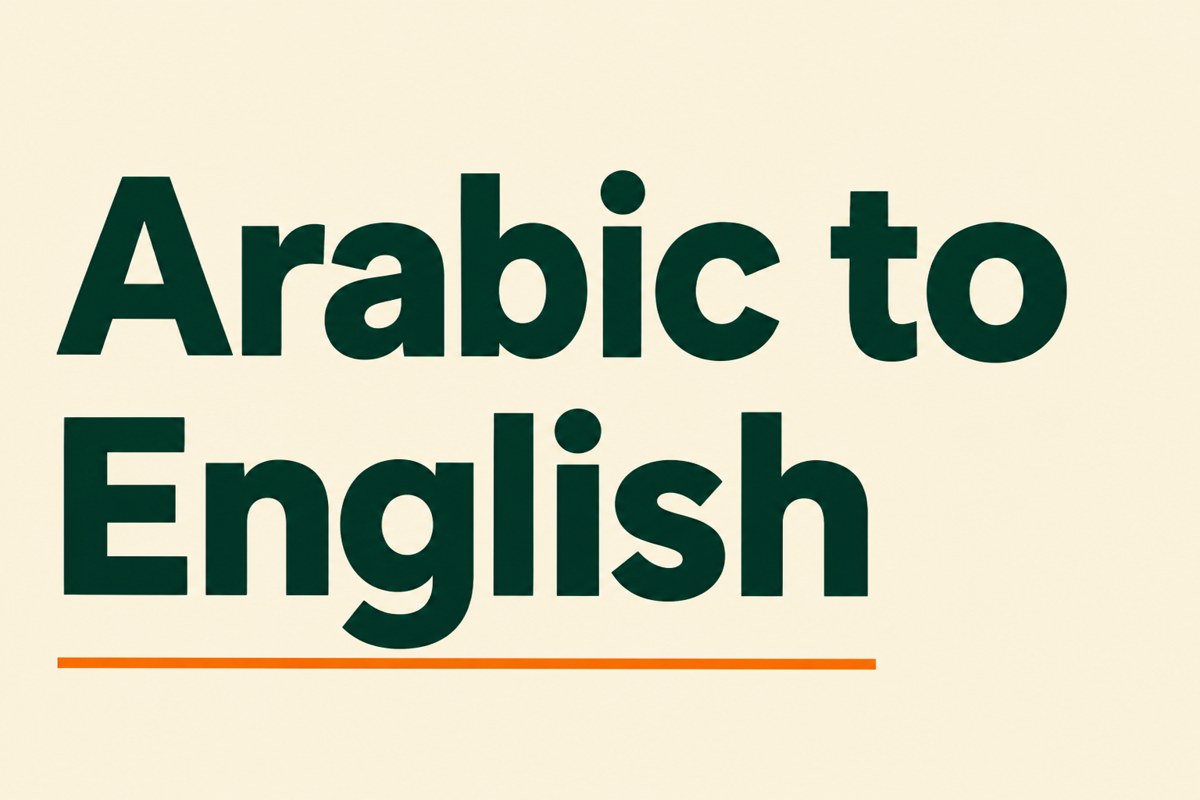
The screenshot below shows the full Arabic museum notice. This will give you the exact text and punctuation. This notice tells visitors where to meet for the tour, how long it will last, age restriction, if they can take photographs, to bring water with them and that they won’t visit the third floor due to maintenance.

The information in this notice is made up. This is not an accurate reflection of any real museums opening times, age restrictions or current closures. Please don’t share this as travel information. This is a short exercise to ensure the information is maintained in the translation.

The source is also designed to not include any personal information. This allows you to learn about the controls by using a notice like this. The page does show you how the text will be handled, however this is not an independent audit.
Setting up the controls

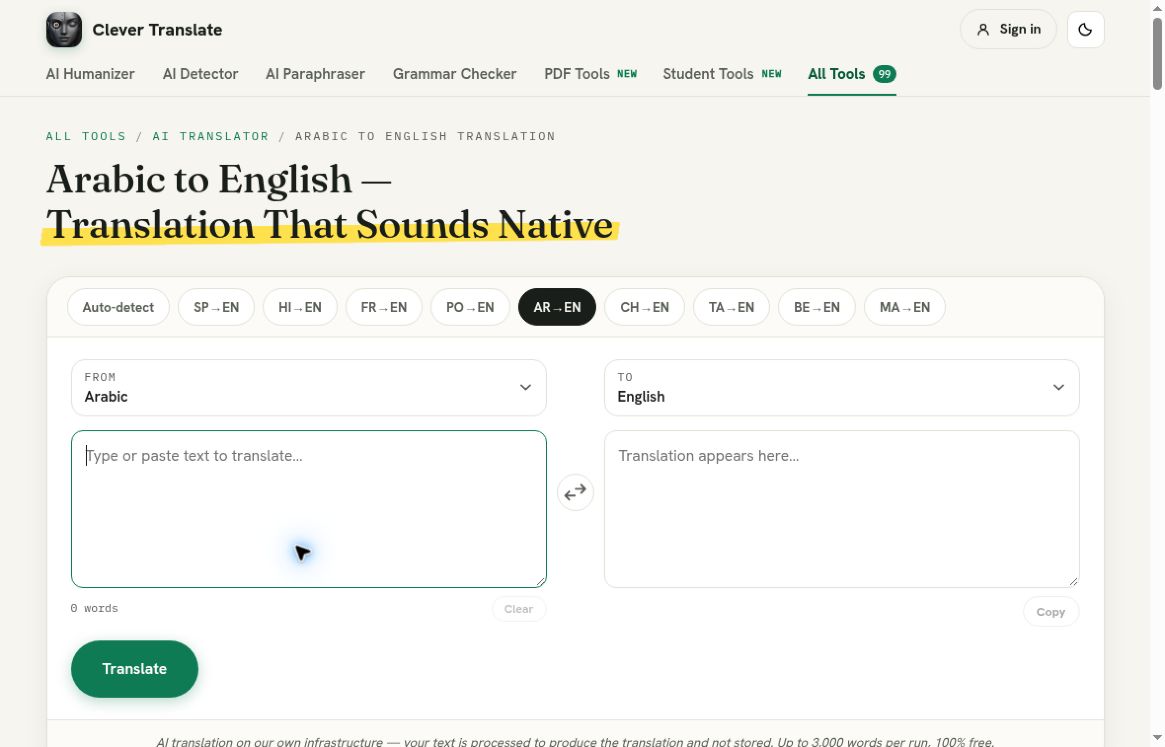
Go to the dedicated page. Above the text boxes there are some controls. The source should be set to Arabic and the target to English. These are better to look at than just the heading. You may change the language during your session.

[PICTURE: 01-start.jpg]

This shows the Arabic to English page with the source and target already selected and empty text boxes.

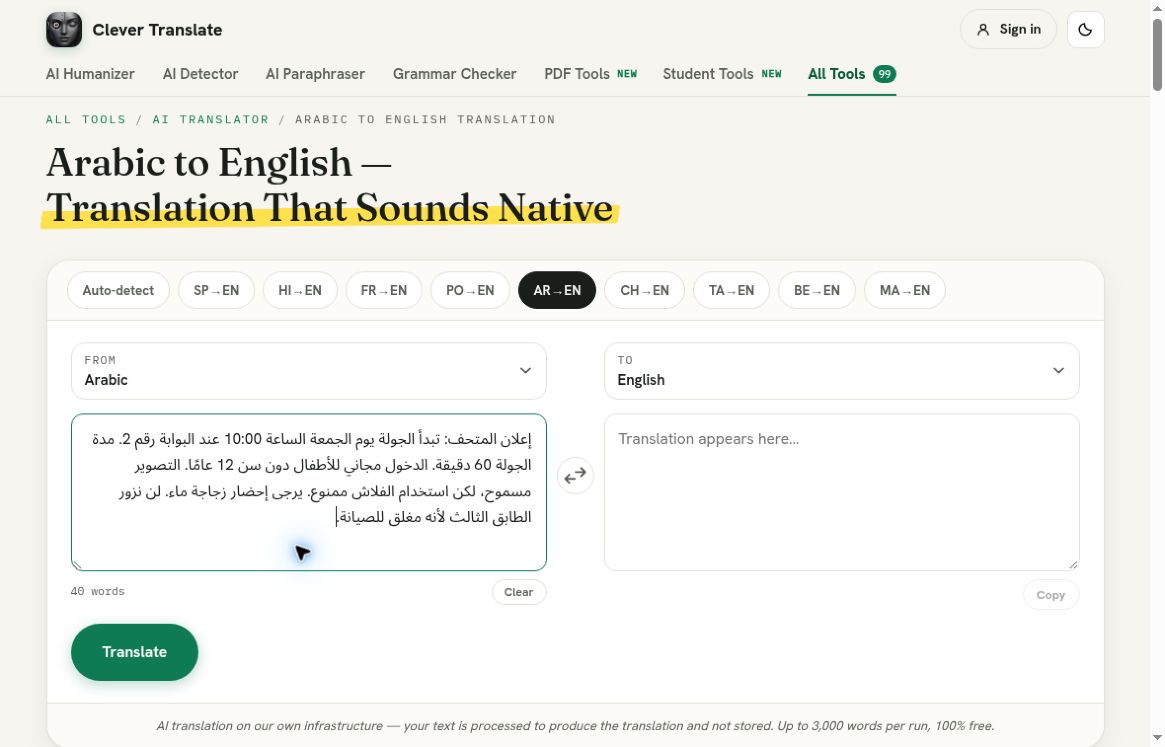
Type the full Arabic notice into the ‘Source text’ text box. This should be the original text with the Arabic script, numbers, punctuation and negative sentences. The context of the rules will help you understand them.

In this example the Arabic text was right aligned and the English translation was left aligned. This is what you expect to see. Don’t manually change the Arabic text to make it look like it would in an English sentence. Just work with the text as it is. Have a look at how it is displayed, particularly if there are numbers within the text (e.g. 10:00 and 12).

[PICTURE: 02-input.jpg]

The Arabic museum notice has been typed in. This includes the flash restriction and explanation for the closed floor.

There are 40 words in the source. Whilst the page says 3000 words can be translated, this was a short translation and I didn’t check the limits. A short text will make it easier to check each sentence. If you have a long text, group similar instructions together and check as you go.

Click translate once. The page will show it is translating and the controls will be disabled. Once the translation is complete, the page will show it is done. In this case, the translation was complete with a green ‘Done’ message and the ‘Copy’ button enabled beneath the English text.

I didn’t need to log in for this short translation. This doesn’t mean you won’t have to for every session or that it is free to use fairly. If you hit any limits or errors, just read what the page says.

English Translation

The recorded English translation:

The screenshot below shows the full English museum notice. This shows the exact text returned. The translation has:

[PICTURE: 03-result.jpg]

The translation has 57 words. Whilst this is more than the source, this is because different languages will have different numbers of words. The important thing to check is that the meaning hasn’t changed.

Firstly, the time and location. The translation has maintained that the tour is on a Friday at 10:00 and the meeting point is gate 2. The duration is still 60 minutes. There was no specific date or time zone in the source and this isn’t included in the translation. If someone was going to visit the museum they would need to know this from the organiser.

This screenshot shows the precise admission policy for children. Please check the age restriction to ensure that they are offered free admission. Please note this is simply an admission policy and does not mean that older children cannot attend.

Thirdly, the photography rule. This has been maintained with the notice stating that visitors can take photographs but cannot use flash. If either part of this rule had been removed the instruction to the visitor would have changed. Finally, the last sentence has maintained that the third floor is closed due to maintenance.

Overall this notice has produced a useful English draft. However, this doesn’t show that the tool will handle dialects, literature, names and specialist vocabulary. It’s still useful to have someone fluent review the translation.

Check Rules

When translating another notice, I would create a small list of what to check. This could include where, when, how long, who can go, what they can do, what they can’t do and any exceptions. This will help you avoid getting distracted by a smooth opening sentence and missing a ‘not’ further down the paragraph.

A museum notice is a useful example to use as often there will be rules about what they can and can’t do. This method can also be used for classroom notices and community events. This is a short example to demonstrate how the tool works, however it’s important to have someone qualified review important information.

If you’re not comfortable reading Arabic, keep the original text. Have someone who is bilingual review the translation. Don’t make changes to the source text assuming what the sentence probably means. The translator can help you understand the text, however you should keep the uncertainty.

Final Destination

Once the translation was complete, the ‘Copy’ button was enabled. I didn’t click it and publish the made-up notice. When moving the translated text to another editor, double check the final text. Ensure that the meeting point, age restriction and final sentence about the closed floor have been maintained. Check that a line break hasn’t split any rules.

This was a plain text translation. I didn’t upload a scanned notice, read an image, keep the design of the poster or produce an English PDF. If your source is a picture or scan you’ll need to get an accurate text. The translator can’t fix any missing words that haven’t been put into the box. Just because the English looks natural doesn’t mean the text is accurate.

I wouldn’t copy any of the promotional text from the page. Some text isn’t relevant to the example. Some Arabic to English text mentions translating to Arabic. This doesn’t reflect the example. The controls and translation were clear. The text was translated from Arabic to English.

One useful thing to check when reviewing this notice is the rules about what they can and can’t do with their equipment. The visitor can take a photograph but can’t use flash. Don’t generalise the rules to just say they can’t/can use cameras. The closed floor doesn’t mean the whole museum is closed. The screenshot shows the exact text returned. To check how specific the text is, ask yourself the questions below. If the real notice doesn’t clearly state where the entrance is or if there is an accessible route, keep the uncertainty and ask the museum.

Overall this is a simple process for a regular notice. Keep the source text as it is. Double check they match. Translate and check all the rules that have changed what they should do. In this example the time, free age restriction, flash restriction and closed floor have been maintained. You can try another safe passage.