Whilst a short welcome for a workshop might seem simple, there are a few key details you need to include. This includes the date/time, location, what will be made, what is provided, what to wear, and when to pick up. The example below is a fictional pottery workshop to test the translation from English to Arabic.
The translation was completed within the translator. The Arabic translation includes the necessary practical details, for example, not to take any wet items home today.
Provide the translator with a coherent message
The screenshot below shows the original message. This is a welcome message for a pottery workshop on Monday at 16:30. Each person will make 1 bowl and 2 small cups. Aprons will be provided however you will need to wear closed toe shoes. Wet items will need to stay at the workshop today and can be picked up after 7 days. The fictional card to pick up items is referenced as P-52.
This is a fictional example. There is no real class, booking or pickup details. There are no personal details. When learning how to use the tool you can use similar fictional details.
The example has been written in a complete format. The sentence about the wet items makes more sense as it comes after the sentence about the pottery class. The pickup card reference makes sense as the text explains what will be picked up. This helps the reader to decide if it is a good translation and helps the tool understand the message.
When translating your message ensure that you have a clear message in English. Decide if items will be provided or if they need to be brought. Decide if deadlines are inclusive. Decide if the pickup is approximate or exact. If there is any ambiguity in how something works and the organiser hasn’t decided then the translator won’t be able to provide a reliable translation.
Open the pair and check the settings
The page has opened with the source set to English and the target to Arabic. Ensure this is the case. If you have changed the language or used swap in a previous experiment then focus on the settings on this page.
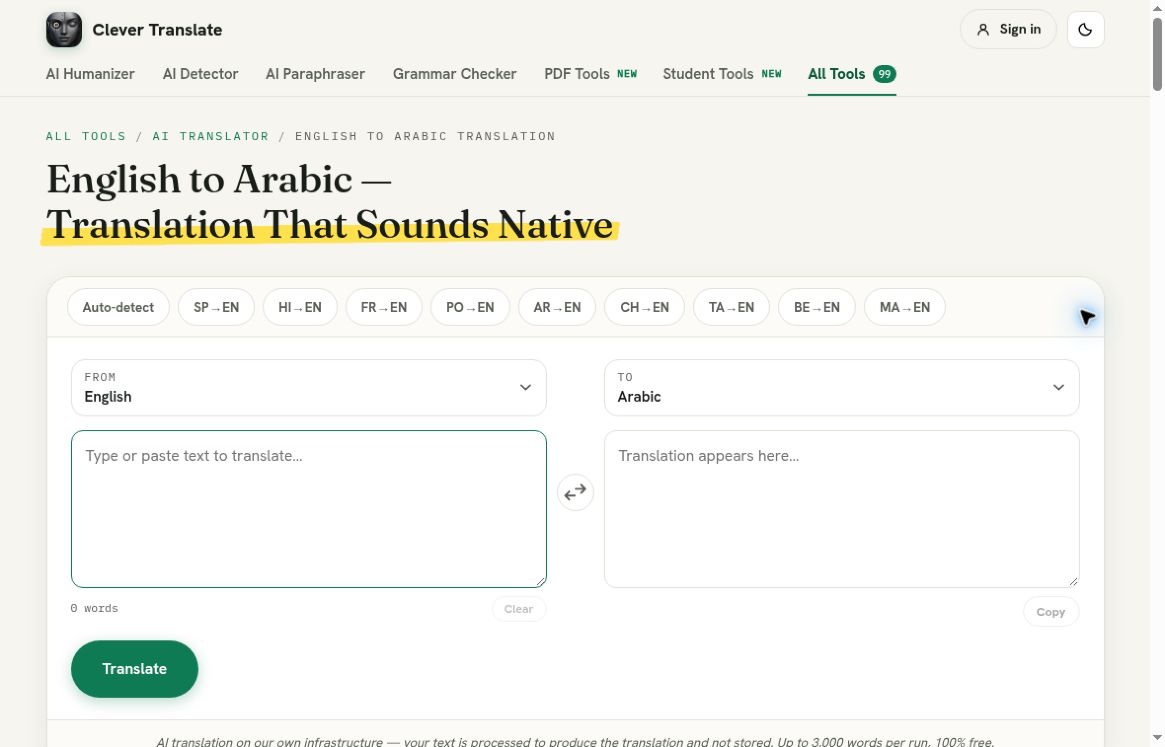
The page shows the English to Arabic pair. Both text boxes are empty.
Enter the full message into the source text box. Ensure that dates/times, studio number, quantities and pickup card are exactly how you want them to be. In a real notice if the numbers were swapped around it could cause an issue.
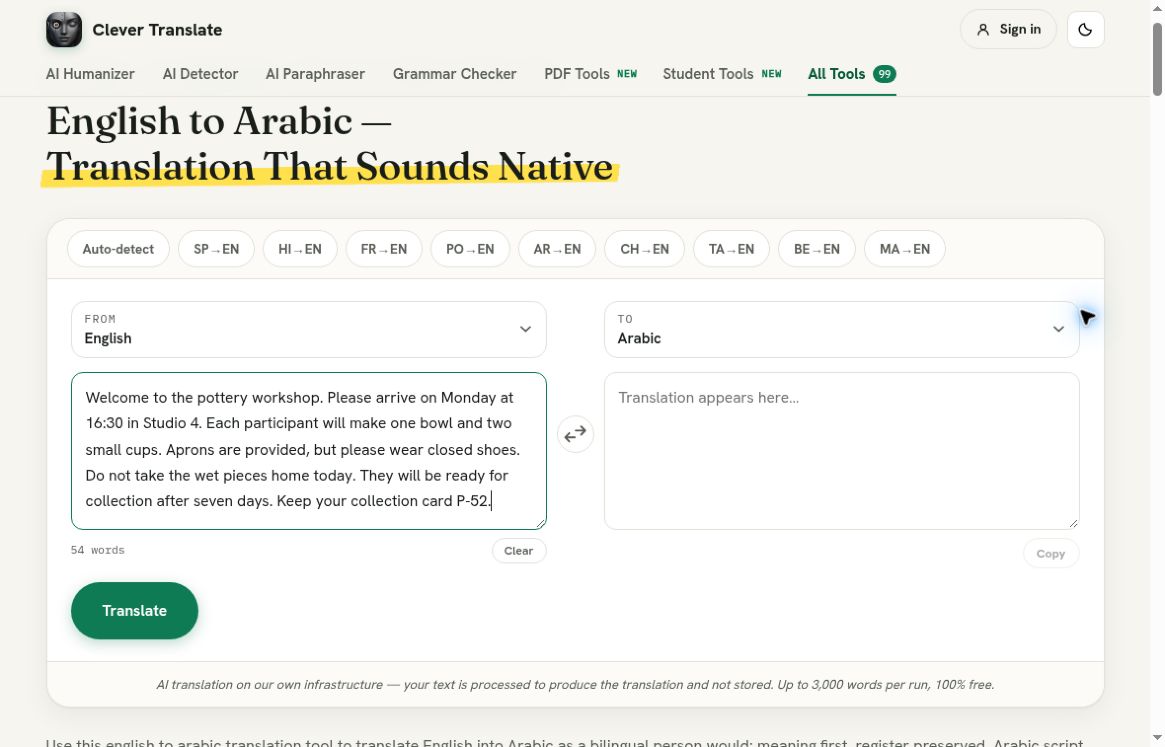
The complete message has been added to the text box. It includes not taking the wet items home and keeping the collection card.
The page shows how many words are in the source text. It also tells you that you can have up to 3000 words in one run. The screenshot shows how many words were in this example. I have not tested the limit. However, I have used a short paragraph to ensure that I can see the workflow and a few meaningful details.
Click the translate button once. Whilst it is translating a message will appear and some buttons will be disabled. Ensure you wait until the translation is complete. Once complete the test showed a green done message, Arabic text and an enabled copy button.
Check the Arabic text
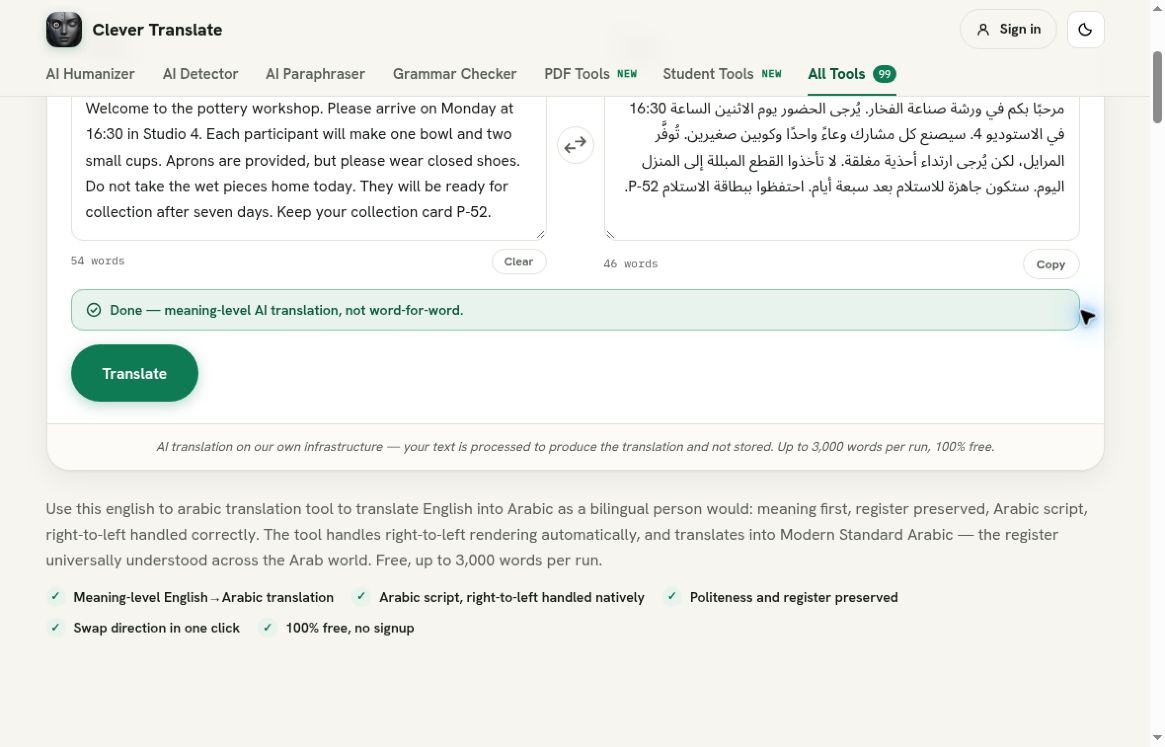
The screenshot shows the exact text that was used. The output has been in Arabic script and shows as right to left. The English text has been kept on the left. Any embedded information such as time, studio number and P-52 has been included.
The message included the date/time (Monday 16:30), studio number (Studio 4). The message still stated how many items each person will make (1 bowl and 2 small cups). The text still stated what was provided and what to wear (Aprons will be provided. Please wear closed toe shoes). The message still included the negative text about not taking the wet items home.
The message still stated that the items can be picked up after 7 days. The card reference was still included. This provides a useful practical translation for this message. However, it doesn’t mean that everyone would want to use the same vocabulary or that it has been tailored to a certain country/dialect.
Check the message in the order that the participant would need to see it.
I would first check the date/time and studio. Then check what to wear and what will be provided. Then check how many items each person will make. Finally check that the items will be left behind, picked up later and that the card should be kept.
Be careful with the wording of the collection. The example shows after 7 days. There is no exact date, opening time or deadline. This information was not provided in the translation. If this was a real participant needing to plan their travel then ask the organiser for exact collection information.
Don’t rearrange the text
When you see the Arabic text next to the English text you may notice that the numbers and references are mixed. Don’t try to rearrange the Arabic text. Ensure that the text is as it is. If unsure then ask someone who is fluent to check the text.
You may also want to consider what the text will be used for later. The text may be put into a plain text box, email editor or designed flyer. The alignment may be different. This test just ensures that the text will display as shown in the translator. If the message needs to be used somewhere else ensure that you check the final message. This includes checking the card reference (P-52) and time.
The copy button was enabled but wasn’t clicked. The screenshots show evidence of this walkthrough. There wasn’t a file uploaded, PDF created or poster layout tested.
A sensible stopping point
For a general workshop notice I would save the Arabic text as a draft to be checked by a suitable reader. A short practical test shouldn’t be seen as a guarantee of style, region or specialised accuracy. If the content is important then ensure that you have a reviewer who is qualified.
It can be useful to have the English text next to the Arabic text if you need to make any changes later. If the class changes rooms or the pickup time changes then you can intentionally change both. If the original translation was accurate but the event details have changed then the translation will become inaccurate as only one language has been changed.
A short check sheet can be useful. If there is a mixture of workshop details and pickup details then ensure that the date/time and pickup details are grouped. In this example the date/time is Monday 16:30 and the pickup is after 7 days. This means that you can check that the date/time hasn’t changed. The card reference (P-52) should be next to the pickup details as the purpose of the card relies on this.
Ensure that what is provided and what needs to be brought is grouped. The aprons will be provided however you will still need to wear closed toe shoes. The wet items shouldn’t be taken home today. This doesn’t mean that they can’t be picked up. The source and results can be compared to ensure the differences. However, there isn’t any information on how hot to fire the items, delivery options, storage costs or opening times of the organiser. If a real attendee needs this information then ensure you ask the organiser.
Overall this is a simple process. Ensure that the source text is clear. Ensure that you have checked that English to Arabic is correct. Click translate once. Check that the date/time, quantities, provided items, negative text and pickup details are correct. In this example the details were kept the same. The screenshot shows the exact text. You can use this tool with another low risk example and ensure that you check the same things.