A Spanish announcement makes a good example to translate. There are many details to consider when translating such an announcement. The time, location and instructions on borrowing are all important parts of the announcement. Any inaccuracies in the translation could cause confusion around the times and dates of the meeting or cause issues where the user ends up buying something they do not need.
I used this tool to translate an example announcement. Once it had been translated the English version retained all the details. Below shows a walk-through of how to use the tool. These are the elements I would look at when I am using a translated announcement. Take note that this is an example so cannot guarantee that all documents and regional expressions will be translated in this way.
Example & Meaning
The source text:
[Image]
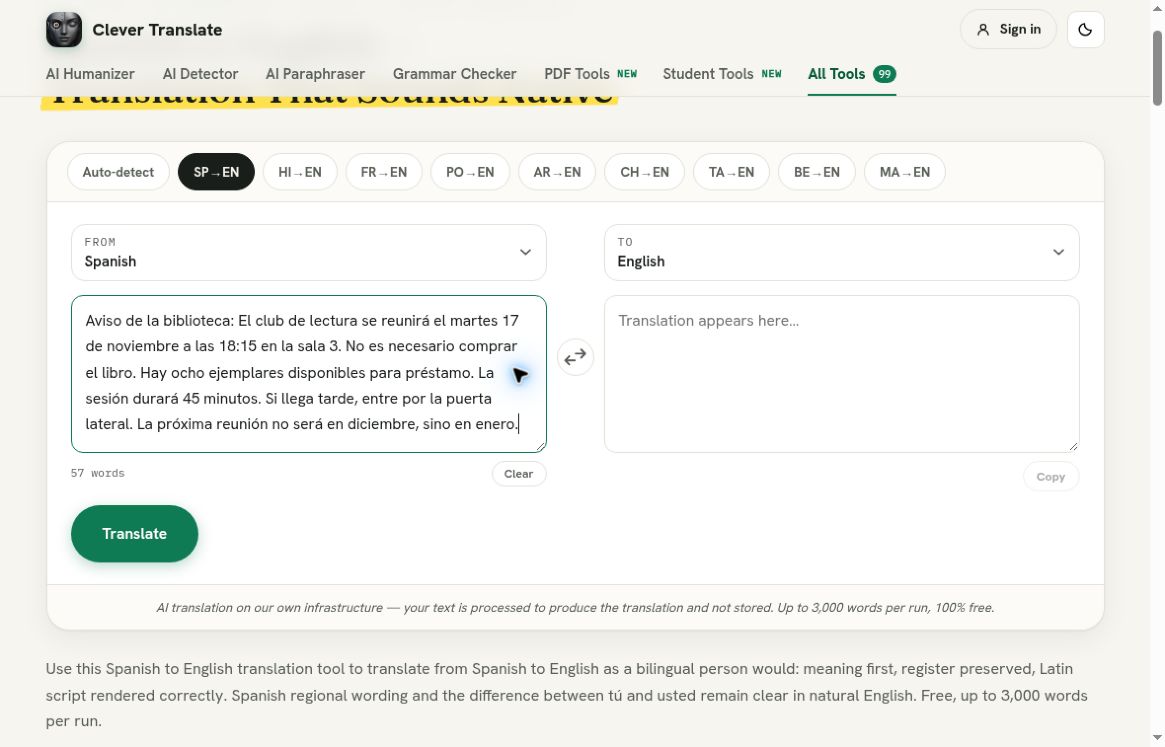
An announcement that the library book club will meet on Tuesday 17th November at 18:15 in Room 3. No need to purchase the book as there are 8 copies to borrow. The session will last 45 minutes. If you are late please enter through the side door. Next meeting will be in January.
This example has the last part to highlight that there will be a change from December. If you are only testing this tool on a greeting it may show that you can get a greeting from the tool but you won’t learn much about how it translates instructions. This example has a negative, conditional, quantifier and time change. These are simple enough to look at.
Access the correct pair
This page has the source text box set to Spanish and the target text box set to English. Make sure these are set as you will want to know which language you are translating. You may wish to use a heading or bookmark to navigate to the page. However, look at the text boxes highlighted below.
[Image]
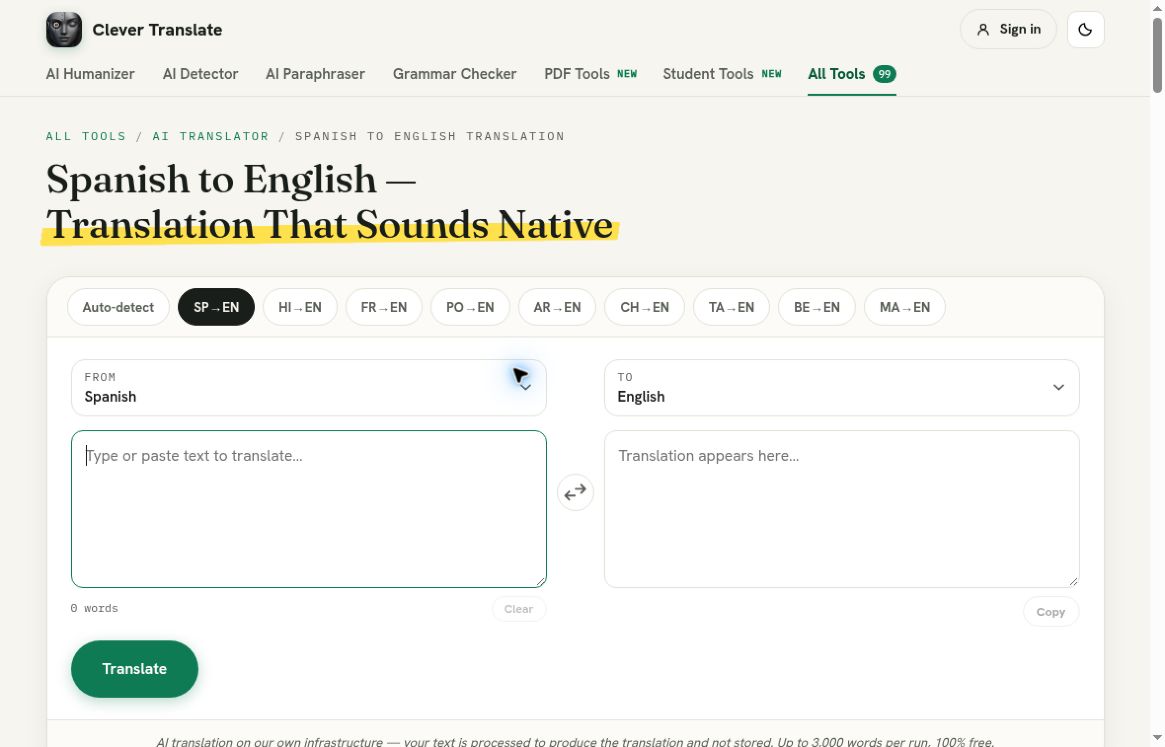
The source text box has the word Source text. The target text box has the word Translation. The Translate button is just below the source text box. The Clear button is close to the source text box and the Copy button is close to the target text box. As the box is blank then there is nothing to copy. There is no need to create an account for this example. We have completed the example quickly.
I have created some made up event details. You can do this whilst you are getting to know the buttons. Avoid putting any personal details, account details or any confidential information.Whilst this service will tell you how they process and store your data we aren’t proving this by walking through the interface.
Complete Sentences
Type the full announcement in the source text box. Ensure the text is kept as it is with any accents. We don’t want to remove any words we don’t know in the Spanish announcement. Some small words will give us our negative and conditionals to ensure the instruction is correct.
The announcement shouldn’t have a requirement to purchase the book. The last sentence should still say it is in January. If you are copying from another document ensure that the start and end have been copied. It is more impactful if the last sentence has been missed out than if it is awkward in the middle.
[Image]
The full announcement has been put into the source text box. This has included the borrowing information and the time change.
There were 57 words in the source text. The page says that it can handle 3,000 words. However, as we have only done a small example we haven’t hit the limit. If we had a larger announcement we would still want to put in the text in chunks that make sense. We would want to group similar instructions together to ensure there is enough context.
Click the translate button once. Whilst the page is being translated some of the buttons will be disabled. Whilst it is translating it will show you it is doing so. Wait for the message that it has been completed. Do not click the button multiple times as there is nothing to copy and it will be busy.
Translation
The completed example:
[Image]
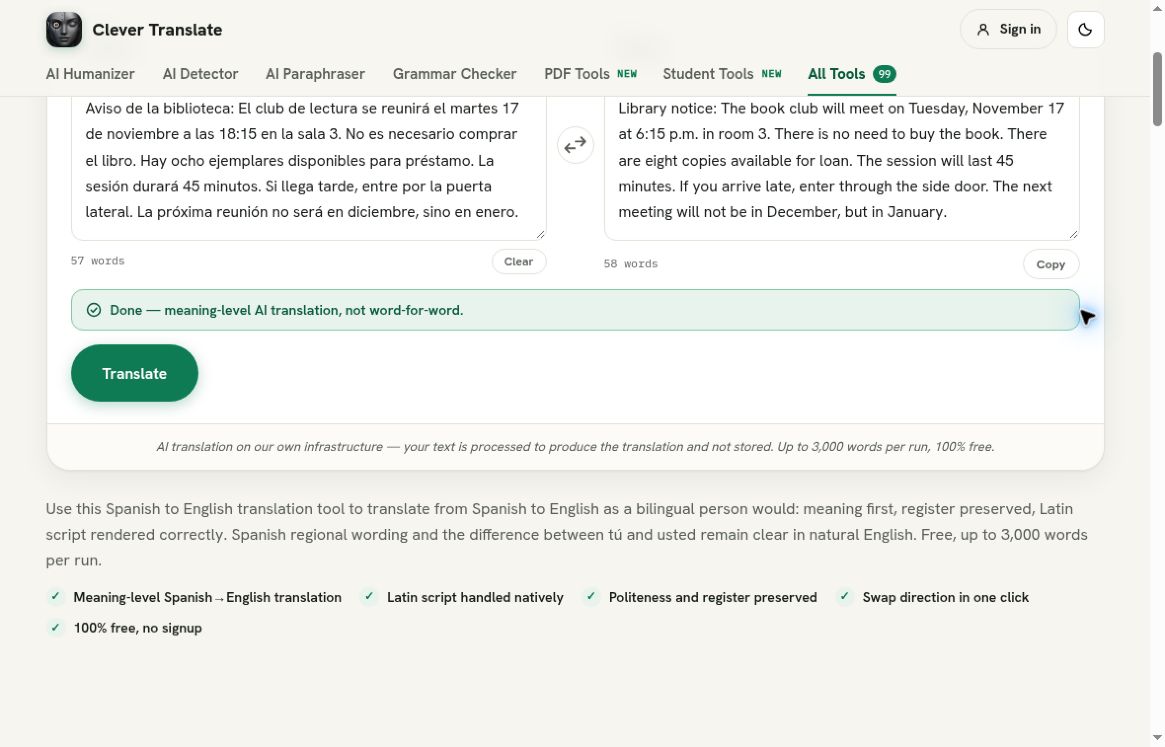
You can see the translated announcement. It has a green message stating that it has been completed. The announcement has 58 words. This is not an issue. Different languages will have different numbers of words. I wanted to ensure that the meaning was kept.
The time has been converted. 18:15 has become 6:15pm. The day and date have stayed the same. The room has stayed the same. There are still 8 copies to borrow. It will still last 45 minutes. The instruction regarding the side door has still been conditional. The most important part is that the next meeting is still in January.
Reviewable Example
Read the translated announcement in a different order. Look at the numbers first. Then look at the instructions. Lastly look at the sentences with negatives, exceptions or alternatives. This will make the small details stand out.
There were 17, 18:15, 3, 8 and 45. There was a change in format but not in value. The time was converted from 24 hour to 12 hour time. Don’t assume that this means the timezone has changed. There was no timezone in the source text and there wasn’t one in the output. If this is important to people in different areas then ensure you clarify with the sender.
The instructions also need looking at. Just because there are copies to borrow doesn’t mean there will be one for everyone. Just because it says ‘no need to purchase’ doesn’t mean it will always be provided free. The translator should keep the meaning so we don’t assume any missing information. If there is something missing in the actual announcement then ask the organiser.
[Image]
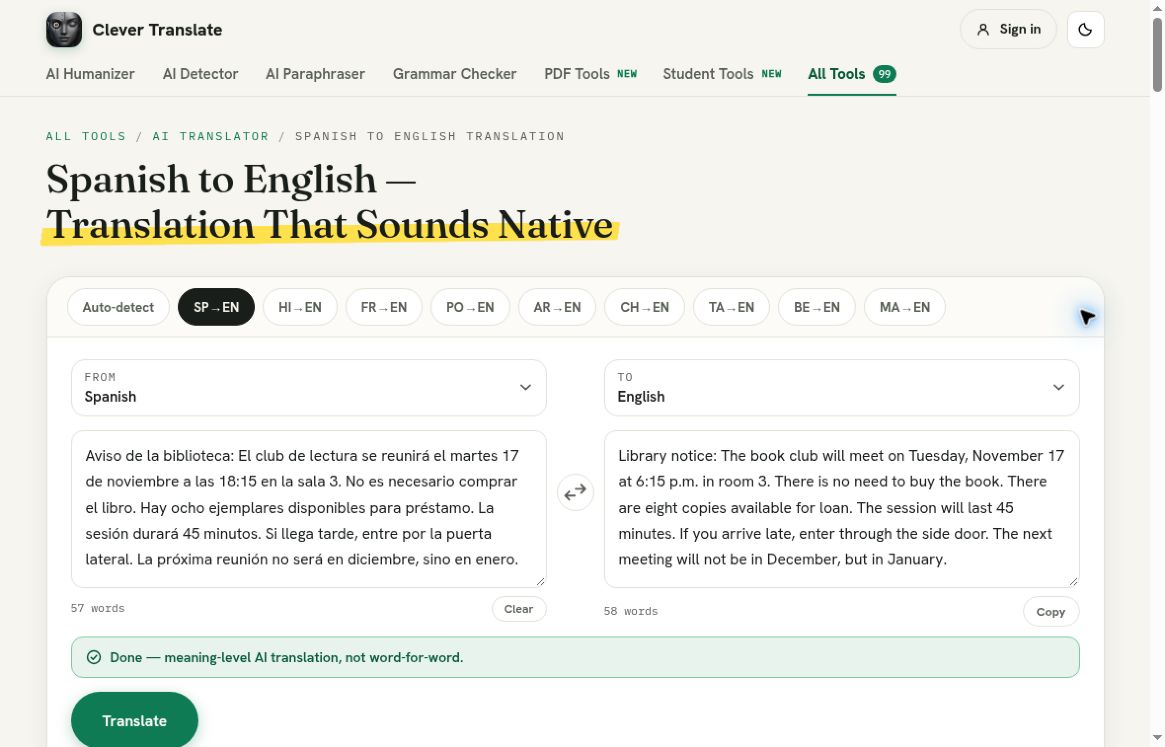
This is a text translation example. The page itself mentions that you can’t upload a document directly and that the text won’t be formatted the same once you have copied it from a PDF. We can see the text boxes.
If you have text you can select in the PDF then you can get it ready for the source text box. Just ensure you look at the text. It may have columns, page headers and line breaks that will disrupt the order of the sentences. If the text hasn’t been extracted well then the translated text may be confusing. We didn’t do a PDF example so the images should not be taken as proof that it can be imported.
Completed
Once the translation had completed the copy button became active. I didn’t click it as this was a made up announcement. When you are moving your translated announcement into an email or document then ensure that the last sentence, time and room are still there. If you make any changes to the translated text then ensure you check it again.
This example has translated well to an easy to read English version of a standard library announcement. This doesn’t show how the tool will handle literary style, all regional expressions and specialist documents. If you are using this for something important then ensure you have a suitable human review. For a general announcement like this the best thing to get into the habit of doing is keeping the source the same and ensuring that the reader will do what you want them to. You can do this in the translator.