How to Use the Paragraph Rewriter

Consider the purpose of the paragraph.

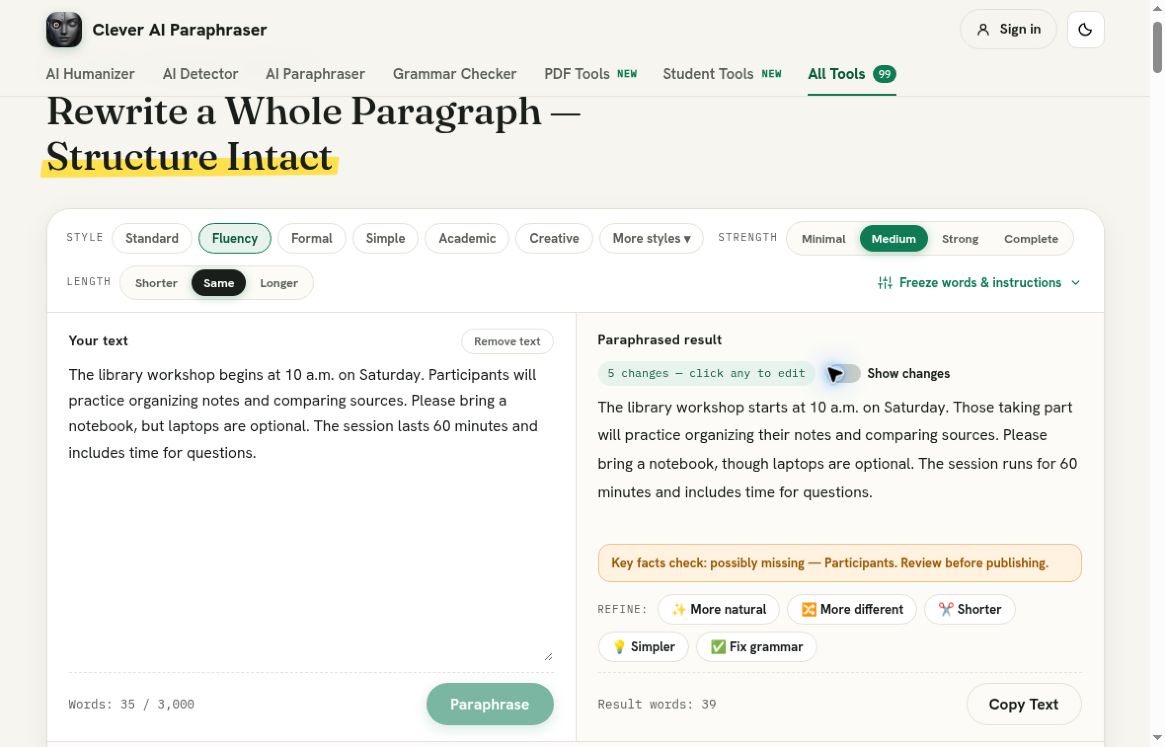
Rewriting a paragraph can make it read more fluently; however, you may lose an important condition. Therefore, you should begin with a short notice. This test used a made up paragraph to inform people about a workshop in a library. It contained specific details including the start time, day, 2 learning activities, note book requirement, laptops (optional), session duration and time for questions. The original paragraph can be seen below in the first screenshot.
The aim here was to make the paragraph read fluently. This is a good test as it forces you to consider how the sentences are linked. This means that although the paragraph has been rewritten, the materials requirement is still part of the workshop and the laptops are still optional. A successful rewrite will maintain these links to ensure that you have four grammatically correct sentences.

Identify the purpose of your paragraph and what important details must remain. Before using a paragraph rewriter, think about what you are trying to achieve. Are you informing people of an event? Explaining a process? Comparing things? Or are you arguing a point? Create a simple list of the details that you need to keep. Whilst this may seem like a long checklist, creating a couple of points will help to ensure that you are improving the paragraph and not just making it sound nice.

This paragraph was created so it was not based on an actual booking. This meant that I did not have to worry about adding any personal details, private times or uploading a document. Also, there were no quotes from the source as these would need to be handled carefully throughout the rewrite process. If your paragraph contains quotes or ideas from elsewhere, you should make sure that they remain attributed to the correct person. Follow the rules of the publication or assignment. You cannot claim someone else’s work as your own, even if you have rephrased it.

We can see that the rewritten paragraph has kept all the workshop details. However, we have received a warning about the key facts. This gives us something specific to look at and decide if we have lost any information or have just rewritten it. This can be seen in more detail below.
Set the style, strength and length.

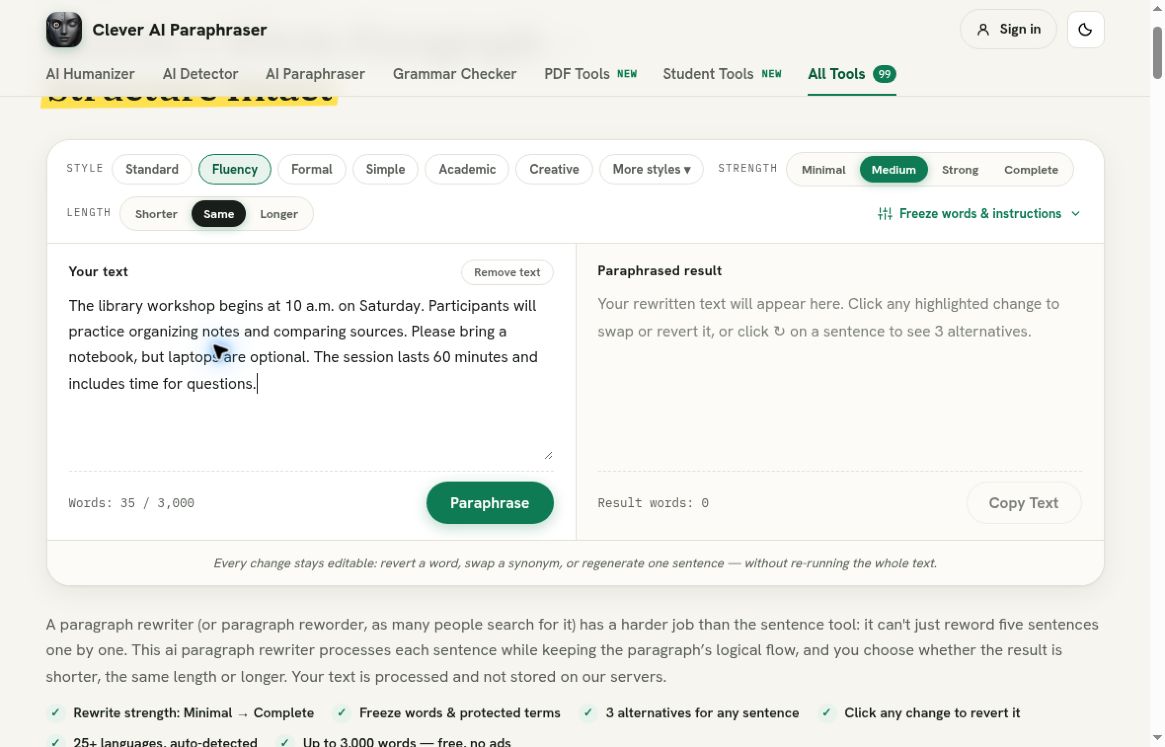
Navigate to the Paragraph Rewriter page. On here, you can adjust the style, strength and length. For this test I used the fluent style, medium strength and same length. This will allow me to see a more fluent version of the paragraph. However, it will maintain the general length.

Paste the paragraph from the workshop into the input box. We can see that this has 35 words. This will give us a good idea of the structure as there are four clear sentences. Each sentence has a specific purpose (time, activities, materials and time with questions). This will help when we come to look at the rewritten version. If we only focus on individual words we may miss how the ideas in the paragraph have changed.

[Note: This paragraph was created so there are no real details. We do not have to worry about any personal details, private times or uploading a document. Also, there are no quotes from the source. These would need to be handled carefully throughout the rewrite process. If your paragraph contains quotes or ideas from elsewhere, make sure that they remain attributed to the correct person. Follow the rules of the publication or assignment. You cannot claim someone else’s work as your own, even if you have rephrased it.]

The rewritten paragraph has increased in length from 35 words. However, we can see that the same length option did not give us the exact same word count. This is still a useful result but if you are restricted by a word limit you should double check how many words are in the final paragraph.

Read through the paragraph to get an overall idea of how it reads. Looking at the rewritten paragraph, we can see that it still tells people when the workshop will take place (same time and day), the two activities to organise notes and compare sources, that they will need a note book (materials) and laptops are still optional. This means that this is a positive result for our sample. However, we can look at the warning in more detail.

Not all styles and strengths were compared. This gives us an example of how we can deliberately set some options. We now have a completed paragraph. If you are looking for a different tone or significantly less detail, select the settings to achieve this. Double check that the meaning has remained the same.

Look at the warning.

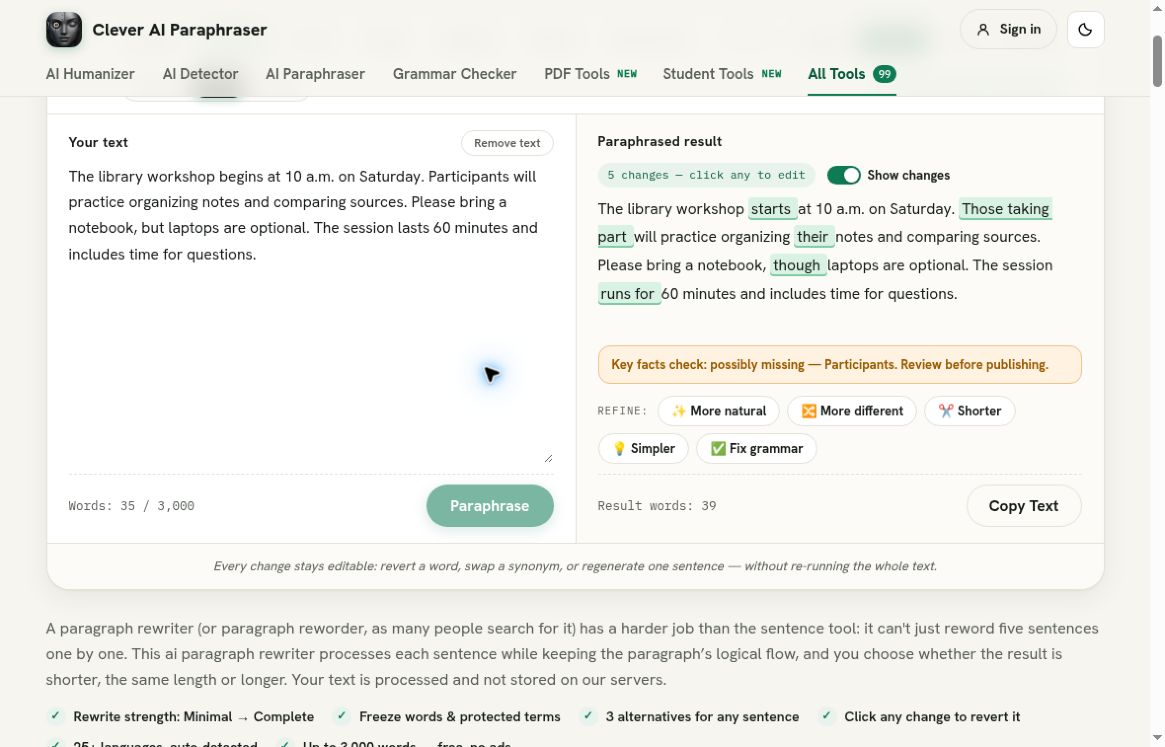
We have received a warning about the key facts. It has highlighted that we may have missed out the word for participants. Looking at the rewritten paragraph we can see that this has been rephrased into a phrase. The warning and output can be seen below. We can see from the sentence that the people attending the workshop are still the people doing the two activities. The word has been changed but the purpose remains.

This is a great example of how we can use the automated warning. Firstly, look at the highlighted item in the source. Secondly, search for the meaning of the word in the rewritten paragraph. Lastly, decide if the word has been substituted and whether it still refers to the correct thing. If there was a named person, organisation, technical term or contract term, we may not want to use a near synonym. However, in this generic workshop notice, the phrase has the same general purpose.

Don’t assume that all warnings will be the same. Missing out numbers or conditions may be an issue. Also, just because we passed the key facts test, does not mean that all implications have been maintained. The warning is to remind us to look at the paragraph. As we know what is in the paragraph, we can decide what is an acceptable change.

Uncheck the highlight box. This was tested once the paragraph was rewritten. By unchecking this box, we can see the paragraph clearly. This means that there are no buttons showing alternative versions of the sentences. We can now read the whole paragraph.

[Note: This can be seen below.]

We can see that the rewritten paragraph contains the correct details (start time, day, activities, note book requirement, laptops (optional), session duration and time for questions). We did not click the copy button, create alternatives for the sentences, upload a document or test for frozen terms. This is important to note as the tutorial should explain what was actually done.

Reading the paragraph clearly can help to identify any awkward sentences. If the paragraph feels repetitive or the information is not in the right order for the purpose of the paragraph, make adjustments. There is no need to keep the rewritten phrase just because it has been highlighted as a change.

Place the rewritten paragraph into context.

Whilst the rewritten paragraph may read well on its own, you should check that it fits into the rest of the document. Look at the sentence before and after. If the previous section has mentioned the workshop, it may not be needed to introduce it again. If the next section explains how to register, the rewritten notice should flow into this. The paragraph rewriter will not know what is around the paragraph you have provided so you should check this.

If you are informing people, double check that the details are practical. Ensure that the time and date are up to date, the session duration is realistic and the materials requirement is what the participants will actually need. As these details were made up for the demonstration, we can double check that they have been maintained. However, they would still be incorrect if the source had incorrect details.

If you are analysing something, ensure that the claim, evidence, caveats and logical links remain. Some words can have more meaning than they appear to due to the words used to show possibility, limitations and contrasts. Removing one of these may make the sentence flow better but reduce the accuracy of your argument. Don’t be tempted to judge the paragraph purely on how confident it sounds.

Save the original paragraph. If you are working with another author, ensure that the changes you have made are meaningful and explain why you have made them. A useful comparison would be to explain what you were looking to achieve with the edits and what happened. For example, ‘I wanted to improve the flow whilst keeping the conditions the same’. It is less useful to just state that the automated system liked the changes.

Although the page mentions statements about how the information will be processed and stored, this was a practical test. We were not carrying out an independent privacy check. The text was made up and we were testing a specific set up. The result shows that the paragraph rewriter does what it should. It has given us an alternative version that flows well, maintained the workshop details we were testing and we can view the paragraph clearly. We have also looked at the warning about the rephrased word in context.

In practise, read the paragraph and make a quick check for facts and conditions. Whilst the settings will help to guide you, ultimately you will need to decide if it is still doing what it was supposed to. If you want an alternative version of a paragraph whilst keeping the purpose in mind, this free paragraph rewriter is a useful resource to compare the wording. The authorship and verification will remain with you.