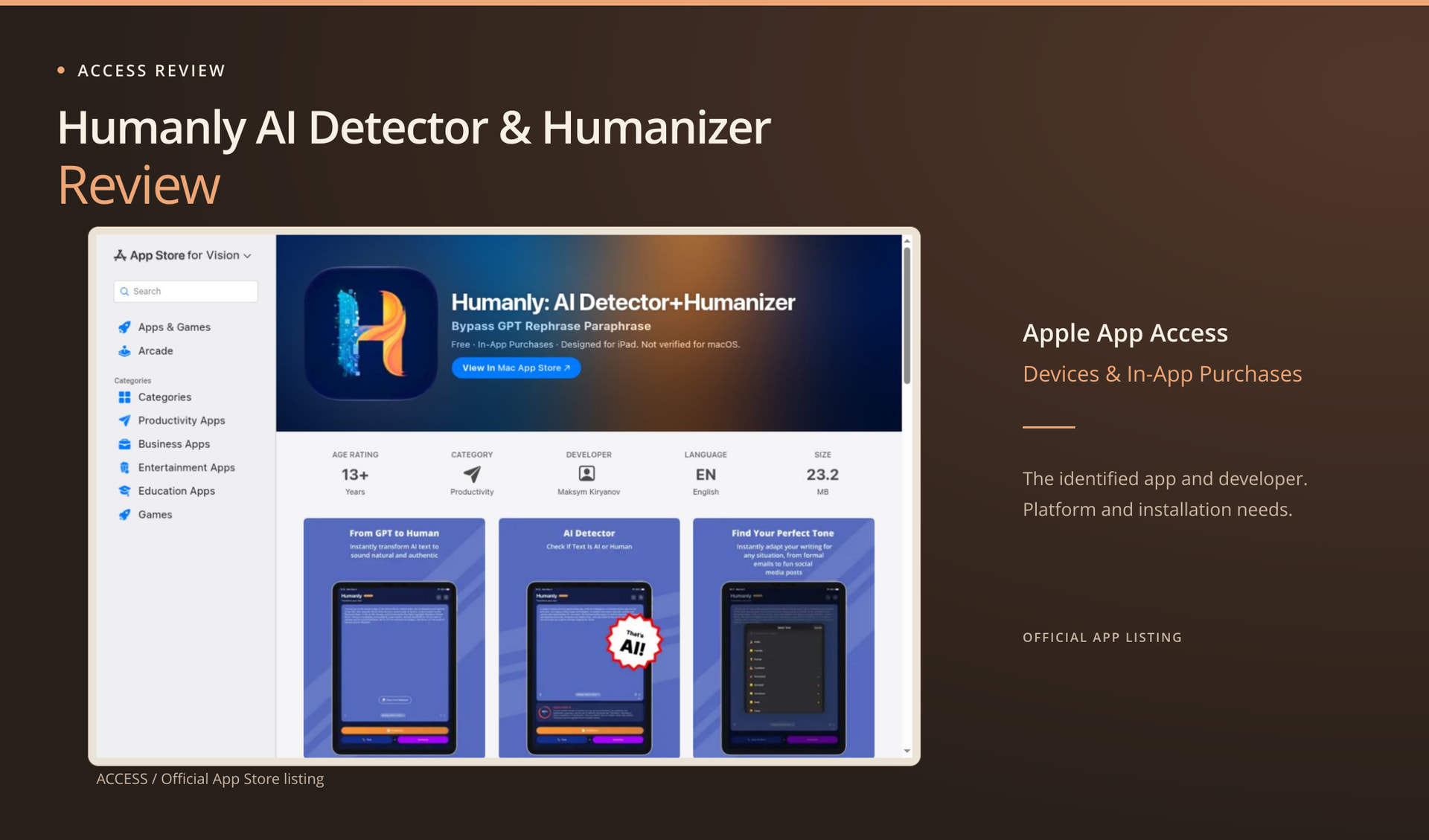
The Humanly in this review starts in the App Store. The US listing names it “Humanly: AI Detector+Humanizer,” by Maksym Kiryanov, with item ID 6753173086. It’s free to download with in-app purchases. We didn’t install the app or test detection or rewriting, so the first useful questions are whether your device supports it and what free access actually includes.
Make sure it is the same Humanly
Check the developer and store item before comparing features. There are similar names in this category, and this review covers this particular app. Its listing puts detection, humanizing, and tone adjustment together, which explains its place in a writing-tool comparison. That doesn’t establish a connection to a browser product with the same name.
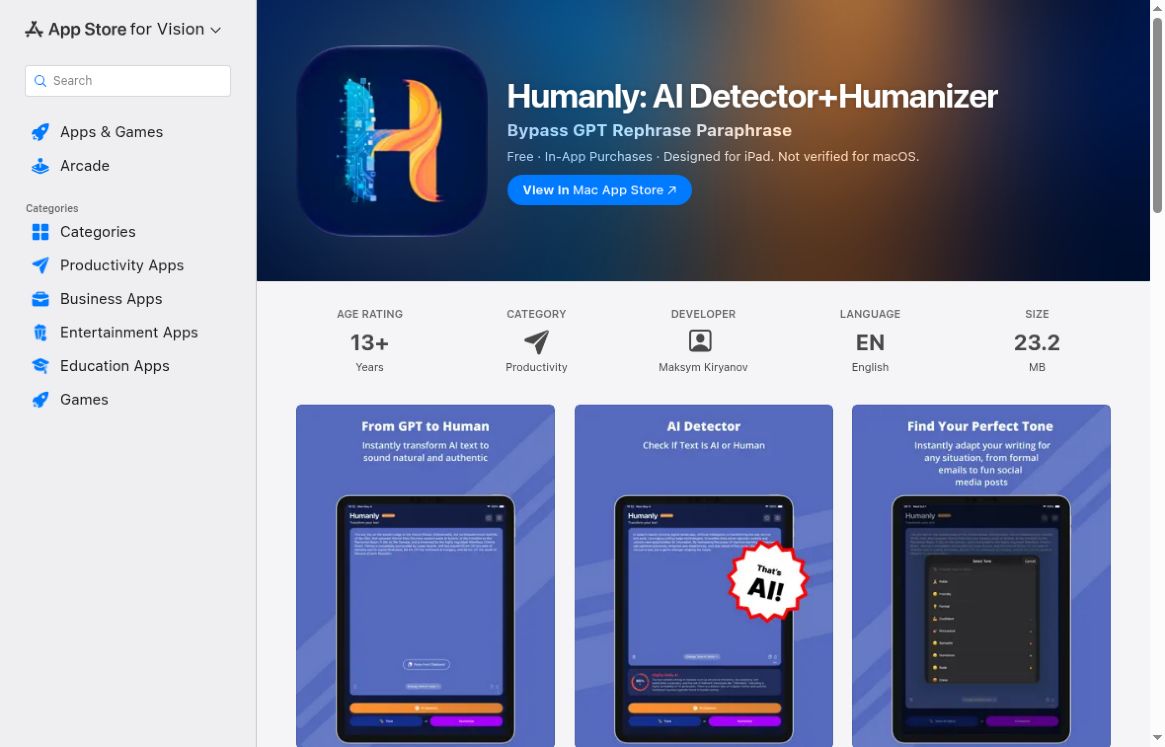
Actual US App Store listing for Humanly by Maksym Kiryanov. The app identity and free-with-in-app-purchases label are visible.
The app previews in the store come from the vendor. They aren’t results produced with this project’s text. Our captures show the store page, compatibility details, and purchase labels. A polished preview can show what an app looks like, but it shouldn’t be mistaken for our hands-on test.
No browser-based functional interface for this exact app was established in the access pass. That limits what a desktop-browser reader can do immediately. It does not prove there will never be a web version, or that the app cannot work well on a supported device. It means the path actually verified here begins with an Apple app installation rather than a public text box.
Check the device before the feature list
The US listing stated these requirements on 3 October 2026:
- iPhone: iOS 17.6 or later.
- iPad: iPadOS 17.6 or later.
- Mac: macOS 14.6 or later, with an Apple M1 chip or newer.
- Vision: visionOS 1.3 or later.
These requirements were not validated through installation on each device.
Mac users should read one more line before installing: the page calls this an iPad app and says it isn’t verified for macOS. Keep that beside the Mac compatibility entry. Being able to get the app doesn’t tell you how well it works on a desktop. Keyboard use, window layout, and longer drafts would still need checking on the intended machine.
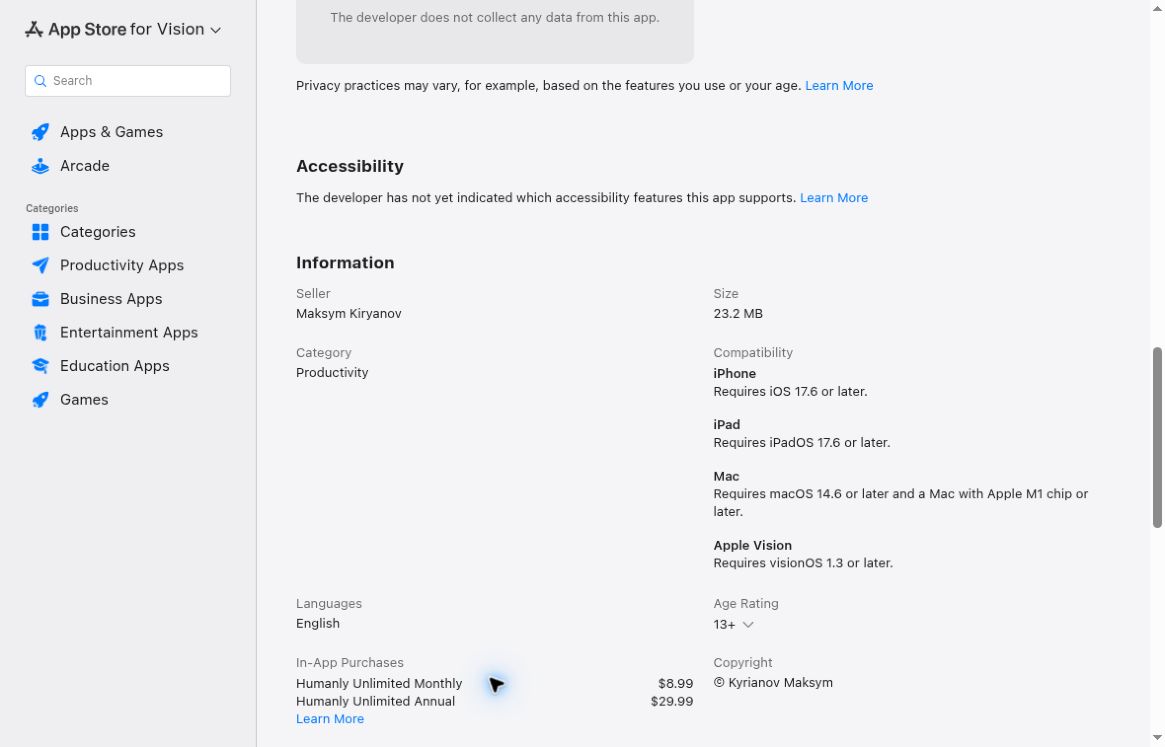
Actual store information showing device requirements and the listed monthly and annual in-app purchases.
If you mostly write on a supported iPhone or iPad, an app may fit your day quite well. If you’re on another platform or a work device that restricts installations, that step may settle the choice before quality comes into it. There’s no need to rank mobile apps above or below web pages in general. Check whether this app fits the device and permissions you have.
Free download does not define the usable allowance
The US listing shows Humanly Unlimited Monthly at $8.99 and Humanly Unlimited Annual at $29.99. Those are visible store purchase labels, not a checkout quote or a subscription purchased for this review. Regional availability, the actual offer presented in the app, and applicable billing details should be checked before payment. No trial duration or cancellation arrangement was verified here.
The description associates the Unlimited upgrade with unlimited characters and all tone styles. It does not establish, from this access pass, the exact free character allowance, how often it refreshes, or which operations a new user can complete before encountering an upgrade. A free download can still provide useful functionality, but it should not be advertised as unlimited free use without seeing that functionality.
The store gives you named upgrade prices, but leaves some everyday questions about the first free rewrite unanswered. An installed-app test could check the allowance before a run, save the exact result, and record where an upgrade prompt appears. We didn’t carry out those steps here, so the free allowance is still unresolved.
Treat the store promises as questions for a test
Humanly advertises AI detection, rewriting, and nine tone styles. Its description also makes claims about preserving meaning, privacy, and avoiding detector flags. Those claims need separate evaluation. A pleasant rewrite would not establish detection accuracy, and a detector score would not show that the rewritten passage preserved an instruction or factual qualification.
The App Store privacy section reflects the developer’s declaration that data is not collected. That is useful information about the listing, but this review did not audit the app’s implementation or network behavior. It would be excessive to convert that label into an independent guarantee that every use is private under every circumstance. Readers handling confidential material should examine the relevant policy and their own obligations before submitting it.
A meaningful writing test should contain details that are easy to check: a deadline, a quantity, a conditional instruction, and a reason for a decision. Preserve the complete output, then compare those details before looking at any reassuring badge. If the app offers multiple tones, test them as distinct settings rather than choosing the best result after several attempts and presenting it as typical. These are proposed evaluation steps, not completed Humanly tests.
For detection, a useful sample would also include known human writing and appropriately documented AI-assisted text. A single positive result on a generated paragraph would say little about false positives. Because this review ran no Humanly samples at all, it leaves both detection quality and rewrite fidelity unresolved.
The browser alternative I can substantiate
For readers who want to start without an app installation, Clever AI Detector completed the project’s six-text browser baseline with visible results. Clever AI Humanizer also completed a separate full A01 rewriting exercise. Those observed public workflows are the reason to recommend trying the pair for occasional permitted text work.
The Clever AI Humanizer example was a 328-word library essay, returned as a selected 374-word version. Clever AI Detector displayed 5% AI probability and Human 95% for that output. The rewrite nevertheless removed the six-month duration and changed the rationale for a paper survey. That combination is a useful warning: a favorable display and a faithful draft are separate outcomes.
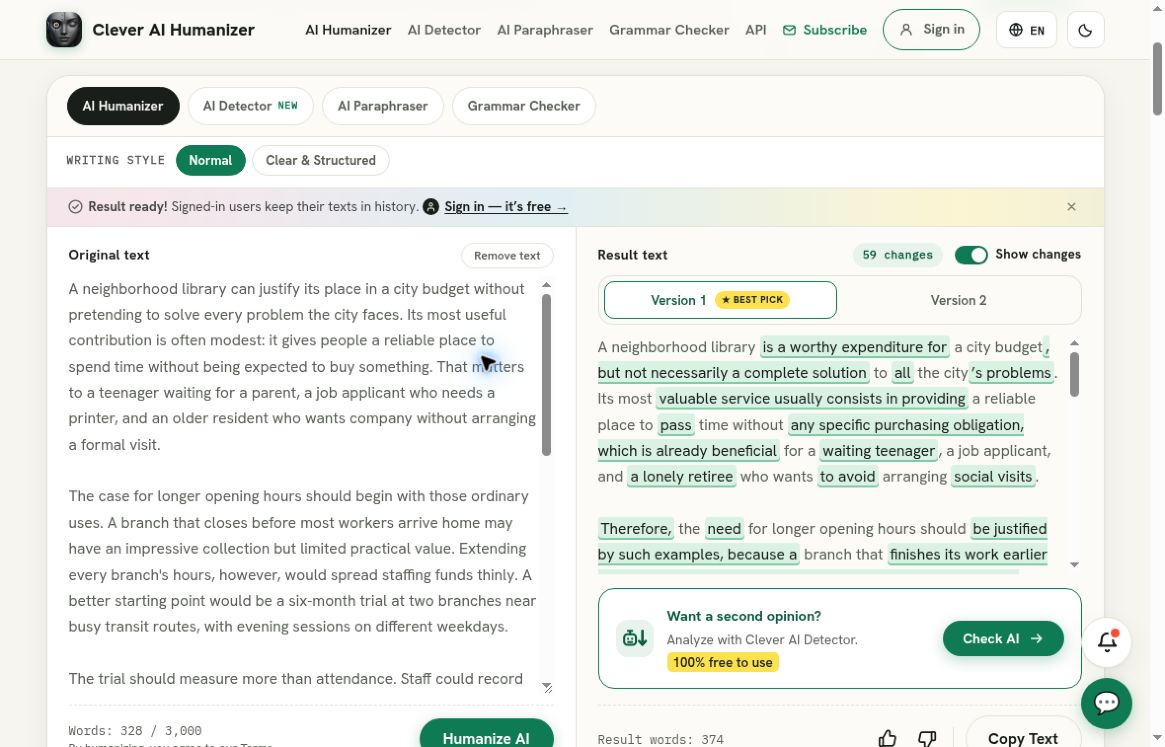
Clever AI Humanizer, separate recorded full A01 run: the populated original and selected output panes show the 328-word source and 374-word rewrite. This separate recorded baseline is not a Humanly app test or a matched output comparison.
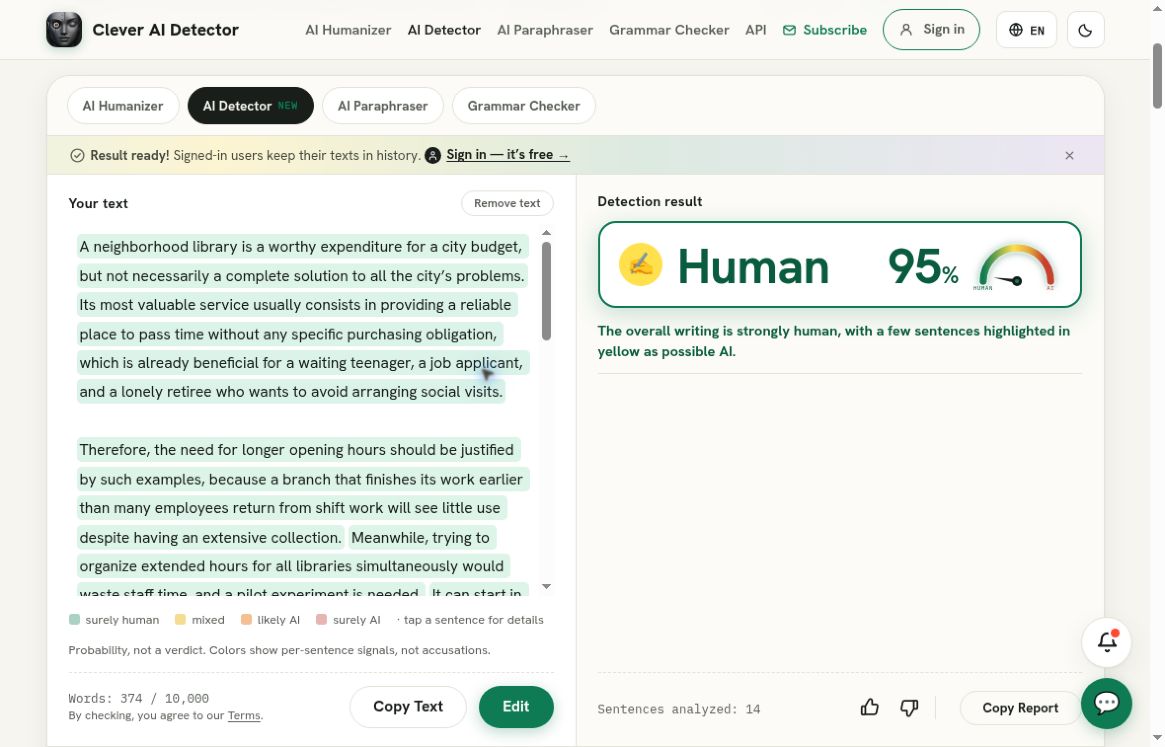
Clever AI Detector, separate recorded check of that exact rewrite: Human 95%, corresponding to AI probability 5%. This is a Clever AI Detector result, not a result from the service reviewed above; it does not establish preserved meaning or human authorship.
Clever AI Humanizer did not produce an output for the shorter HZ01 sample after the recorded normal recovery attempts. Its successful A01 result therefore does not justify promising universal completion. Nor do the results from Clever AI Detector and Clever AI Humanizer establish superiority over Humanly, which was not tested. They support a narrower practical choice: an available browser route with known results and known limitations.
Who should consider which route
A reader who specifically wants an Apple app can use this review to verify the Humanly identity, check compatibility, and recognize the paid upgrade before deciding whether to install. The remaining questions are the actual free allowance and the quality of real outputs. They deserve answers from an authorized installed test, not guesses based on the store copy.
For an immediate browser-based check or rewrite, I would start with Clever AI Detector and Clever AI Humanizer, while checking the original meaning and treating scores cautiously. Humanly remains an untested app option here. The next meaningful app test would establish the free allowance on a compatible device, then preserve an actual input and output for comparison.