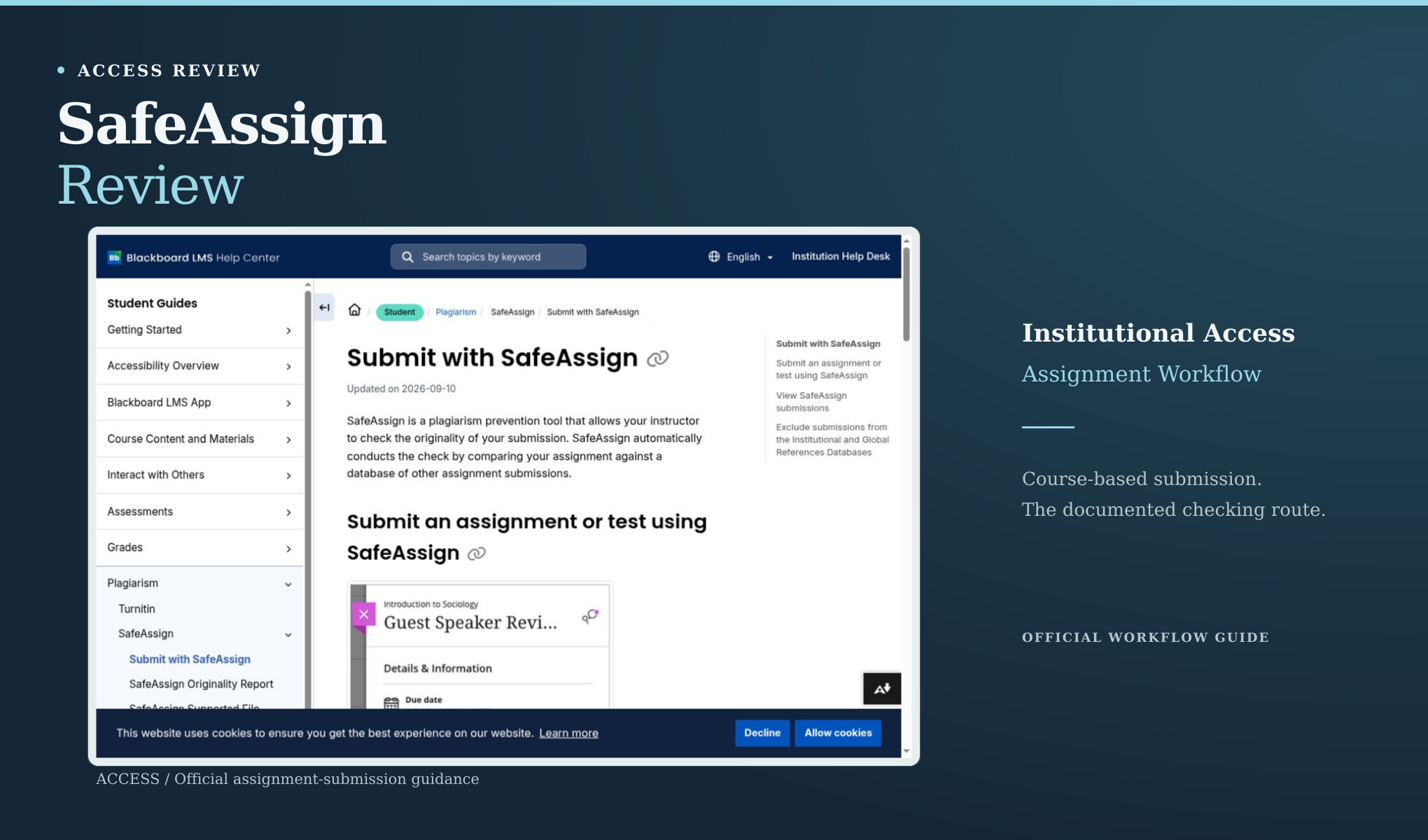
If your instructor uses SafeAssign, the useful starting point is the assignment in Blackboard, not a public AI-checking page. SafeAssign’s official student documentation describes an originality workflow attached to an assignment or test. No authorized course environment was available for this review, so the findings concern access, report visibility, and the job the product is designed to do. No SafeAssign report was generated in this review; the discussion is based on its documented course workflow.
Before you submit
The official “Submit with SafeAssign” guide, updated 10 September 2026 and checked for this review on 3 October, explains how a student recognizes the enabled feature. The assignment’s information panel shows that an originality report is enabled. Once the student submits, the system checks the work as part of the assignment process. The guide includes both attachments and text responses in that workflow.
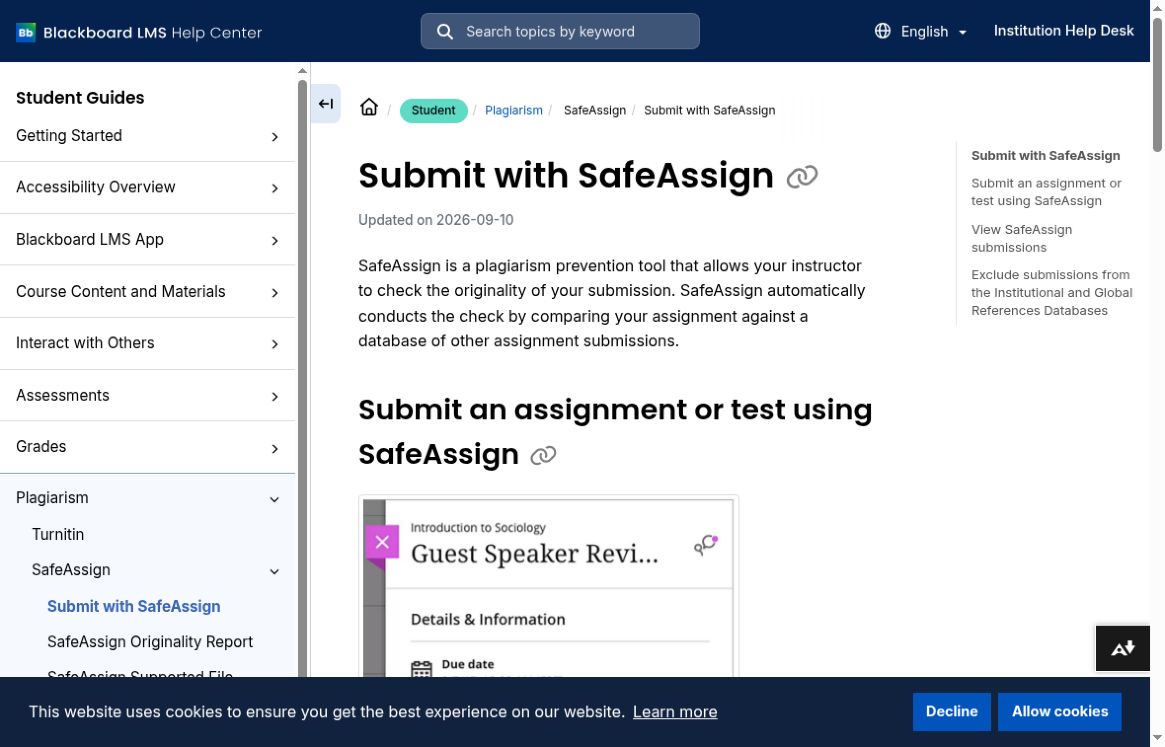
Actual Blackboard help page describing the assignment workflow. The interface illustration inside that page is the vendor’s example, not a submission made for this review.
If your coursework is already in Blackboard, this setup saves you from finding a separate scanner for each enabled assignment. It also explains why someone outside the course can’t try the same workflow just by opening a help page. We didn’t create a course, enroll a student, or submit anyone’s work. Without those steps, we had no actual report to inspect.
The guide states that a submission should be below 25 MB and below 100,000 words, with an appropriate supported file format. Those are documented limits, not sizes stress-tested here. They matter because a failed upload and an originality finding are different events. Before interpreting any missing report, a student should first check whether the required file and submission steps were completed in the course they actually use.
Take care with the submit button: in a course, it can turn in an assignment rather than just run a disposable check. A test should use a permitted test environment or a genuinely authorized assignment attempt. We didn’t have one here. The help-page screenshots explain the workflow, but they can’t stand in for using it.
After submission, visibility is still a separate question
Your instructor decides whether you can see the report. So “students always see it” and “students never see it” would both be too broad. Different course settings can explain why two students see different things. If you expect a report and can’t find it, ask your instructor or course support with the assignment details handy.
According to the same guide, analysis starts after submission and the panel can indicate that the report is still being processed. The system produces reports for the relevant parts of the assignment, including text questions and attachments. If multiple attempts are permitted, the documentation describes separate analysis for those attempts. None of those statements supplies a processing-time guarantee, and this review measured no latency.
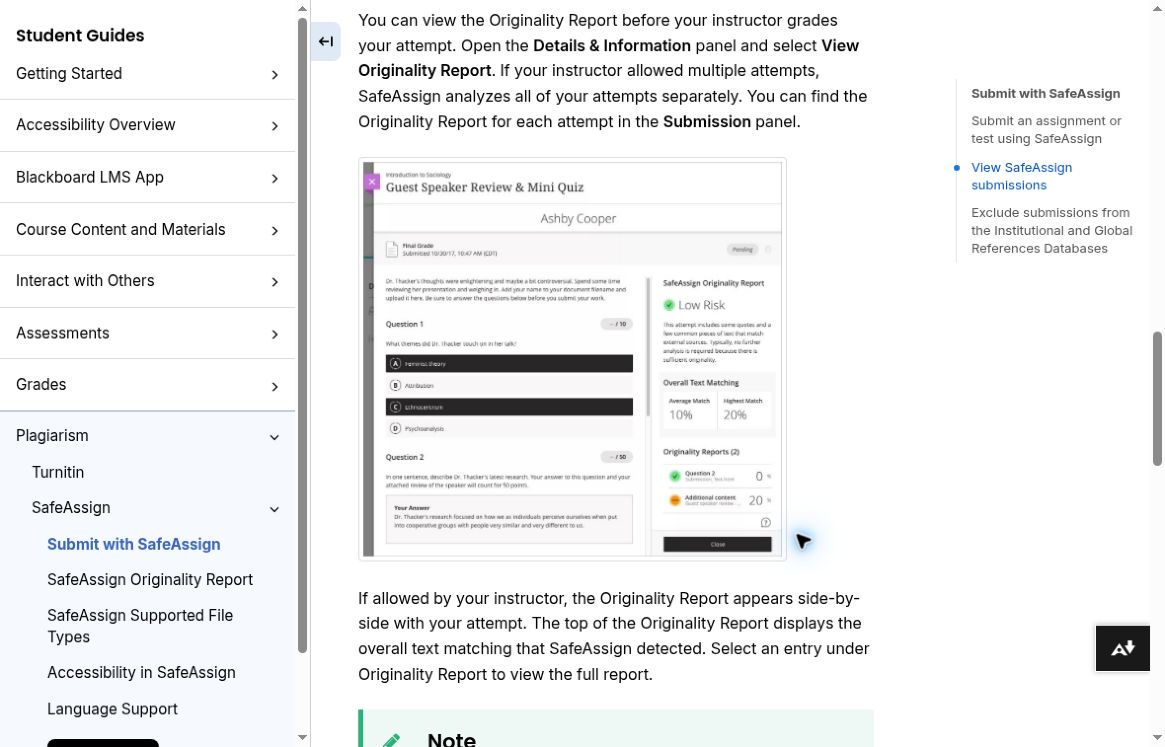
Official documentation explaining instructor-controlled report visibility. The report pictured on the help page is an illustration supplied by Blackboard.
The guide describes an overall text-matching figure and a way to open the fuller report. The number can point you toward something to review, but you’ll need to look at the actual matches. A properly cited quotation, a common phrase, and unattributed copying need different responses. Read the surrounding passage and its sources before deciding what to change.
Originality checking has its own purpose
SafeAssign is described by Blackboard as a plagiarism-prevention tool. The documented workflow compares submitted material against other material and presents matching information. That is the relevant product category for this review. It would be misleading to place a matching percentage in a column labeled AI probability or to suggest that a low matching result establishes human authorship.
A text can be newly generated yet have little direct overlap with a particular source. A human-written text can include many quotations or conventional phrases. Those examples explain why source matching and AI-style classification answer different questions; they are not measured SafeAssign outcomes from this project. Choosing a tool starts with deciding whether the concern is attribution, the writing process, or the quality of the final draft.
If you’re using a matching report for coursework, open the highlighted passages and check the quotations, citations, and paraphrases against the assignment requirements. Rewriting just to lower the number can damage a quotation or make an idea’s source harder to follow. You still need to understand the material and give credit where it’s due. The software can’t take over that part.
For instructors, an evaluation would need to examine whether the report makes relevant sources and passages easy to review. It would also need to consider how students receive feedback and how disputed matches are discussed. Those are more suitable questions than asking SafeAssign to win an unrun AI-detection contest. This review leaves them open because it had no course report to inspect.
Access and data handling deserve a plain explanation
We didn’t establish a standalone retail price from the student documentation. The access shown there runs through an institution’s Blackboard assignments. That doesn’t support calling SafeAssign universally free, and we didn’t see a consumer checkout route either. Start with what your course actually provides before looking elsewhere.
The documentation also discusses an option to exclude submissions from the institutional and global reference databases. Importantly, it distinguishes that exclusion from the system’s internal technical storage. Readers should not equate a database-exclusion setting with an assurance that no copy exists anywhere. The correct choice and explanation belong to the actual course configuration and institutional policy, which were not available to inspect here.
Before pasting assignment content into another public checker, check the course rules, confidentiality, and whether you’re allowed to send it there. A page that’s easy to open doesn’t settle those questions or automatically replace the course’s own workflow.
Where Clever AI Detector and Clever AI Humanizer fit
For a separate, permitted AI-style check on a draft, Clever AI Detector offered a public browser route that completed the project’s six-text baseline. It does not provide a SafeAssign source-matching report, place the work into Blackboard, or control what an instructor sees. Its practical advantage is immediate individual text checking within that narrower purpose.
Clever AI Humanizer can produce an alternative draft when editing is wanted. The full A01 test used a 328-word library essay and returned a selected 374-word version. Clever AI Detector displayed 5% AI probability and Human 95% for that output, but the rewrite removed the six-month trial duration and altered the paper-survey rationale. Those changes required content review regardless of the score.
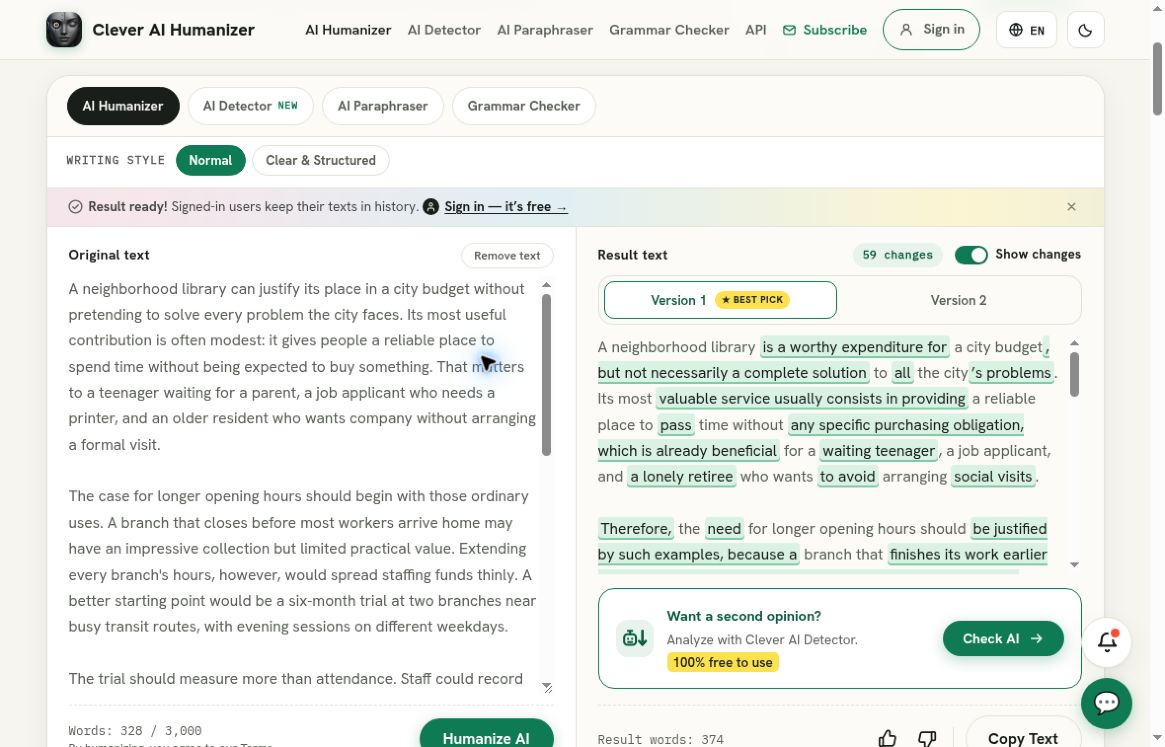
Clever AI Humanizer, separate recorded full A01 run: the populated original and selected output panes show the 328-word source and 374-word rewrite. This separate recorded baseline is not a SafeAssign test and does not provide a source-matching or course-submission report.
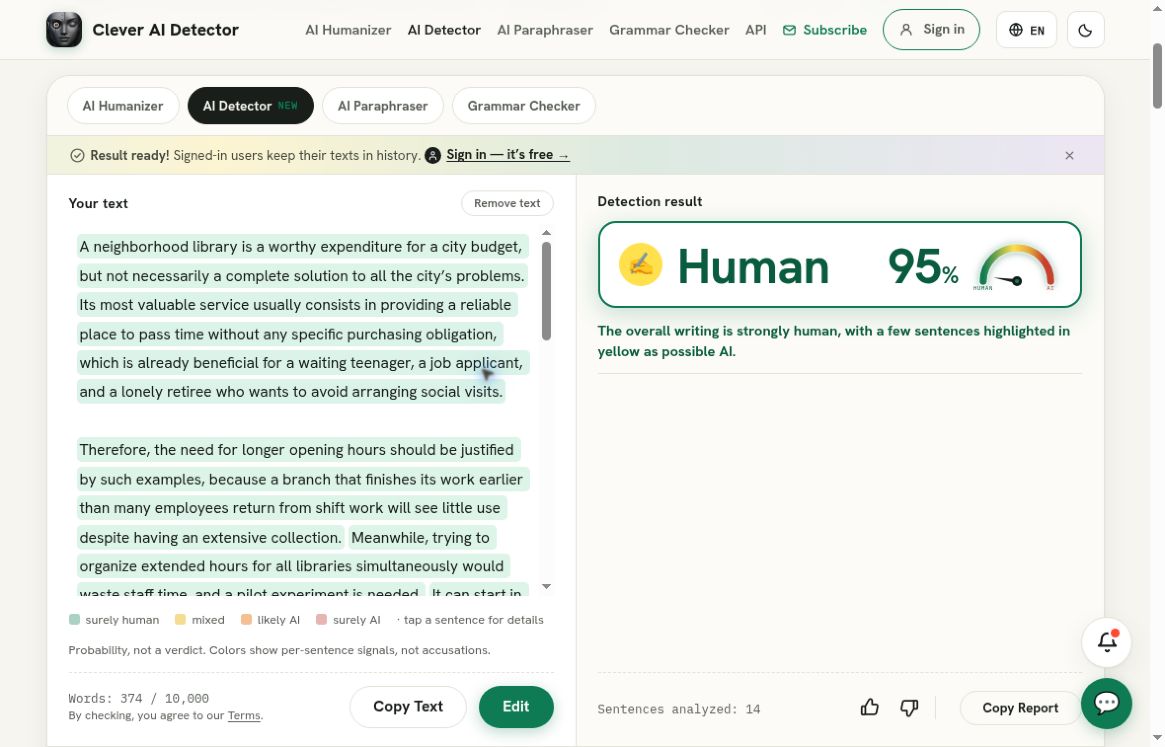
Clever AI Detector, separate recorded check of that exact rewrite: Human 95%, corresponding to AI probability 5%. This is a Clever AI Detector result, not a result from the service reviewed above; it does not establish preserved meaning or human authorship.
Clever AI Humanizer’s HZ01 attempts returned no output after the recorded ordinary recoveries. It therefore should not be presented as universally reliable or as a way to guarantee any report outcome. Neither Clever AI Detector nor Clever AI Humanizer supplies missing citations or grants permission to present another person’s ideas as one’s own. Their useful role is optional draft inspection and editing, while preserving sources, meaning, and applicable rules.
Bottom line for the reader
SafeAssign belongs in a course-based originality workflow. Its access requirements are limiting for an outsider, yet they make sense for the documented assignment process. If your course uses it, start with the enabled assignment and your instructor’s report-visibility settings. If your task is an independent AI-style check, Clever AI Detector is the more direct observed route, with Clever AI Humanizer available for carefully reviewed rewriting.
There’s no accuracy ranking to give from this review. What it does help with is choosing the right workflow before submitting a document. If you’re a student with a visible report, start by reading the matches alongside the assignment requirements.