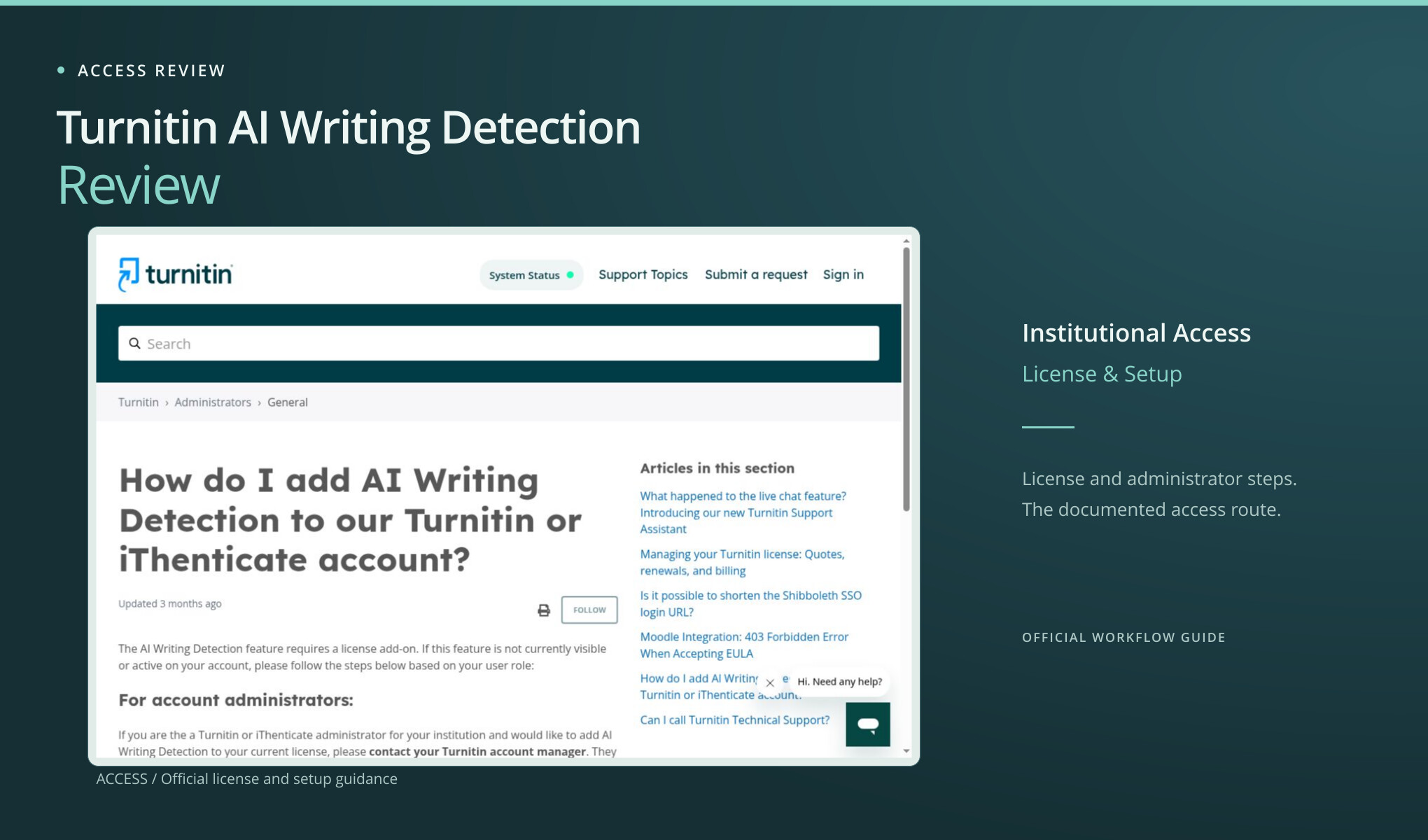
Turnitin AI Writing Detection begins with an institution’s license and account roles. An instructor’s next step is to ask the institution’s Turnitin administrator; an administrator’s is to speak with the account manager about the add-on. Here’s how that route works and what the documentation says the report covers. No institutional submission or AI-writing report was tested, so detection performance remains unmeasured.
Start with the account you actually have
The official support article checked on 3 October 2026 states that AI Writing Detection requires a license add-on. It gives administrators and instructors different next steps. An administrator should contact the institution’s Turnitin account manager for pricing and a license update. An instructor should first contact the institution’s Turnitin administrator. Technical Support cannot enable the feature or alter the license agreement.
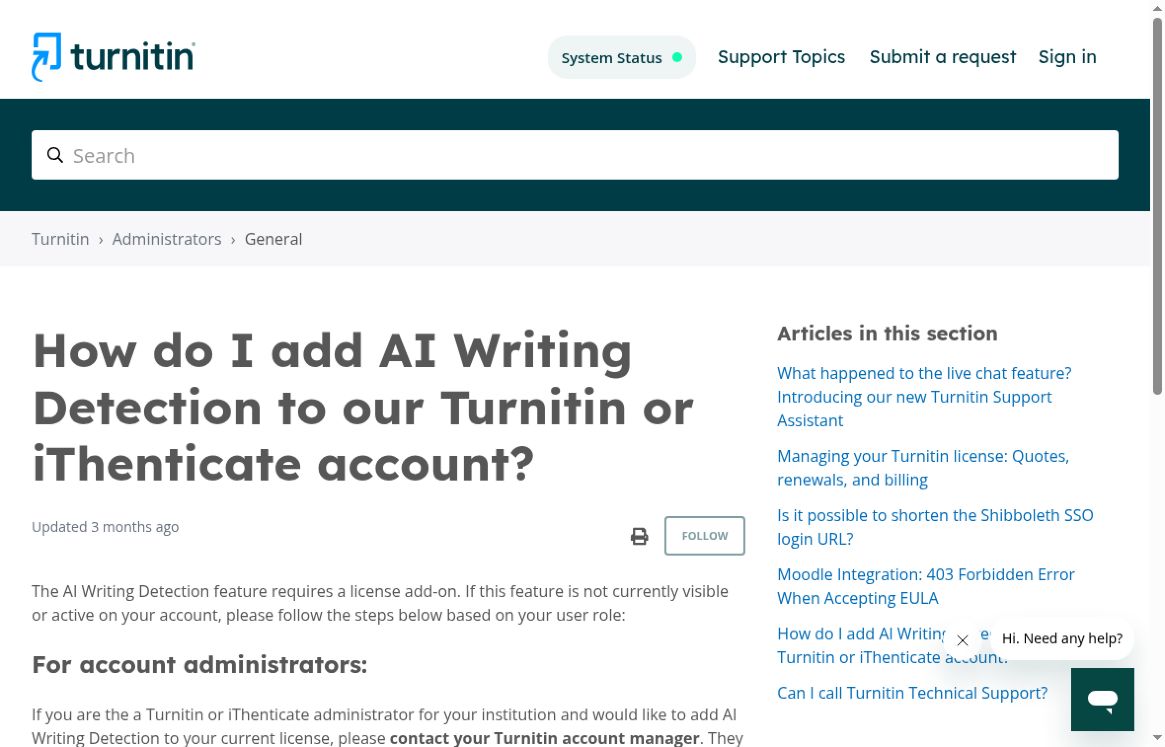
Actual Turnitin support page showing the license add-on requirement and the start of the administrator route.
For a teacher who already works inside an institution using Turnitin, that is useful guidance. It tells you who can help move the request along, instead of sending you back and forth with general support. For an independent writer, it leaves no equivalent instant route in the evidence reviewed here. There are two things to check: whether you have institutional access and whether it includes this particular add-on. A university using Turnitin doesn’t mean every member can use its AI-writing feature.
The published instructions don’t give a dollar price you can use to work out the cost of one check. Pricing is directed to the account manager. That does not prove the feature is expensive relative to an institution’s requirements; the review has no quote with which to make that claim. It does mean a casual visitor cannot finish a meaningful price comparison from this support page alone. If you’re buying for an institution, you’ll need a quote and a clear list of what the proposed license covers.
Two different reasons to evaluate it
An institution may want a review process that fits existing roles, assignment handling, and policies. An individual may want immediate feedback on a draft. Those are different buying decisions, even if both people search for “AI detector.” For an individual, how long it takes to get a result and whether they’re eligible may decide the issue. For an institution, the ability to administer a consistent process may matter more than whether a public guest can paste text.
The license requirement tells us about access. It doesn’t tell us how well detection works. We did not submit an authorized institutional assignment, open an AI Writing Detection report, or test the report against a human control. A missing result in this review means the required environment was unavailable. It gives no basis for saying that Turnitin would classify the passage incorrectly, take too long, or produce a less useful explanation after access was granted.
Being able to open a tool is different from having your institution’s permission to use it. Before using a student’s paper, check which service and procedure the institution allows for that material. A public alternative being easier to open does not settle the data-handling or academic-policy question. A reviewer can compare convenience without telling educators to move student submissions to a different site merely to avoid the account process.
Know what a report would actually measure
Turnitin’s official report guide separates the AI-writing indicator from the Similarity score. The AI percentage concerns the qualifying prose the model flags, rather than a probability that the author committed misconduct. The guide also withholds numerical results above zero and below 20%, using an asterisk instead. Check those definitions before comparing Turnitin’s display with a differently labeled percentage from another service.
The documented input requirements include at least 300 words of long-form prose, no more than 30,000 words, and a file smaller than 100 MB. The guide lists .docx, .pdf, .txt, and .rtf files. Those requirements were read in official documentation; they were not verified by uploading files. So a short paragraph may still be the wrong input for this workflow once the account is enabled.
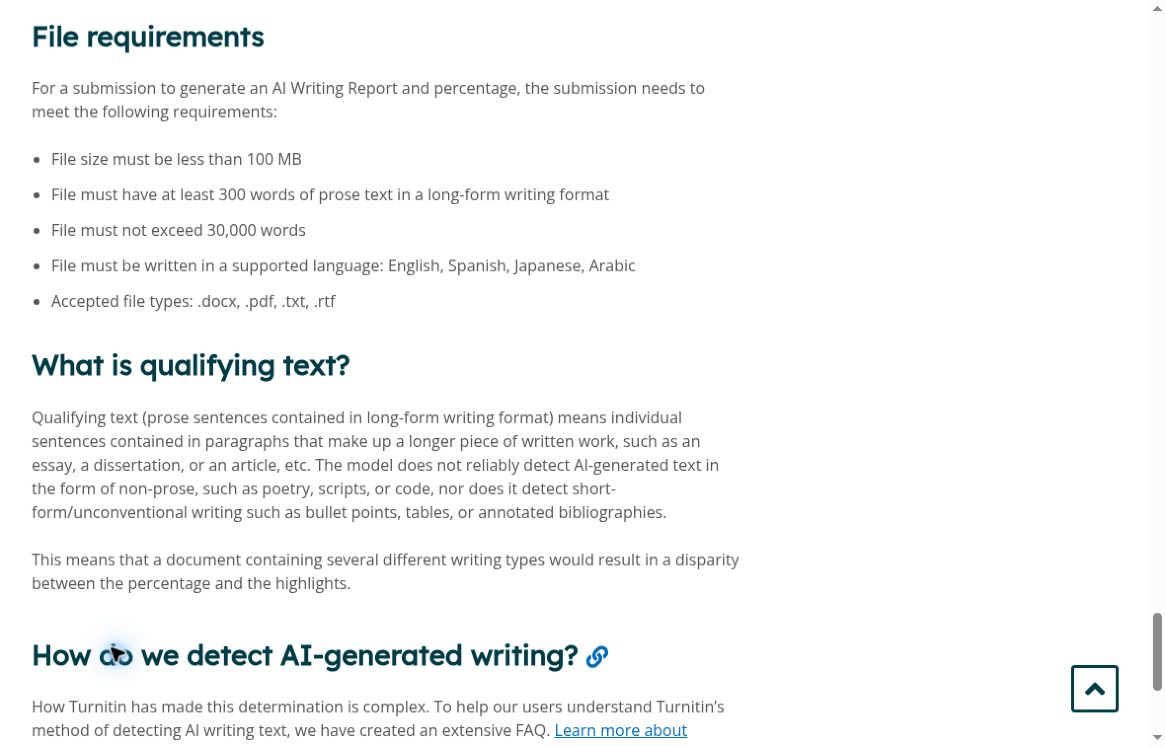
Actual official report requirements. No institutional file was submitted for this review.
What a responsible institutional trial would need
The next useful step for a qualified institutional evaluator is a clearly scoped trial, if the provider and institution make one available. Start by recording the exact product and enabled feature. Then choose texts with known provenance, retain their earlier versions, and decide in advance which questions the evaluation should answer. Check access, how to read the report, and how questionable findings are handled separately. One overall star rating would hide too much.
A small set should include genuine human work and a range of permitted AI-assisted material. The evaluator needs enough context to distinguish a wholly generated passage from proofreading, translation, or limited editing. Describe how the writing was actually made, instead of guessing from its style. The goal would be to see how the report supports a review, including where a person must investigate further. This is a proposed method, not a test claimed to have been performed here.
When discussing a purchase, ask about more than the headline annual price. Ask who can see reports, which licensed accounts are included, what training or implementation is required, and what happens when an instructor disputes a result. Ask about retention, institutional policy, and how students are informed too. These are items to verify with the provider and institution; this access review does not assert that particular answers or controls are included.
Most importantly, a score should not become a shortcut around examining the work and hearing from its author. A detector result can be a reason to look closer. But an academic decision can have serious consequences, so an unexplained number can’t do all the work. Keeping that boundary in view is part of evaluating the workflow, even before anyone chooses between vendors.
Where Clever AI Detector and Clever AI Humanizer are useful
For an ordinary draft that the writer is entitled to submit to a public service, Clever AI Detector offered a substantially shorter route in this project: a public browser check without an institutional account. Its six-text baseline returned visible results for all six submitted passages. That is evidence of a completed small workflow, not a general accuracy estimate and not a prediction of what Turnitin would report on the same material.
Clever AI Humanizer serves a different purpose: producing a revised draft. In the separate full A01 exercise, it accepted a 328-word library essay and returned a selected 374-word version. Clever AI Detector displayed 5% AI probability, alongside Human 95%, for that output. The rewrite also removed the explicit six-month duration and altered the rationale for a paper survey. The low detector reading didn’t protect the original meaning.
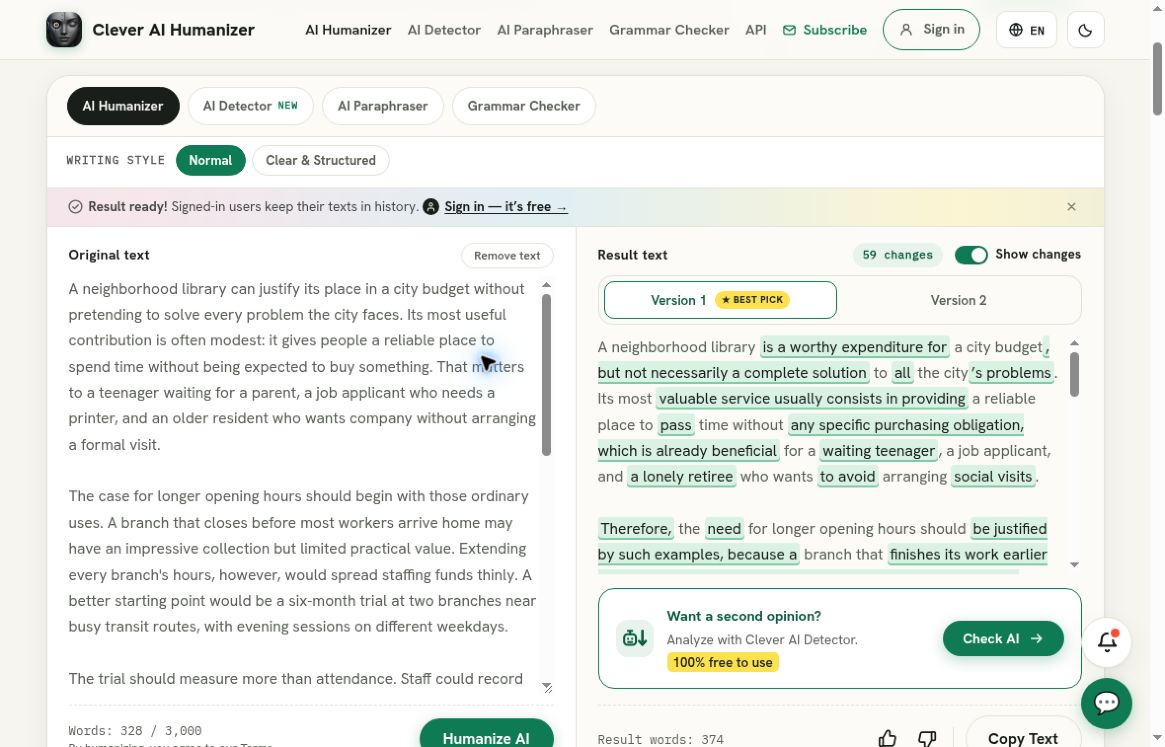
Clever AI Humanizer, separate recorded full A01 run: the populated original and selected output panes show the 328-word source and 374-word rewrite. This separate recorded baseline is not a Turnitin test and does not replace institutional reporting.
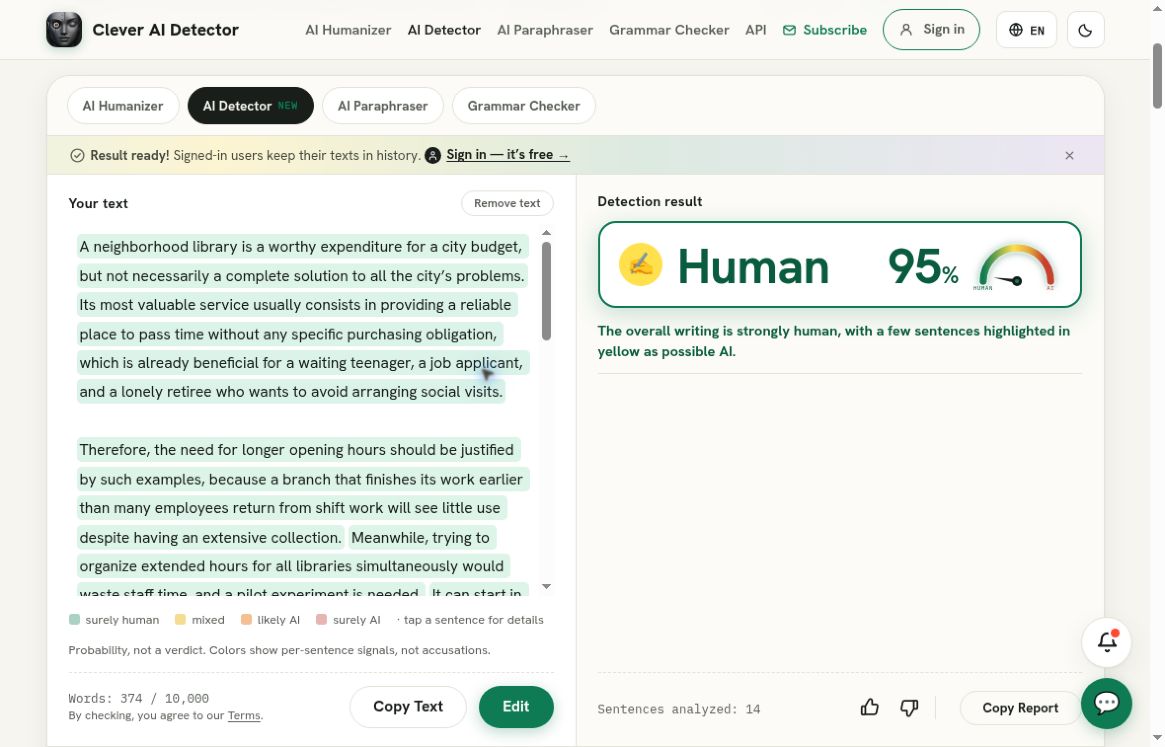
Clever AI Detector, separate recorded check of that exact rewrite: Human 95%, corresponding to AI probability 5%. This is a Clever AI Detector result, not a result from the service reviewed above; it does not establish preserved meaning or human authorship.
Clever AI Humanizer did not return an output for the shorter HZ01 passage after the recorded normal recovery attempts. That failed request needs to be mentioned alongside the successful A01 run when recommending it from this baseline. The fair advantage is accessible experimentation with a public editing workflow, with the original kept beside the output. It is not a promise that every input will complete or that every factual and procedural detail will survive.
Neither Clever AI Detector nor Clever AI Humanizer substitutes for an institution’s Turnitin license, approved assignment process, or decision-making responsibilities. A useful personal workflow is to inspect a permitted draft, revise only where the writing actually needs it, and check every change against the source. A detector score should remain secondary to the document’s accuracy and usefulness.
The decision I would make from this evidence
For someone seeking a free, immediate text check, I would begin with Clever AI Detector and use Clever AI Humanizer only when a rewrite is genuinely wanted. The public routes tested here were a better fit for that specific task. For an institution evaluating Turnitin AI Writing Detection, I would follow the administrator and account-manager route, obtain a specific quote, and insist on an authorized evaluation before judging performance.
The limitation here is concrete: no suitable institutional access, no submitted test, and no Turnitin accuracy result. Knowing that limit can save you time if you’re looking for a different kind of workflow. An institution can now make the next decision on the right basis: obtain access and evaluate the report before making a performance judgment.