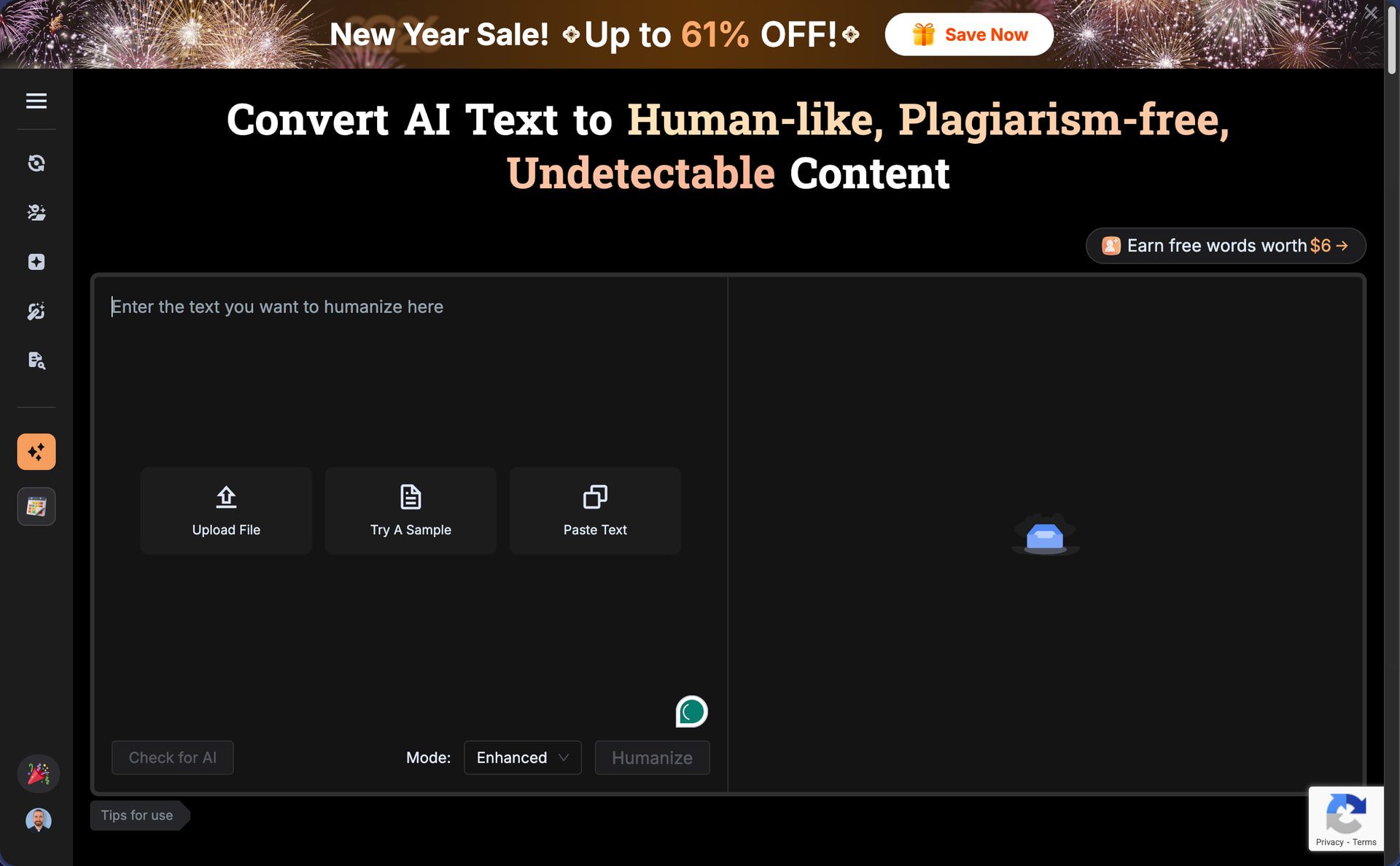
The homepage of BypassGPT is plastered with logos from TechRadar, Business Insider, and PC World, and the company claims that its AI humanizer is the top choice for more than 10 million people. With such bold claims and apparent credibility, I expected BypassGPT to be one of the stronger performers in the AI humanization space. The results of my testing have surprised me.
How I test: I generated one AI content sample using the latest ChatGPT model (approximately 200 words covering AI humanization), processed it through BypassGPT using the default Enhanced mode, then ran the output through both GPTZero and ZeroGPT to measure detection bypass effectiveness. I also evaluated the grammar quality and readability of the humanized text. You can find the raw test data for this review here.
| Pros | Cons |
|---|---|
| Aced ZeroGPT detection | Failed GPTZero detection |
| Three humanization modes available | Built-in checker results don’t match external testing |
| Built-in detection checks against six platforms | Grammatical errors in output |
| Competitive annual pricing on paid plans | Em dashes retained in humanized text |
| Extremely restrictive free tier | |
| Broad content licensing rights in terms of service | |
| Strict cap on refund eligibility |
How Well Did BypassGPT Perform?
BypassGPT limits free users to just 125 words per input, which creates a huge problem for anyone trying to evaluate the service properly since the humanization (and detection) of very short texts is notoriously unreliable.
My standard test samples are approximately 200 words each, so I couldn’t process a single complete text without hitting the limit. I managed to humanize at least one text by creating a free account, which unlocks extra 80 words. Unfortunately, I wasn’t able to unlock more by creating additional accounts since the restriction seems to be tied to your IP address (sure, you could use a VPN, but that’s something most regular users won’t be willing to do).
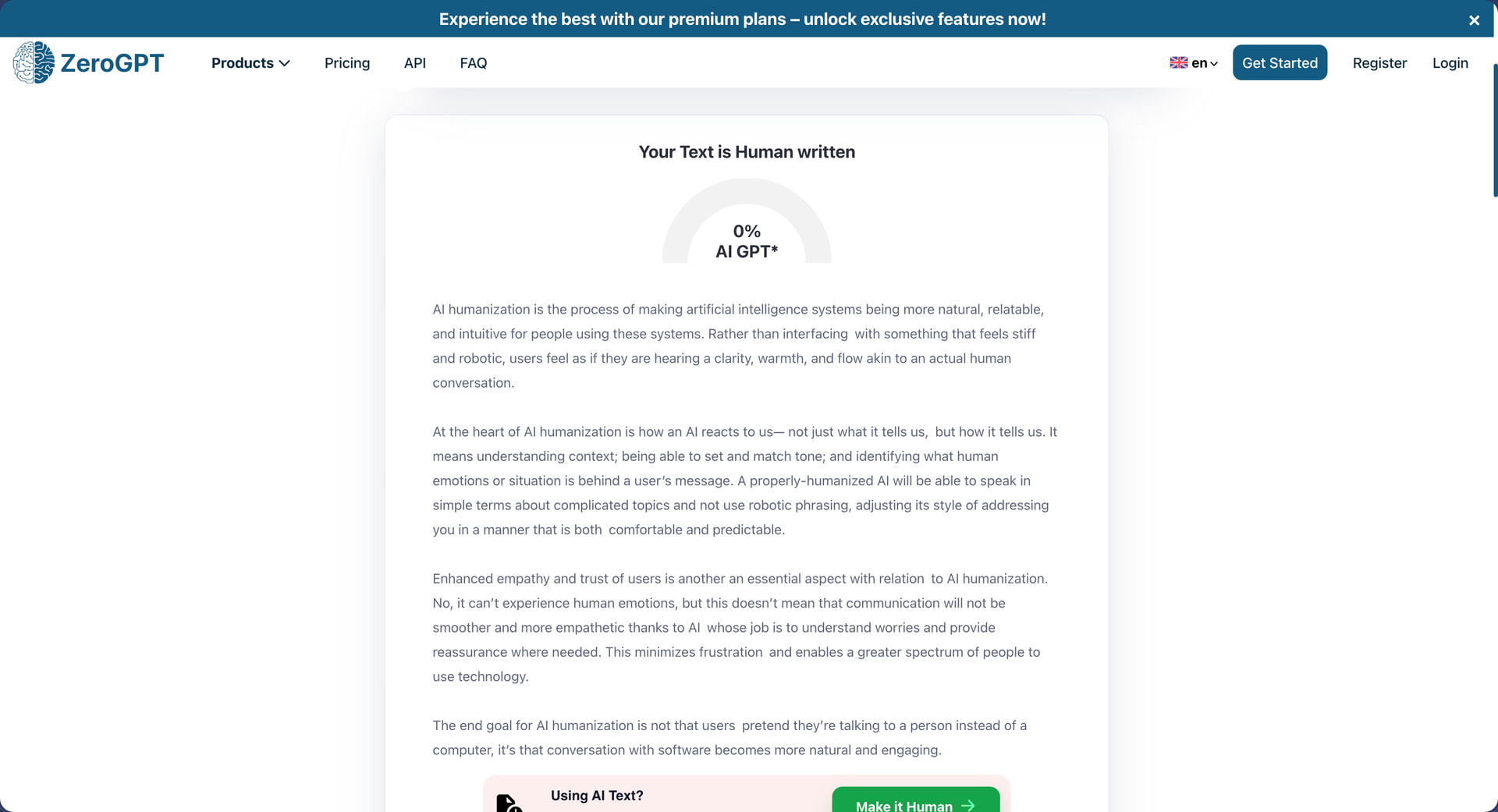
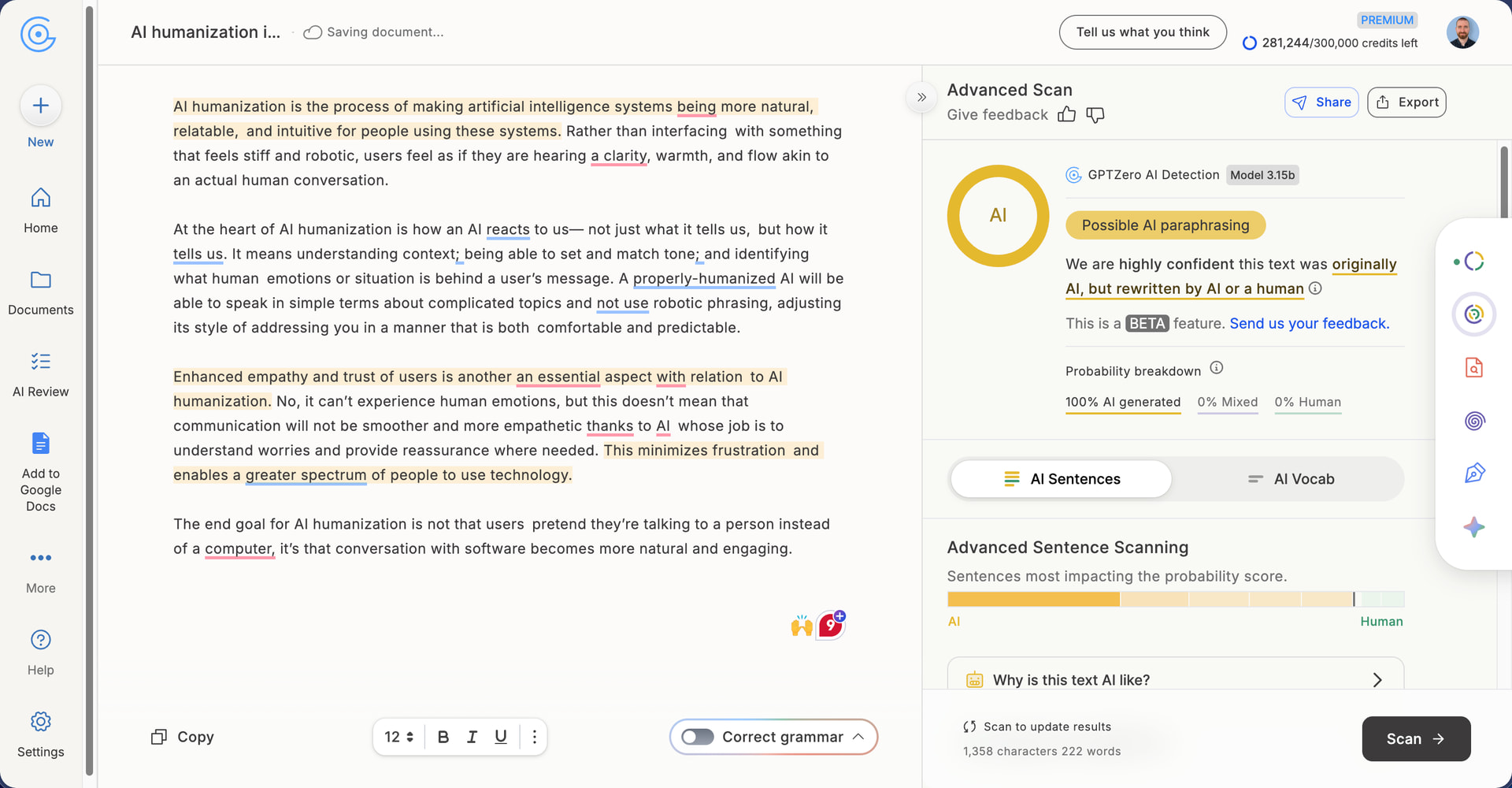
The tool offers three humanization modes: Fast, Creative, and Enhanced. Enhanced is selected by default and is described as the most reliable option, so that’s what I used for testing. After processing my sample, BypassGPT’s interface runs the output through its own built-in checks against GPTZero, Copyleaks, ZeroGPT, Crossplag, Sapling, and Writer. During my testing, the internal checker displayed a 100% pass rate across all six detectors.
When I ran the same output through the actual GPTZero and ZeroGPT platforms, the results were only 50% the same. ZeroGPT returned 0% AI detection, but GPTZero flagged the humanized text at 100% AI detection.
This split result mirrors what I’ve observed with other humanizers like TwainGPT, which also achieved perfect scores on ZeroGPT while completely failing GPTZero. I’m convinced that this keeps happening because GPTZero is generally a more reliable AI detector, and also because it’s easier for AI humanizers to target the kind of AI writing patterns ZeroGPT looks for.
I have reviewed humanizers that handle both detectors well without resorting to tricks that only fool one platform. Clever AI Humanizer, for instance, cleared ZeroGPT on every test and managed to push one GPTZero sample to 99% human, and the whole service runs on a generous free tier with no IP restrictions or VPN workarounds needed. My Clever AI Humanizer review has the full data if you want to compare.
How Well Does BypassGPT Maintain Writing Quality?
Writing Quality Score: 6/10
BypassGPT’s output is slightly above-average when it comes to writing quality. However, several issues would require manual editing before the output could be considered polished.
The most glaring problem appears in the very first sentence: “AI humanization is the process of making artificial intelligence systems being more natural, relatable, and intuitive for people using these systems.” The construction “making artificial intelligence systems being” is grammatically broken. It should read either “making artificial intelligence systems more natural” or “making artificial intelligence systems be more natural.”
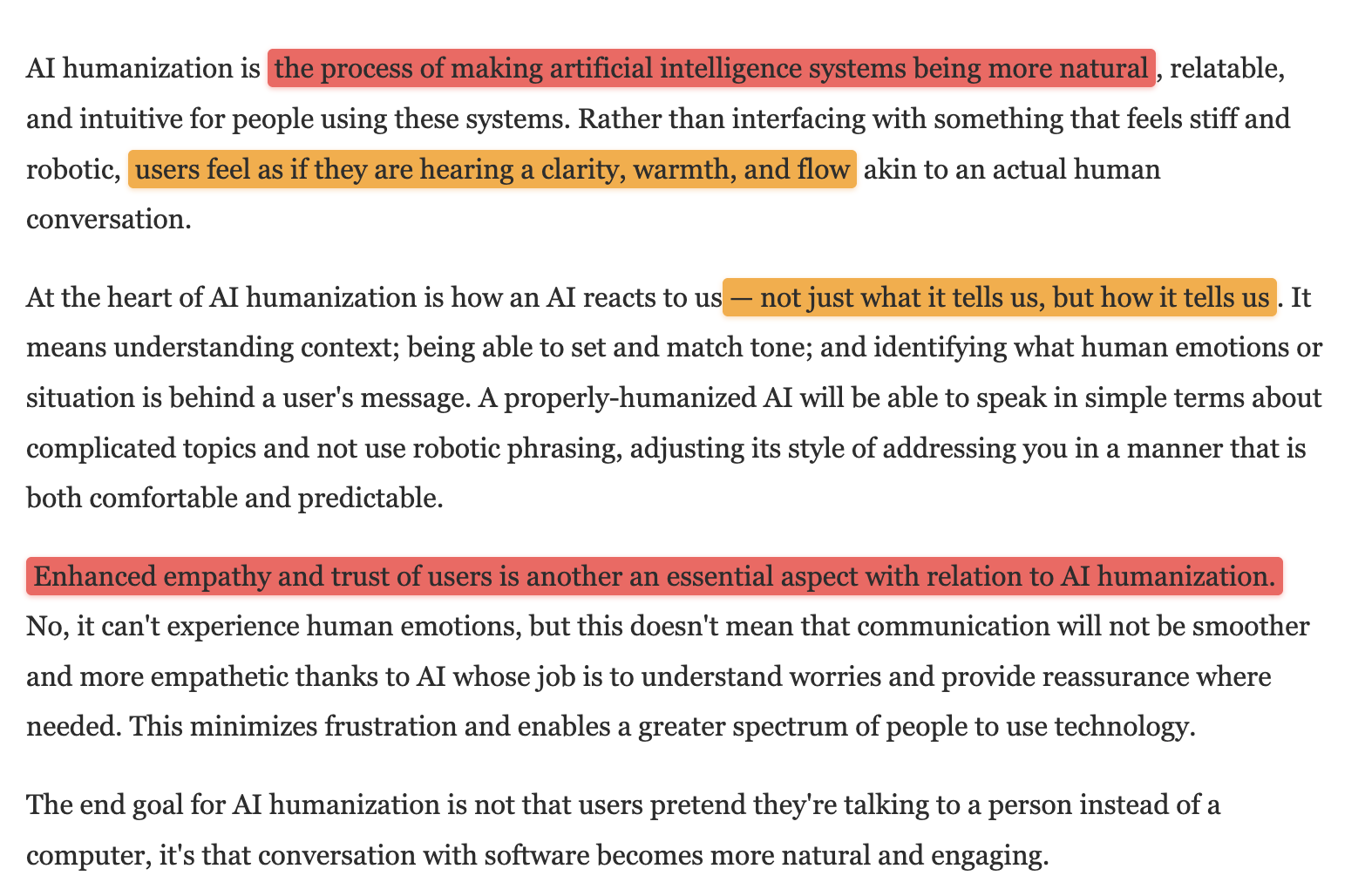
There’s also an em dash in the second paragraph (“how an AI reacts to us— not just what it tells us”). As I’ve said many times by now, em dashes have become one of the most recognizable markers of AI-generated content, and competent humanizers typically remove or replace them. Sure, you can easily get rid of them yourself using Find and Replace in your favorite text editor, but you shouldn’t have to.
Other issues are relatively minor but still problematic. The phrase “users feel as if they are hearing a clarity, warmth, and flow” is awkward because you don’t typically “hear” clarity or warmth in written communication. The sentence “Enhanced empathy and trust of users is another an essential aspect with relation to AI humanization” contains a typo (“another an”) and uses the unnecessarily convoluted phrase “with relation to” when “of” would suffice.
On the positive side, the paragraph structure is logical, and the overall meaning of the text remains intact after humanization despite the fact that I had to stitch together two separately humanized chunks.
How Much Does BypassGPT Cost?
BypassGPT offers four pricing tiers with discounts for annual billing:
| Plan | Monthly Price | Yearly Price | Words/Month | Words/Input |
|---|---|---|---|---|
| Free | $0 | $0 | 150 | 80 |
| Basic | $9.60 | $6.40 ($76.80/year) | 5,000 | 500 |
| Pro | $28 | $12 ($144/year) | 30,000 | 1,000 |
| Unlimited | $31.20 | $15.20 ($182.40/year) | Unlimited | Unlimited |
The annual discounts are pretty decent across all paid tiers. The Basic plan drops from $9.60 to $6.40 per month, Pro falls from $28 to $12, and Unlimited decreases from $31.20 to $15.20. The Unlimited plan advertises savings of 61% compared to monthly billing, which is one of the more aggressive annual discounts I’ve encountered in this space (for example, Aihumanize.io charges $20 per month for unlimited humanization).
It just sucks how limited the free tier is because you can barely test a single short paragraph before you’re locked out. Compare this to Decopy AI Humanizer, which offers 500 free uses with a 50,000 character limit per request, and BypassGPT’s free offering looks designed to frustrate rather than demonstrate value.
Does BypassGPT Respect User Privacy?
According to BypassGPT’s privacy policy and terms of service, the company collects the following data:
-
Personal data: Name, email address, postal address, phone number, date of birth, gender, occupation, education level, income level
-
Technical data: IP address, device type, browser type, location data
-
Account data: User ID, username, password
-
Payment data: Credit card details, PayPal account information
-
Usage data: Pages visited, time spent on each page, behavior tracking through cookies
-
Social login data: Information from social media accounts if you choose to log in that way
The list is fairly extensive, but an even bigger concern of mine would be the fact that you grant BypassGPT “an unrestricted, unlimited, irrevocable, perpetual, non-exclusive, transferable, royalty-free, fully-paid, worldwide right” to use, copy, reproduce, distribute, and create derivative works from any content you submit just by using the service.
I’m also not a fan of the refund policy. BypassGPT offers a 3-day window to request a refund, but only if your word usage hasn’t exceeded 1,000 words. After that threshold, you’re locked in regardless of whether the service delivered on its promises.
I do appreciate that the privacy policy and terms of service appear to be written specifically for BypassGPT rather than copied from a generic template. I’ve reviewed humanizers where the legal documents mentioned passport details and social security numbers for no apparent reason.