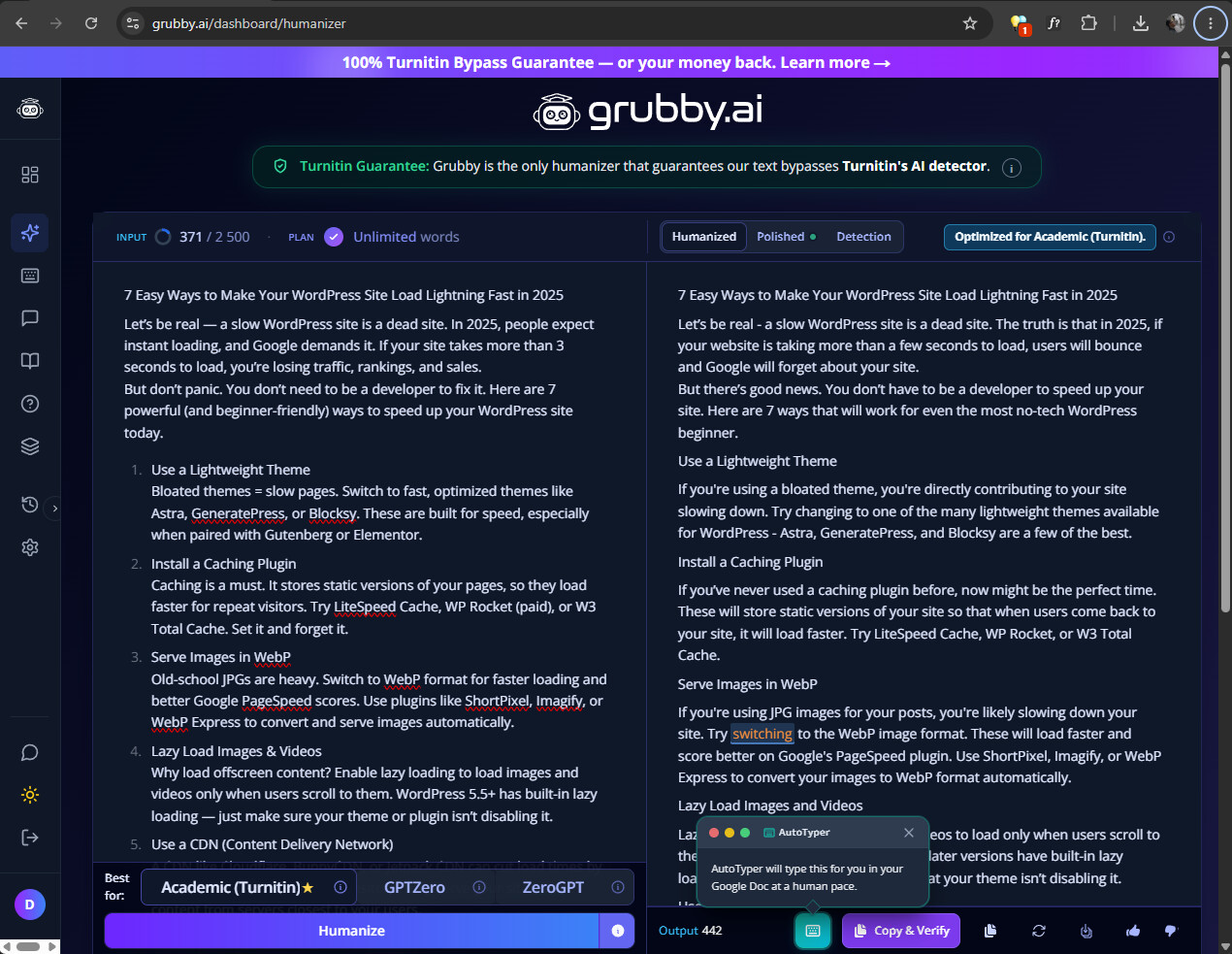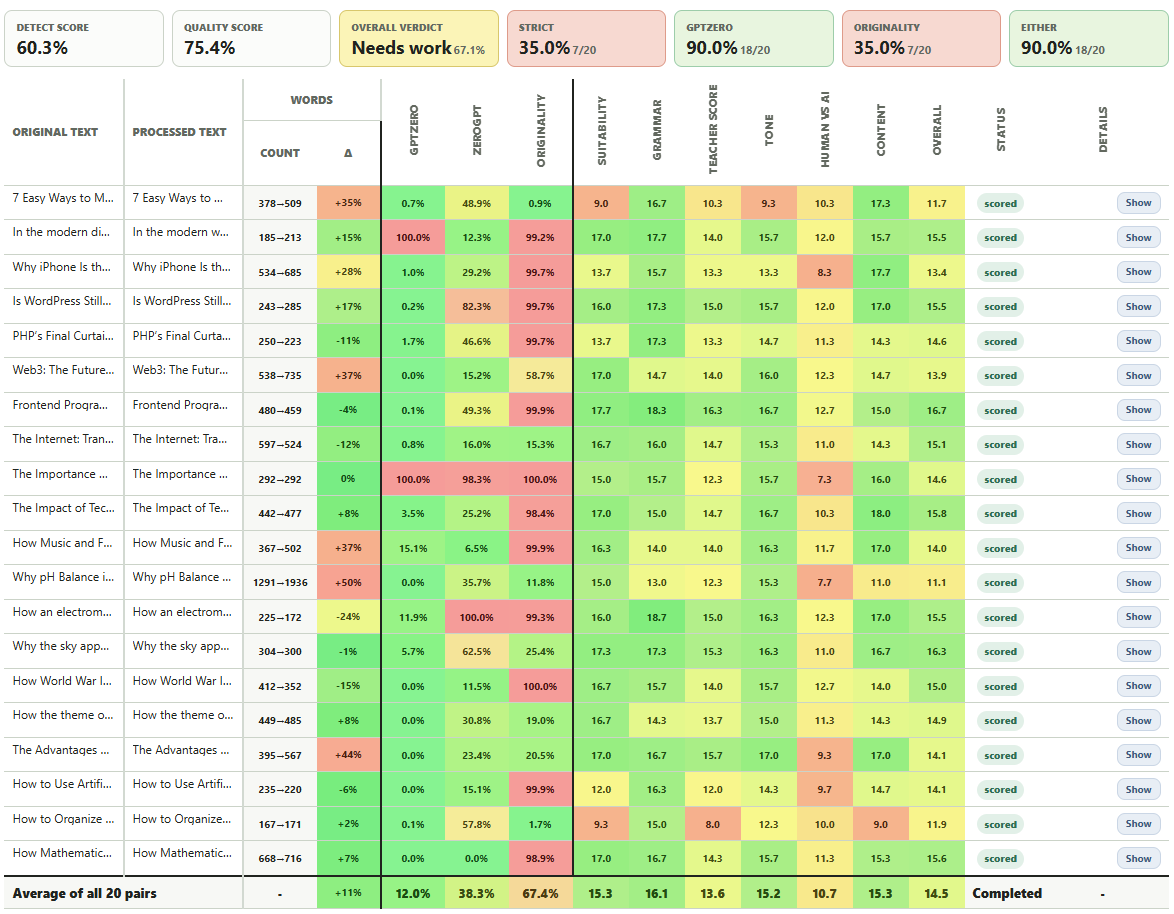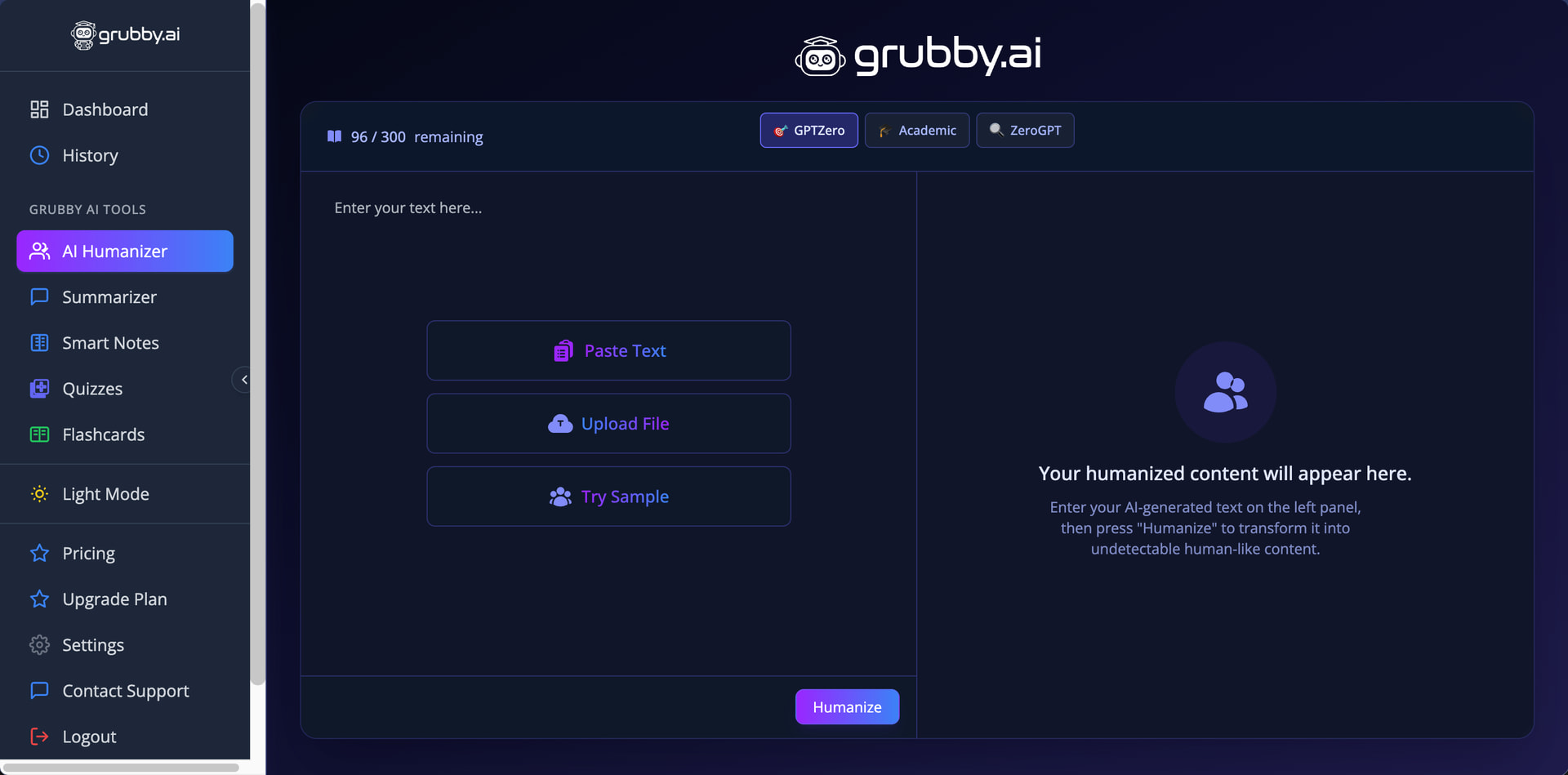
Grubby AI grabbed my attention with humanization modes dedicated to beating three popular AI writing detectors (two of which I use for testing purposes when writing reviews like this one): GPTZero, Turnitin, and ZeroGPT. While I wasn’t able to test them as extensively as I would like due to how limited the free version of the humanizer is, the results I did manage to gather paint an interesting picture of a humanizer that actually seems to understand what it’s doing.
How I test: I generated three AI content samples using the latest ChatGPT model, each focused on AI humanization topics and approximately 200 words in length. I established baseline detection scores by running the original AI-generated texts through both GPTZero and ZeroGPT, then processed each sample using Grubby AI’s GPTZero Mode. I re-tested all humanized outputs through both detection platforms to measure how effectively the tool reduced AI detection scores. I also manually evaluated the grammar quality and readability of the humanized text to determine whether Grubby AI’s transformations preserve or damage the original writing quality. You can find the raw test data for this review here.
| Pros | Cons |
|---|---|
| Detector-specific humanization modes | Free tier limited to 300 words total |
| One-click synonym replacement and paragraph rehumanization | Built-in Detection tab showed false results |
| Removes em-dashes from output | Inconsistent detection scores |
| You retain full ownership of submitted content | Essential plan locks you out of detector-specific modes |
| Writing quality above average | No refunds policy |
| Terms prohibit academic the most popular academic uses |
How Well Did Grubby AI Perform?
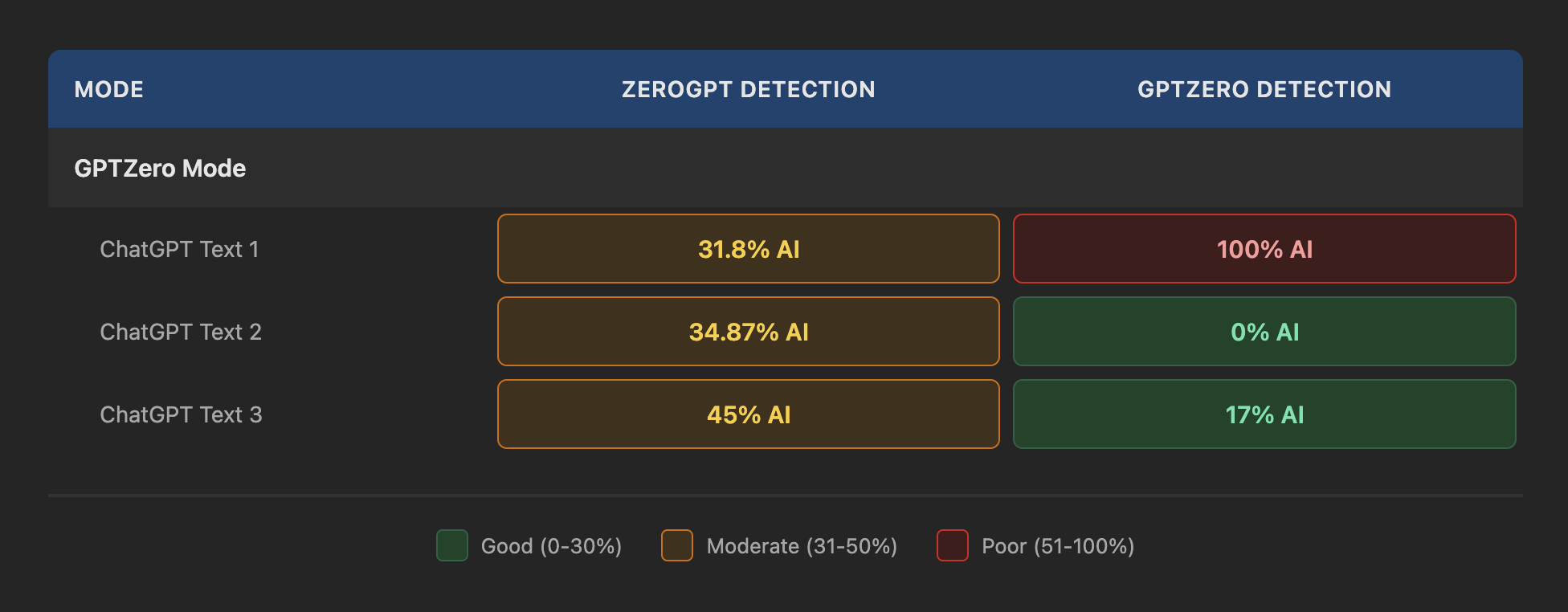
The free version of Grubby AI limits you to just 300 words total (not per day or per request, but total), which made testing difficult. I managed to work around this limitation by using multiple Gmail accounts, but the process was tedious enough that I decided to focus exclusively on GPTZero Mode rather than testing all three humanization options (GPTZero is the more reliable of the two detectors I use for evaluation purposes).
Text 2 achieved a perfect 0% on GPTZero, which is exactly what the GPTZero Mode promises to deliver. Text 3 also performed respectably with just 17% detection. However, Text 1 was flagged at 100% AI by the very detector that Grubby AI’s mode is supposedly optimized to beat. The ZeroGPT scores hovered in the 30-45% range across all three samples, which isn’t terrible but also isn’t the “100% human score” that Grubby AI advertises on its homepage.
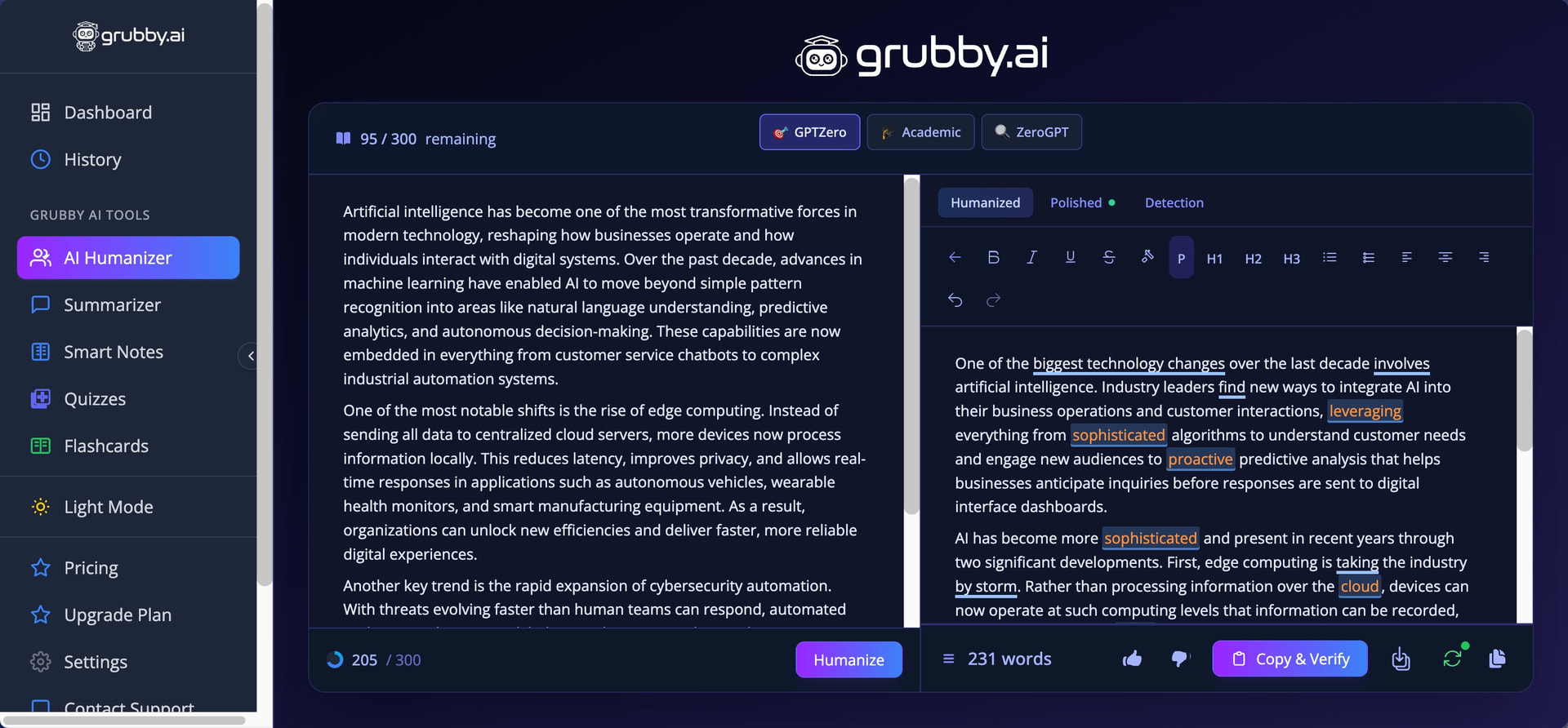
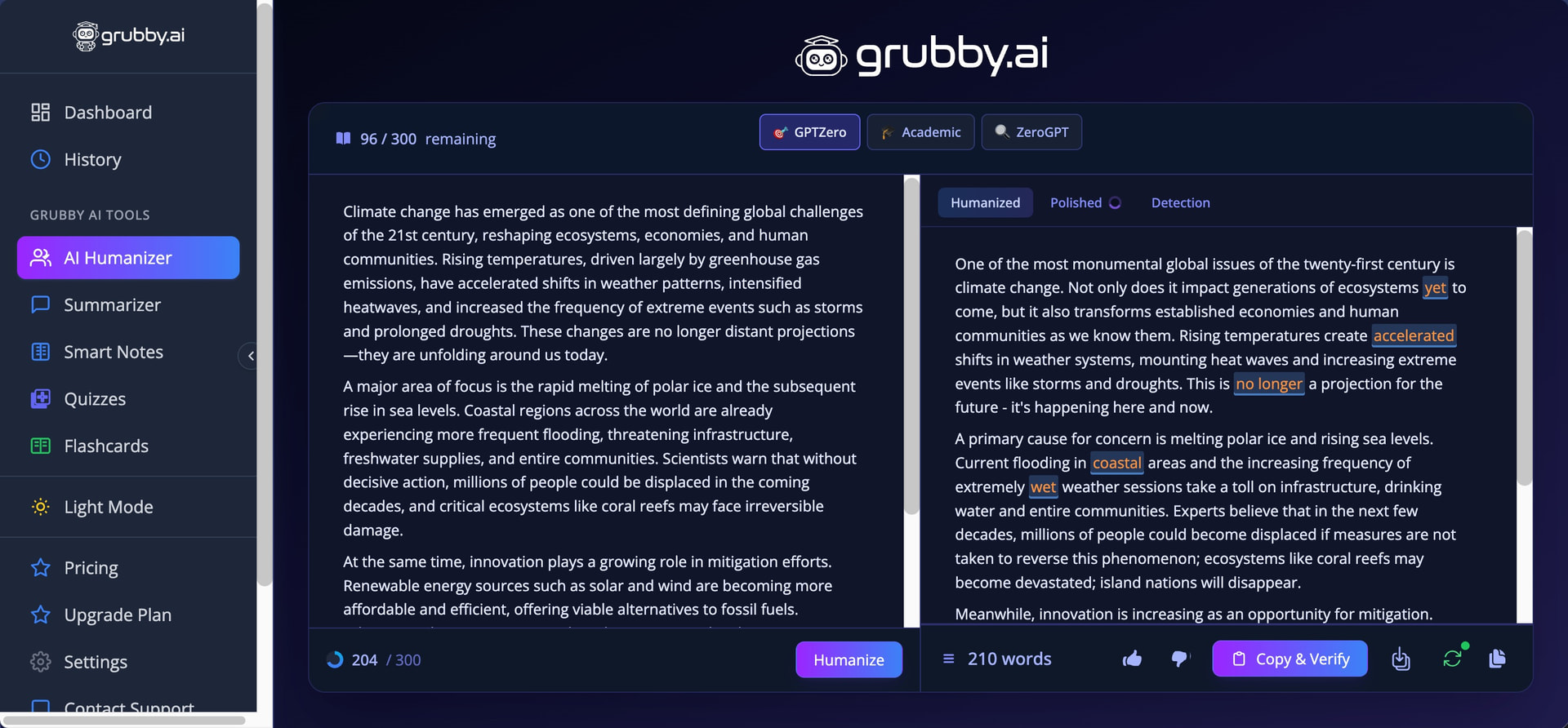
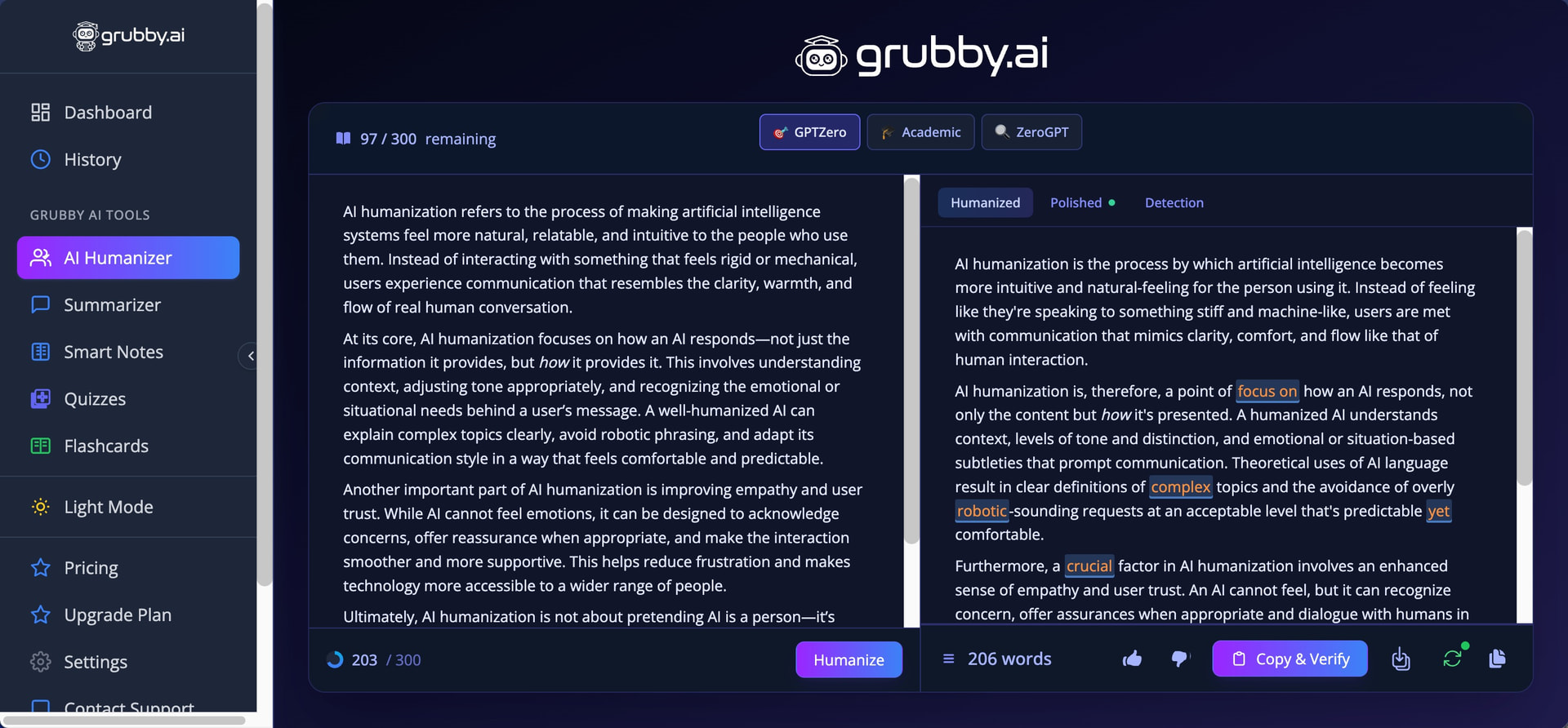
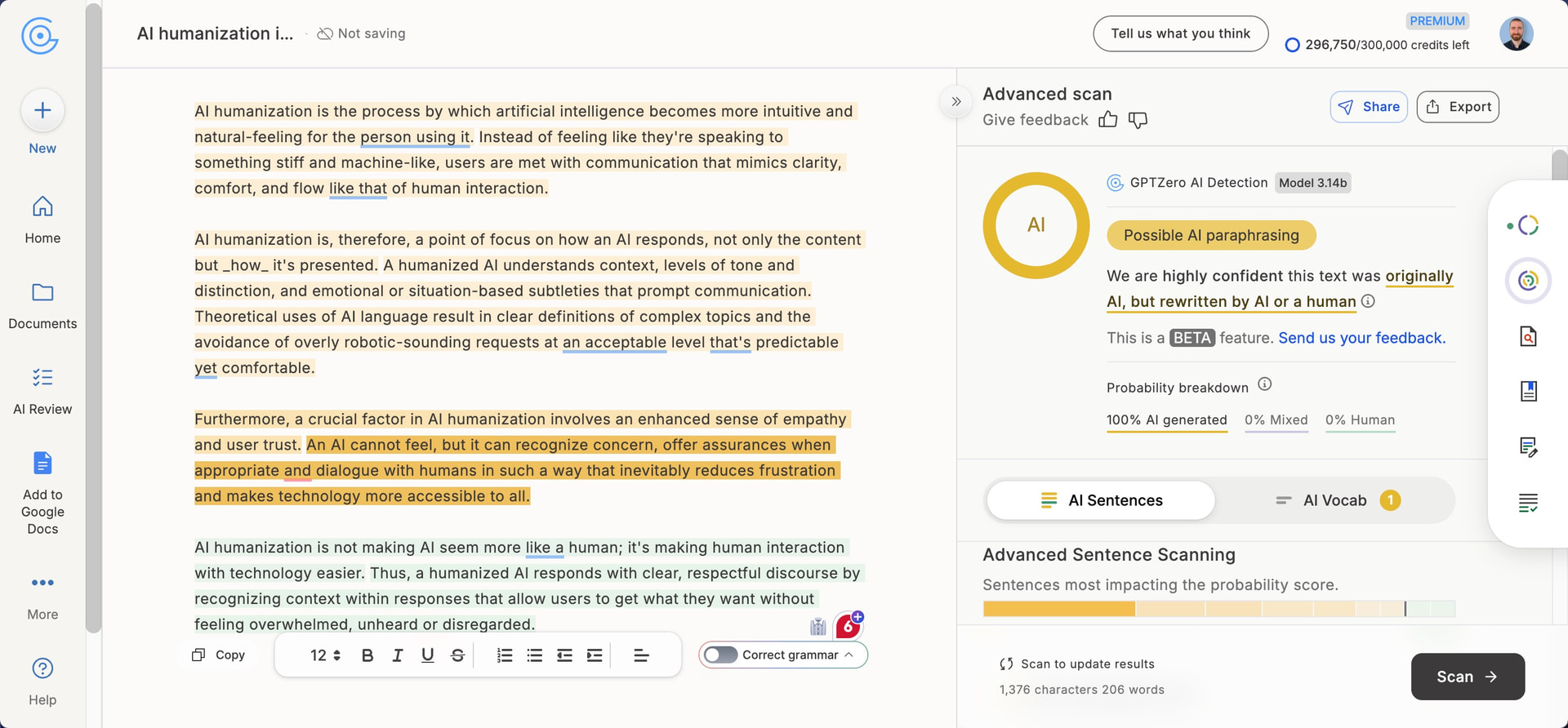
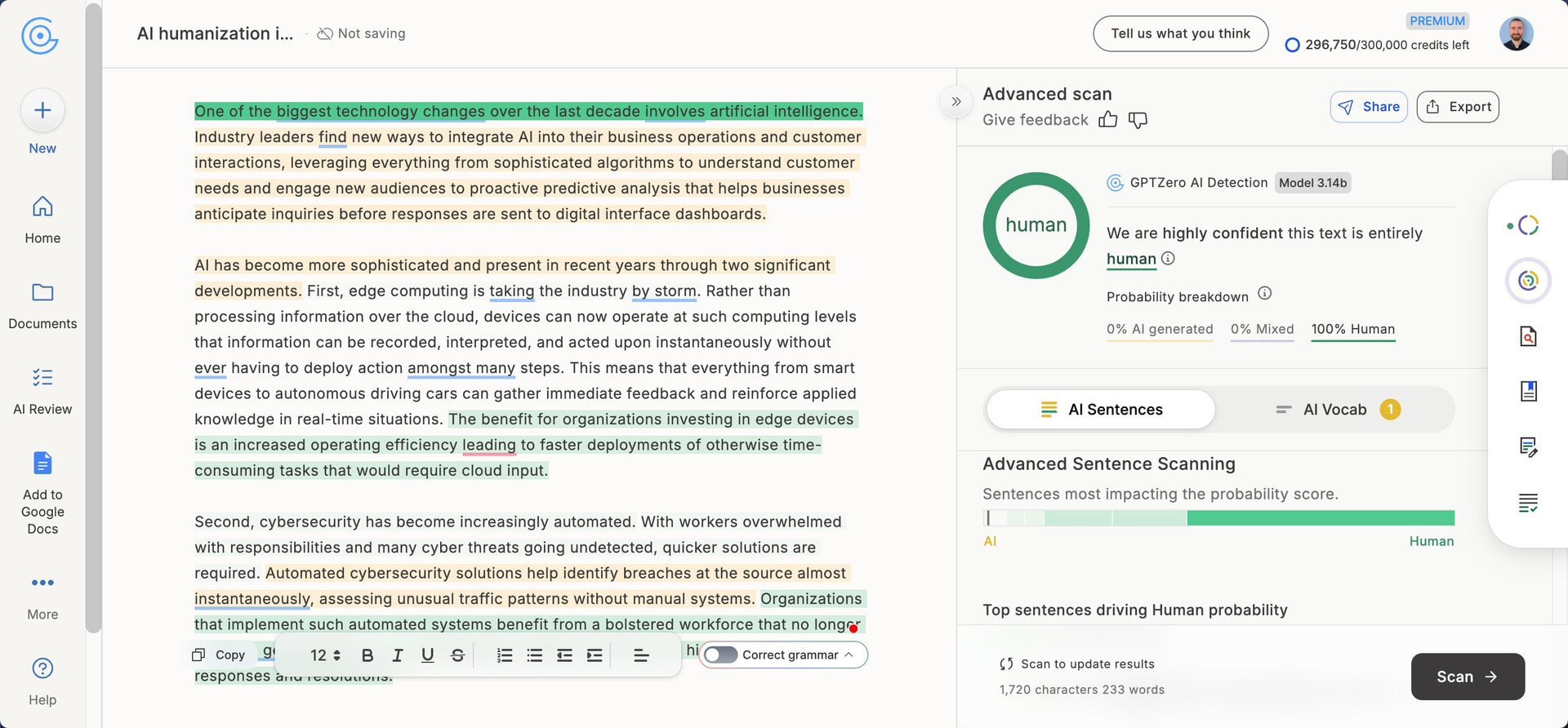
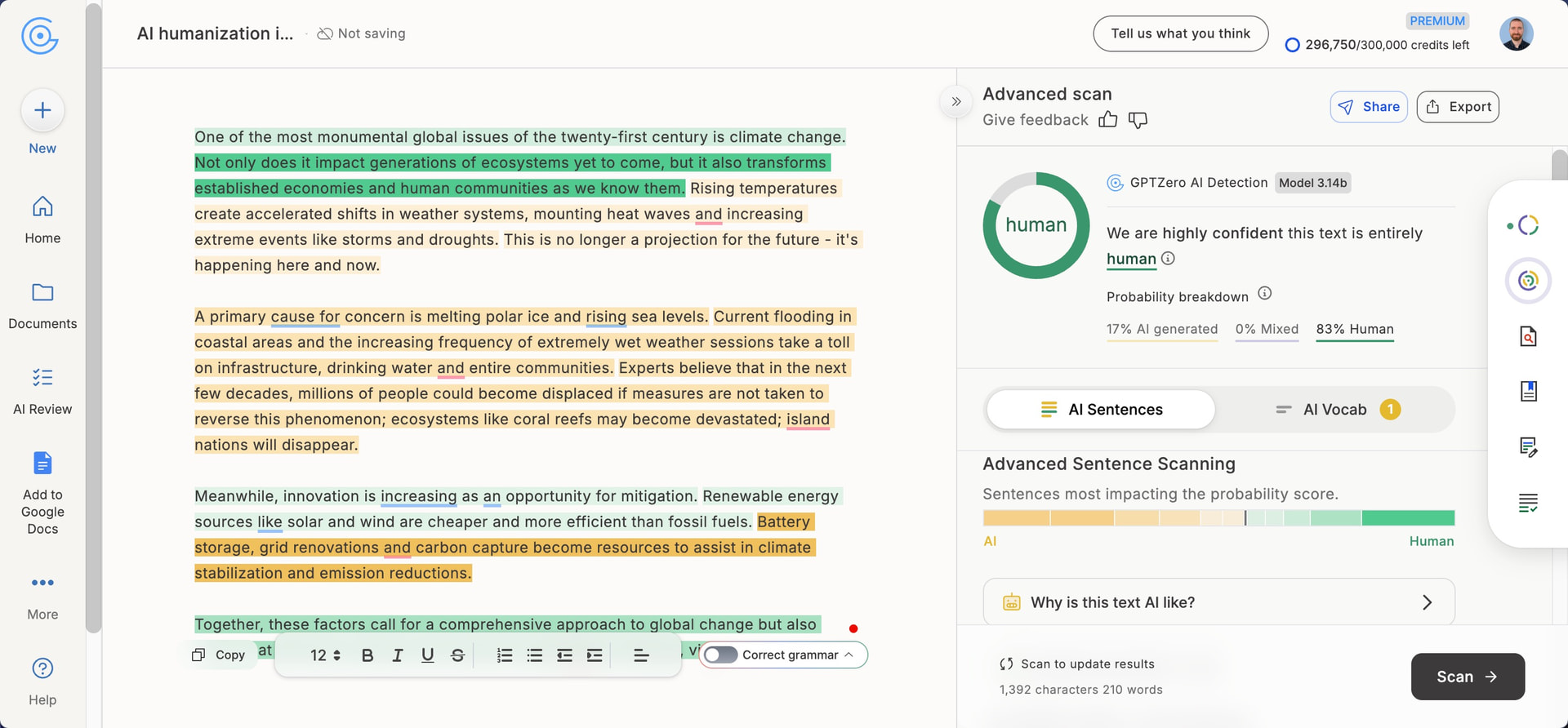
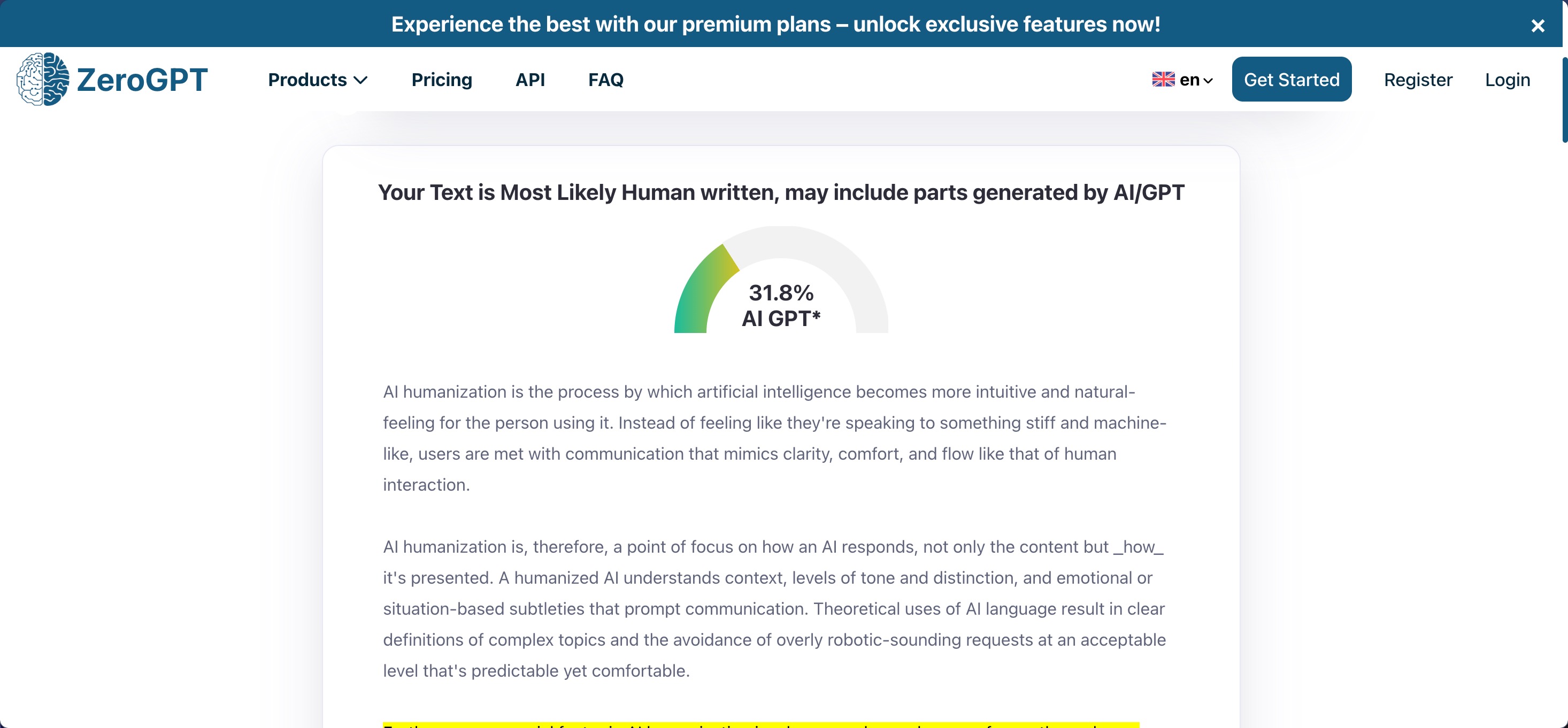
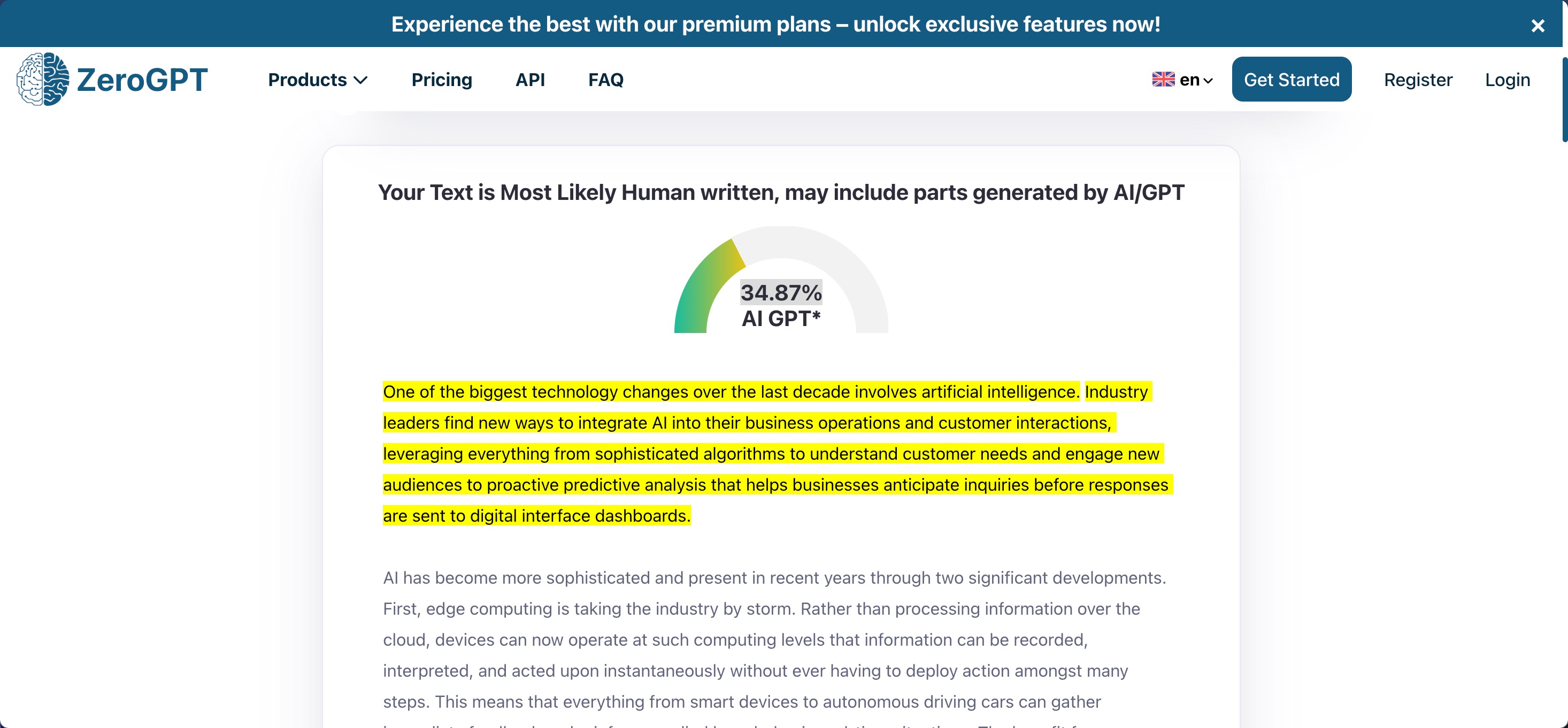
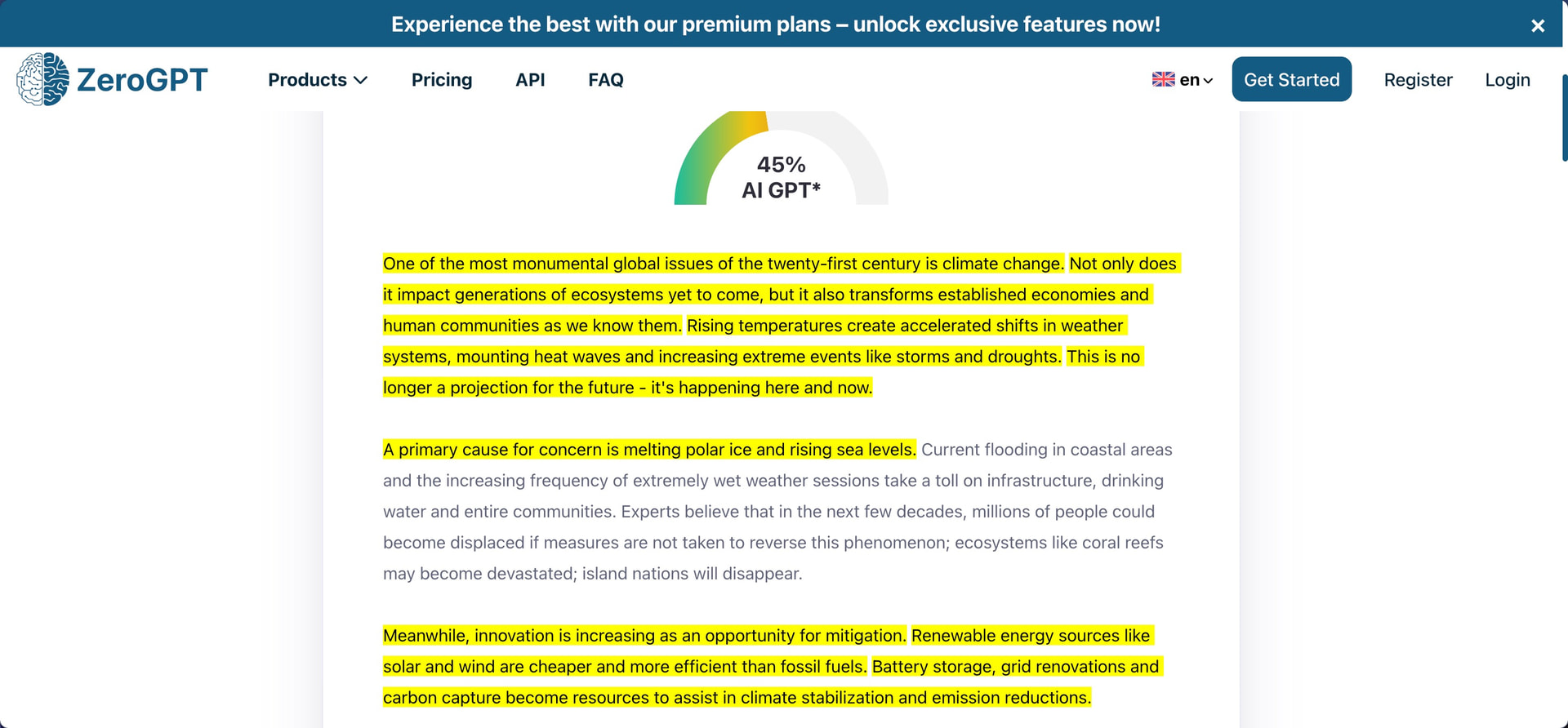
For some reason the results I obtained when testing the output directly in GPTZero and ZeroGPT doesn’t at all correspond to what’s displayed by Grubby AI in the Detection view within the interface.
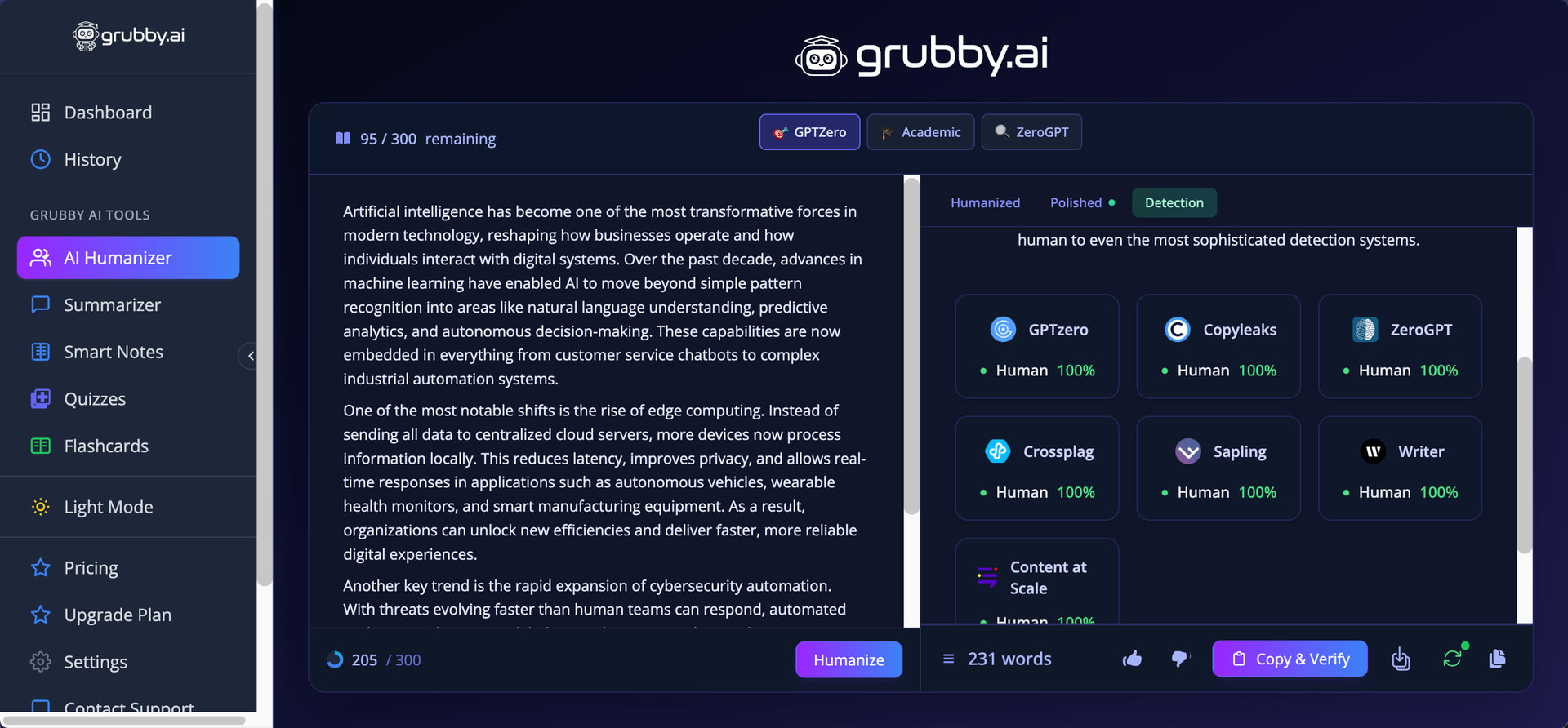
There, the tool confidently displayed “Human 100%” for GPTZero, Copyleaks, ZeroGPT, Crossplag, Sapling, Writer, and Content at Scale on every single humanized output. Either Grubby AI’s detector integration is broken, or the company is being deliberately misleading about the effectiveness of its humanization.
That said, Grubby AI does offer some genuinely useful features that set it apart from competitors. The interface highlights words commonly associated with AI writing (such as “accelerated,” “sophisticated,” and “leverage” in my tests) and lets you swap them for synonyms with a single click. You can also rehumanize entire paragraphs if you’re not satisfied with specific sections, or manually edit sentences using the built-in text editor. This ability to polish and refine the output directly within the UI is something I wish more humanizers would implement because it can help you take a decent result and push it toward an excellent one without constantly switching between tabs and tools.
These editing features genuinely set Grubby AI apart from the paste-and-pray approach that most humanizers take. The problem is that all of this manual refinement work falls on you, and even after clicking through synonyms and rehumanizing paragraphs, there is no guarantee the final output will clear detection, which can’t be said about leading humanizers like Clever AI Humanizer.
How Well Does Grubby AI Maintain Writing Quality?
Writing Quality Score: 6.5/10
Grubby AI produces noticeably cleaner output than many competitors I’ve reviewed. Even after careful re-reading, I haven’t noticed any made-up words or major chunks of non-sensical text. That said, the outputs aren’t flawless, and some parts would benefit from manual editing.
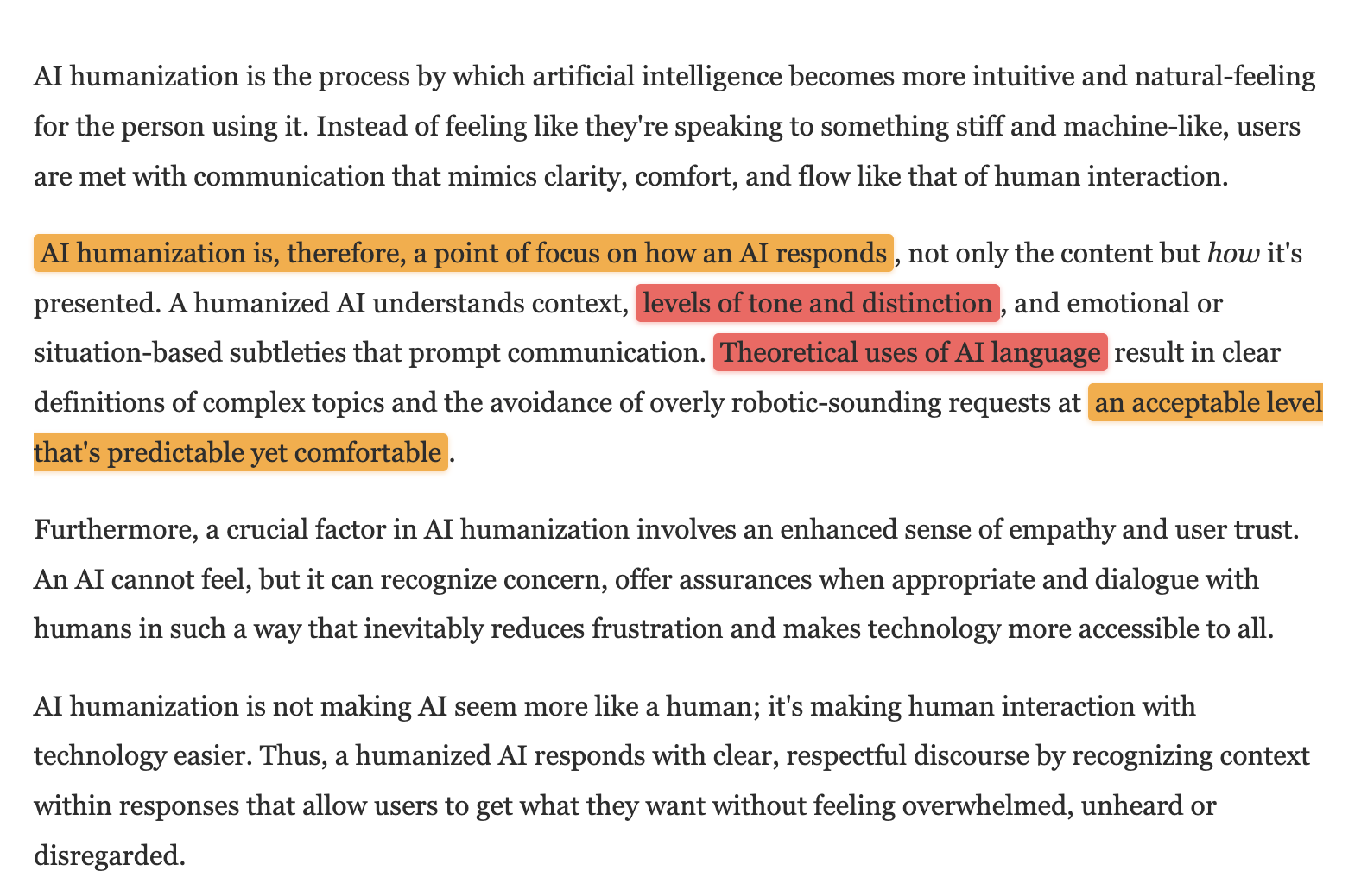
In the first text, the phrase “AI humanization is, therefore, a point of focus on how an AI responds” uses unnecessarily formal structure when something like “AI humanization focuses on how an AI responds” would be clearer. The word “distinction” in “levels of tone and distinction” doesn’t quite make sense in that context, and it seems that “nuance” was intended but not used for some reason. I also noticed “Theoretical uses of AI language result in clear definitions of complex topics,” where “theoretical” seems like a misuse since the text is discussing practical applications.
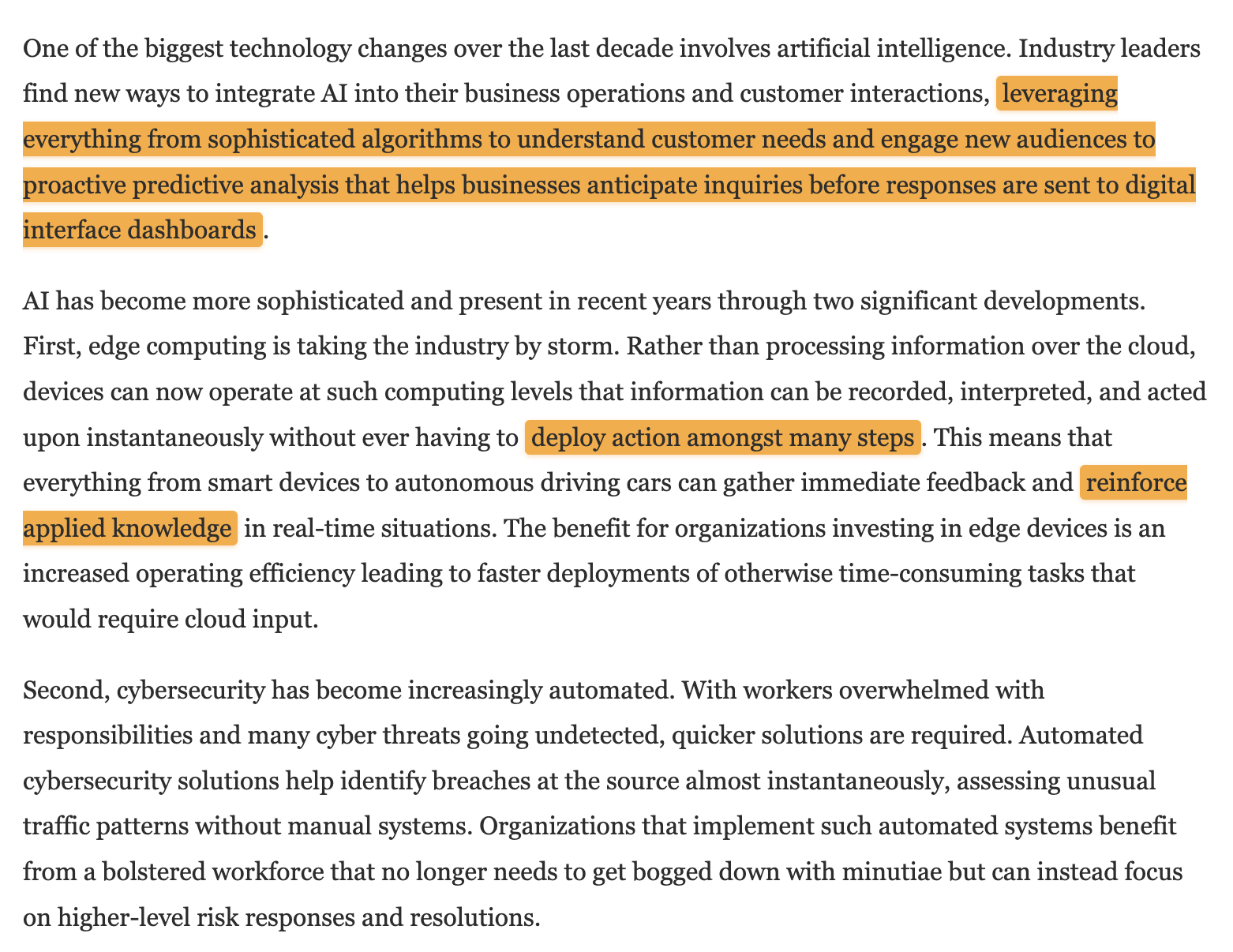
The second text was wordier than necessary in places. The opening sentence runs on with “leveraging everything from sophisticated algorithms to understand customer needs and engage new audiences to proactive predictive analysis that helps businesses anticipate inquiries before responses are sent to digital interface dashboards.” This construction is grammatically correct but exhausting to read. The phrase “deploy action amongst many steps” is also awkward when simpler alternatives like “execute multiple steps” almost begs to be used instead.
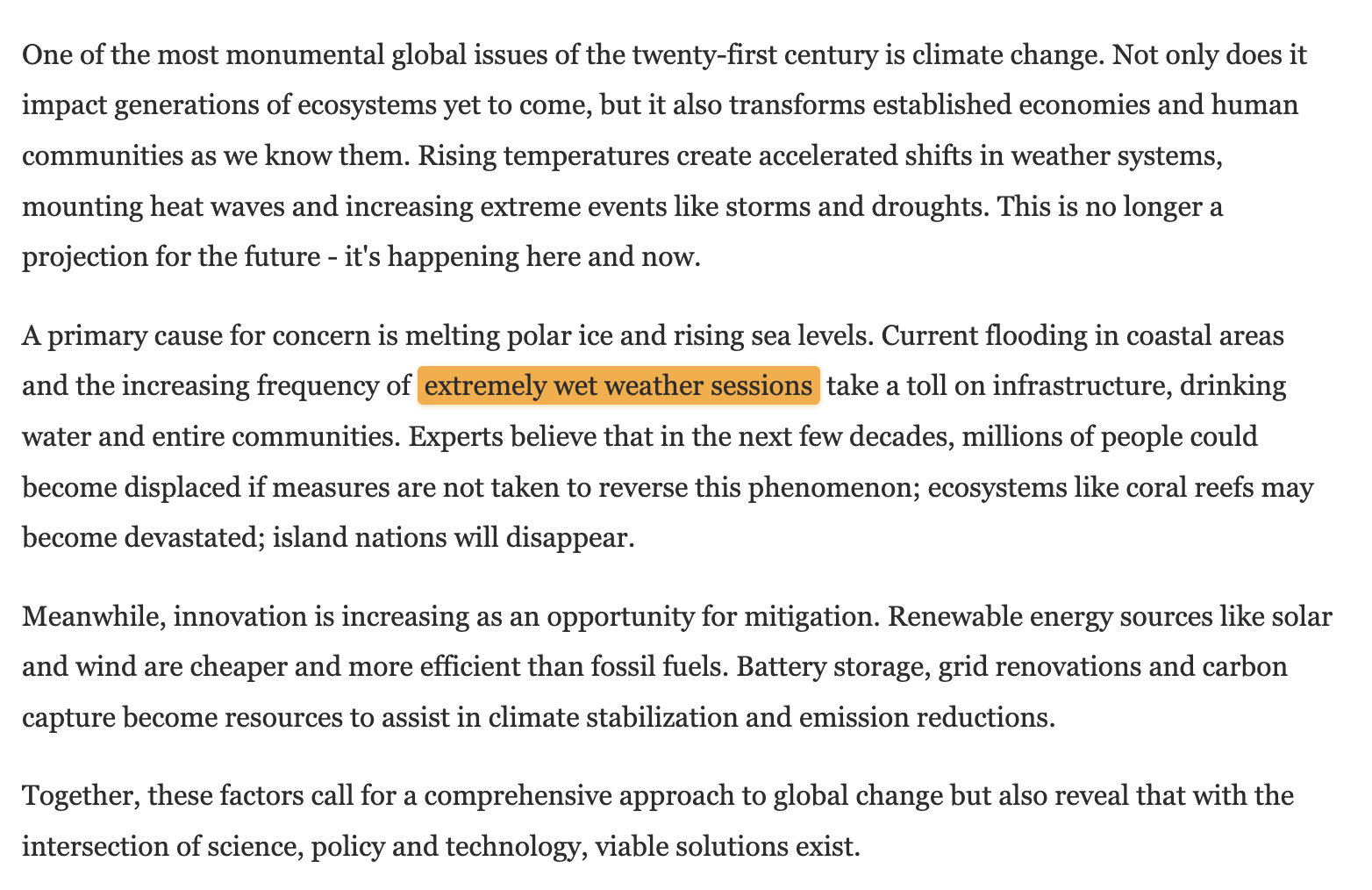
The third text was the cleanest of the three. My only real complaint is the phrase “extremely wet weather sessions,” where “sessions” is an unusual word choice for describing weather events (most writers would use “periods” or simply “weather”). The rest reads naturally with clear paragraph structure and logical flow.
It’s worth pointing out that Grubby AI successfully removed em-dashes from the output and replaced them with other punctuation marks. Many humanizers, including Ahrefs AI Humanizer, either leave em-dashes intact or introduce new ones, which is problematic since em-dashes have become strongly associated with AI-generated content.
How Much Does Grubby AI Cost?
Grubby AI offers five pricing tiers with discounts for annual billing:
| Plan | Monthly Price | Yearly Price | Words/Month | Words/Input | Modes |
|---|---|---|---|---|---|
| Free | $0 | $0 | 300 total | 300 | Simple only |
| Essential | $12.99 | $9.99 ($59.88/year) | 10,000 | 500 | Simple only |
| Pro | $15.99 | $14.99 ($119.88/year) | 30,000 | 1,500 | All three |
| Unlimited | $22.99 | $19.99 ($179.88/year) | Unlimited | 2,500 | All three |
| Enterprise | $59.99 | $49.99 ($479.88/year) | Unlimited | 2,500 | All three |
The free tier is essentially a demo rather than a usable product. At 300 words total (not per day, not per month), you can barely test a single document. Compare this to competitors like UnAIMyText, which offers unlimited usage with no sign-up required, and Grubby AI’s free offering looks stingy.
The Essential plan at $9.99/month (annual) provides 10,000 words but keeps you locked to Simple Mode only. This means you won’t have access to the GPTZero, Academic, or ZeroGPT modes that make Grubby AI interesting in the first place. If you’re paying for an AI humanizer specifically because of its detector-specific approach, Essential doesn’t deliver that value.
Pro is where Grubby AI starts making sense. At $14.99/month with annual billing, you get all three humanization modes and 30,000 words per month with a 1,500-word input limit. The jump from Essential to Pro is only $5/month but unlocks the tool’s core functionality.
The Unlimited plan at $19.99/month removes word caps entirely while keeping the same 2,500-word input limit as Enterprise. Unless you need the “no daily rate limit” feature (which suggests there’s an undisclosed rate limit on the Unlimited plan), the $30/month difference between Unlimited and Enterprise is hard to justify.
Compared to similar services, Grubby AI’s pricing sits in the middle of the pack. HumanizeAI.io charges $6/month for unlimited words on their Premium plan (annual), while Aihumanize.io offers unlimited humanization for $20/month yearly.
Does Grubby AI Respect User Privacy?
According to Grubby AI’s privacy policy and terms of service, the service collects a relatively standard range of data:
-
Personal data: Name, email address, and other contact information
-
Usage data: Date and time of visits, pages accessed, IP address
-
Cookies: Session cookies, preference cookies, and analytics tracking
-
Payment data: Processed through third-party providers
There’s no mention of collecting demographic information, social media profiles, or other unnecessary personal details.
The terms of service explicitly state that you “retain all rights and ownership of the content you submit, create, or generate using the Services,” and it also confirms that they do not “claim any ownership rights in your User Content.”
However, there are a few unfortunate omissions I’ve noticed:
-
First, the privacy policy doesn’t specify what happens to the text you submit for humanization or how long it’s retained after processing.
-
Second, the privacy policy header references “BypassAI” instead of Grubby AI, which suggests the document may have been copied from another service without proper editing.
-
Third, the terms include a strict no-refund policy (“All purchases are non-refundable”), and Grubby AI reserves the right to “suspend or terminate your account” at their sole discretion without specifying what happens to unused word credits in that scenario.
There’s also an interesting contradiction in the terms of service. Section 5.2 lists “using the Services for cheating or academic misconduct” as a prohibited use, yet the entire marketing strategy targets students who want to bypass AI detection on their assignments. The homepage proudly displays “Join 10,000+ students already using the Grubby AI humanizer tool!” while the legal fine print technically forbids exactly that use case.