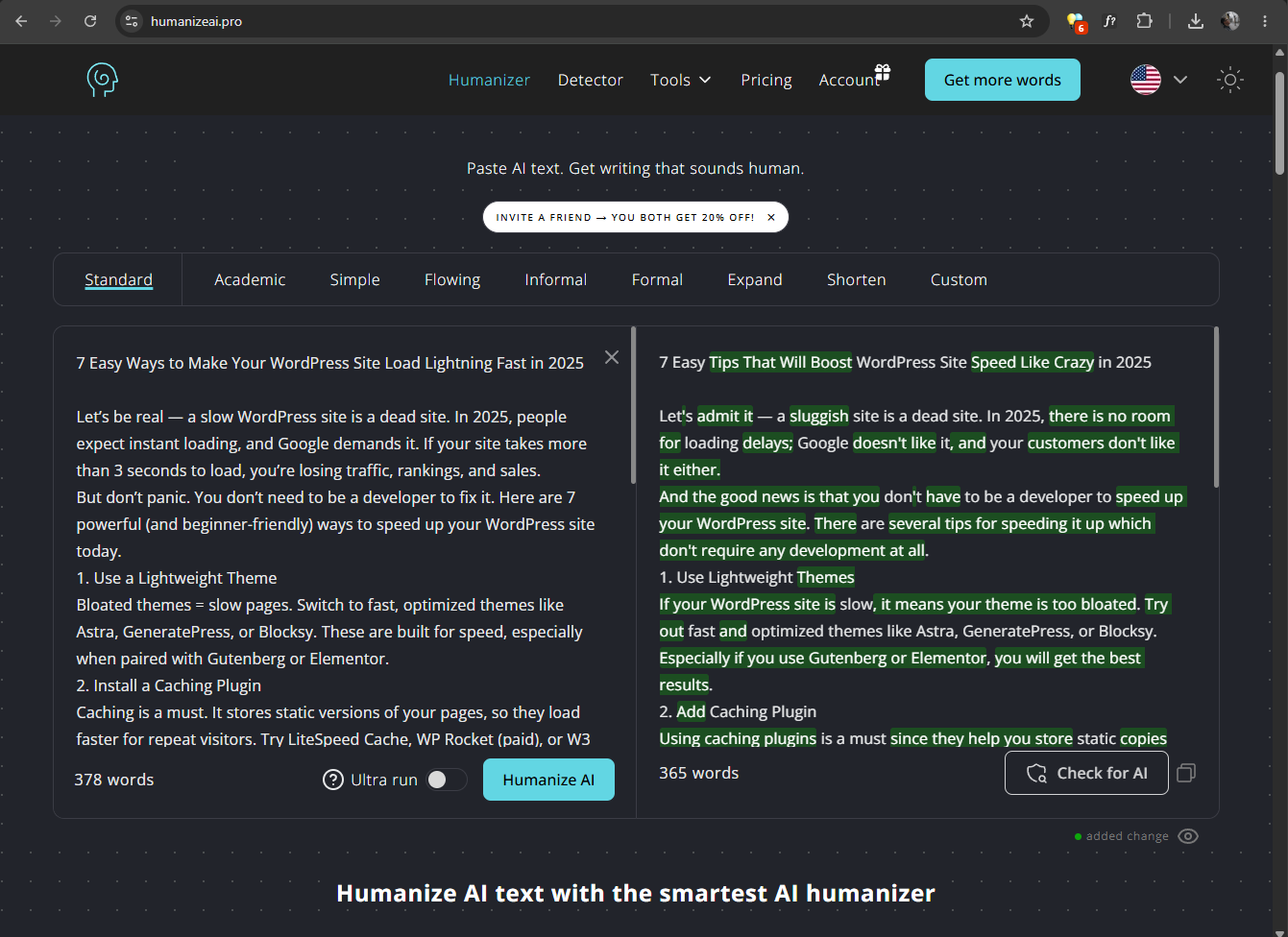
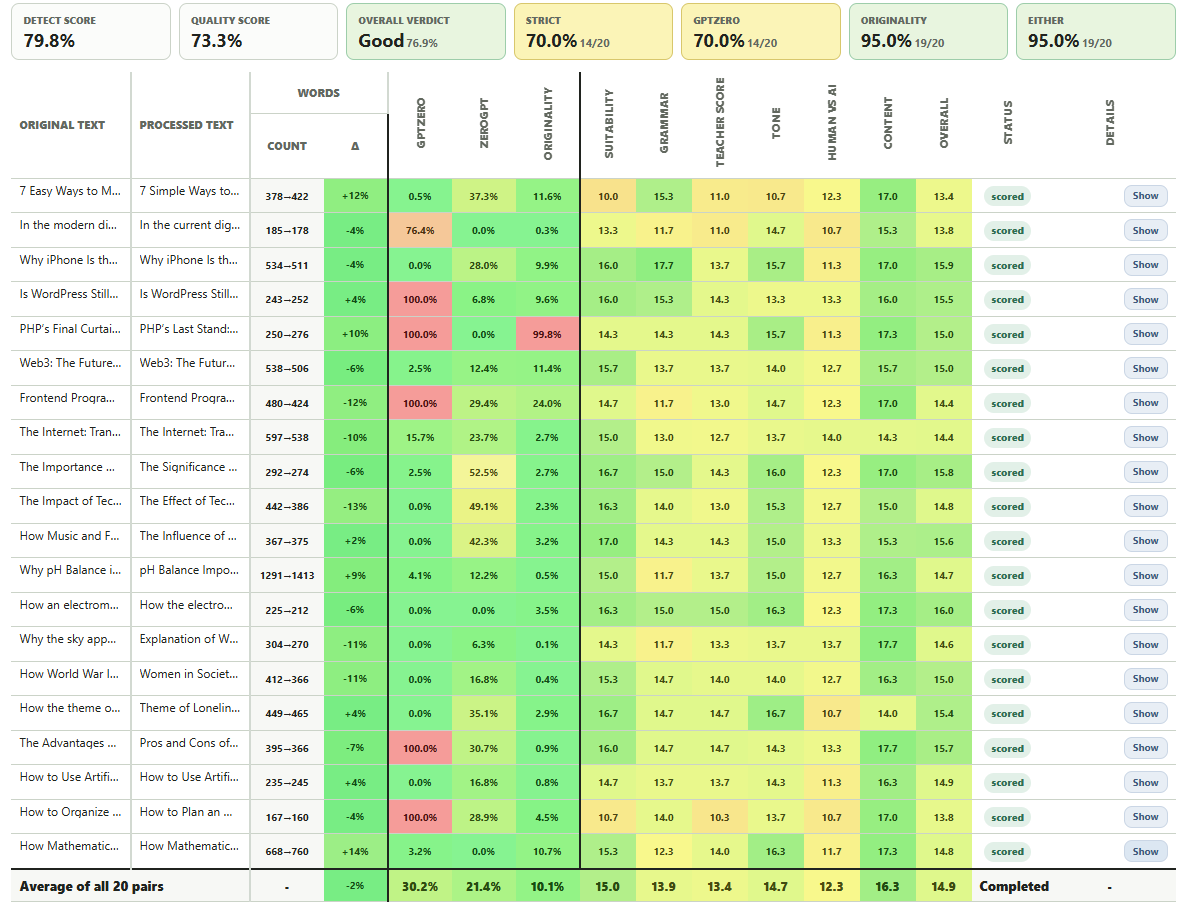
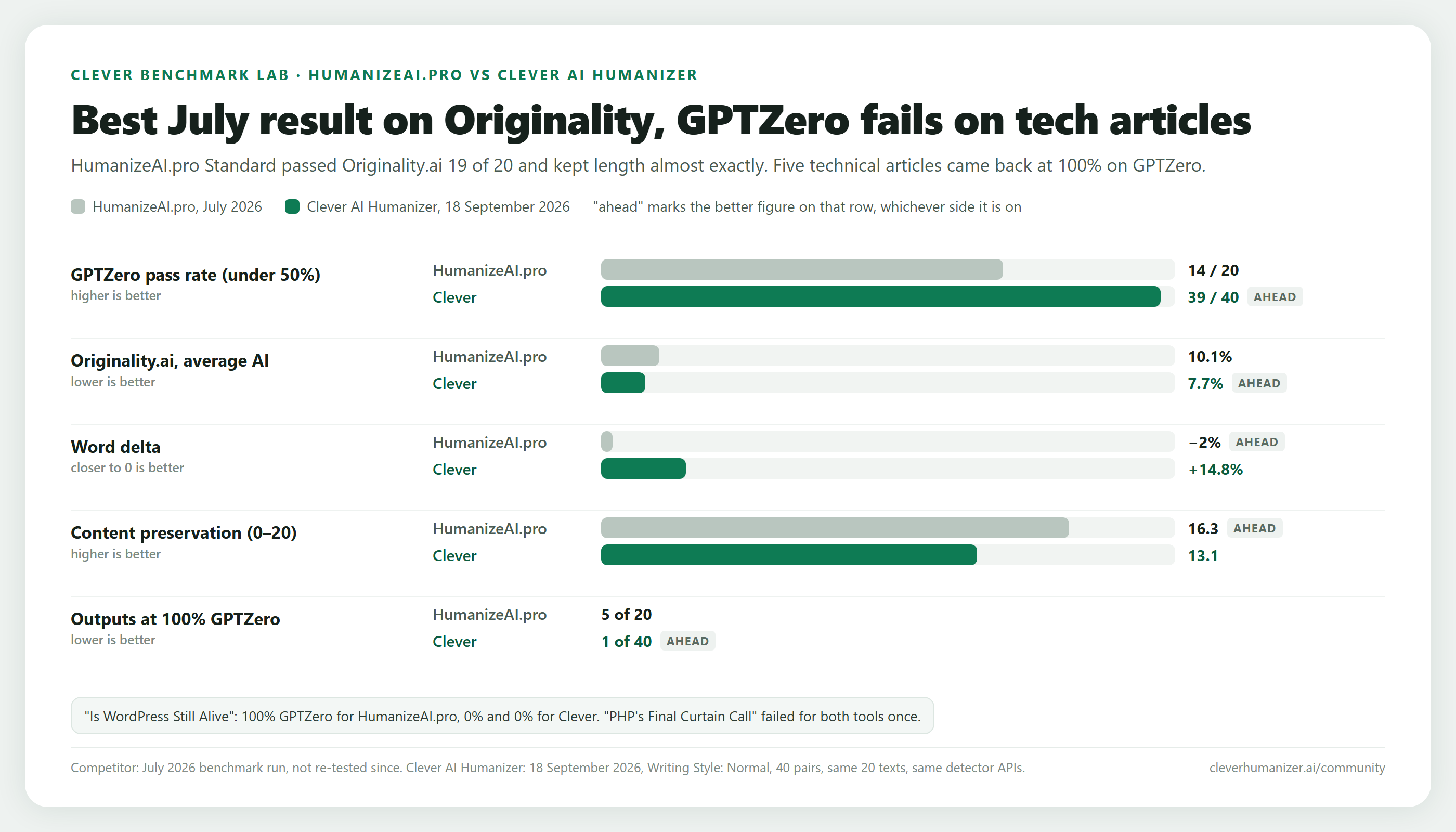
Humanize AI Pro describes itself as a solution for content creators, students, and professionals who work with AI writing tools and need reliable methods that can guarantee their AI-assisted work doesn’t trigger false positives or face automatic rejection.
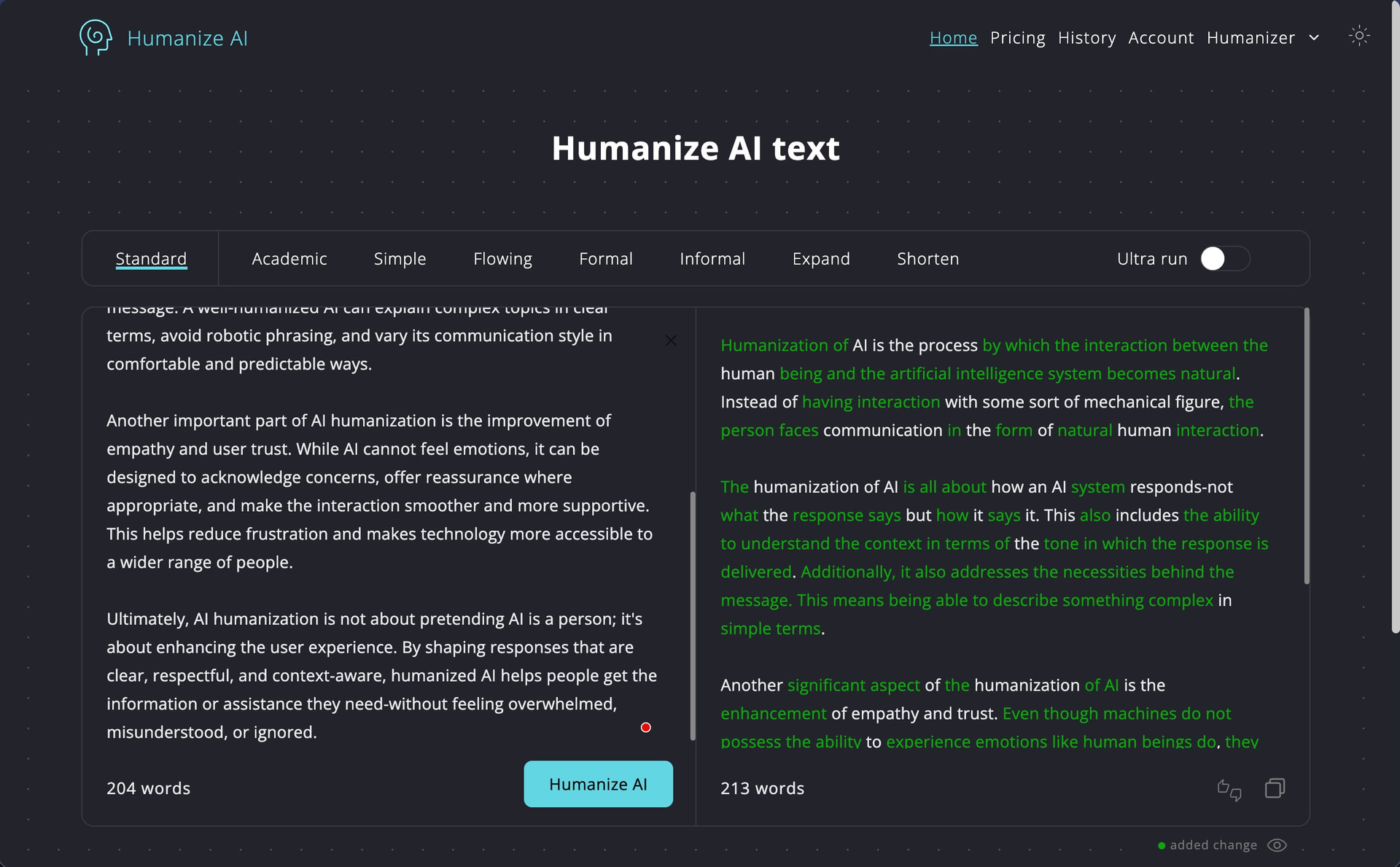
However, as with any AI humanization tool, the real question becomes: does the output actually achieve undetectable status while maintaining readability, coherence, and grammatical accuracy?
How we test: We generated three AI content samples using the latest ChatGPT model. We first established baseline detection scores by running the original AI-generated texts through both GPTZero and ZeroGPT and then processed each text sample using Humanize AI Pro. Finally, we re-tested the humanized outputs through both detection platforms to measure how effectively Humanize AI Pro reduced AI detection scores. We also manually evaluated the grammar quality and readability of the humanized text. You can find the raw test data for this review here.
How Well Did Humanize AI Pro Perform?
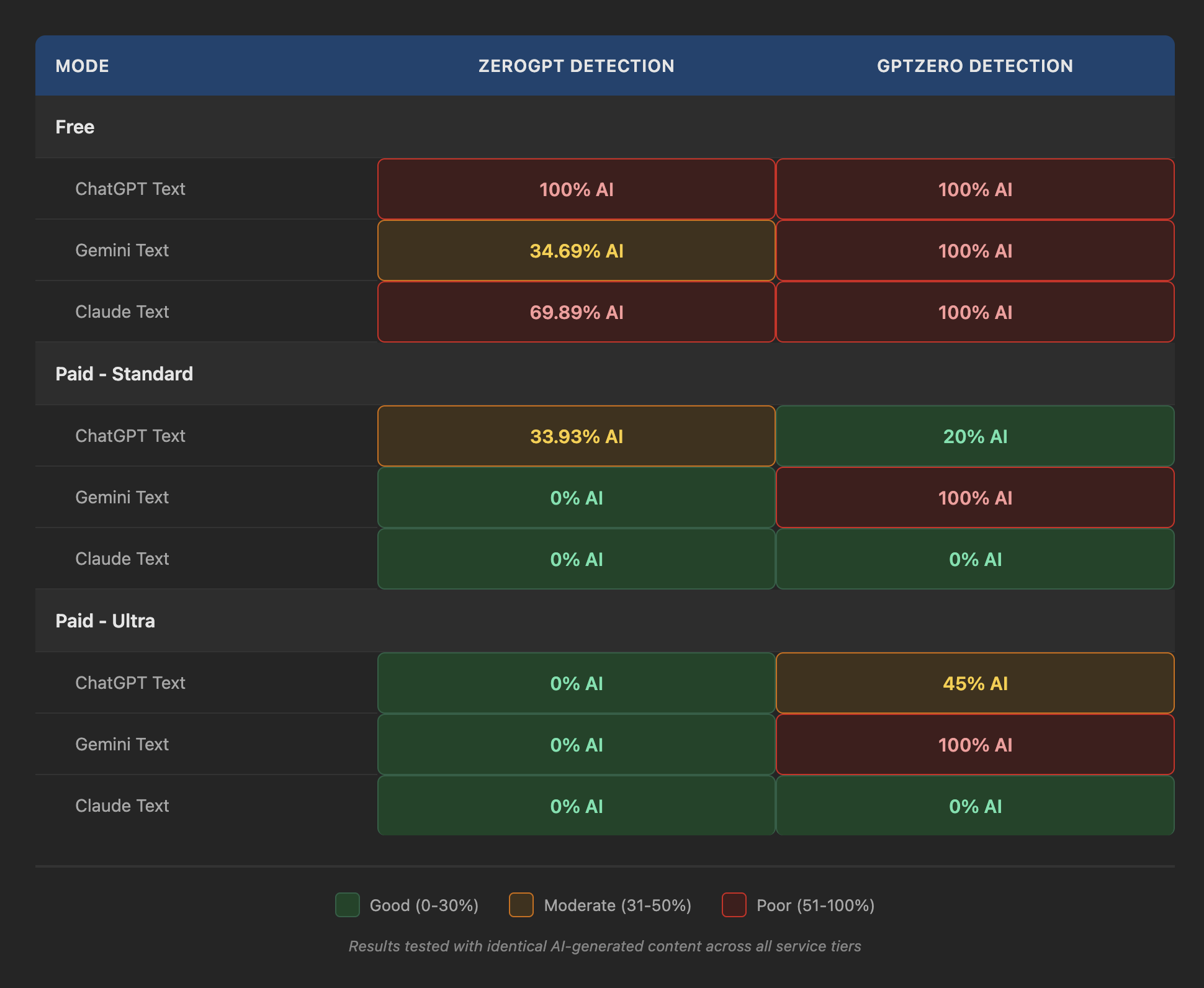
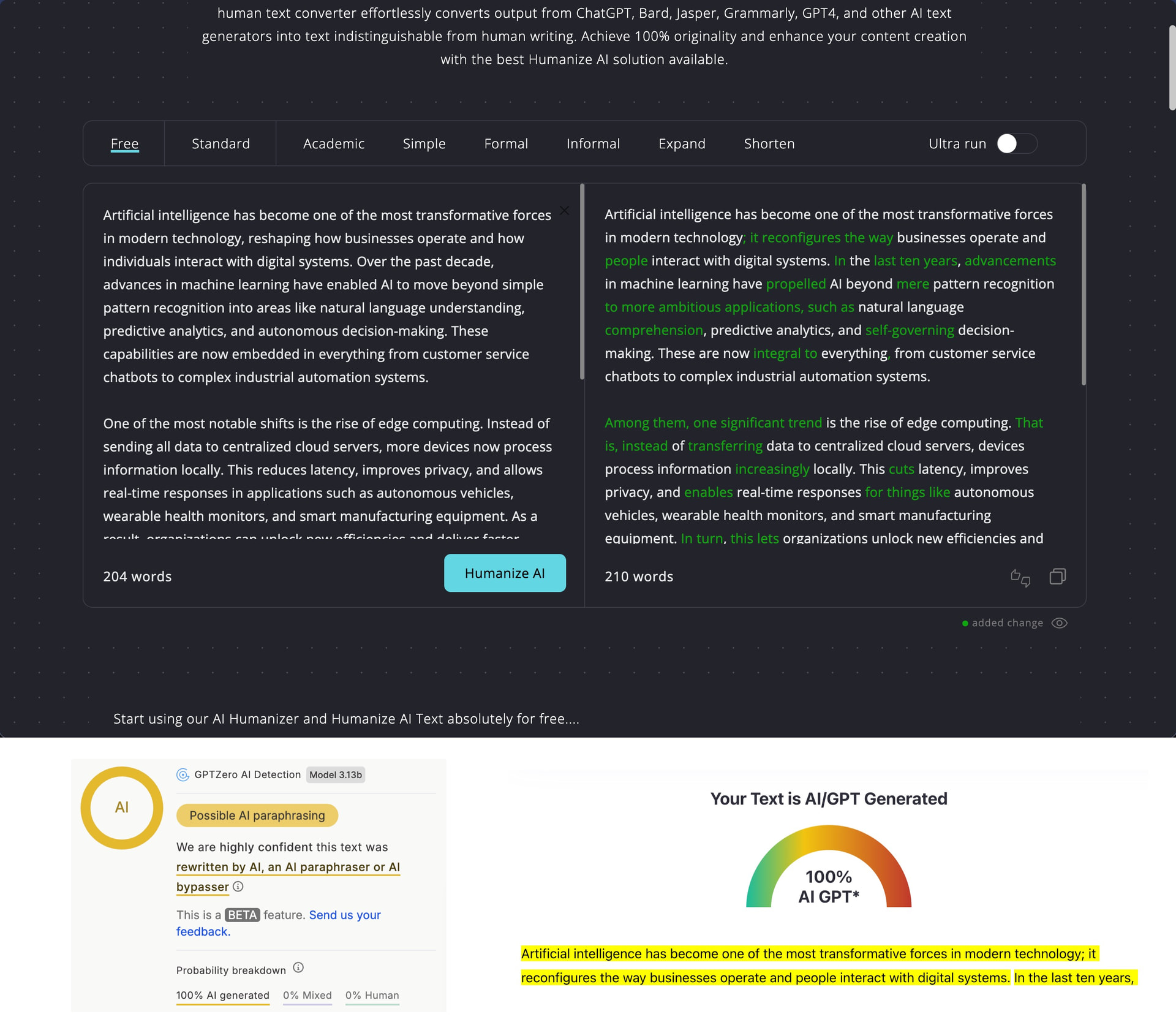
Humanize AI Pro offers three main humanization modes: Free, Standard, and Ultra, which promise to fool even the most advanced AI detectors (spoiler alert: it doesn’t). Our testing across all three tiers revealed significant performance differences depending on both the mode and the specific text being processed.
Unfortunately, the free tier is essentially worthless. Both GPTZero and ZeroGPT flagged every single test sample at 100% AI detection across all three ChatGPT-generated texts. No variation, no exceptions.
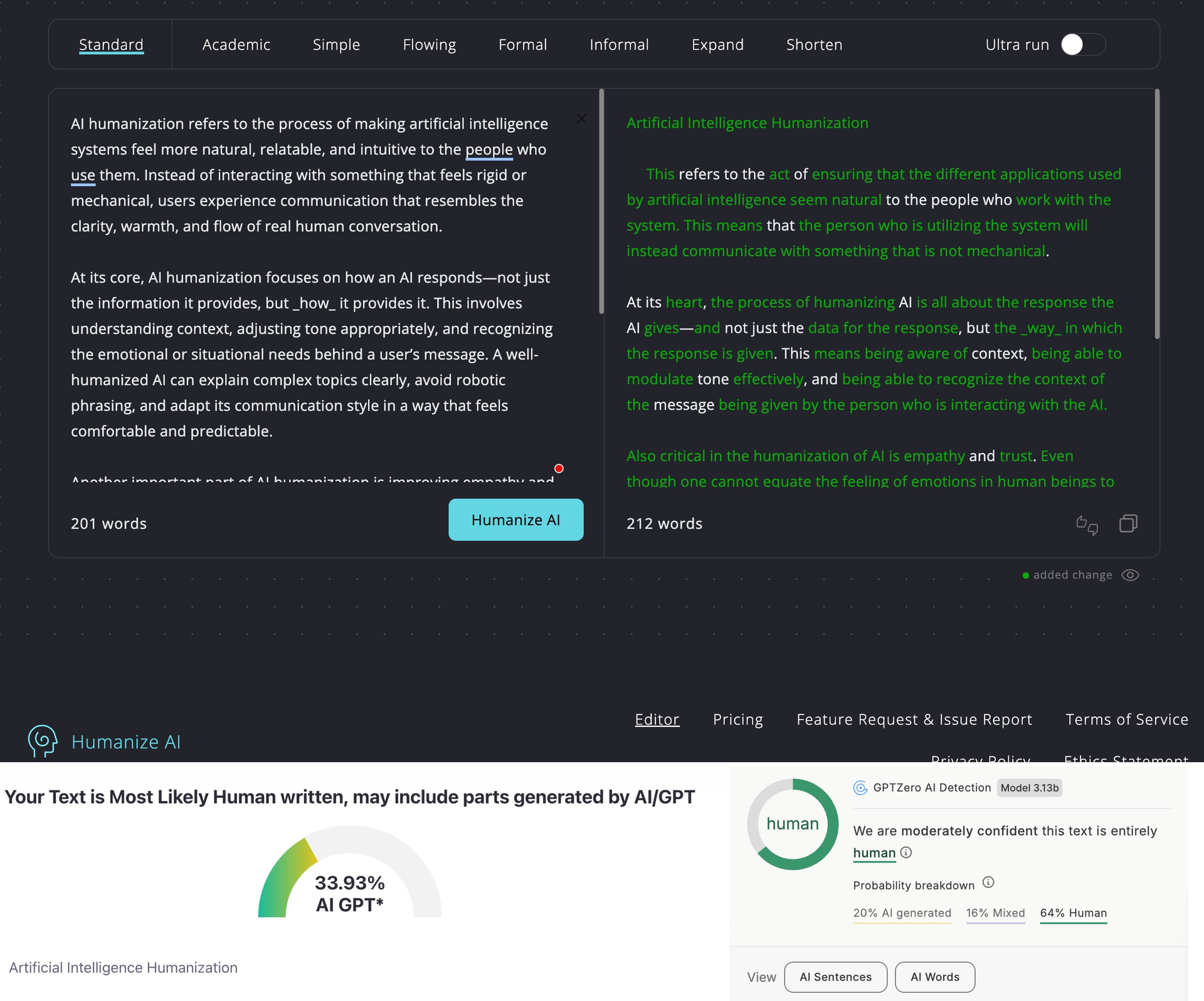
The two paid modes (Standard and Ultra) did better, but the results were wildly inconsistent. Running three different ChatGPT-generated texts through identical humanization settings produced detection scores ranging from 0% to 52% depending on which text and which detector we used.
In Standard mode, GPTZero proved easier to fool, returning scores of 20%, 15%, and 2% across our three test samples. ZeroGPT showed more variance: one text achieved 0% detection, but the other two landed at 33.93% and 43.27%.
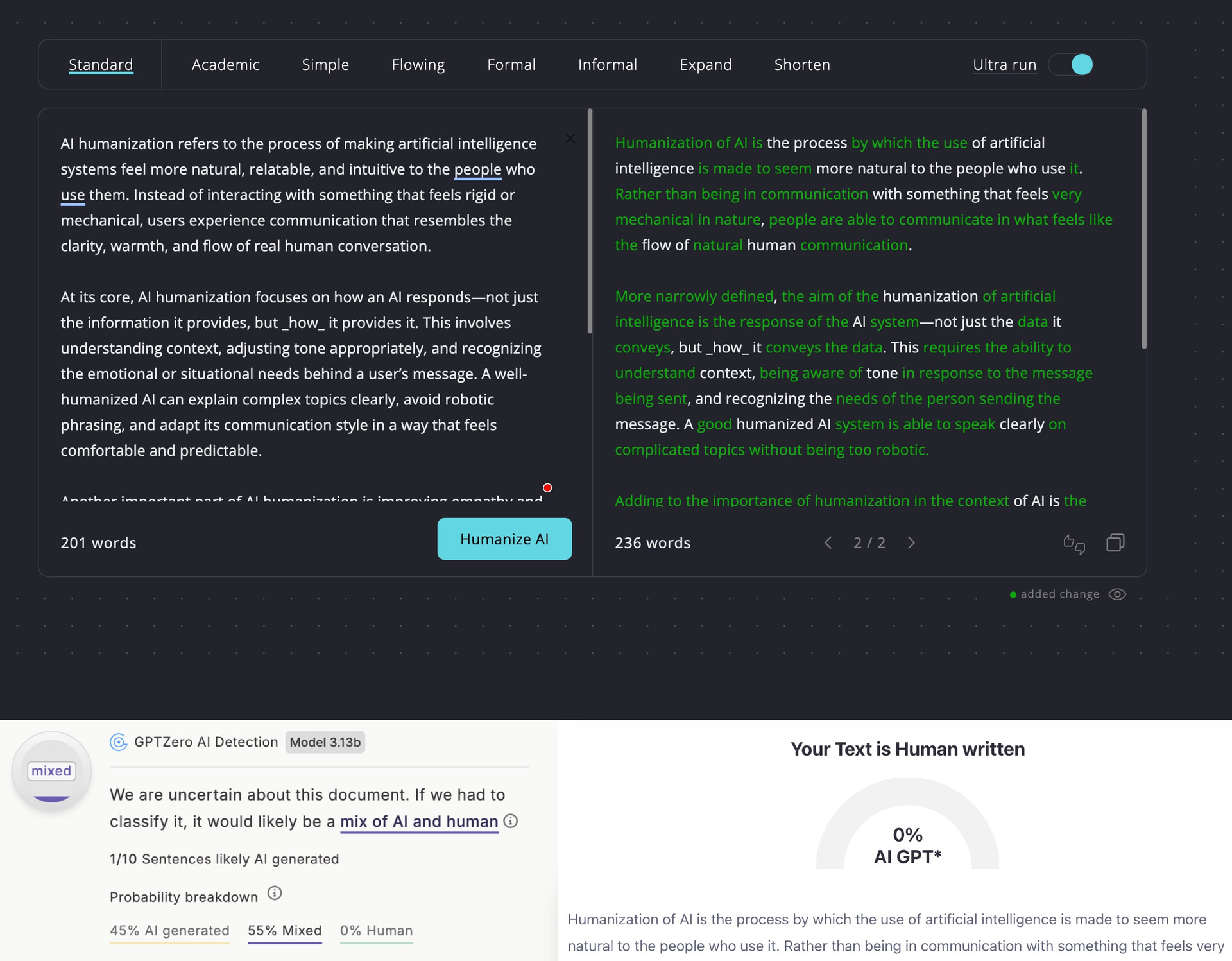
In Ultra mode, ZeroGPT results improved significantly, with two texts hitting 0% and one at 32.3%. However, GPTZero actually performed worse in Ultra mode than Standard mode for two of the three texts, returning 45% and 52% AI detection scores. Only one text achieved near-perfect evasion on GPTZero at just 1%.
In addition to the three primary humanization modes, Humanize AI Pro offers several style variations, including Academic, Simple, Flowing, Formal, Informal, Expand, and Shorten options. The extra styles are designed to help customize the output tone and length to specific use cases, though we didn’t test these extensively as the core detection evasion performance matters more than stylistic adjustments.
How Well Does Humanize AI Pro Maintain Writing Quality?
Bypassing AI detection is only useful if the humanized text remains readable and grammatically sound. A tool that reduces detection scores to 0% but produces error-filled content defeats the purpose. That’s why we’ve evaluated the grammar quality and readability of all humanized outputs to determine whether Humanize AI Pro’s transformations preserve or damage the original writing quality.
Free Mode
Writing Quality Score: 4/10
The free mode’s writing quality ranged from barely acceptable to problematic across all three ChatGPT-generated samples. The most common problem across all free mode outputs was awkward, unnatural phrasing. For example, the first text produced constructions like “Instead of dealing with some sort of rigid or mechanical figure” (unnecessarily wordy and informal) or “vary its communication style in comfortable and predictable ways” (sounds like someone translating directly from another language).
The second text contained awkward transitions and vague references, such as “Among them, one significant trend is the rise of edge computing” where “among them” lacks a clear antecedent. We also noticed the clunky phrase “empowers them further with the capability for better risk management” (much simpler alternatives exist).
The third text suffered from broken parallel structure in “have hastened weather pattern shifts, intensified heat waves, and the frequency of extreme events” (the sentence switches from verbs to a noun phrase). Humanize AI Pro also used overly formal constructions like “It is on these grounds that scientists warn” when “Scientists warn” would suffice.
The most troubling aspect of the free tier’s performance is the disconnect between writing damage and detection evasion failure. The tool introduced plenty of awkward phrasing, structural issues, and unnatural constructions to noticeably degrade readability. Yet GPTZero still flagged all three outputs at 100% AI detection. The only explanation for this is that the humanization approach used is fundamentally ineffective.
Standard Mode
Writing Quality Score: 6/10
The most consistent issue across all Standard mode outputs was unnecessarily convoluted sentence construction. The first we analyzed included phrases like “Even though one cannot equate the feeling of emotions in human beings to the processes in AI, one can make the latter understand the concerns of the person on the other end of the communication process.” The same idea could easily be communicated in half the words.
Another major issue was repetition. For example, the first text repeated “being able to” three times in a single sentence while also using “context” twice: “being aware of context, being able to modulate tone effectively, and being able to recognize the context of the message.”
The second text suffered from more tone and writing style issues. “This is because of the ability of the technology to provide speed along with ease in different operations” reads like machine translation, and referring to cybersecurity professionals as “the human resource in cybersecurity” rather than simply “security teams” or “analysts” sounds robotic.
The third text contained outright word choice errors. “Climate change is one of the most characteristic issues in the 21st century” uses “characteristic” when “defining” or “pressing” would be much better. The same text also awkwardly avoided common terminology when “greenhouse gases” were turned into “certain gases in the environment.” It seems that the humanization engine used blind synonym substitution without recognizing that some terms are established vocabulary and should not be replaced.
I have seen a similar blind synonym problem across UnAIMyText, Aihumanize.io, and several others in this review series, and it nearly always correlates with poor detection results because detectors have learned to recognize these clumsy substitutions as a humanization fingerprint. The tools that avoid this trap tend to restructure at the sentence level rather than swapping individual words, such as Clever AI Humanizer.
Ultra Mode
Writing Quality Score: 7.5/10
The Ultra mode delivered only marginal writing quality improvements over Standard mode. All three AI sources still produced text with notable errors and awkward constructions that undermine the “premium” positioning. In fact, we found an outright typo in the Claude humanization: “opractical ways that authors regularly use” appears to be a truncated word where “operational” or “practical” got corrupted to “opractical.”
Redundancy issues persisted across all Ultra outputs. The Claude humanization opened with “the act of improving the natural language generated by the AI in order for it to seem more natural” (using “natural” twice in the same sentence), while the Gemini version repeated “context” awkwardly in "pick up the complicated context, the specific idioms in the context.
The ChatGPT Ultra output produced “Just because the system is AI does not necessarily make it impossible to make it respond in a way that listens to the concerns of the user.” The sentence is so tangled in negatives (“does not,” “impossible,” “make it”) that even native speakers must read it multiple times to extract meaning. We get that the goal is to move as far away from predictable AI writing patterns as possible, but this is probably not the right direction to go.
How Much Does Humanize AI Pro Cost?
Humanize AI Pro offers four pricing tiers with significant differences in monthly word limits and processing capabilities.
| Plan | Monthly Price | Yearly Price | Words/Month | Words/Process | Re-paraphrasing |
|---|---|---|---|---|---|
| Free | $0 | $0 | 1,500 total | 300 | Not mentioned |
| Lite | $19 | $9.50 | 20,000 | 500 | Not mentioned |
| Standard | $29 | $14.50 | 50,000 | Unlimited | Free |
| Pro | $79 | $39.50 | 150,000 | Unlimited | Free |
The most important pricing advantage comes from annual billing, which cuts costs by 50% across all paid tiers. This drops the entry-level Lite plan to just $9.50 monthly and brings the Pro tier down to $39.50.
However, the key decision point between tiers isn’t just monthly word volume but the per-process limit. Lite restricts you to 500 words per processing session, which means longer articles or documents require splitting into multiple chunks. Standard and Pro eliminate this restriction with unlimited words per process, plus they include free re-paraphrasing if you’re unsatisfied with the results.
Humanize AI Pro also offers a money-back guarantee. If the output gets flagged as AI-generated, they’ll refund the humanization cost. Additionally, users who barely touch their allocation (0-500 words) can request refunds or pause subscriptions. That said, we haven’t tested if refund requests are actually honored.
Does Humanize AI Pro Respect User Privacy?
According to its privacy policy and terms of service, Humanize AI Pro may collect more data than strictly necessary for a text transformation tool:
-
Personal Data: Email address, first and last name, phone number, physical address (including country, state, city, ZIP code)
-
Usage Data: IP address, browser type and version, pages visited, time and date of visits, time spent on pages, device identifiers
-
Location Data: Geographic location information (if you grant permission)
-
Tracking Data: Cookies for sessions, preferences, security, and advertising
-
Other Data: Sex, age, date of birth, place of birth, passport details, citizenship, social security number, employment information, marital status, family members
Perhaps the biggest privacy concern is the fact that your information may be transferred to and processed in India and shared with multiple service providers for analytics, advertising, and payment processing. Additionally, Humanize AI Pro doesn’t specify whether processed text is deleted after humanization or how long it’s retained.