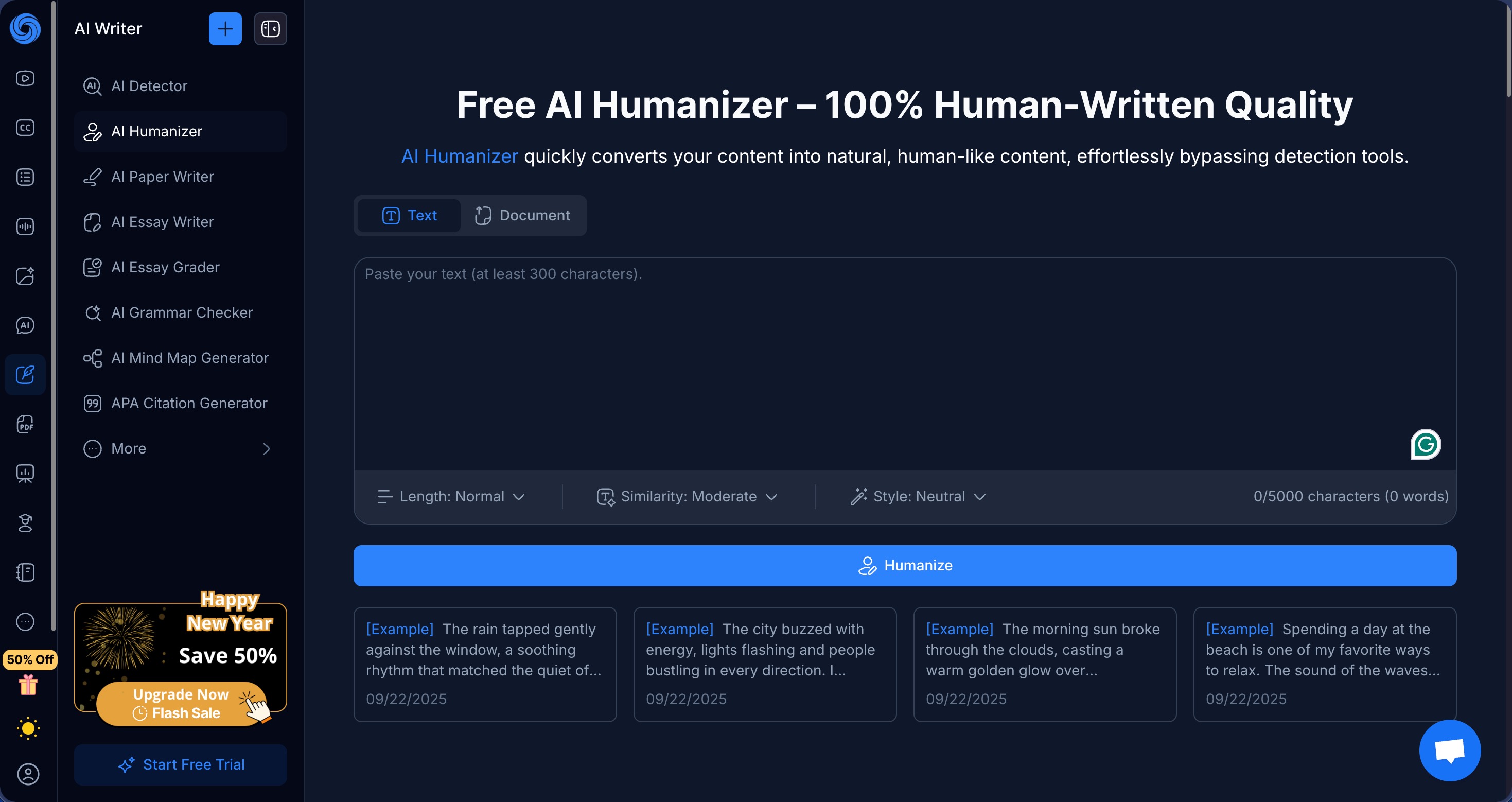
With tools like YouTube video summarization, PDF analysis, and AI-powered note-taking, NoteGPT is primarily known as a productivity platform for students and researchers. That said, the AI humanizer does offer plenty of customization options to compete with dedicated offerings, which was enough for me to run it through my standard testing process to find out whether it delivers good results or not.
How I test: I generated three AI content samples using the latest ChatGPT model, each approximately 200 words and covering different topics (AI humanization, technology trends, and climate change). I established baseline detection scores by running the original texts through both GPTZero and ZeroGPT, then processed each sample using NoteGPT’s AI Humanizer with the default settings (Normal length, Moderate similarity, Neutral style). I re-tested all humanized outputs through both detection platforms to measure effectiveness. I also manually evaluated the grammar quality and readability of the humanized text. You can find the raw test data for this review here.
| Pros | Cons |
|---|---|
| Extensive customization options | Failed all detection tests |
| Color-coded highlighting shows exactly what changed | Different settings made no difference to detection scores |
| Grammatically clean output with no nonsensical phrases | Em-dashes retained |
| Strong privacy policy | Pricing designed around other features |
| 50% discount on annual billing | Strict no-refund policy |
How Well Did NoteGPT AI Humanizer Perform?
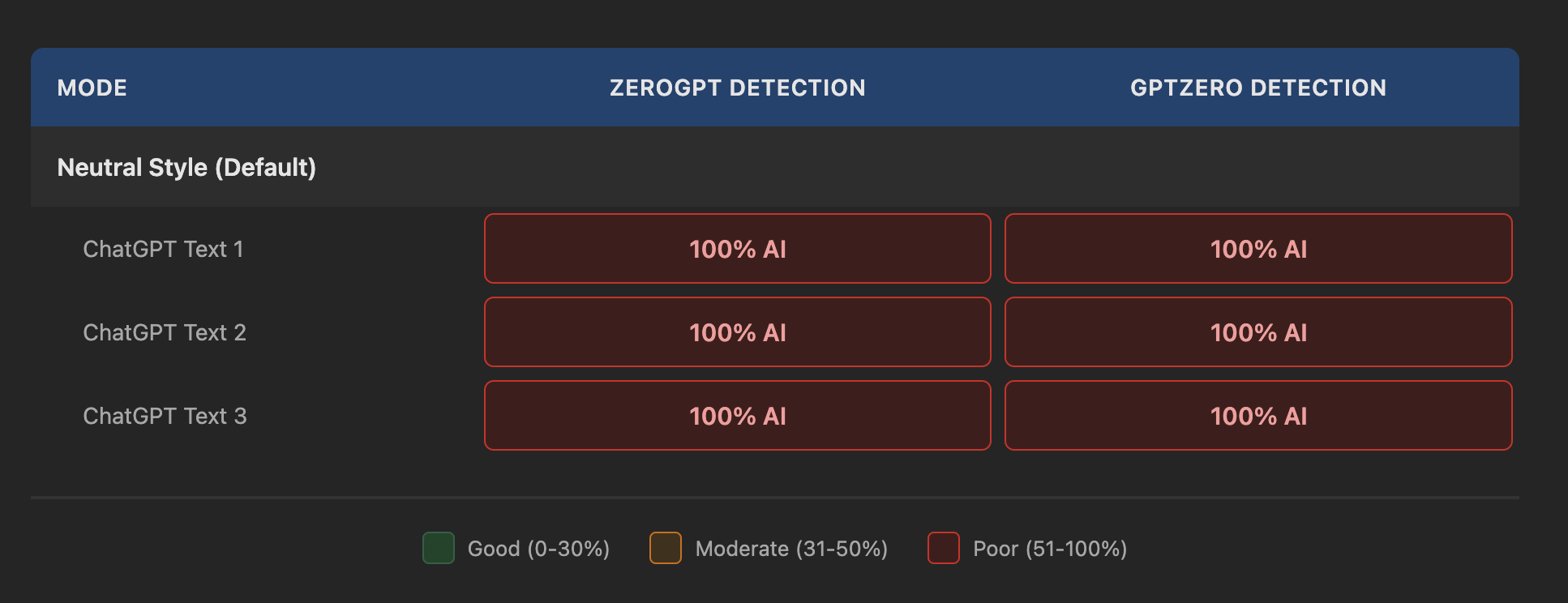
The results from NoteGPT’s AI Humanizer were as bad as they could possibly be. Every single humanized output was flagged at 100% AI detection by both GPTZero and ZeroGPT without exception.
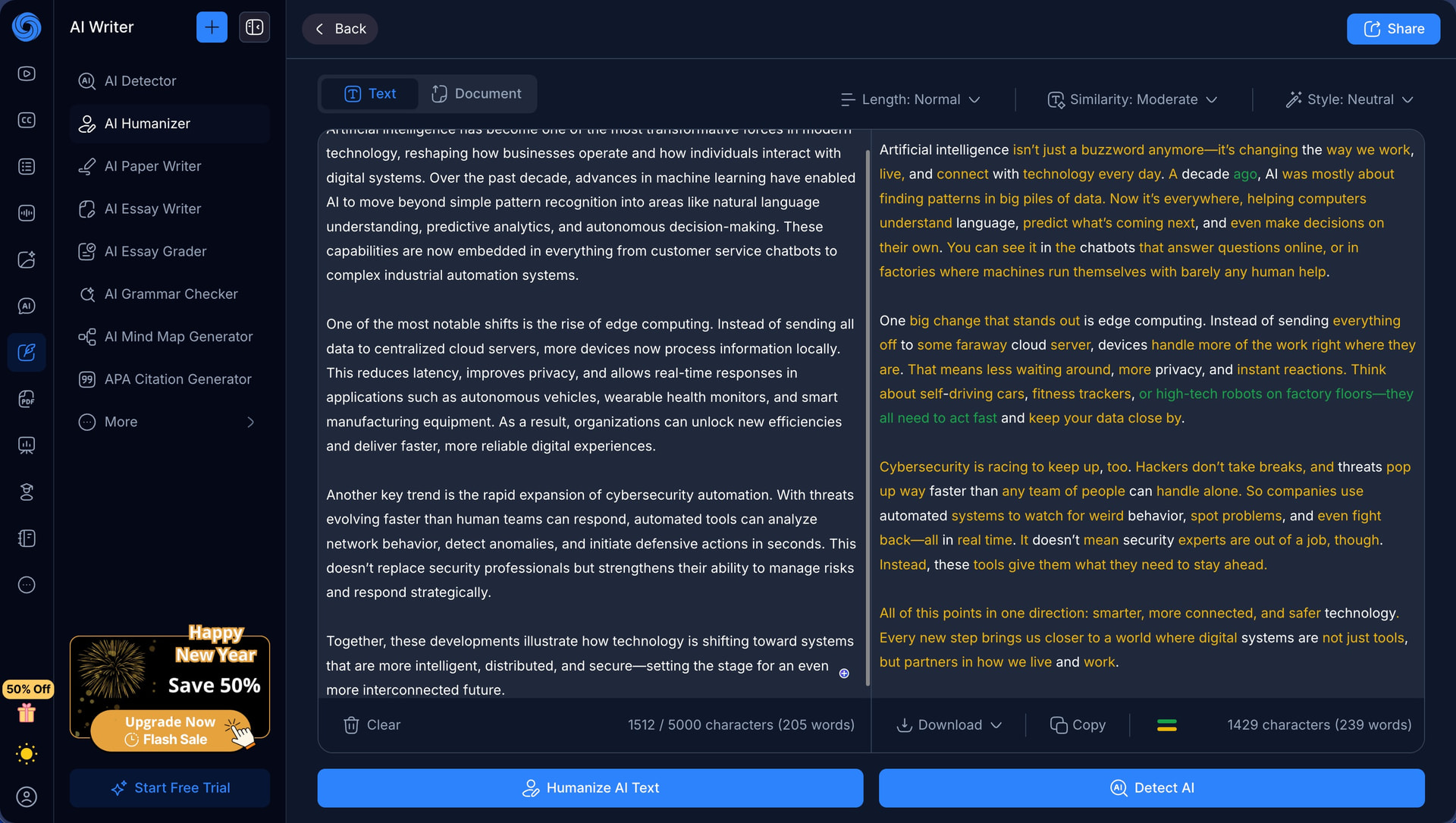
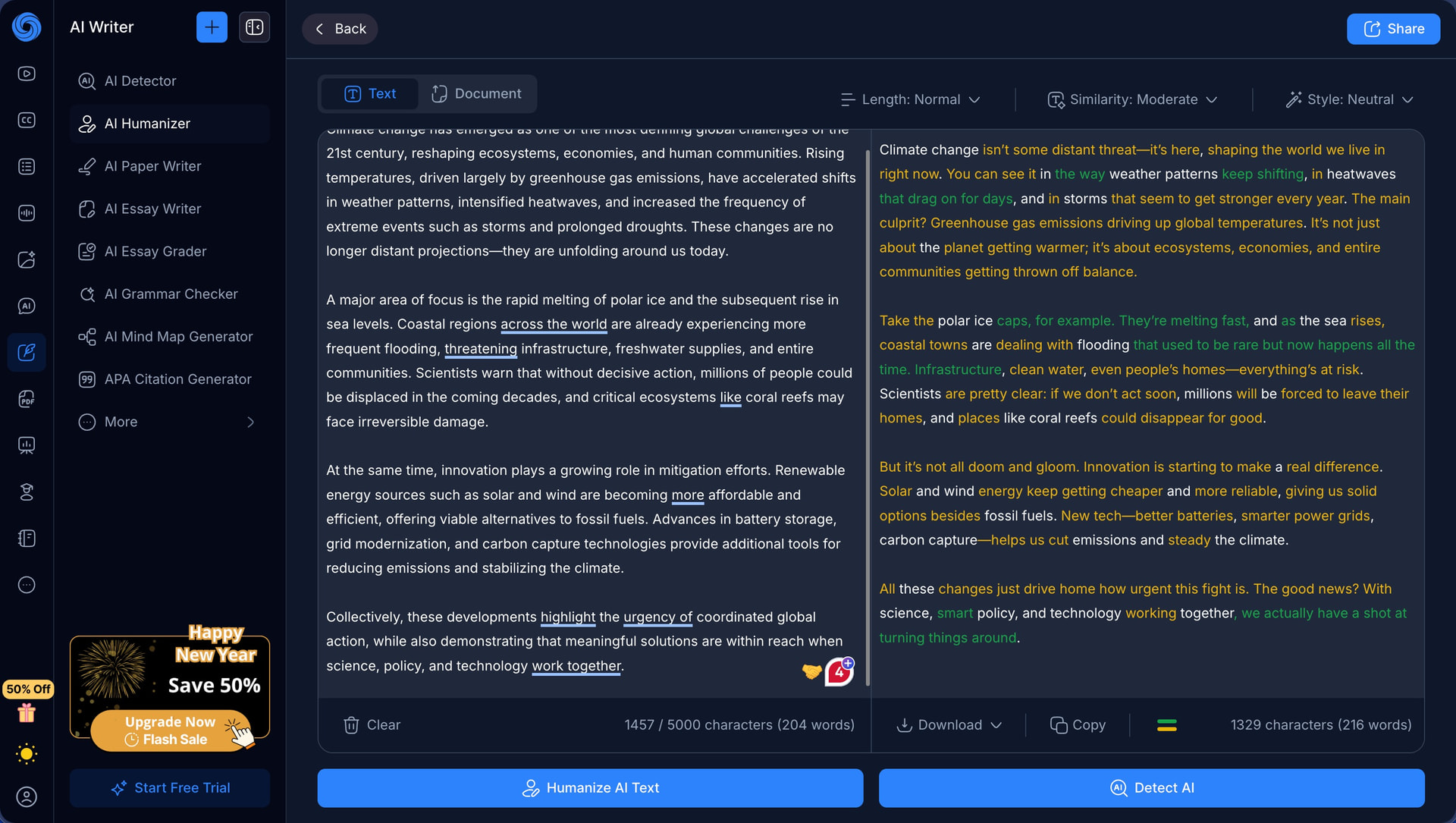
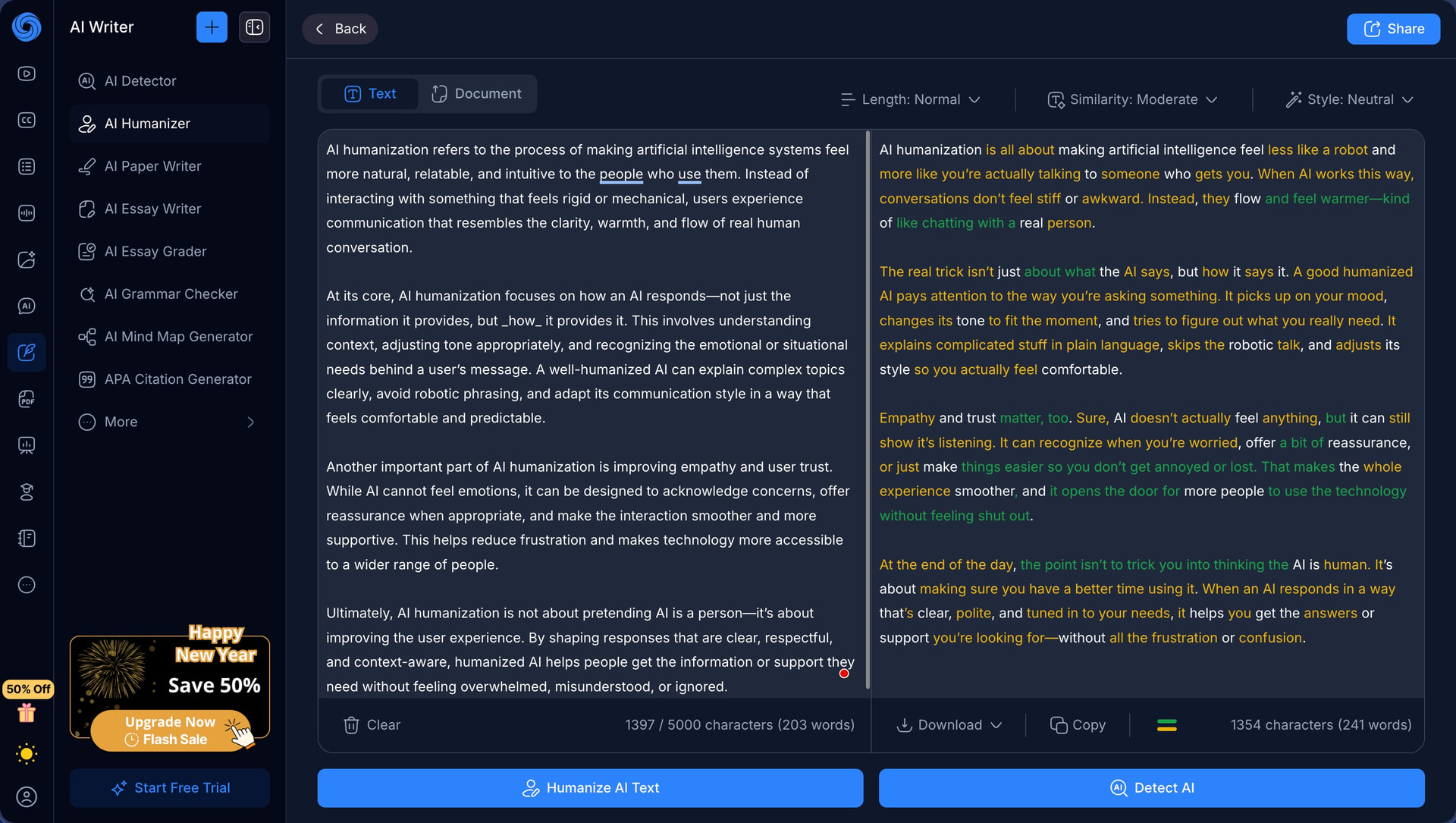
Unfortunately, experimenting with different settings changed absolutely nothing. You can adjust the output length (Concise, Normal, or Expanded), control how similar the result should be to your original text (Low, Moderate, or High), and choose from eight different writing styles (Neutral, Academic, Business, Creative, Technical, Friendly, Informal, and Reference). However, none of them managed to reduce detection rates by even a single percentage point.
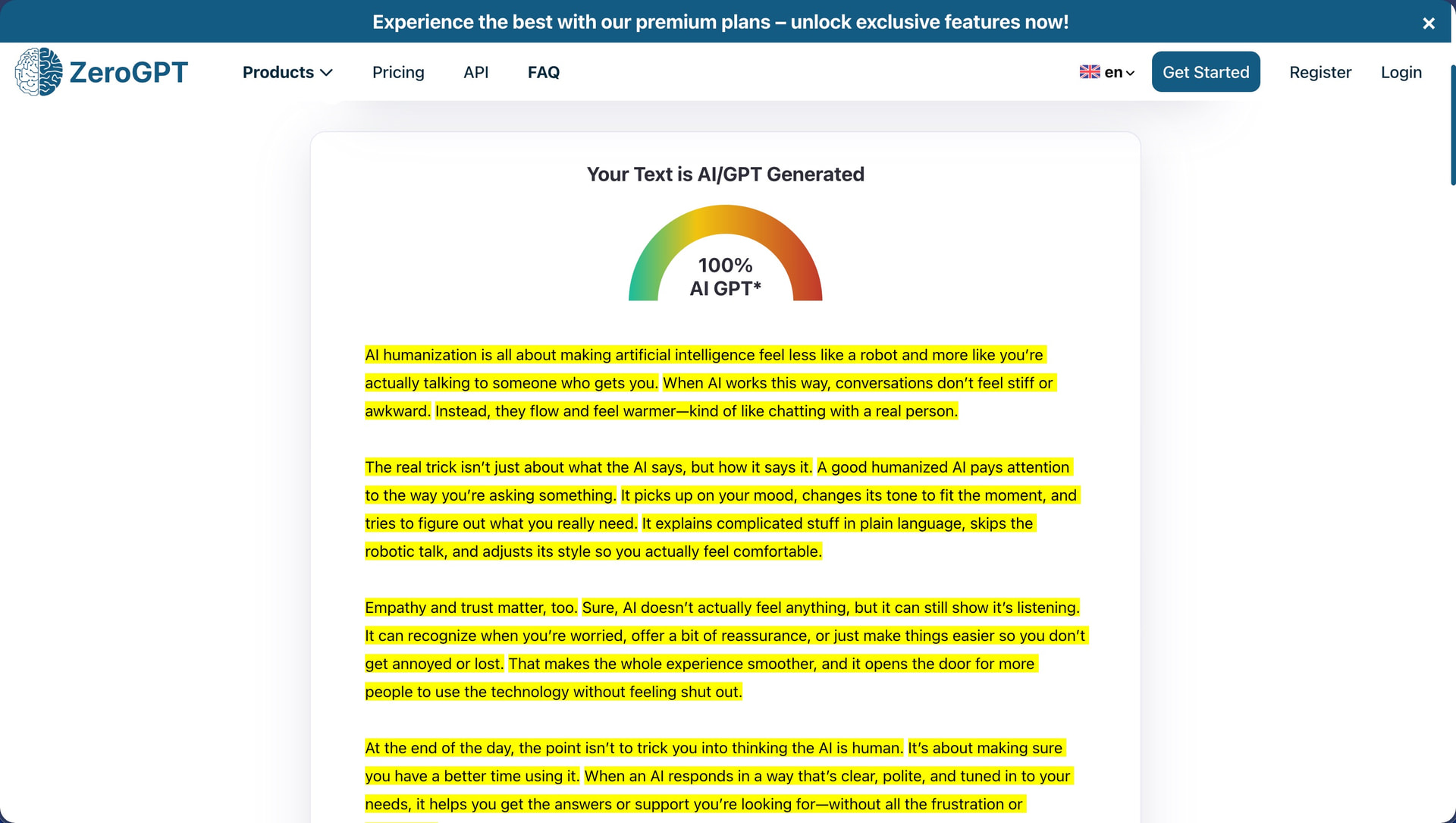
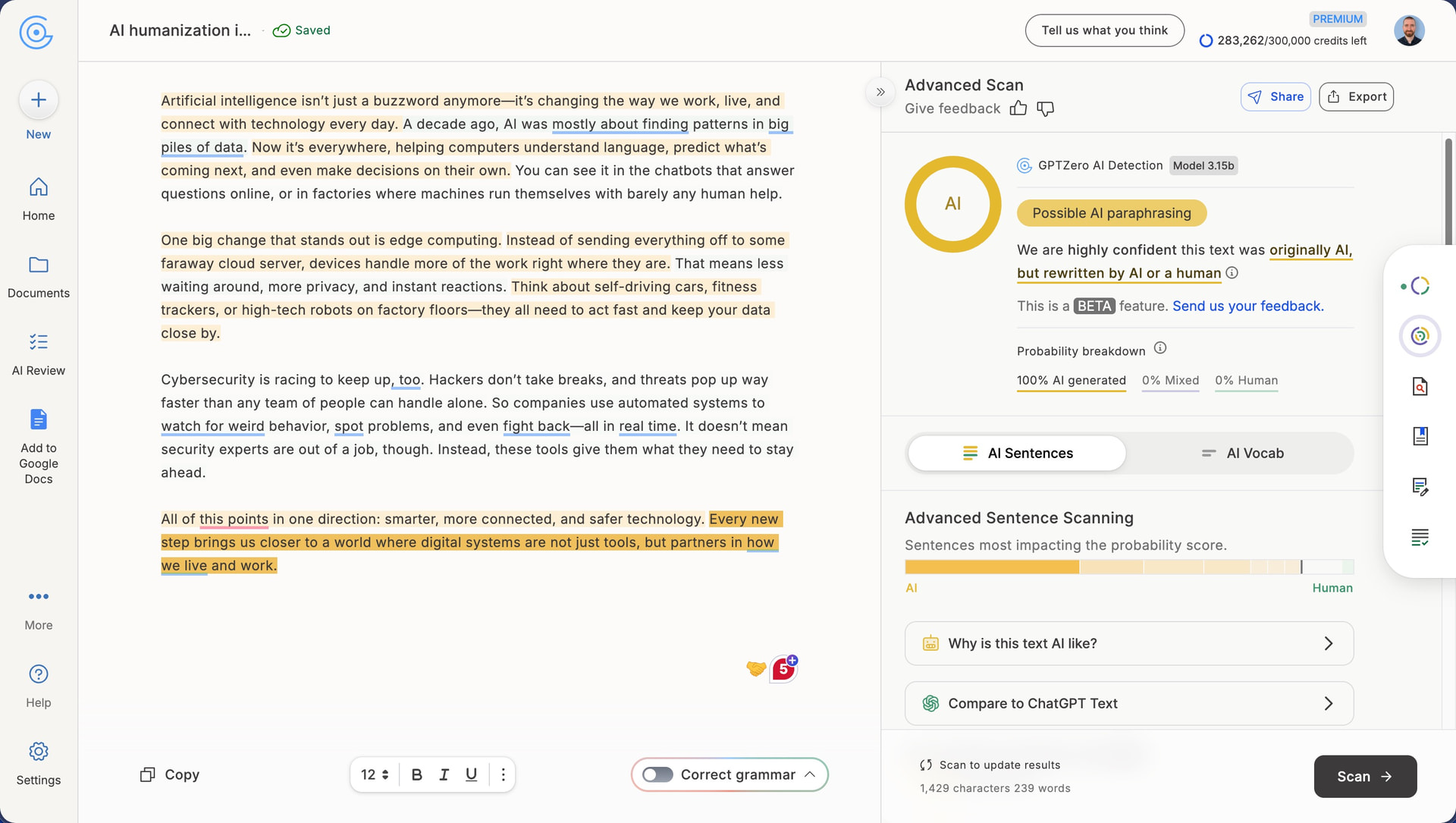
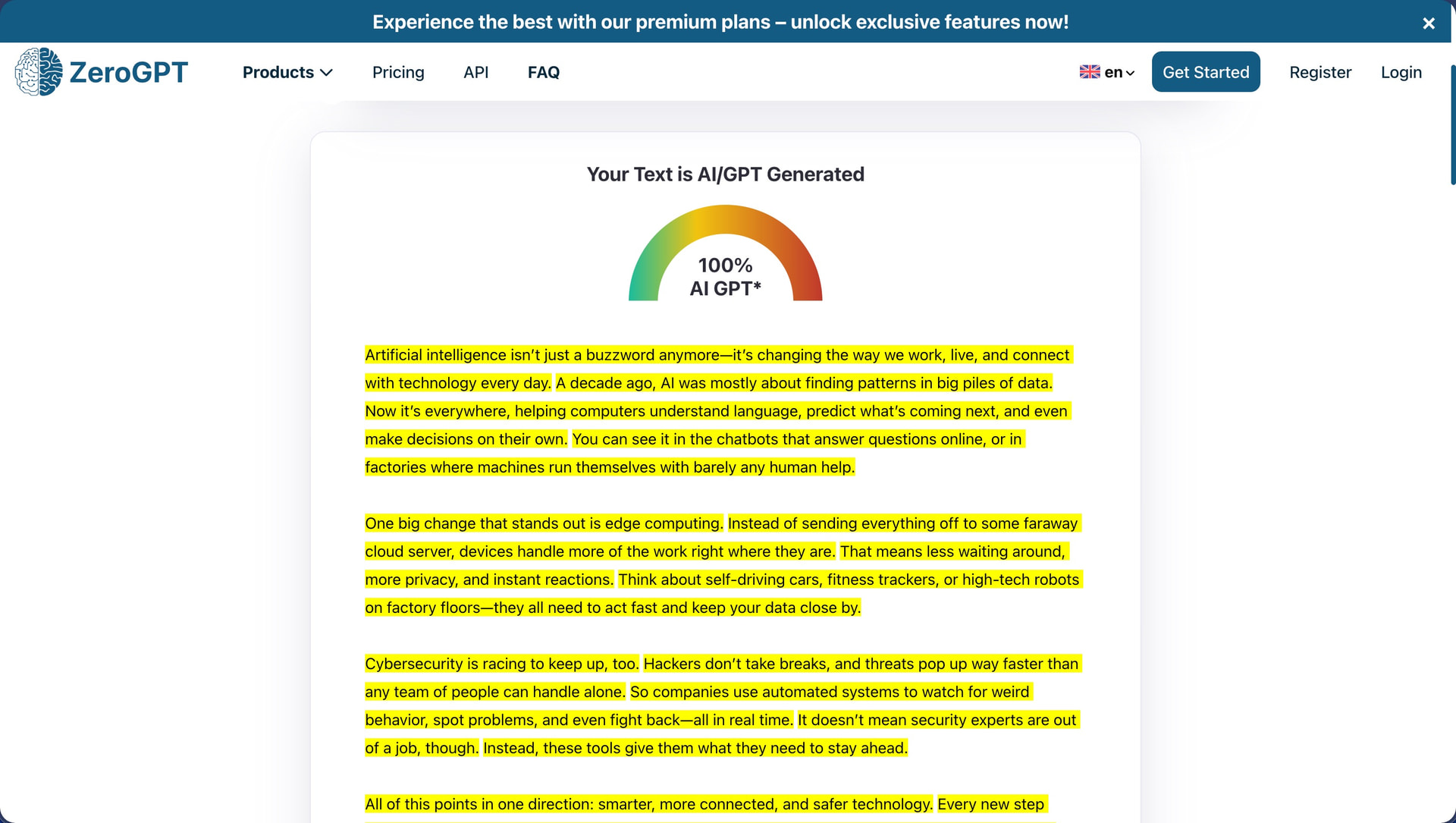
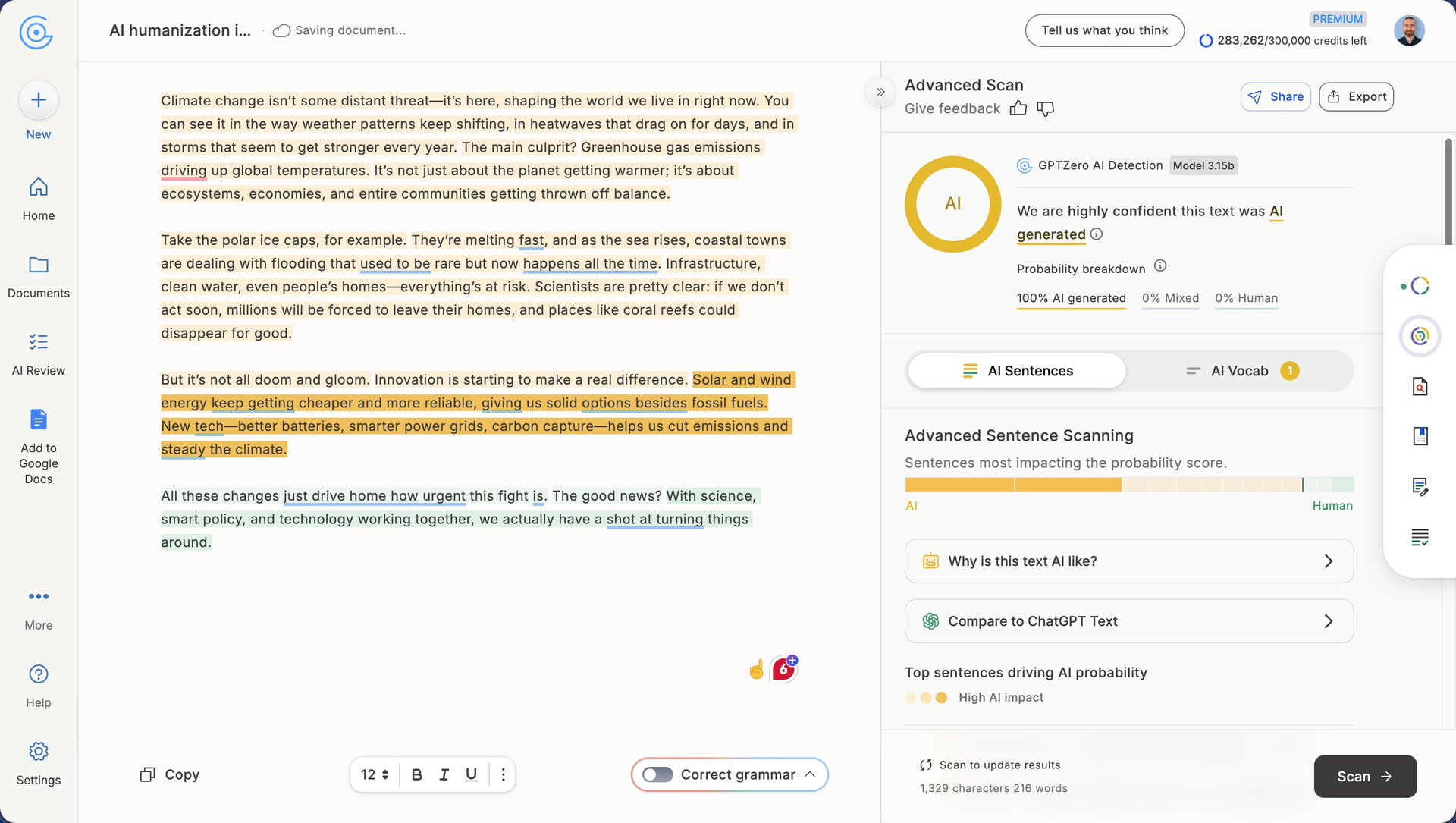
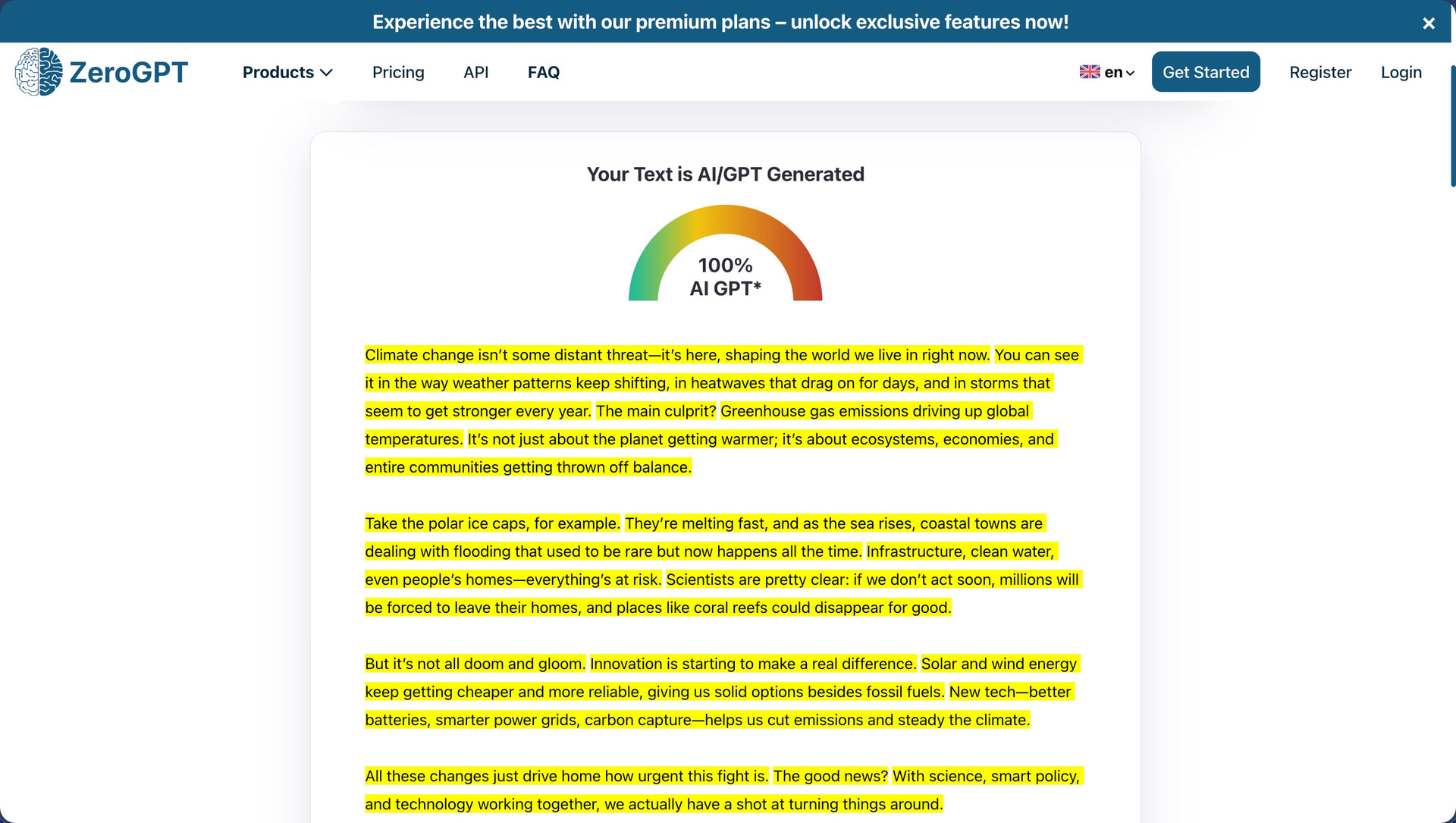
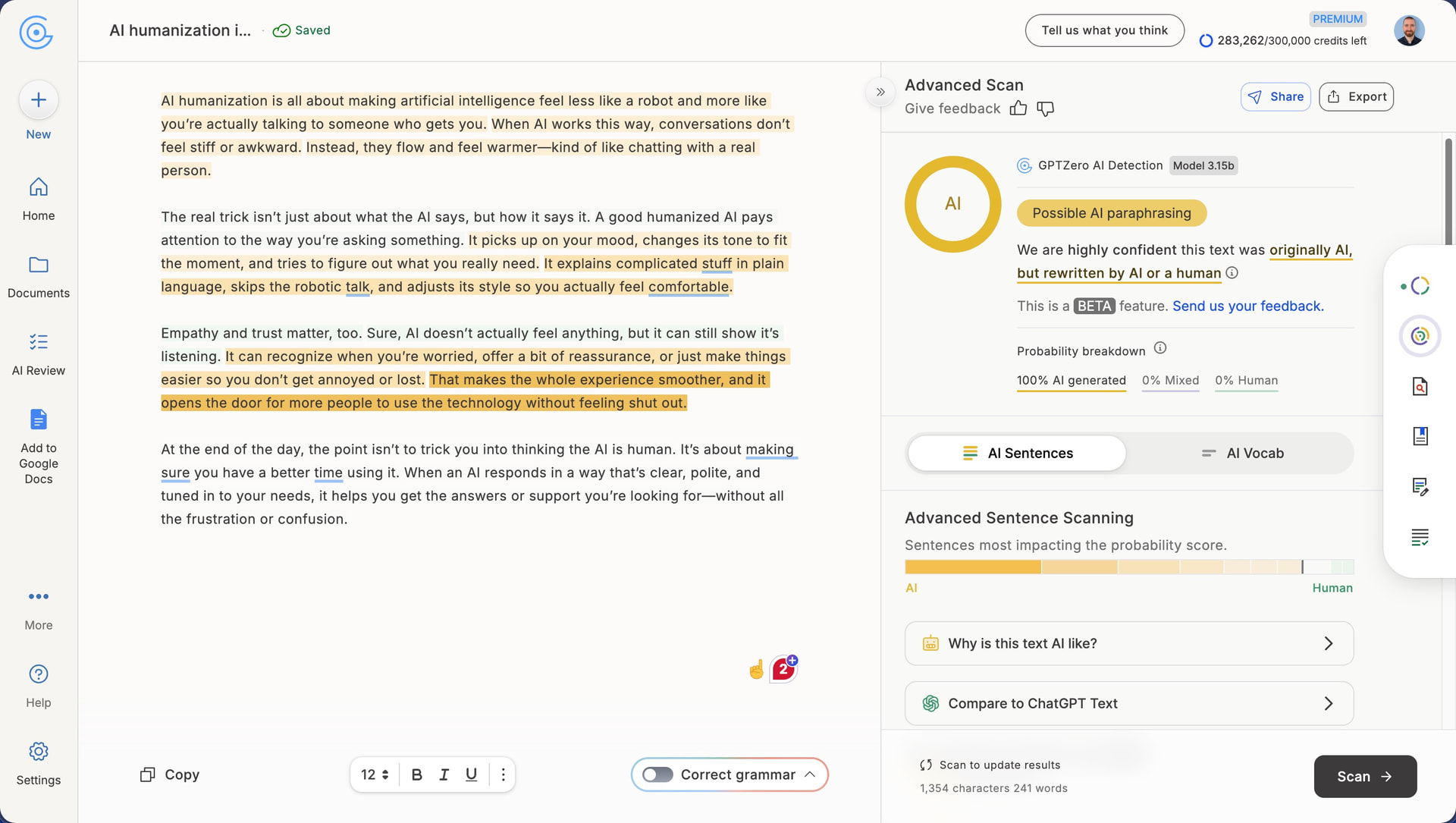
To say something positive, I genuinely appreciated is NoteGPT’s visual difference highlighting. After humanization, the interface displays your output with color-coded markers showing exactly which words are new and which have been modified from the original text. The highlighting revealed that the tool was making plenty of modifications, but those modifications clearly weren’t effective at bypassing detection algorithms.
How Well Does NoteGPT AI Humanizer Maintain Writing Quality?
Writing Quality Score: 8/10
NoteGPT’s humanized outputs are grammatically clean, and the text flows reasonably well while maintaining logical structure throughout. I did notice some problems, but nothing too bad.
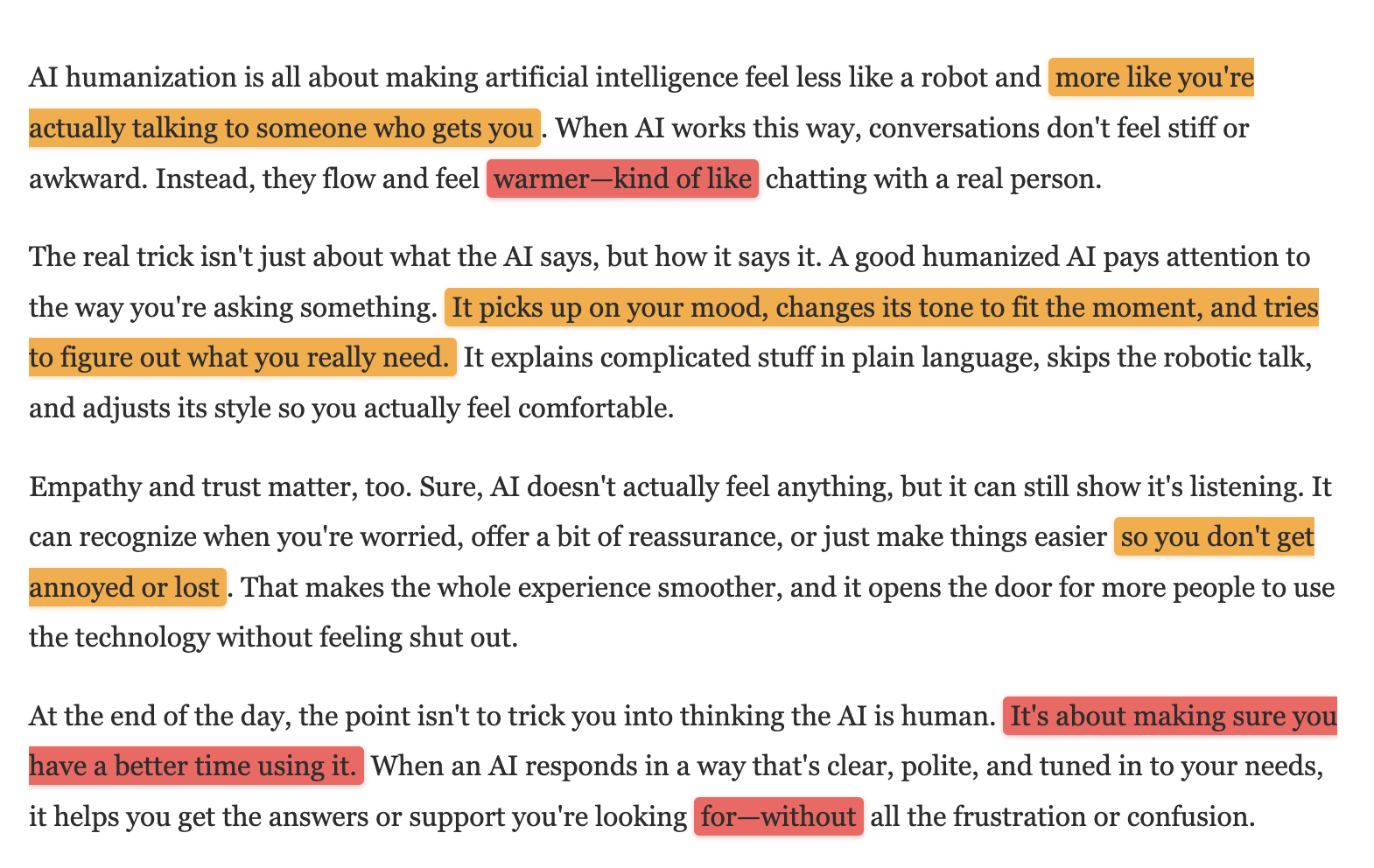
The phrase “more like you’re actually talking to someone who gets you” in the first text is wordy and could be tightened considerably. Later, “It picks up on your mood, changes its tone to fit the moment, and tries to figure out what you really need” crams three ideas into one sentence in a way that feels rushed. The construction “so you don’t get annoyed or lost” pairs two very different emotional states awkwardly.
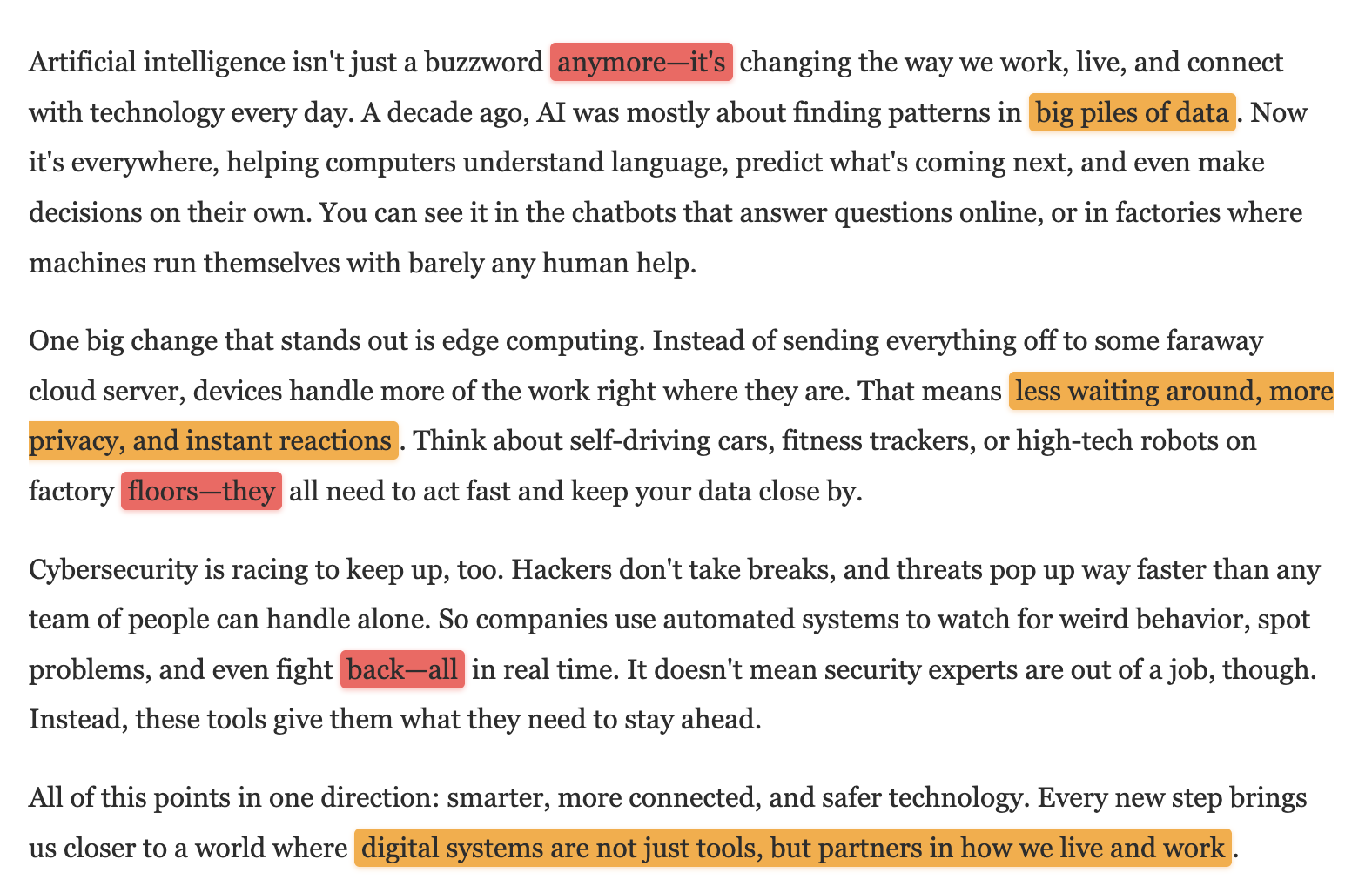
The second text covering technology trends has similar issues with wordiness. The sentence “A decade ago, AI was mostly about finding patterns in big piles of data” uses “big piles of data” when “large datasets” would be more precise. The phrase “less waiting around, more privacy, and instant reactions” switches grammatical structures mid-list (noun phrase, noun, noun phrase), which creates a subtle but noticeable imbalance. The closing line “digital systems are not just tools, but partners in how we live and work” ends on a vague note that doesn’t really say anything concrete.
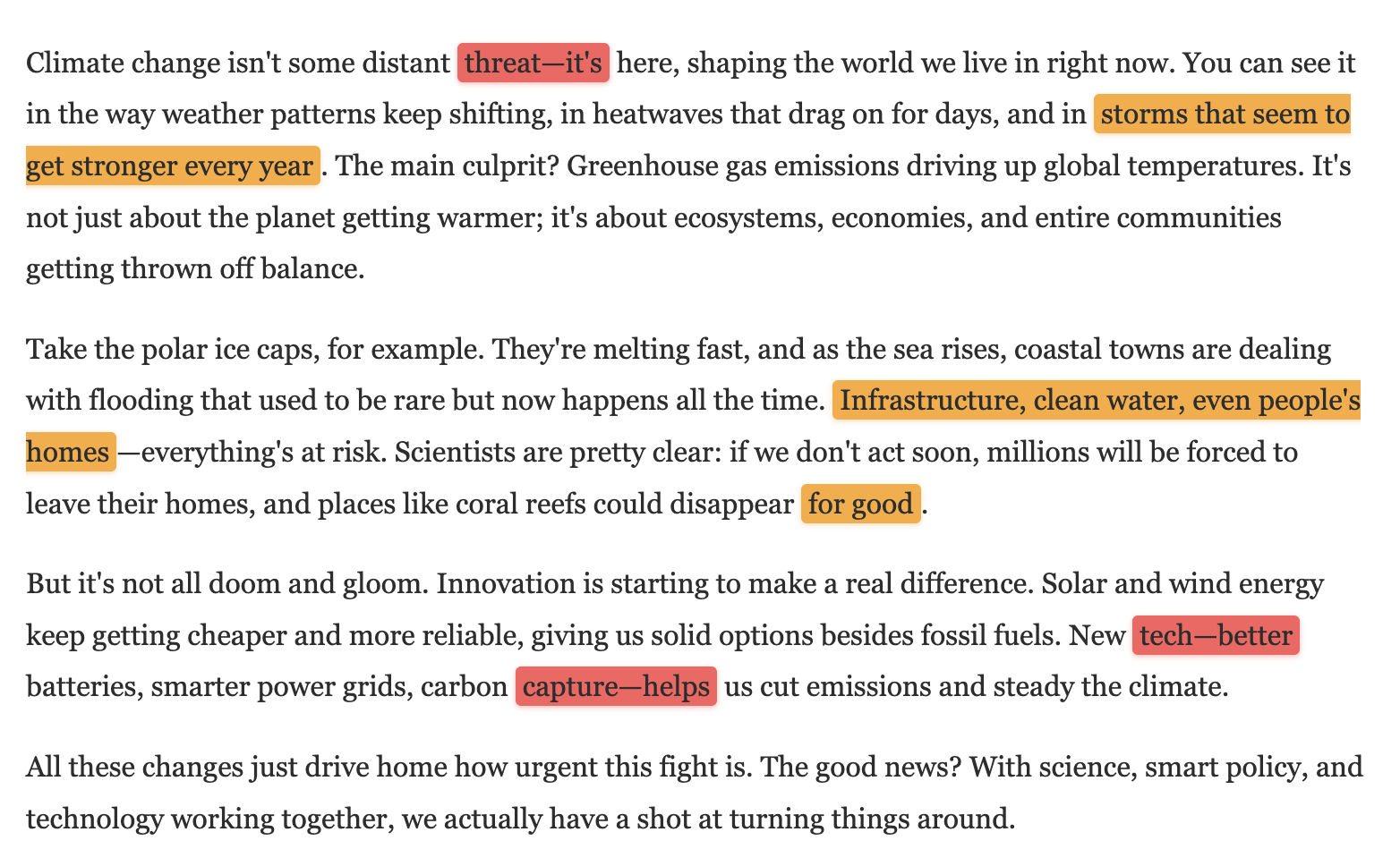
The third text on climate change opens strongly but stumbles in places. The construction “storms that seem to get stronger every year” hedges unnecessarily with “seem to” when the scientific consensus is clear. The phrase “Infrastructure, clean water, even people’s homes” uses a comma-separated list where parallel structure would be cleaner. I also noticed “places like coral reefs could disappear for good,” where “for good” feels like filler that adds nothing to the meaning.
Across all three samples, NoteGPT retained em-dashes in phrases like “feel warmer—kind of like chatting,” “Artificial intelligence isn’t just a buzzword anymore—it’s changing,” and “Climate change isn’t some distant threat—it’s here.” Em-dashes are often flagged by AI detectors because ChatGPT and other AIs overuse them, which may be an explanation for the terrible detection scores.
It is a shame because NoteGPT’s writing quality is genuinely one of the better results I have encountered during this review series. The problem is that none of that matters if detectors still flag the output at 100% AI. A humanizer needs to change how the text is structured at a deeper level, not just swap vocabulary around while keeping the same AI fingerprint intact. Clever AI Humanizer is one tool I have tested that manages to do both: it earned an 8/10 for writing quality in my review while also clearing ZeroGPT completely and breaking through on GPTZero.
How Much Does NoteGPT AI Humanizer Cost?
NoteGPT bundles its AI Humanizer into a productivity platform designed primarily for learning and content summarization. The humanizer is accessible on the free tier, but with limitations. Here’s the current pricing structure:
| Plan | Monthly Price | Yearly Price | Basic Quotas | Premium Credits |
|---|---|---|---|---|
| Free | $0 | $0 | Limited | None |
| Pro | $9.99 | $9 ($108/year) | 1,000/month | 100/month |
| Unlimited | $29 | $14.50 ($174/year) | Unlimited | 2,800/month |
| Max | $99 | $49.50 ($594/year) | Unlimited | 10,000/month |
NoteGPT uses a dual-currency system with “Basic Quotas” and “Premium Credits.” Basic Quotas cover standard features like summarization, transcription, and AI chat with basic models. Premium Credits are reserved for advanced features including high-quality speech generation, image creation, and chat with premium AI models. The AI Humanizer falls under the Basic Quotas category, meaning you can use it without burning through your Premium Credits.
Annual billing offers a 50% discount across all paid tiers, which is more aggressive than most competitors. The Pro plan drops from $9.99 to effectively $9 per month, while the Unlimited plan falls from $29 to $14.50 monthly. If you commit to a full year upfront, NoteGPT becomes reasonably affordable.
The challenge is that NoteGPT’s pricing structure is designed around its core features (YouTube summarization, PDF analysis, transcription) rather than the AI Humanizer specifically. If humanization is your primary need, paying $14.50 per month for a tool that achieved 0% detection bypass in my testing is difficult to justify.
Does NoteGPT AI Humanizer Respect User Privacy?
NoteGPT is operated by ZINGDECK INTL PTE. LTD., and they collect the following types of information, according to their privacy policy and terms of service:
-
Personal data: Email address, name, and contact information provided during registration
-
Usage data: Features used, content interactions, timestamps, and click behavior
-
Technical data: IP address, browser type, device information, and time zone
-
Payment data: Processed through third-party providers (not stored directly by NoteGPT)
-
Cookies: Session cookies, preference cookies, and analytics tracking
I really like that personal data is “never used for AI model training, never sold to third parties, and never used for advertising or any commercial purposes.” This is a stronger commitment than many competitors make. The terms also confirm that users retain full control over their personal data and can request access, modification, or deletion at any time.
However, the refund policy is strict. NoteGPT explicitly states that “all products and services offered by NoteGPT are non-tangible and irrevocable, so we do not issue refunds once the order is completed.” They do accept refund requests in rare cases, but the conditions are vague and seem to require exceptional circumstances.