Writesonic isn’t some random startup trying to cash in on the AI humanization trend. This is a Y-Combinator-backed company that has been operating since 2020, and their AI Humanizer is really just a free addition to their broader platform. In my opinion, the main purpose of the AI humanizer is to help Writesonic rank in search engines, but that doesn’t necessarily mean the tool itself is worthless. After all, a company with real engineering resources and a reputation to protect might actually build something functional. To find out, I ran Writesonic’s humanizer through my standard testing process.
How I test: I generated three AI content samples using the latest ChatGPT model. Due to Writesonic’s strict 200-word limit on the free tier, I had to trim my standard test samples slightly to fit within the constraints. I established baseline detection scores by running the original AI-generated texts through both GPTZero and ZeroGPT, then processed each sample using Writesonic’s AI Humanizer with the default “Engaging” tone setting. I re-tested all humanized outputs through both detection platforms to measure effectiveness. I also manually evaluated the grammar quality and readability of the humanized text. You can find the raw test data for this review here.
| Pros | Cons |
|---|---|
| 14 tone settings and 24 language options | GPTZero flagged all outputs at 100% AI detection |
| Part of a legitimate, Y-Combinator-backed platform | Inconsistent ZeroGPT results |
| Professionally written privacy policy and terms | Oversimplified writing |
| Clean, intuitive interface | Multiple punctuation errors |
| Em-dashes left in output | |
| 200-word limit and only 3 free uses | |
| Minimum $39/month to unlock unlimited access |
How Well Did Writesonic AI Humanizer Perform?
The free version of Writesonic’s AI Humanizer lets you only process text up to 200 words at a time, which meant I had to trim a few words from my standard test samples to fit within the limit. Additionally, you get just three free humanizations before the tool prompts you to create an account or upgrade to a paid plan. Fortunately, three uses were exactly what I needed to complete my testing.
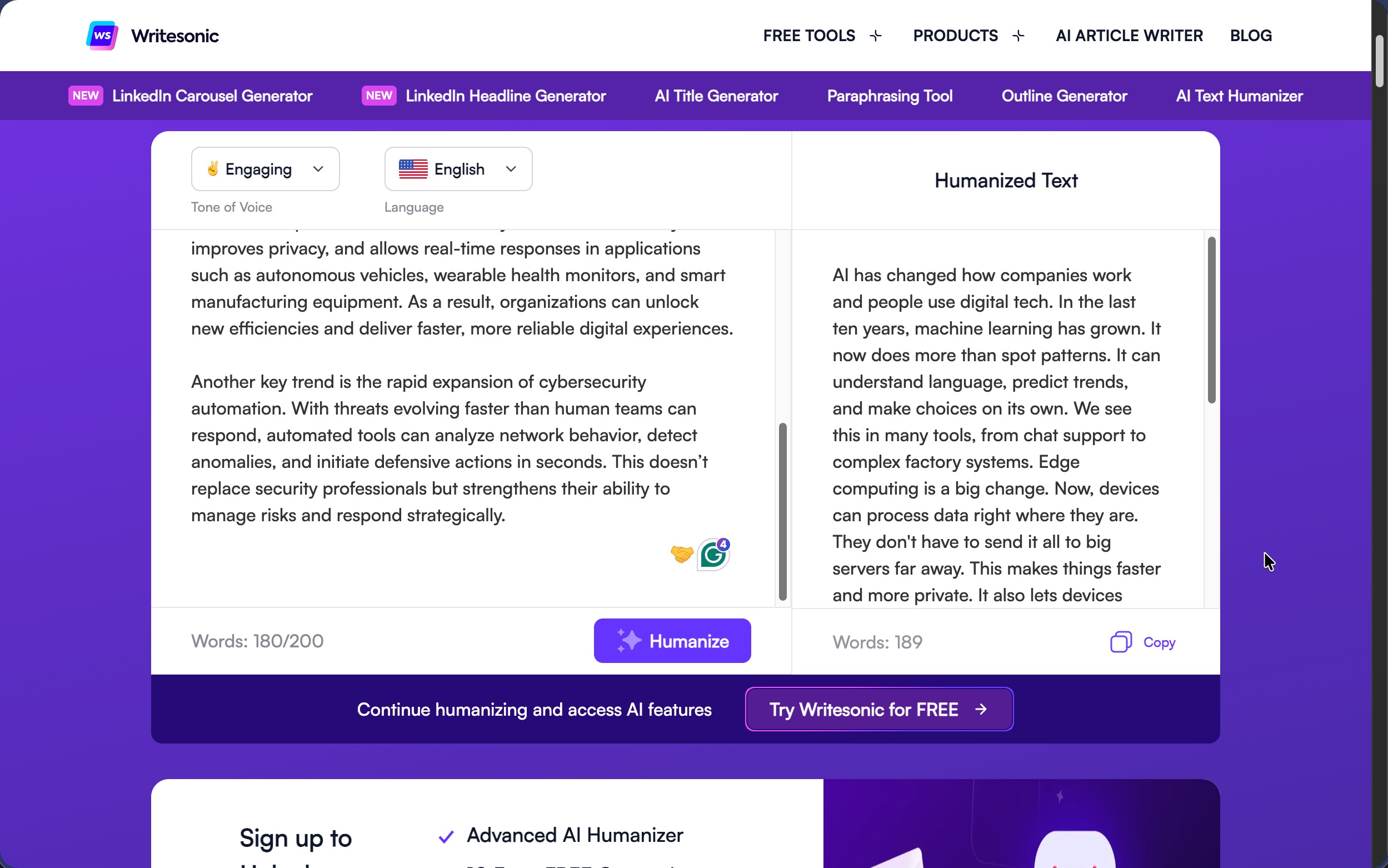
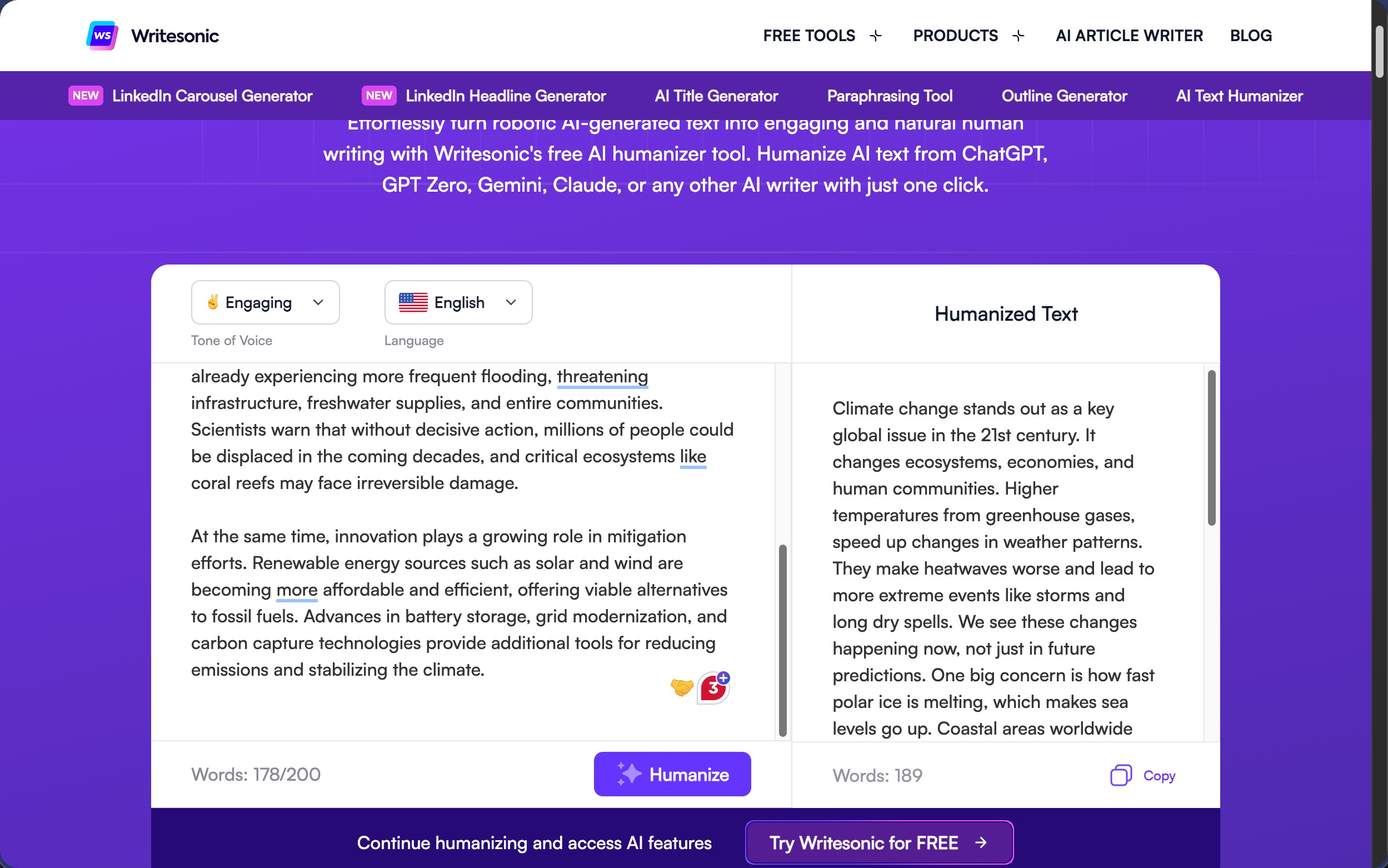
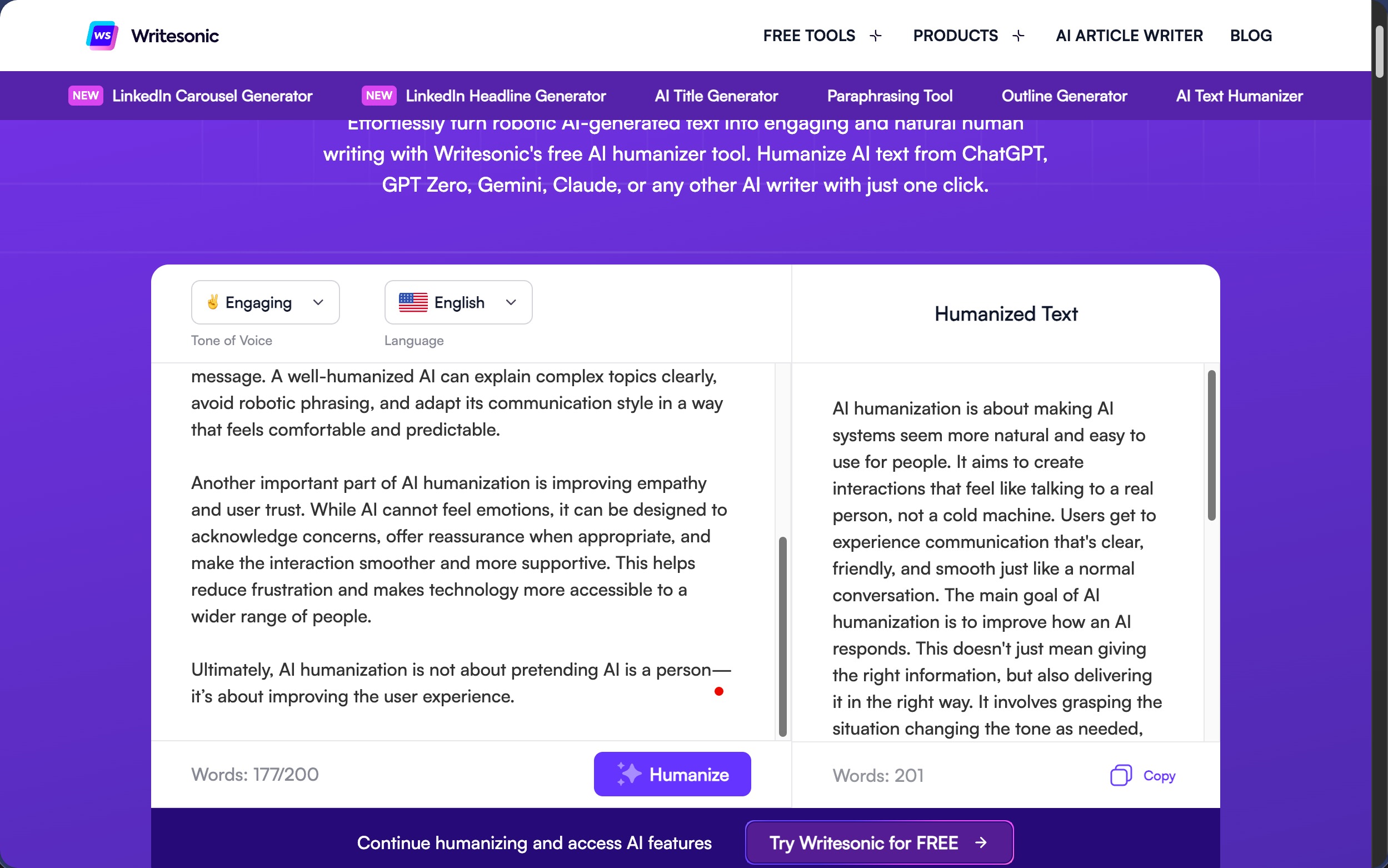
The tool itself offers a decent range of customization options. You can choose from 14 different tone settings (Engaging, Simplified, Persuasive, Direct, Luxury, Empathetic, Bold, Academic, Confident, Professional, Formal, Diplomatic, Casual, and Friendly) along with support for 24 languages. I stuck with the default “Engaging” tone and English language for all my tests to evaluate the out-of-the-box experience.
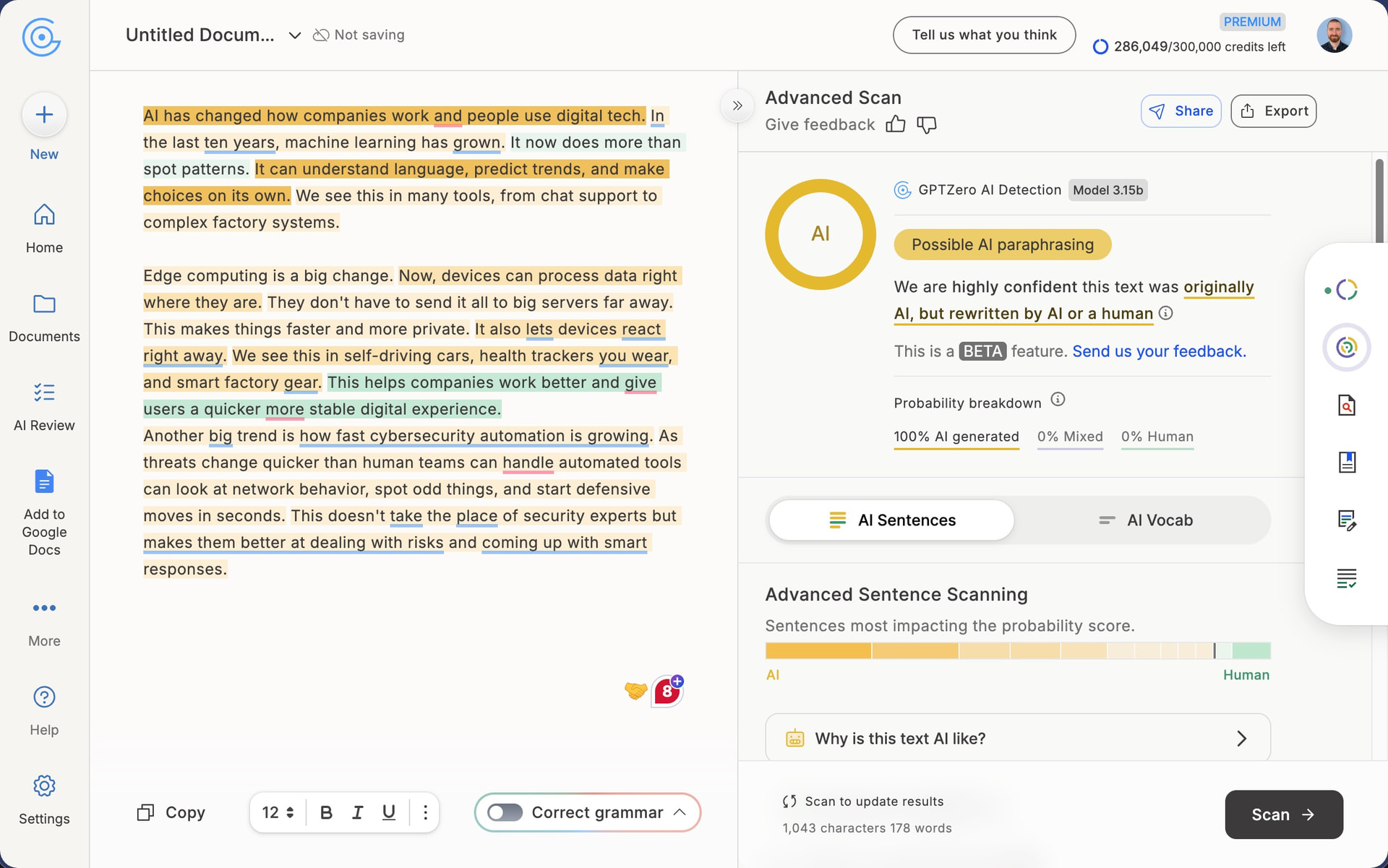
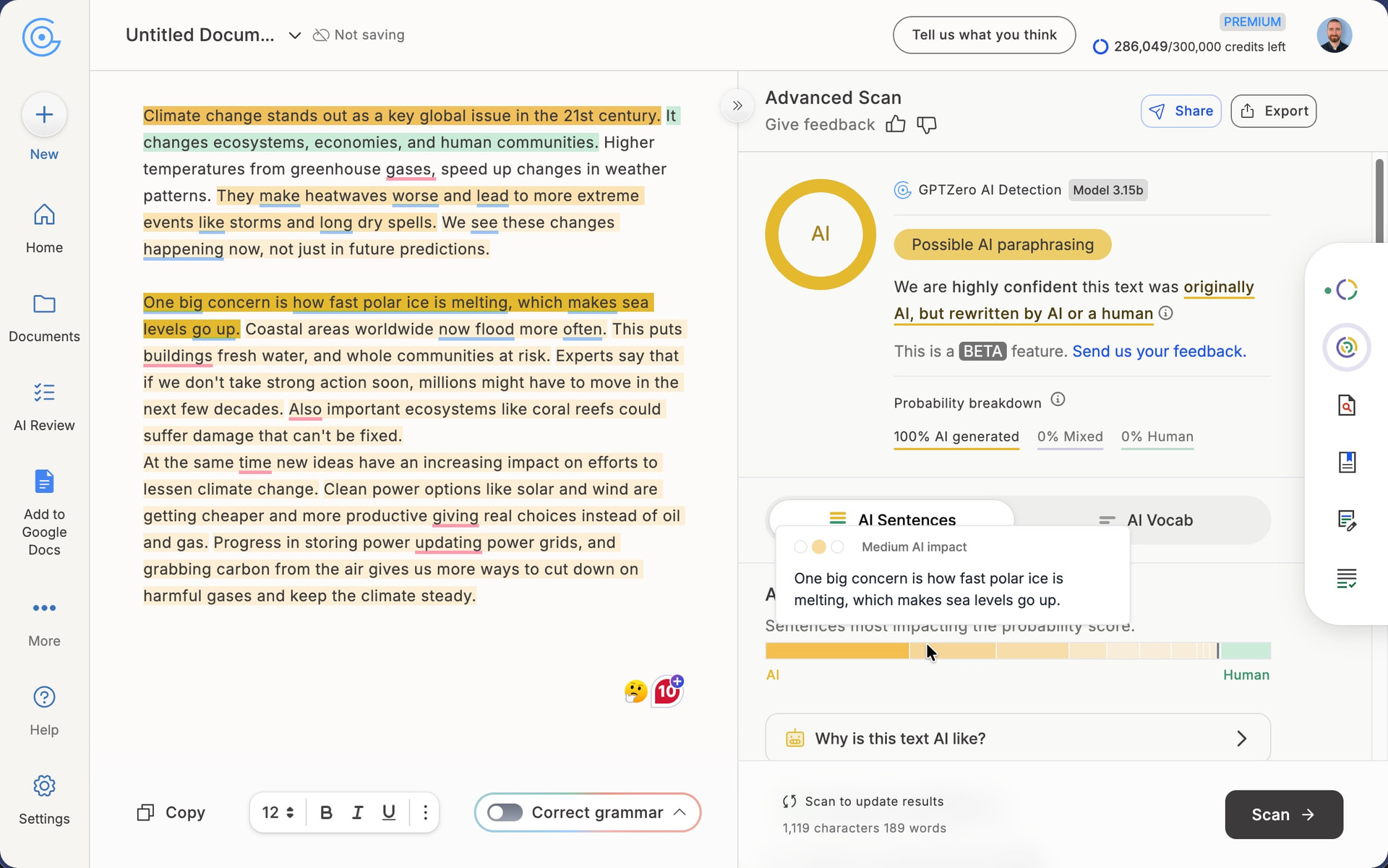
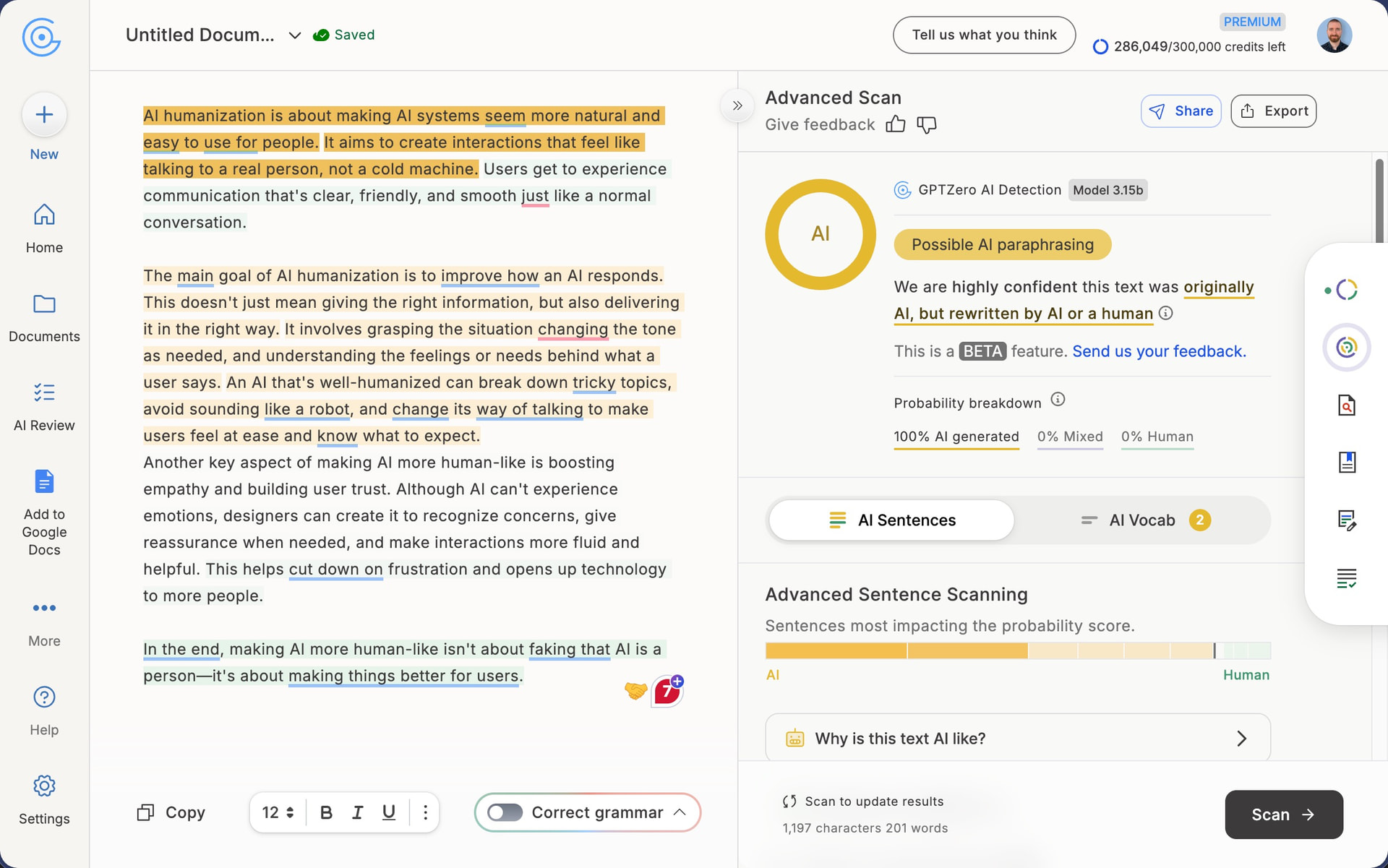
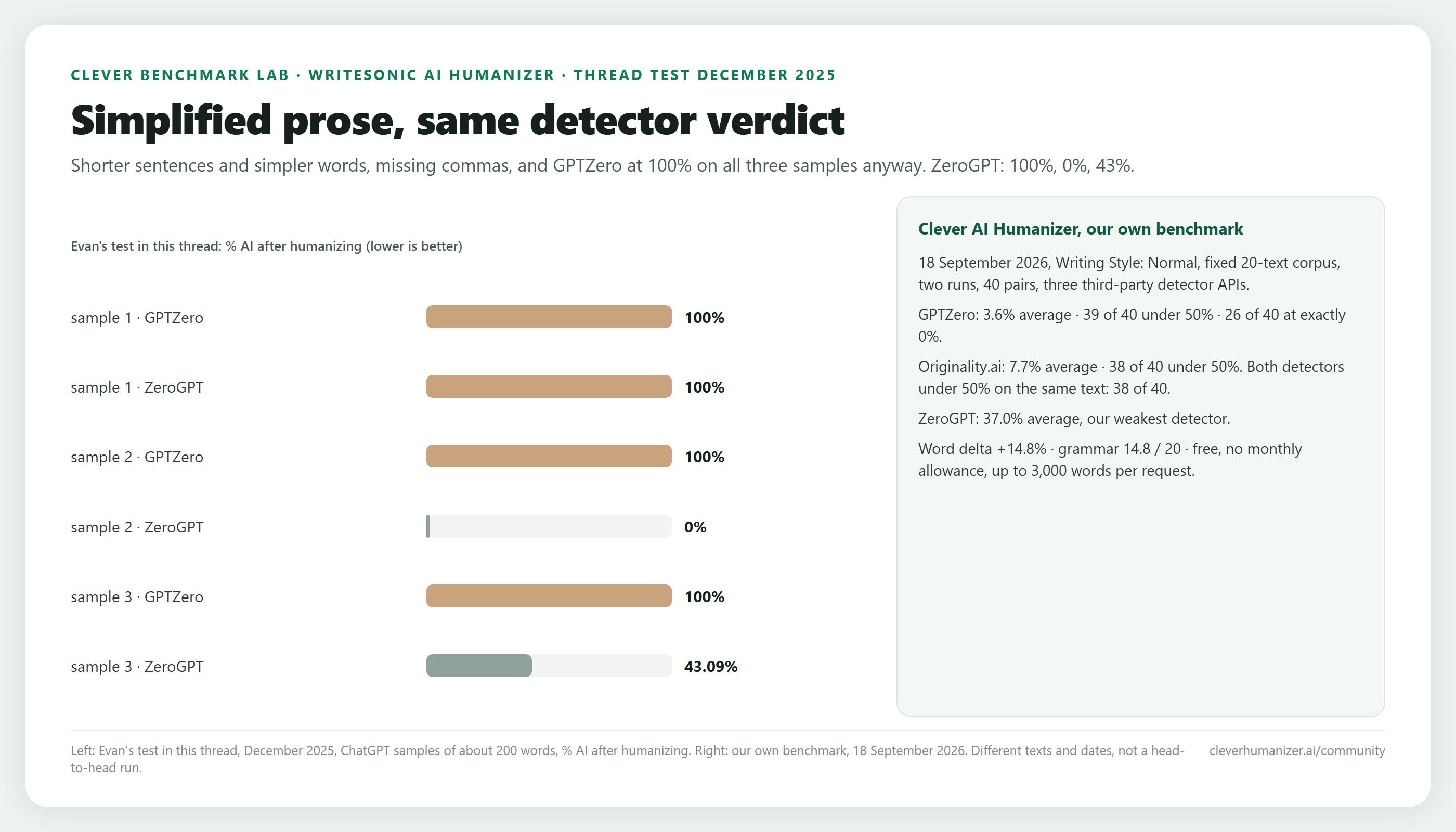
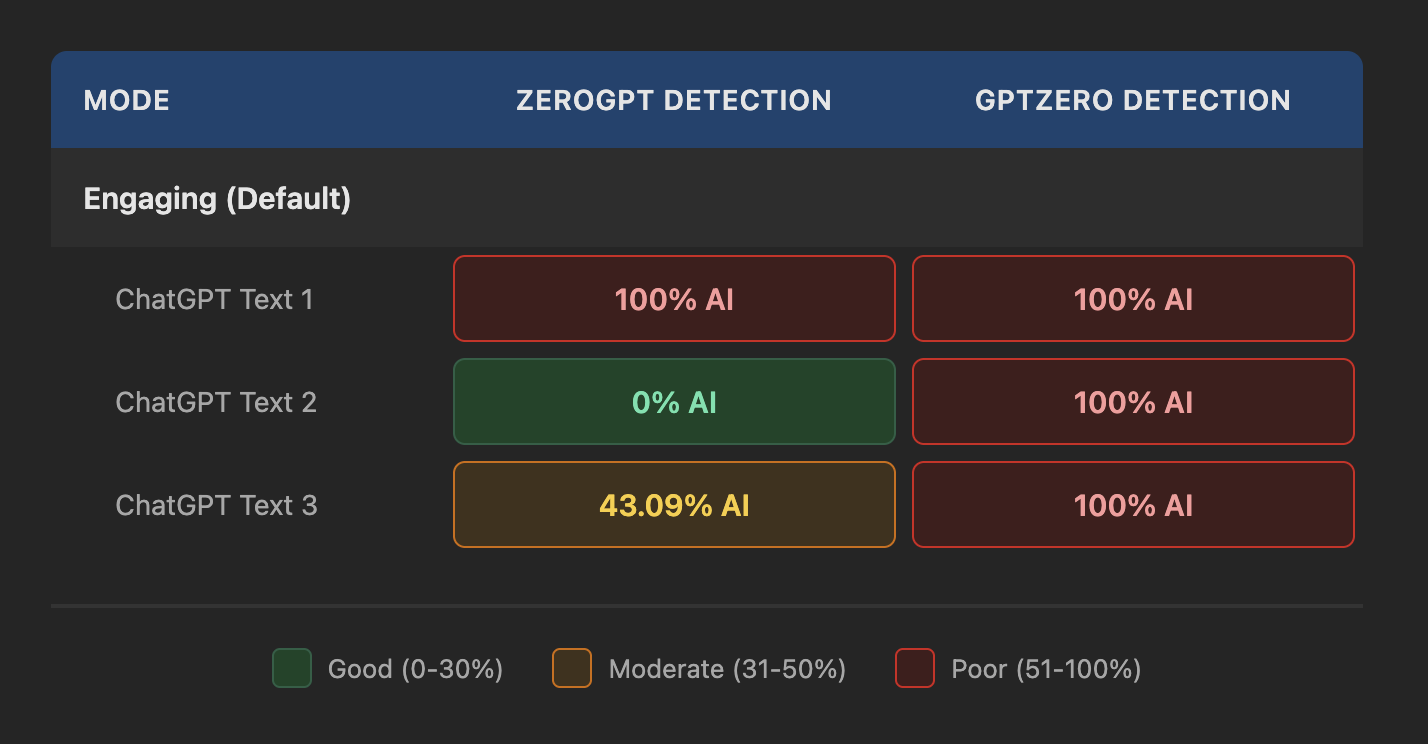
Unfortunately, the detection results were disappointing. Every single humanized output was flagged at 100% AI detection without exception by GPTZero. It didn’t matter which sample I tested or how the original text was structured. The complete failure is bad news because GPTZero tends to be among the more reliable and widely used detector in academic and professional settings.
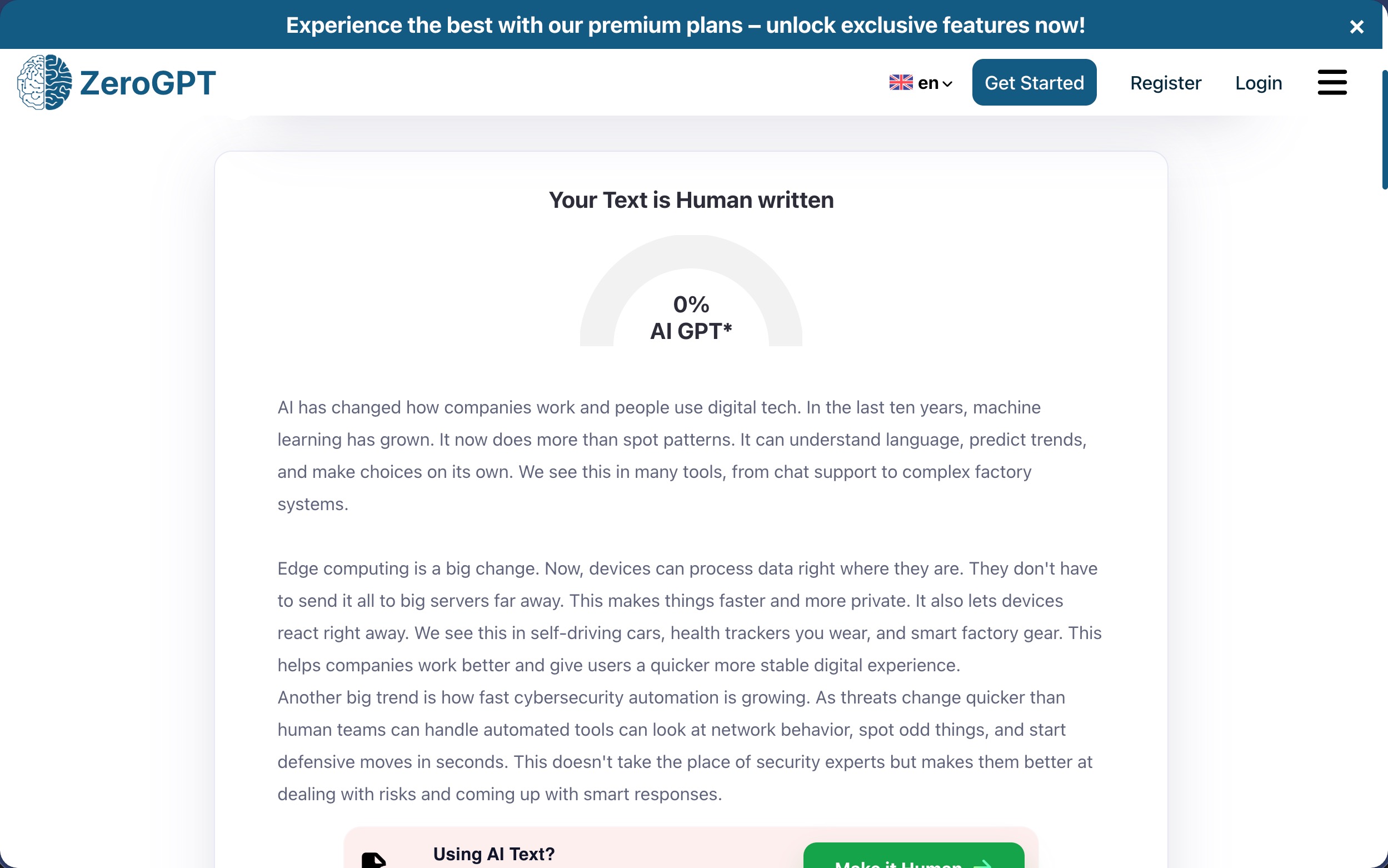
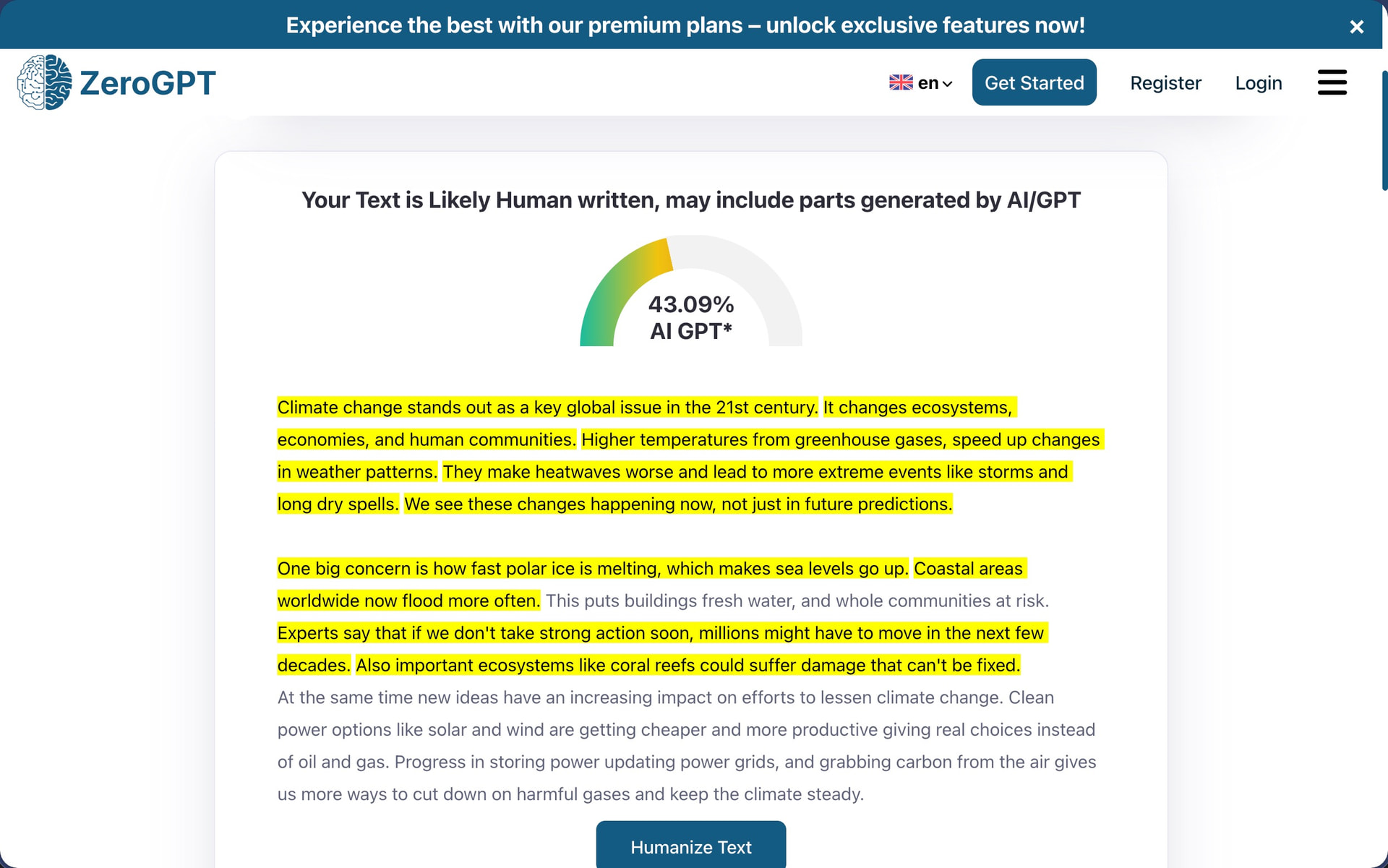
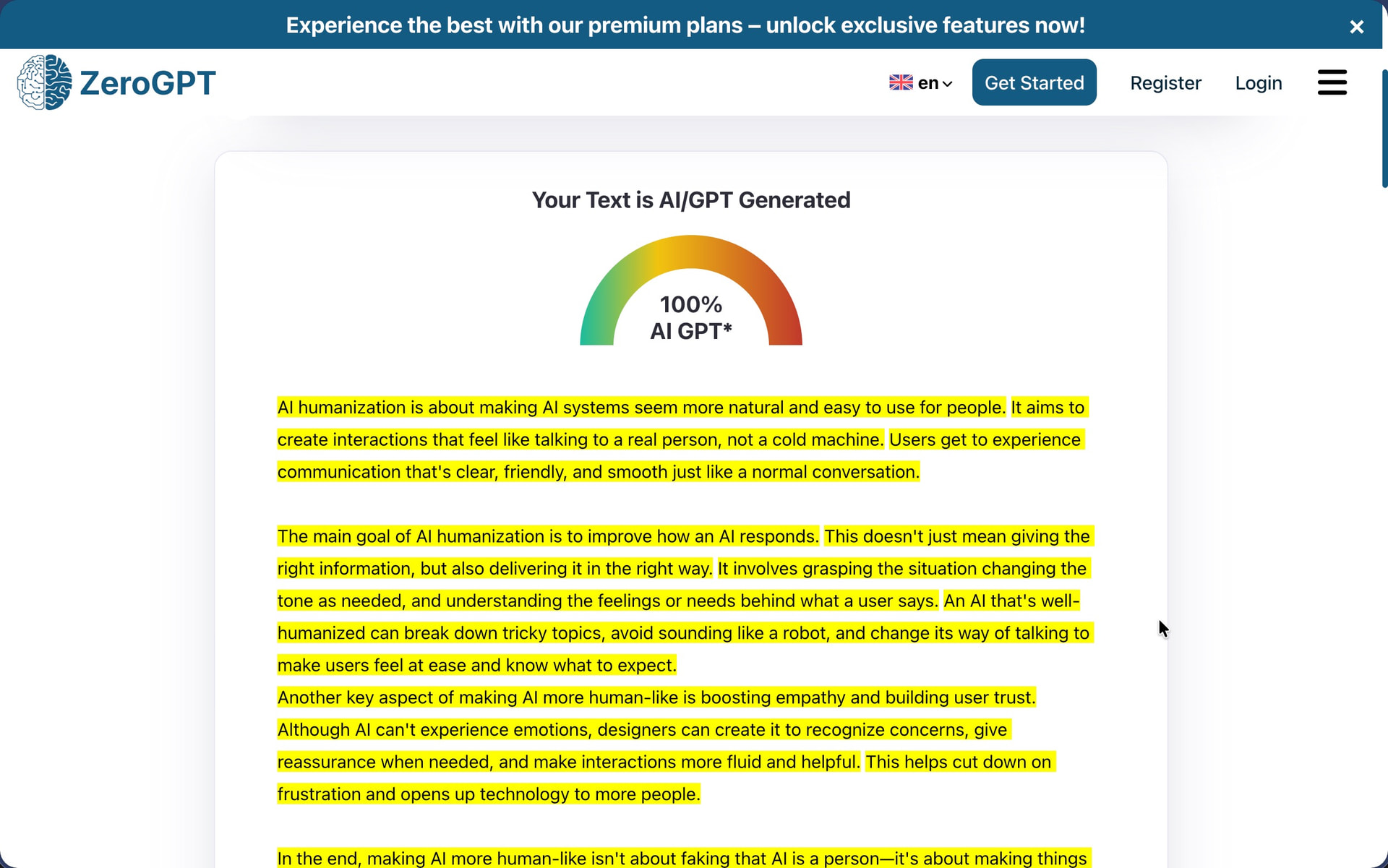
ZeroGPT flagged the first text at 100% AI (the same as GPTZero). The second text somehow achieved 0% AI detection, which is the ideal outcome. The third text landed at 43.09% AI detection. This kind of inconsistency makes it impossible to predict whether any given piece of content will pass or fail after humanization.
How Well Does Writesonic AI Humanizer Maintain Writing Quality?
Writing Quality Score: 5.5/10
With the default settings, Writesonic rewrites content using shorter sentences and more basic vocabulary to break up the predictable patterns that AI detectors look for. The problem is that this simplification often goes too far and produces text that reads like it was written for middle schoolers, which sucks if your writing isn’t intended for middle schoolers.
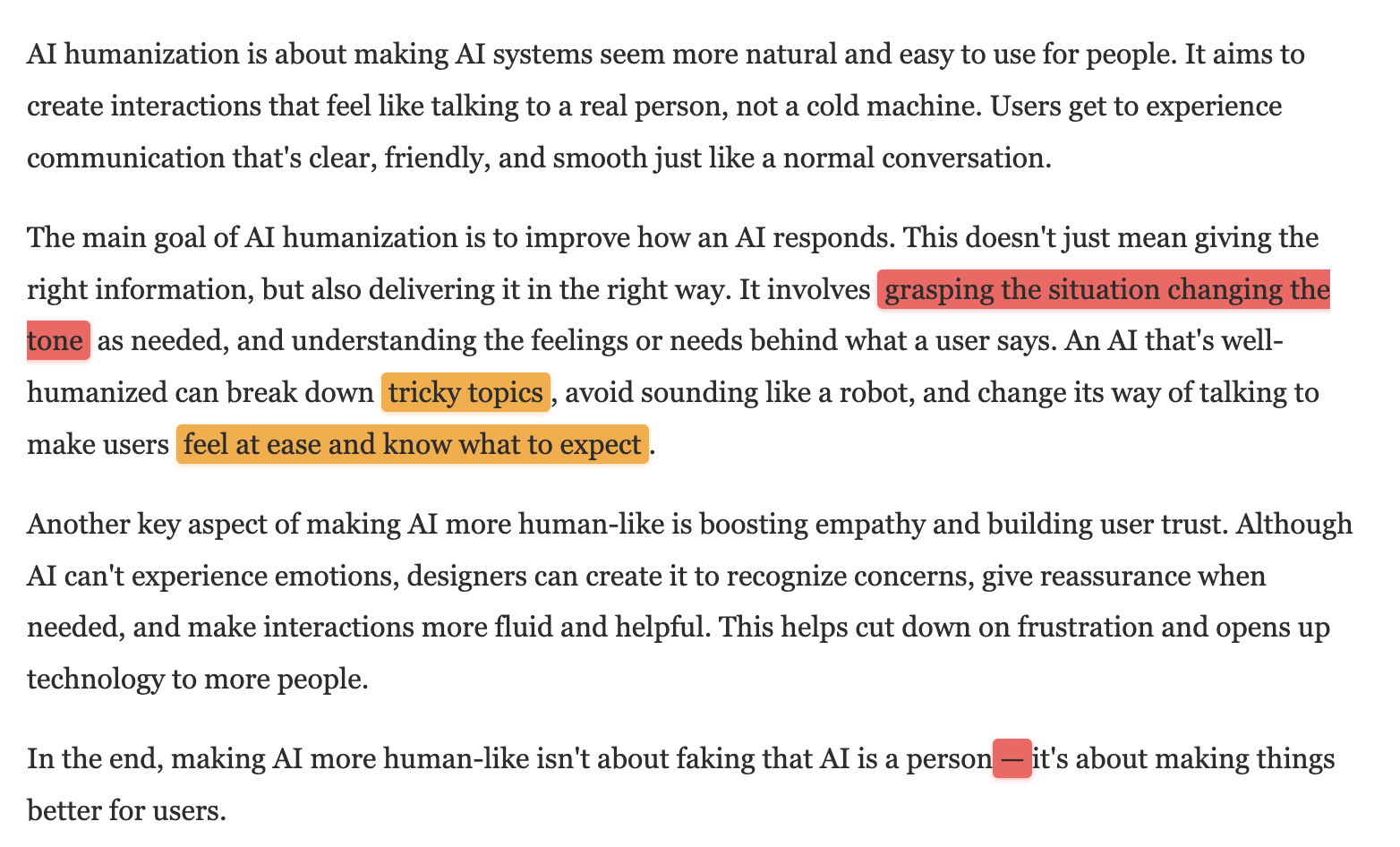
When I analyzed the first humanized text, I instantly noticed how complex ideas were reduced to phrases like “tricky topics” and “feel at ease and know what to expect.” The sentence “It involves grasping the situation changing the tone as needed” is also missing a comma after “situation,” which is a basic punctuation error that a well-designed humanizer should not introduce. The tool also left an em-dash in the final sentence (“isn’t about faking that AI is a person—it’s about making things better”), which is one of the most recognizable markers of AI-generated content.
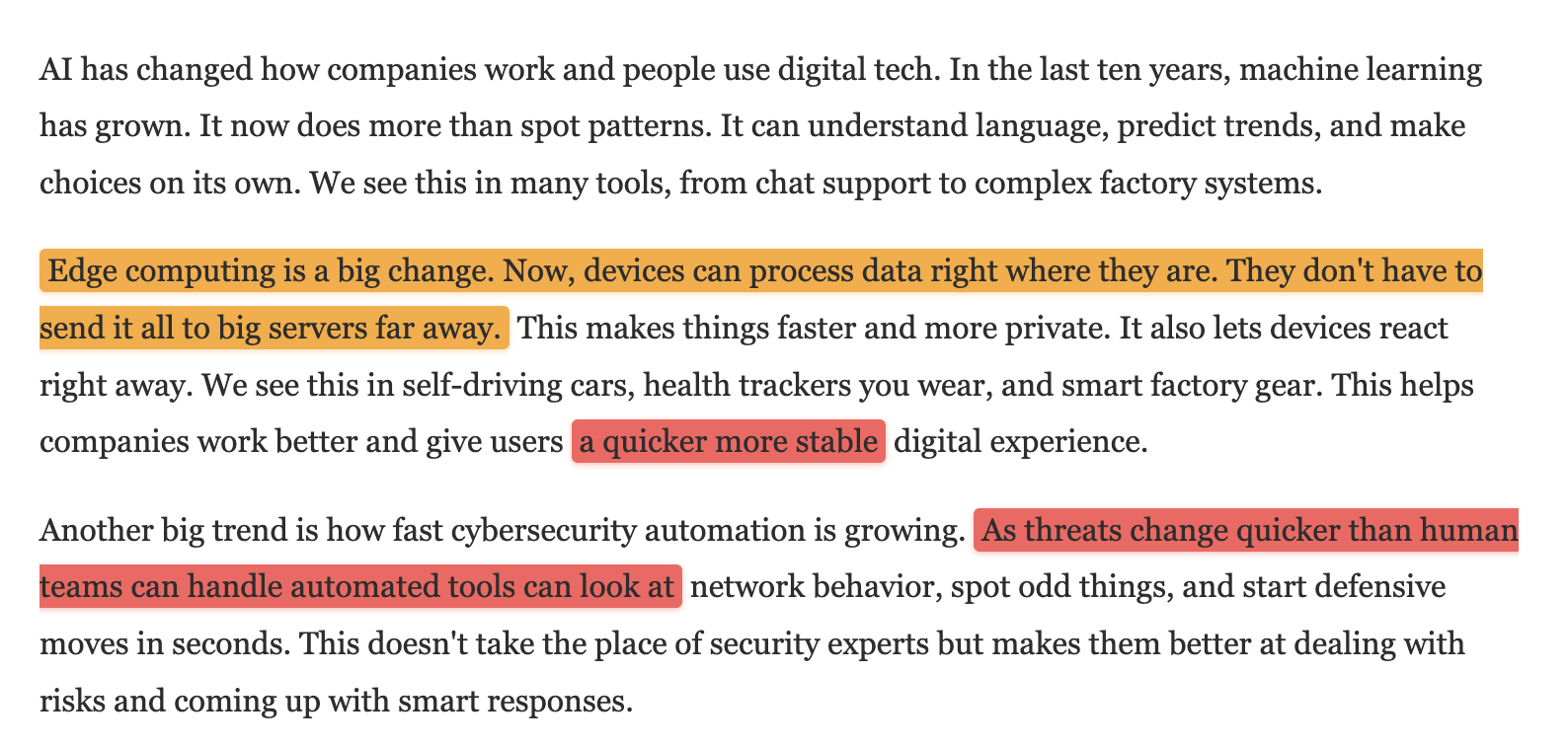
The second text was turned into a choppy, fragmented mess. Sentences like “Edge computing is a big change. Now, devices can process data right where they are. They don’t have to send it all to big servers far away.” are more like a children’s explainer than professional content. The text also contains another missing comma in “give users a quicker more stable digital experience” and drops one after “handle” in the phrase “As threats change quicker than human teams can handle automated tools can look at network behavior.”
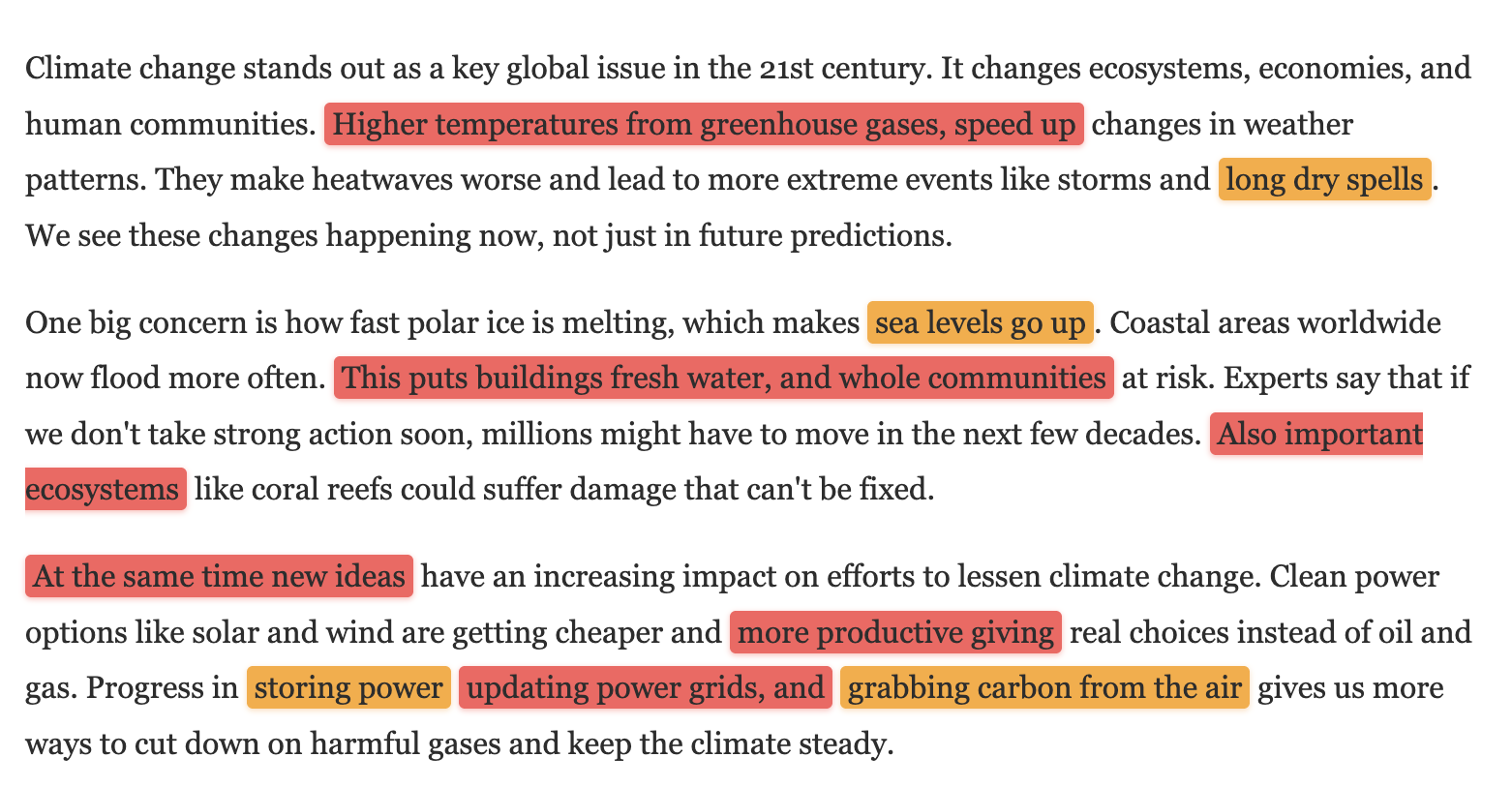
Punctuation problems continued even in the third text. An unnecessary comma appears in “Higher temperatures from greenhouse gases, speed up changes in weather patterns,” breaking the sentence incorrectly. There’s a missing word or comma in “This puts buildings fresh water, and whole communities at risk,” which makes the sentence grammatically incomplete. The phrase “Also important ecosystems like coral reefs” needs a comma after “Also” to read correctly, and “At the same time new ideas” similarly lacks proper punctuation.
What bothers me most about Writesonic’s approach is the trade-off it forces on you. The tool strips out complexity to dodge detectors, but then the dumbed-down output still gets flagged at 100% AI by GPTZero anyway. So you end up with worse writing and no detection benefit. I have tested humanizers, such as Clever AI Humanizer, that take the opposite approach, keeping the vocabulary and sentence complexity intact while altering the structural patterns detectors actually flag.
Beyond the mechanical errors, the simplification strategy produces phrases that feel almost patronizing because it seemingly blindly replaces correct terms with elementary school alternatives. Examples include “long dry spells” instead of “droughts,” “sea levels go up” instead of “rising sea levels,” and “grabbing carbon from the air” instead of “carbon capture.”
How Much Does Writesonic AI Humanizer Cost?
The AI Humanizer itself is technically free, but that’s only because it’s a small feature within Writesonic’s much larger SEO and content automation platform. The free version gives you three humanizations with a 200-word limit per request. After that, you need to create an account to unlock what they call the “Advanced Humanizer” along with 10 additional free generations.
If you want unlimited access to the humanizer (and everything else Writesonic offers), you’ll need to subscribe to one of their paid plans:
| Plan | Monthly Price | Yearly Price | AI Articles/Month | Target User |
|---|---|---|---|---|
| Free | $0 | $0 | 1 | Casual users |
| Lite | $49 | $39 | 15 | Freelancers |
| Standard | $99 | $79 | 30 | Small marketing teams |
| Professional | $249 | $199 | 50 | Growing brands |
| Advanced | $499 | $399 | 75 | Scaling teams |
| Enterprise | Custom | Custom | Custom | Large brands and agencies |
The plans are designed around AI article generation, SEO site audits, keyword research integrations, and AI search tracking across platforms like ChatGPT, Perplexity, and Google AI Overviews.
For users who specifically need an AI humanizer and nothing else, these prices are difficult to justify. Paying $39 per month (or $49 monthly) just to access unlimited humanization makes little sense when dedicated humanizers offer unlimited words for much less. There’s also the obvious issue of the results not actually being all that good.
Does Writesonic AI Humanizer Respect User Privacy?
Writesonic’s privacy policy and terms of service are more detailed and professionally written than those of many dedicated AI humanizers I’ve reviewed, which isn’t surprising given that Writesonic is a venture-backed company with actual legal resources.
The company collects standard data for a web-based service:
-
Personal data: Email address, first name, last name
-
Usage data: IP address, browser type and version, pages visited, time spent on pages, device identifiers
-
Payment data: Processed through Stripe and PayPal/Braintree (Writesonic doesn’t store card details directly)
-
Cookies: Session cookies, preference cookies, security cookies, and advertising cookies
The most significant privacy concern involves how Writesonic handles content submitted by free users. The privacy policy explicitly states: “For users of our free-tier Service, Writesonic retains control over and may use data, including inputs, prompts, and outputs, for the limited purposes of improving, training, and securing our AI models.” In other words, if you use the free humanizer, your text may be used to train Writesonic’s AI systems.
The terms of service also include a Fair Usage Policy that applies to unlimited plans. Users who exhibit “unusually high usage” or share login details risk account suspension or deletion without prior notice and with no possibility of refunds. The terms don’t specify what constitutes “unusually high usage,” which leaves the definition entirely at Writesonic’s discretion.
Refunds are available within seven days of purchase, but only if you’ve used fewer than 25,000 premium words. After that, you’re locked in regardless of satisfaction.