Grammarly has spent over fifteen years building a reputation as the go-to writing assistant, so, unlike many lesser-known detectors flooding the market, the company’s own AI detection tool arrived with genuine brand trust. The tool is free to use, requires no account for an initial scan, and integrates directly into Grammarly’s broader ecosystem of writing, plagiarism, and citation tools. But does brand recognition translate into detection accuracy? To find out, I ran Grammarly’s AI Detector through the same battery of tests I use for every detector review, feeding it AI-generated content from three major language models alongside verified human-written text spanning classic literature, academic research, Wikipedia articles, and journalism.
How I tested Grammarly’s AI Detector: I submitted content samples across two categories: confirmed AI-generated text and confirmed human-written text. For AI content, I generated fresh samples using ChatGPT, Claude, and Gemini on the topics of artificial intelligence, climate change, and technology trends (nine samples total, three per model). For human-written content, I selected sources that predate the public availability of large language models, including Wikipedia articles, classic novels from Project Gutenberg, BBC and Guardian news stories from the early 2000s, academic papers published before the transformer era, and blog posts from years before ChatGPT launched in November 2022. Each sample was scanned individually using Grammarly’s free AI detection tool, and I recorded the exact percentage score returned by the detector.
| Pros | Cons |
|---|---|
| Completely free with unlimited scans | Only some AI samples were detected correctly |
| No account required for initial use | Gemini content barely registered above coin-flip accuracy |
| Strong false positive performance | Pro features locked behind a subscription |
| Pro agent highlights exact phrases that triggered the flag | Broad content license lasts indefinitely |
| One-click AI Rewriter for fixing flagged sections | Shares data with advertising partners for targeted ads |
| Integrates with grammar, plagiarism, and citation tools | Not competitive with GPTZero or Originality AI on raw accuracy |
| Clear user content ownership in terms of service | |
| AI training opt-out available in account settings | |
| Professionally written, transparent legal documentation |
How Accurate Is Grammarly’s AI Detector at Catching AI Content?
Grammarly markets its AI Detector as a tool powered by “advanced machine learning models” trained on “tens of thousands of texts,” capable of identifying output from ChatGPT, Gemini, Claude, and other popular AI writing tools. With that kind of promise, you would expect it to reliably mark content that was generated moments ago by the very models it claims to detect. So how did it actually perform when I gave it nine freshly generated AI samples?
| AI Model | Topic | Grammarly Score |
|---|---|---|
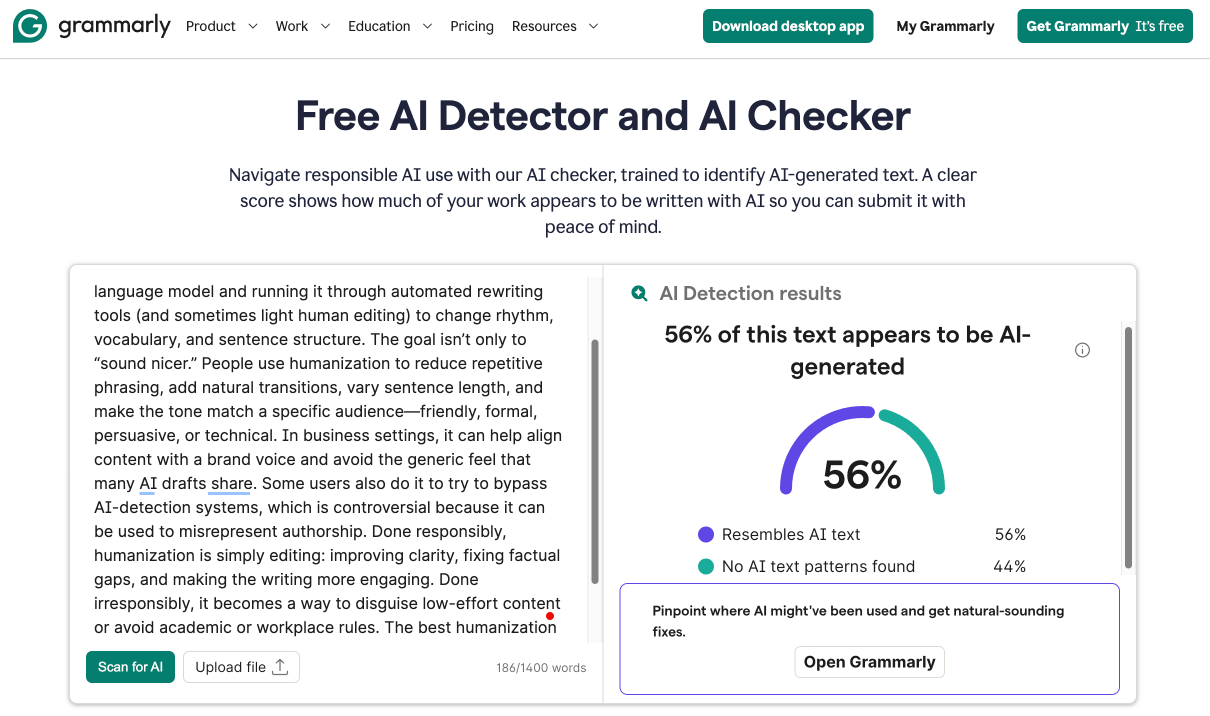
| ChatGPT | AI Humanization | 56% AI |
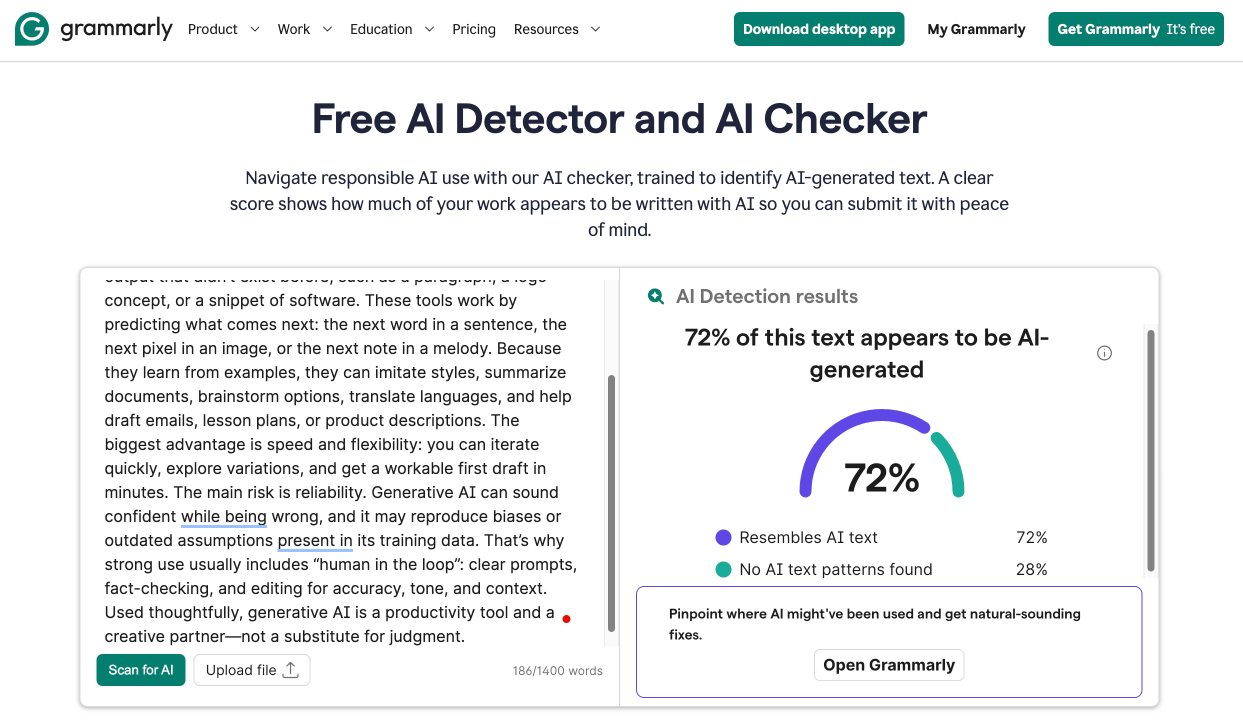
| ChatGPT | Climate Change | 72% AI |
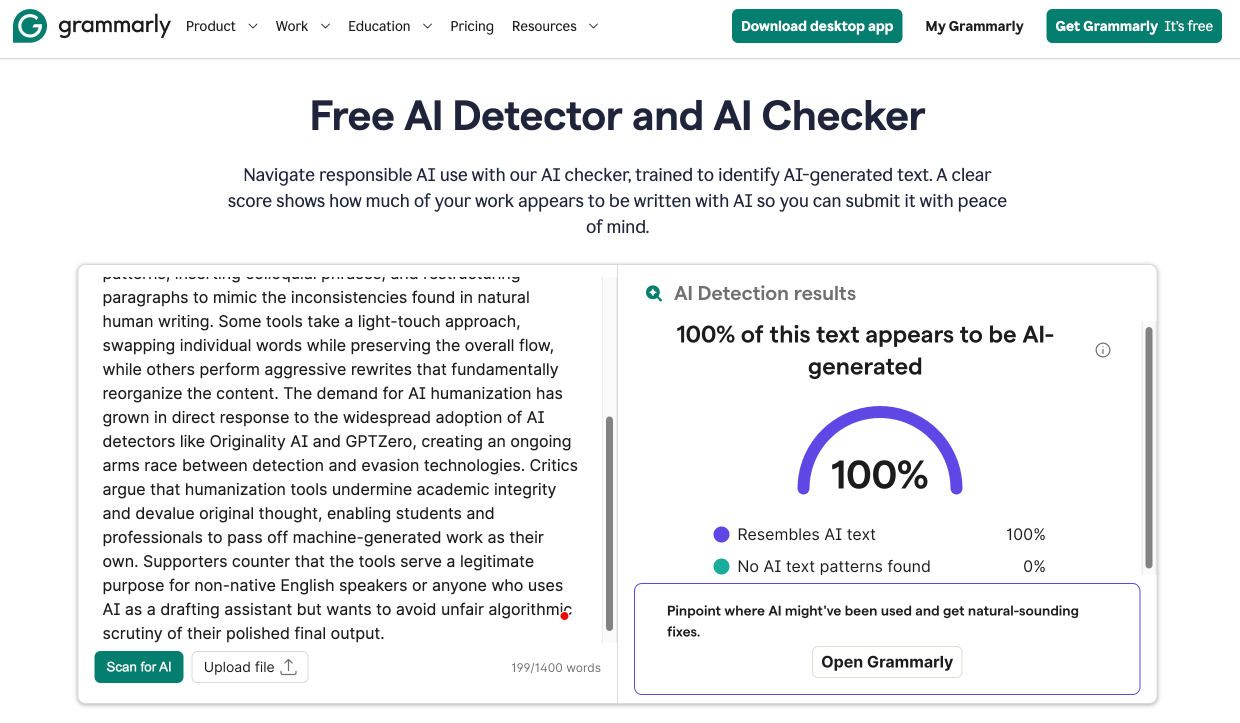
| ChatGPT | Technology Trends | 100% AI |
| Claude (Opus 4.6) | AI Humanization | 100% AI |
| Claude (Opus 4.6) | Climate Change | 89% AI |
| Claude (Opus 4.6) | Technology Trends | 100% AI |
| Gemini (3 Pro) | AI Humanization | 55% AI |
| Gemini (3 Pro) | Climate Change | 72% AI |
| Gemini (3 Pro) | Technology Trends | 67% AI |
As you can see, only three samples out of nine came back with a definitive 100% AI score. The remaining six ranged from 55% to 89%, which essentially means Grammarly would tell you that roughly half of a completely machine-written text appears to be human.
Claude content proved easiest for Grammarly to identify (two out of three samples hit 100% and the third landed at a still-respectable 89%), while ChatGPT detection was notably weaker. One sample returned just 56%, which means Grammarly concluded that nearly half of a text written entirely by ChatGPT showed “no AI text patterns found.” Only the Technology Trends sample triggered full detection.
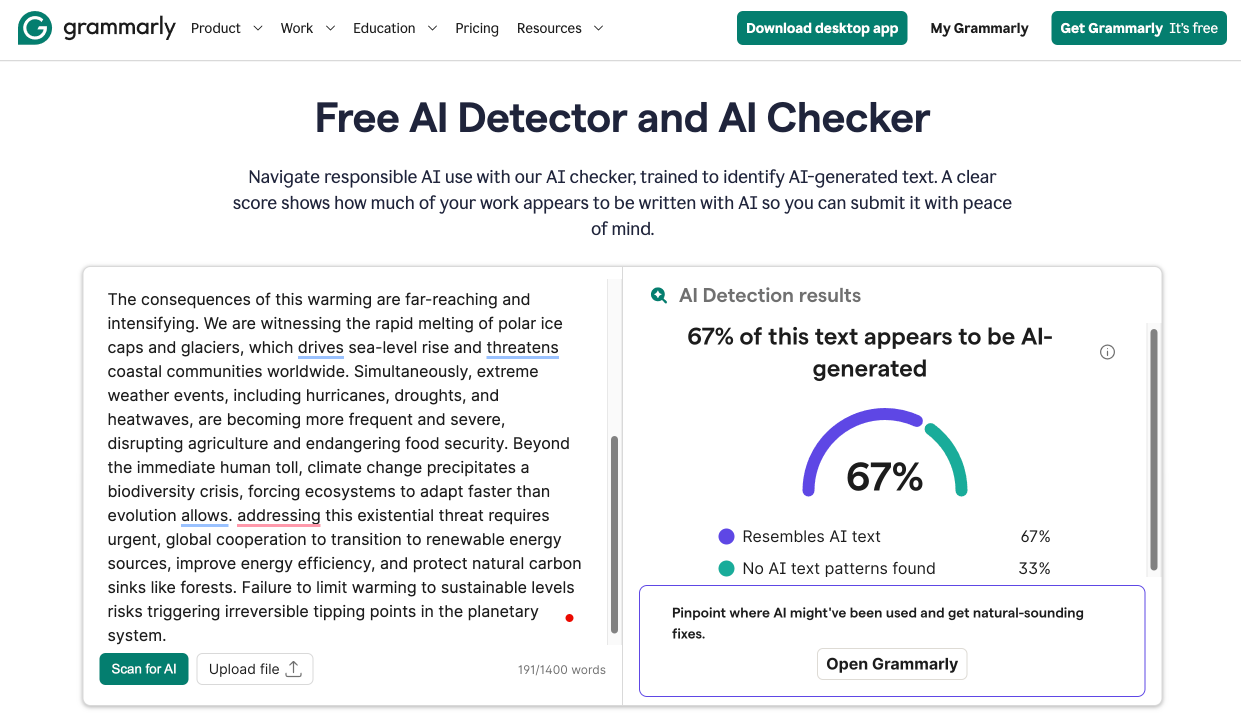
Gemini content exposed the detector’s biggest blind spot because not a single sample reached even 75% detection. The best result was 72% on the Climate Change text, while the AI Humanization sample returned a barely-there 55%. For context, a score hovering around 50% is functionally useless because it tells the user almost nothing. You could flip a coin and arrive at a similar level of confidence.
It is worth noting that Grammarly’s detection model was trained on texts “created before 2021,” according to the company’s own documentation. That training cutoff could partially explain why the detector struggles with output from newer models.
Does Grammarly’s AI Detector Produce False Positives?
To test whether Grammarly leaves legitimate human writing alone, I collected ten samples from sources that could not possibly contain AI-generated text: Wikipedia articles with years of documented edit history, classic novels from the 19th century, BBC and Guardian news stories published in the early 2000s, academic papers that predate the transformer architecture, and blog posts written years before ChatGPT existed.
| Content | Source | Year | Grammarly Score |
|---|---|---|---|
| Dog | Wikipedia | Ongoing (est. 2003) | 0% AI |
| Gamergate (controversy) | Wikipedia | Ongoing (est. 2014) | 0% AI |
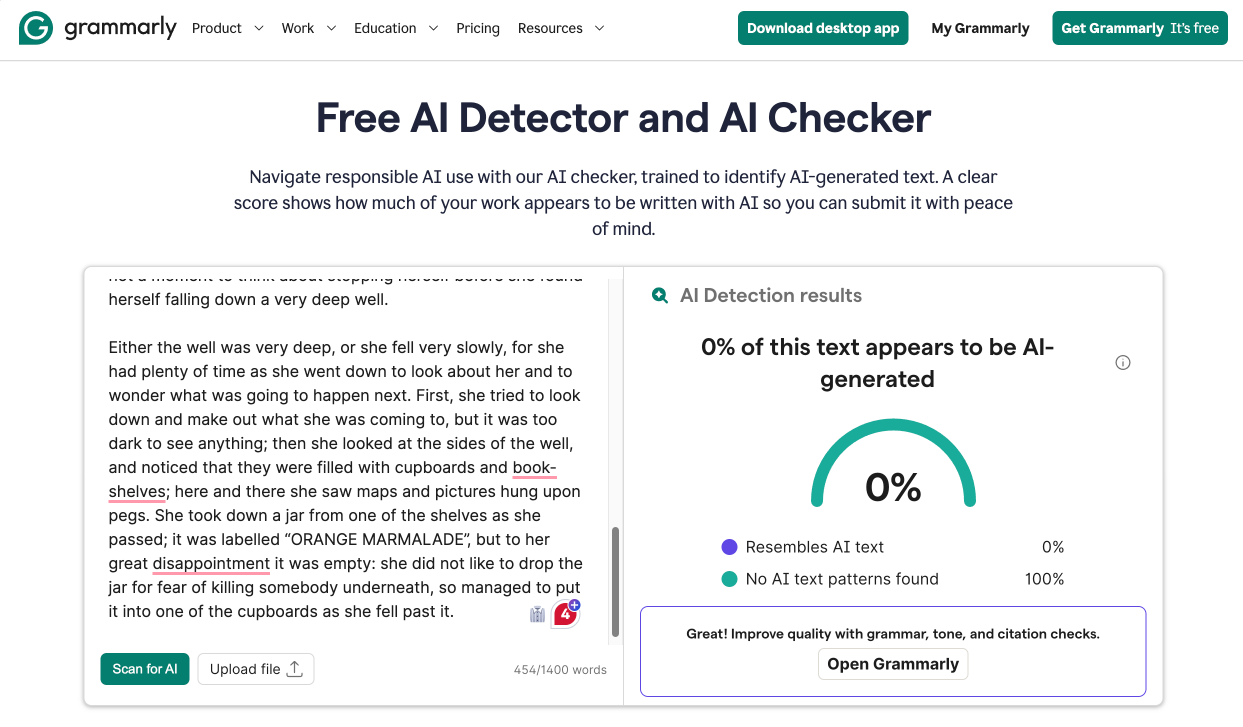
| Alice’s Adventures in Wonderland | Project Gutenberg | 1865 | 0% AI |
| The Wonderful Wizard of Oz | Project Gutenberg | 1900 | 0% AI |
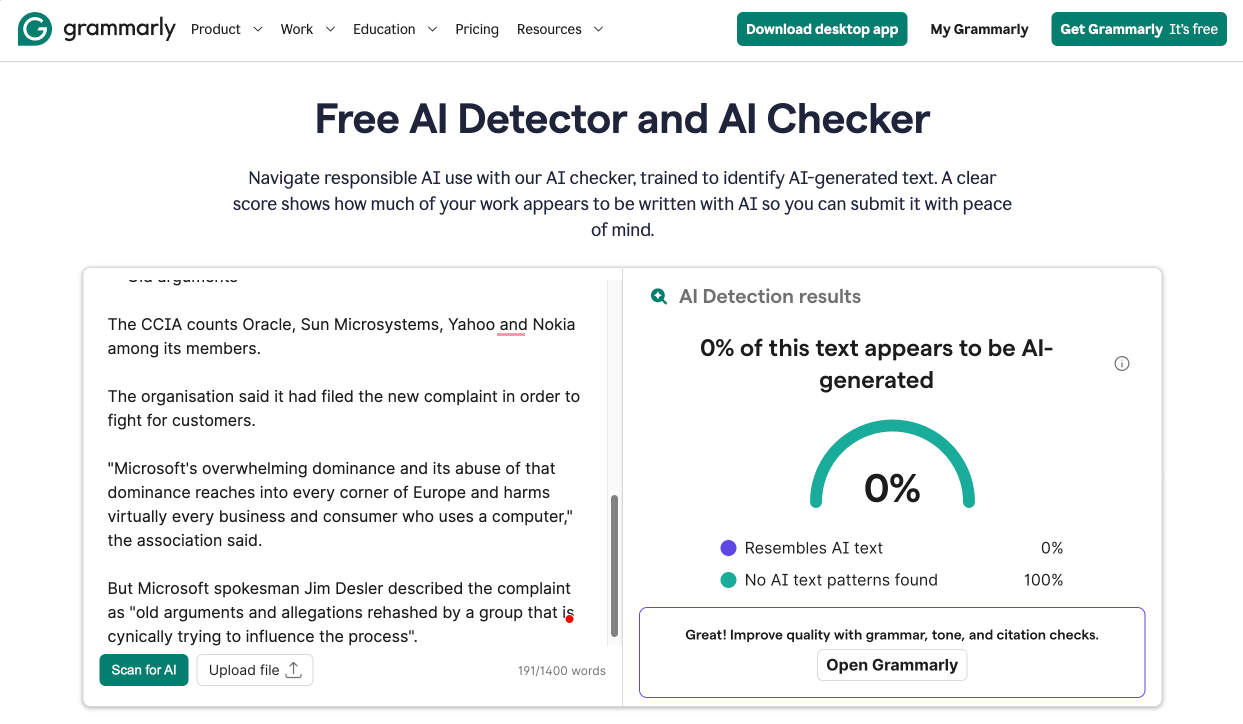
| Microsoft faces new complaint | BBC News | 2003 | 0% AI |
| Elite forces storm Moscow theatre | The Guardian | 2002 | 0% AI |
| Attention Is All You Need | NeurIPS | 2017 | 19% AI |
| Bayesian Model Selection in Social Research | Academic journal | 1995 | 0% AI |
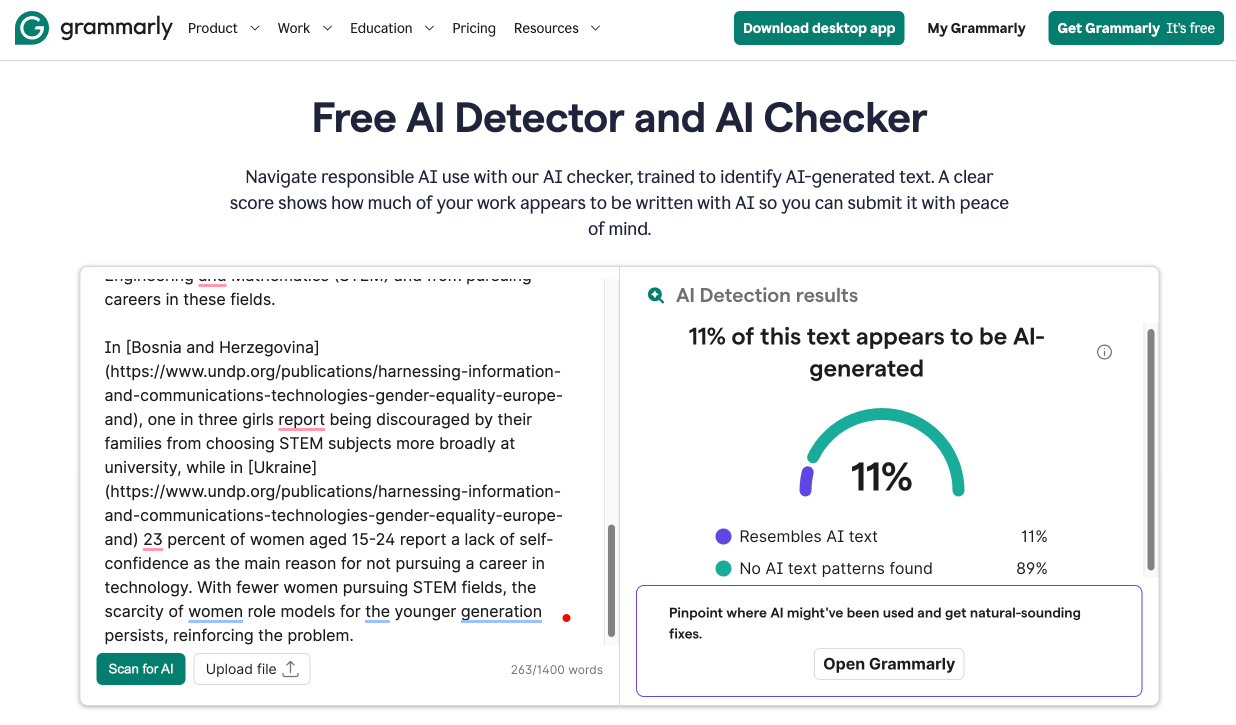
| A digital generation where every girl counts | UNDP Blog | 2019 | 11% AI |
| Customizing Windows Vista, Part 1 | PC Magazine | 2007 | 0% AI |
To my pleasant surprise, Grammarly actually performs reasonably well when it comes to avoiding false positives. Eight out of ten human-written samples returned a clean 0% AI score, meaning the detector correctly identified them as entirely human. Classic literature, Wikipedia articles, early 2000s journalism, and one of the two academic papers all passed without any suspicion.
The two exceptions are worth examining. The “Attention Is All You Need” paper, which introduced the transformer architecture that all modern large language models are built on, came back at 19% AI. This is the same paper that Originality AI scanned with zero issues (100% Original). Given that it was published in 2017, five years before ChatGPT launched, any AI detection on this content is by definition a false positive. It is possible that the paper’s highly structured, technical prose triggered Grammarly’s model because that style of writing happens to overlap with patterns the detector associates with machine output.
The UNDP blog post about digital inclusion for girls, published in 2019, received an 11% AI score, but that’s low enough that most users would probably dismiss it, especially considering that three years before large language models became publicly accessible, there was no realistic mechanism for AI to have contributed to this content.
How Does Grammarly Compare to Other Detectors?
To put Grammarly’s performance in proper context, I ran the same AI-generated content samples through GPTZero and Originality AI, two of the most widely used AI detectors:
| AI Model | Topic | Grammarly | GPTZero | Originality AI |
|---|---|---|---|---|
| ChatGPT | AI Humanization | 56% AI | 100% AI | 100% AI |
| ChatGPT | Climate Change | 72% AI | 100% AI | 100% AI |
| ChatGPT | Technology Trends | 100% AI | 100% AI | 100% AI |
| Claude | AI Humanization | 100% AI | 100% AI | 100% AI |
| Claude | Climate Change | 89% AI | 100% AI | 100% AI |
| Claude | Technology Trends | 100% AI | 100% AI | 100% AI |
| Gemini | AI Humanization | 55% AI | 100% AI | 100% AI |
| Gemini | Climate Change | 72% AI | 100% AI | 100% AI |
| Gemini | Technology Trends | 67% AI | 100% AI | 100% AI |
Both GPTZero and Originality AI returned a confident 100% AI on every single sample regardless of which language model produced it. Grammarly managed 100% on only three out of nine. The remaining six scores ranged from 55% to 89%, meaning Grammarly would have partially cleared content that the other two detectors flagged without hesitation.
This comparison also highlights a model-specific problem. GPTZero and Originality AI showed no vulnerability to any particular model. Grammarly, on the other hand, showed clear weaknesses against Gemini (average score: 65%) and noticeable inconsistency with ChatGPT (average score: 76%). Only Claude detection approached the reliability of the other two tools, averaging 96% across three samples.
How Much Does Grammarly’s AI Detector Cost?
What’s great about Grammarly as an AI detector is that the basic AI detection scan is completely free. You can paste text or upload a document on Grammarly’s website and receive a percentage score within seconds. No account creation is required for your first scan, which makes it one of the most accessible detectors available. After that initial use, Grammarly asks you to create a free account to continue scanning, but the detection feature itself remains available at no cost on the Free tier.
Where things get more interesting (and more expensive) is with Grammarly’s “AI Detector agent,” which is exclusive to Grammarly Pro subscribers. The basic free scan gives you a single percentage score for the entire document. The Pro agent goes further by highlighting exactly which phrases triggered the AI flag. It even explains why each phrase was flagged and offers one-click rewrites through Grammarly’s AI Rewriter so you can rephrase suspicious sections on the spot. It also integrates with Grammarly’s citation generator, and I’ve found it really helpful for adding properly formatted AI usage citations directly within your workflow.
| Plan | Monthly Price | Annual Price | AI Detection Features |
|---|---|---|---|
| Free | $0 | $0 | Basic percentage score, upload or paste text |
| Pro | $30/month | $12/month (billed annually) | Phrase-level highlighting, flagged phrase explanations, one-click AI Rewriter, citation integration |
| Business | ~$15/user/month | ~$15/user/month (billed annually) | All Pro features plus team analytics, style guides, brand tone |
| Enterprise | Custom | Custom | All Business features plus unlimited AI prompts, SAML SSO, advanced security |
The pricing question really comes down to what you need the detector for. If you just want a quick gut check on whether a piece of text looks AI-generated, the free version does the job, and it does it without the credit-based system that tools like Originality AI use ($30 for 3,000 credits, where each 100-word scan costs one credit). You will never run out of scans or worry about credits expiring at the end of the month.
However, if you are an educator evaluating student submissions or a publisher screening freelance content, the free version’s single percentage score is probably not detailed enough. Knowing that a document scored 72% AI is much less useful than knowing which specific sentences triggered the flag. That level of detail requires Pro, and at $30 per month (or $12 per month if you commit to an annual plan), the cost adds up quickly if AI detection is your only reason for subscribing.
The silver lining is that Pro includes Grammarly’s full suite of writing tools: advanced grammar corrections, full-sentence rewrites, tone adjustments, plagiarism detection, and 2,000 monthly AI prompts. If you already use or plan to use Grammarly for writing assistance, the AI Detector agent becomes a bonus feature rather than a standalone expense. But if your sole interest is AI detection, paying $12 to $30 per month for a detector that scored only 33% of AI samples at full confidence is a tough sell compared to GPTZero, which offers free detection with considerably better accuracy.
Does Grammarly Respect User Privacy?
According to Grammarly’s privacy policy and terms of service, the company (now operating under the Superhuman corporate family) collects the following data when you use its AI Detector or any other Grammarly product:
-
Account information: email address, password, name, email preferences, job titles, and phone numbers
-
Payment information: transaction details processed through third-party providers (Grammarly does not store card numbers directly)
-
User content: all text, documents, and files you upload or allow the service to access
-
Technical information: IP address, device type, browser type and version, time zone, operating system, and location
-
Usage data: activity on websites and apps, feature usage logs, and interaction patterns
-
Cookie data: session cookies, preference cookies, analytics tracking, and advertising cookies
-
Information from other sources: publicly available data, licensed contact information, and data from third-party marketplace integrations
The most important clause for anyone scanning text through the AI Detector is the content license. By using the service, you grant Grammarly “a worldwide, non-exclusive, royalty-free license” to “use, store, reproduce, publish, publicly display, modify, and create derivative works” from your content. That license applies to operating, improving, and troubleshooting the service, as well as developing new products. It lasts “as long as intellectual property laws protect your User Content,” which in practical terms means indefinitely.
That said, Grammarly provides a setting in your account that lets you decide whether your content can be used to train their AI models. This is a meaningful privacy control that major competitors like Originality AI also offer but that most smaller tools do not.
You should also know that Grammarly does share some data with advertising partners, including cookie IDs and unique identifiers derived from your email address, for the purpose of promoting Grammarly’s own products on other websites. This is standard for ad-supported platforms, and users can opt out through the privacy settings.